Laravel-admin: 刷新页面后,左侧菜单栏怎么默认选中当前栏目,展开菜单栏选择的菜单并高亮
- Laravel Version: 5.6
- PHP Version: 7.1.3
- Laravel-admin: 1.5.9
Description:
如当前点击的是管理员菜单展开并且是高亮显示,但是刷新后,怎么才能让当前默认展开并高亮当前菜单呢?
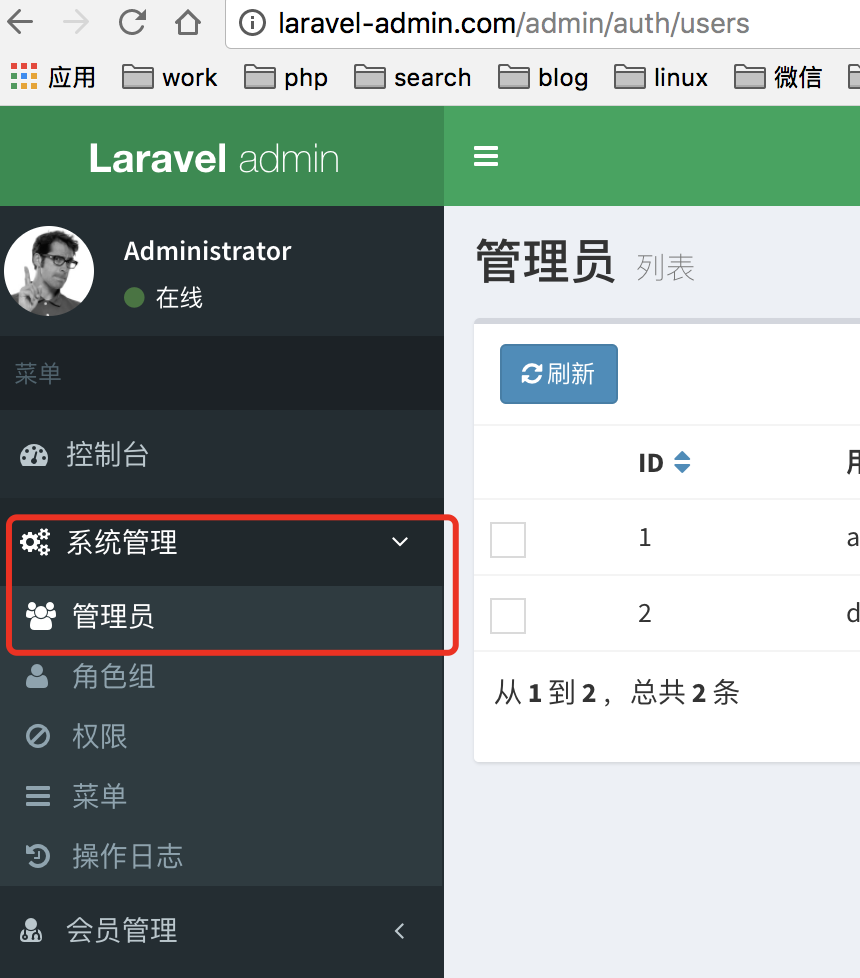
刷新后效果
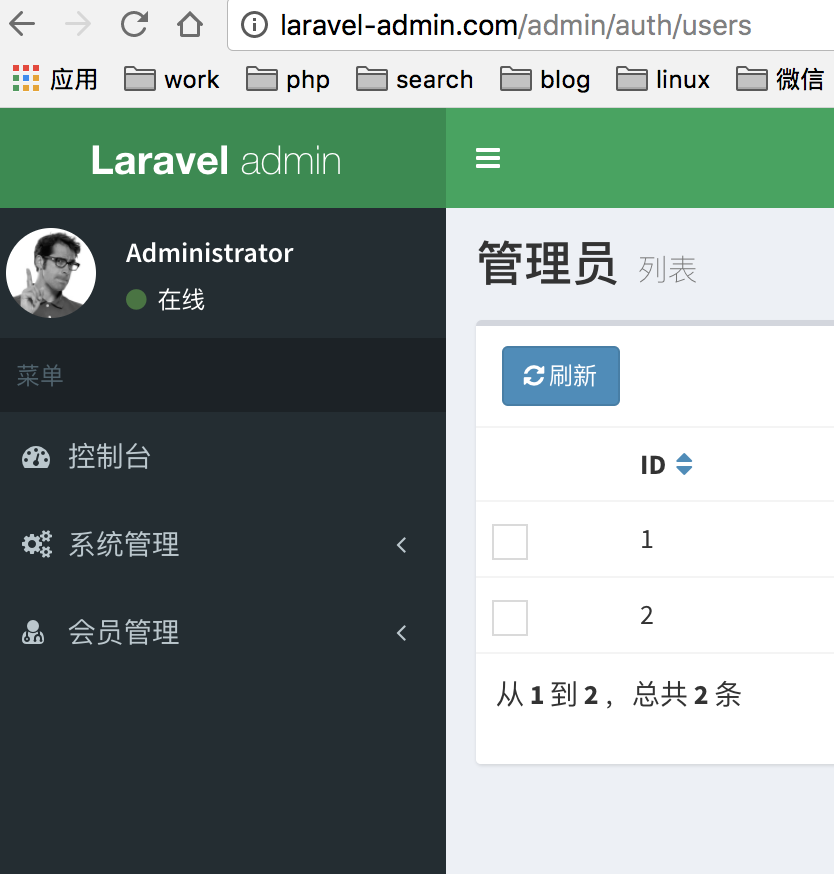
Steps To Reproduce:
wontfix
 denghp
❤1
All 7 comments
$(function(){
    $('.sidebar-menu li:not(.treeview) > a').on('click', function(){
        var $parent = $(this).parent().addClass('active');
        $parent.siblings('.treeview.active').find('> a').trigger('click');
        $parent.siblings().removeClass('active').find('li').removeClass('active');
    });

    $(window).on('load', function(){
        $('.sidebar-menu a').each(function(){
            if(this.href === window.location.href){
                $(this).parent().addClass('active')
                    .closest('.treeview-menu').addClass('.menu-open')
                    .closest('.treeview').addClass('active');
            }
        });
    });
});
在 index.blade.php 的js 中加入这个
 jaredwu
on 19 Mar 2018
jaredwu
on 19 Mar 2018
👍6
😕1
😄1
谢谢你的实现,加上你的代码这个功能正常达到我想要的效果了。还有一个效果不知道您实现没?
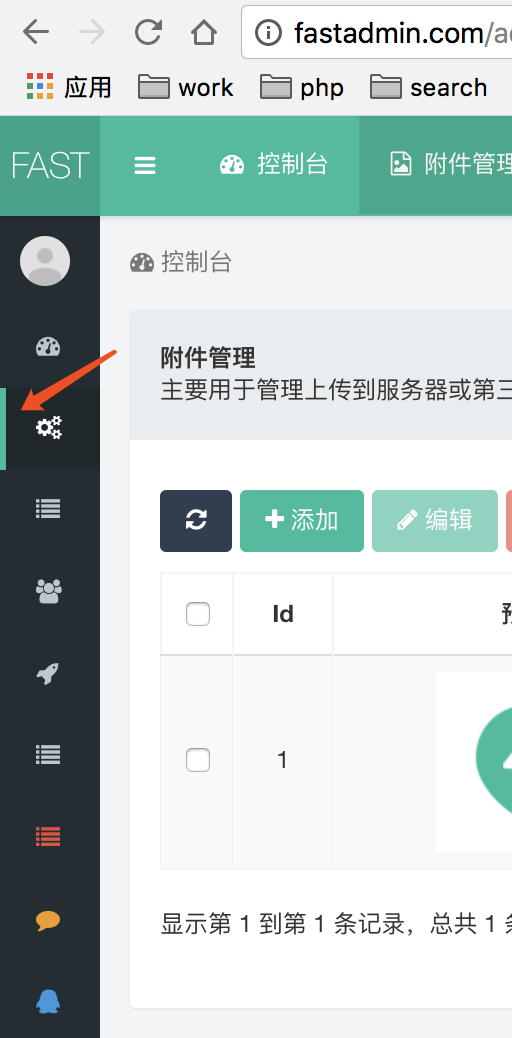
就是在sidebar-collapse 模式下,左侧点击的菜单栏鼠标离开后如何高亮显示?
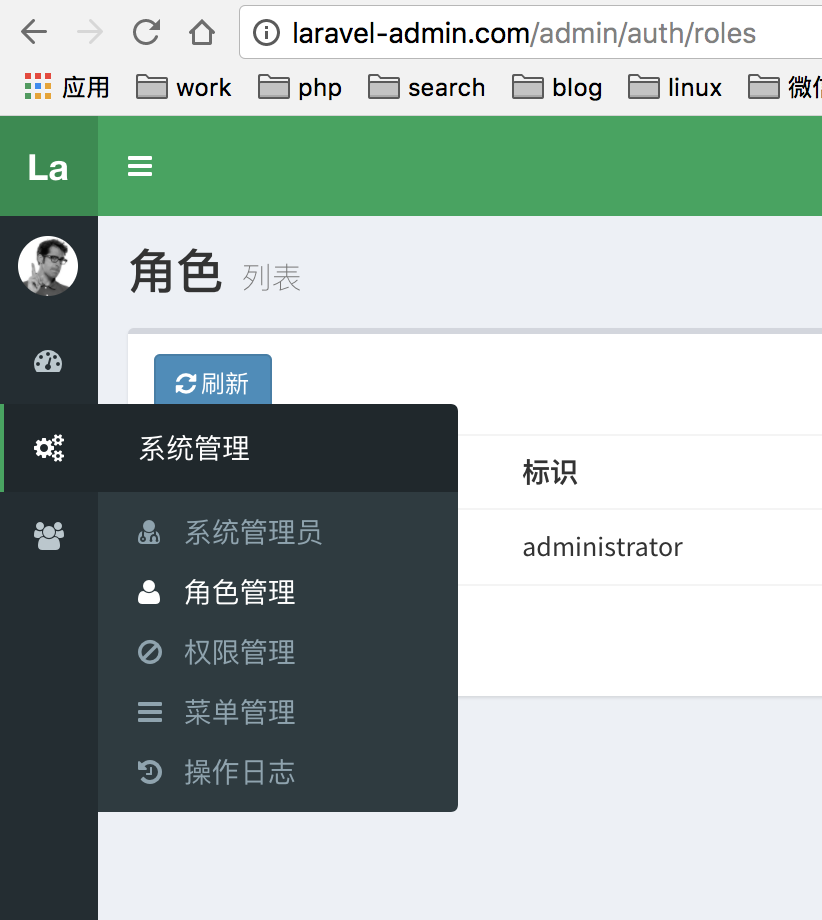
正常模板提供是点击后,鼠标离开该菜单属于高亮显示的,效果如下:
@jaredwu
denghp
on 27 Mar 2018
请问你这个主题是怎么修改的
 shencm
on 28 May 2018
shencm
on 28 May 2018
@shencm
config配置下的app.php 修改 'skin' => 'skin-green',参数
denghp
on 4 Jun 2018
This issue has been automatically marked as stale because it has not had recent activity. It will be closed if no further activity occurs. Thank you for your contributions.
![stale[bot] picture](https://avatars3.githubusercontent.com/in/1724?v=4&s=40) stale[bot]
on 23 Apr 2019
stale[bot]
on 23 Apr 2019
你好,请问你是怎么实现‘当前点击的是管理员菜单展开并且是高亮显示’,方便把代码发一下吗?
 lilianxu9327
on 15 Oct 2019
lilianxu9327
on 15 Oct 2019
In case of pagination it fails. Does anyone have any other solutions?
 jackbaron
on 6 Nov 2019
jackbaron
on 6 Nov 2019
Was this page helpful?
0 / 5 - 0 ratings
Related issues
 qcol
·
11Comments
qcol
·
11Comments
 rdtandel
·
9Comments
rdtandel
·
9Comments
 yang5664
·
13Comments
yang5664
·
13Comments
 zhsb190101
·
18Comments
zhsb190101
·
18Comments
 kelvenchi
·
10Comments
kelvenchi
·
10Comments
Most helpful comment
在 index.blade.php 的js 中加入这个