Laravel-activitylog: [Question] How do I set the subject_id?
I looked through the documentation, but I'm not sure how I set the subject_id using Activity().
I am logging changes to a users's profile and sometimes an admin will change the user's details, so I want to set both the subject and the causer.
Something like this:
activity()
                ->causedBy(Auth::user()->id)
                ->subject($user->id)
                ->withProperties(['type' => 'activity'])
                ->log('Last name updated to '.$user->last_name);
 ApplicationError
All 8 comments
Hey,
the method is performedOn() and you shouldn't pass the ID but the model.
And have you checked the model trait? This will log all changes by using hooks. So you don't have to create events everytime your own.
 Gummibeer
on 26 May 2019
Gummibeer
on 26 May 2019
Hi @Gummibeer, thanks for your help. I tried using the Trait, but not enough information is logged when things happen... like on name change, I need to track what the name was... etc.
So maybe I should add that "subject" data in as custom property...
ApplicationError
on 26 May 2019
The changes are tracked with the trait. And the performedOn() method sets the subject.
I really recommend you to read the full documentation https://docs.spatie.be/laravel-activitylog it will help you to understand all features this package provides.
Gummibeer
on 26 May 2019
@Gummibeer Thanks again. I really appreciate your help. I've got it working, but displaying the data in a user friendly way seems like a much bigger task, than just writing a clear log entry.
Any plans to allow "subject" the be set manually in the future sometime?
ApplicationError
on 27 May 2019
What do you expect that isn't possible at the moment?
Related to your log formatting:
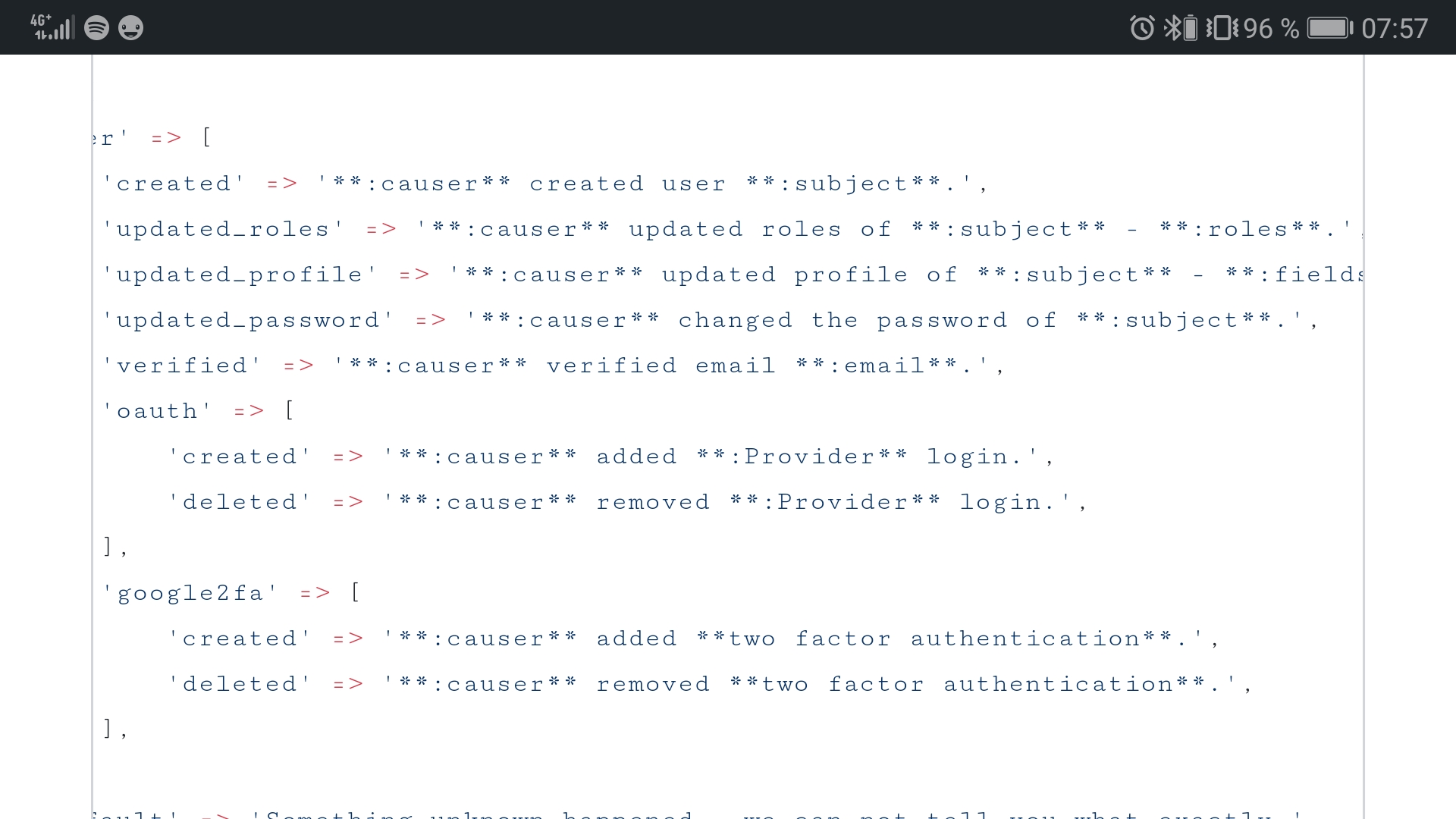
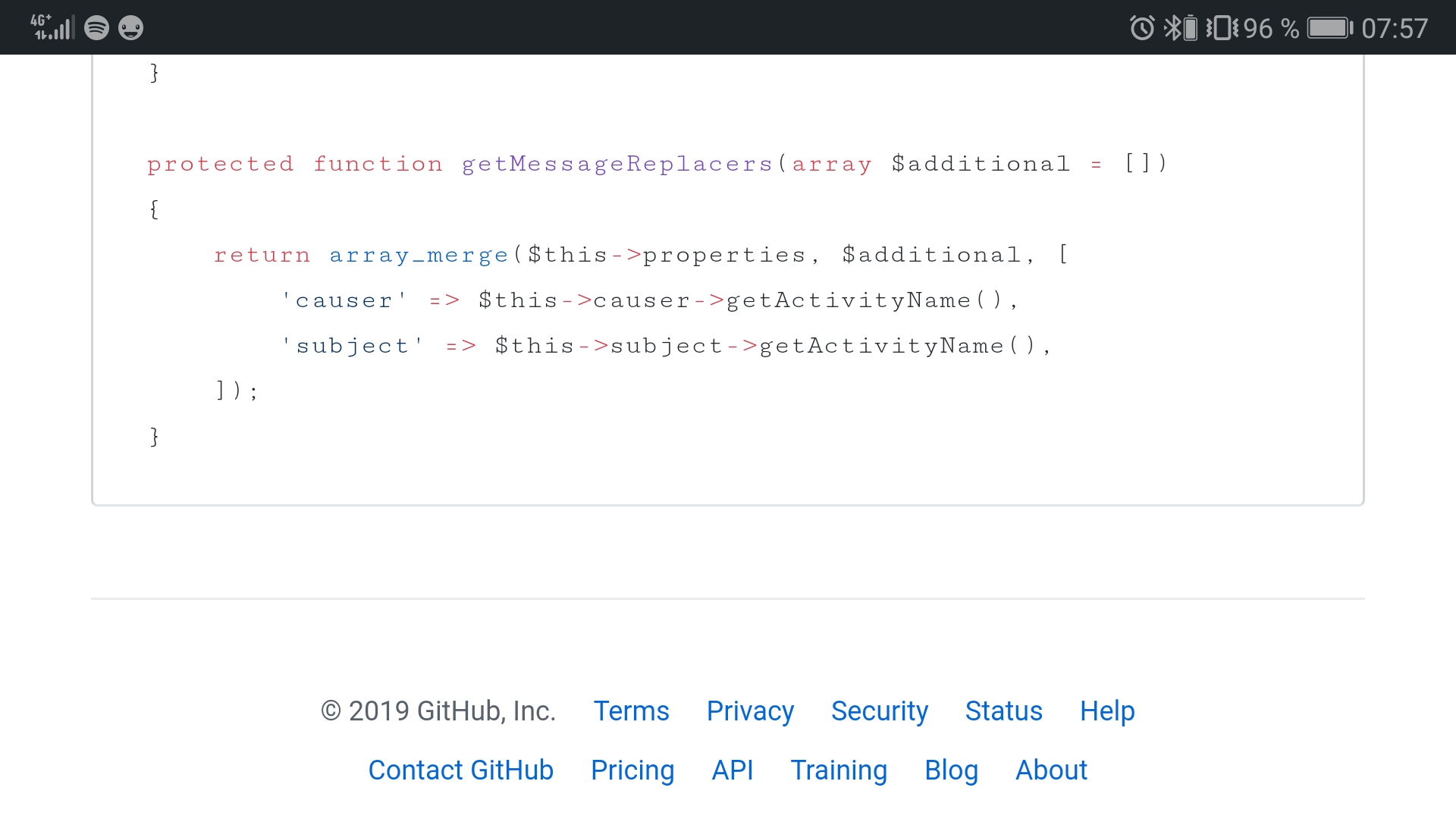
fields and roles and all the other replacers are filled during creation in the tapActivity() method. And as "message" I use constants which indicate what happened and are used to get the translation source. By using accessor methods on a custom activity model I don't have to care about translations and message replacers in my views. Most of the activity types are generated in a dynamic way by snake casing the model class name and the event type. So for a new model I only have to add the constants and related data like color, icon and visibility.
Your major problem with custom logs is to create them after every save spread over your app. Which is great for activities that doesn't fire a model event but for all things you can catch with model events it's more recommended to adjust the activity via tapActivity() and a custom activity model.
Gummibeer
on 27 May 2019
@Gummibeer Thank you.
This is probably just too advanced for me.
I was just hoping to set the subject_id manually, so when I add a log entry, I can attach it.
Something like:
if($user->last_name != $validatedUser['last_name']){
$user->last_name = $validatedUser['last_name'];
activity()
->causedBy(Auth::user()->id)
->subject($user->id)
->withProperties(['type' => 'activity'])
->log('Last name updated to '.$user->last_name);
}
Then I can simply grab the users's log data and display the description
public function activityLog(User $user)
{
$activity = Activity::all()->where('subject_id','=',$user->id);
$roles = Role::all();
return view('admin.users.log')->with(
[
'user' => $user,
'activity' => $activity
]
);
}
and display it...
<table class="table table-sm">
<thead>
<tr>
<th scope="col">Date/Time</th>
<th scope="col">Type</th>
<th scope="col">Activity</th>
<th scope="col">IP Address</th>
</tr>
</thead>
<tbody>
@foreach($activity as $event)
<tr>
<th scope="row">{{$event->created_at}}</th>
<td>{{$event->getExtraProperty('type')}}</td>
<td>{{$event->description}}</td>
<td>{{$event->getExtraProperty('ip')}}</td>
</tr>
@endforeach
</tbody>
</table>
Ok, instead of subject($user->id) you can use performedOn($user).
So your whole code will look like:
activity()
  ->causedBy(Auth::user())
  ->performedOn($user)
  ->withProperties(['type' => 'activity'])
  ->log('Last name updated to '.$user->last_name);
@Gummibeer Ugh, thank you so much. That works like a charm and it's so much cleaner than the automatic logging on the entire model. Very nice!
ApplicationError
on 28 May 2019
Related issues
 uyab
·
4Comments
uyab
·
4Comments
 marky291
·
4Comments
marky291
·
4Comments
 BerendSpigt
·
4Comments
BerendSpigt
·
4Comments
 TheFrankman
·
5Comments
TheFrankman
·
5Comments
 Hesesses
·
5Comments
Hesesses
·
5Comments
Most helpful comment
Ok, instead of
subject($user->id)you can useperformedOn($user).So your whole code will look like: