Lando: Lando + Solr: Incompatible schema.xml configuration file. Misconfiguration.
Tell us about your setup
I am running the last version available:
lando version
v3.0.0-rc.20
On macOS High Sierra version 10.13.6.
Tell us about your .lando.yml
name: lando-solr
recipe: drupal8
config:
  webroot: .
services:
  search:
    type: solr:6.6
    portforward: true
    core: d8
    config:
      conf: modules/contrib/search_api_solr/solr-conf/6.x
Tell us about the command you were running
lando init \
  --source remote \
  --remote-url https://www.drupal.org/download-latest/tar.gz \
  --remote-options="--strip-components 1" \
  --recipe drupal8 \
  --webroot . \
  --name lando-solr
lando start
lando ssh
drush site-install demo_umami --db-url=mysql://drupal8:drupal8@database/drupal8 -y
composer require 'drupal/search_api_solr:^1.2'
drush en -y comment
drush en -y search_api_solr_defaults
There's an issue during search_api_solr_defaults module installation. Also there's way around to handle it: https://www.drupal.org/project/search_api/issues/2781119
For sake of this Lando issue just do the following step:
Change 'article' => array('body', 'comment', 'field_tags', 'field_image'), to the 'article' => array('body', 'field_comment', 'field_tags', 'field_image'), in your search_api_db_defaults/search_api_db_defaults.install (line 19)
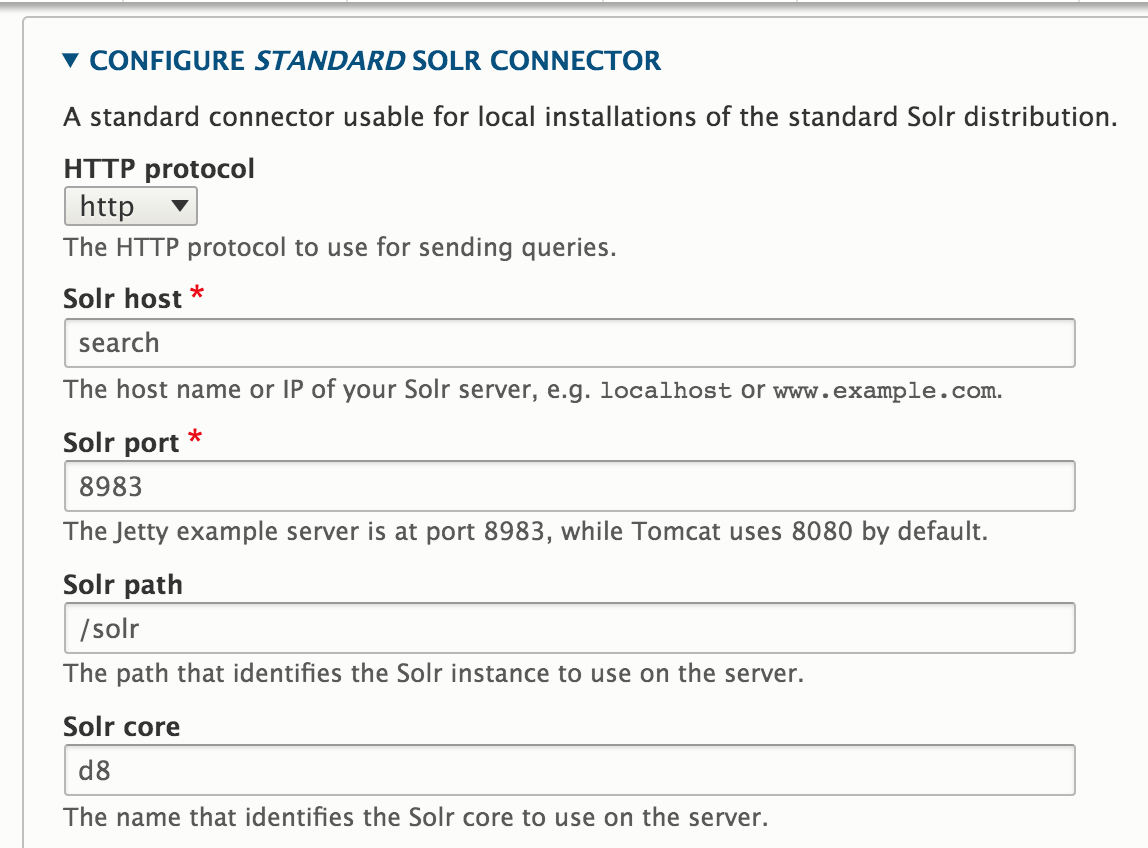
Finally I execute drush uli in order to log in on new fresh Drupal 8 site then I browse to the following path /en/admin/config/search/search-api/server/default_solr_server/edit in order to update configuration values to reach Solr instance as showns in the following screenshot:
Tell us about the error you got
It turns out that as soon as I go to /en/admin/config/search/search-api/server/default_solr_server path, then I found that the error appears.
It seems that Solr's XML files from search_api_solr modules are not copied at all or at least no into de proper place. It throws me the following error:
You are using an incompatible schema.xml configuration file. Please follow the instructions in the INSTALL.txt file for setting up Solr.
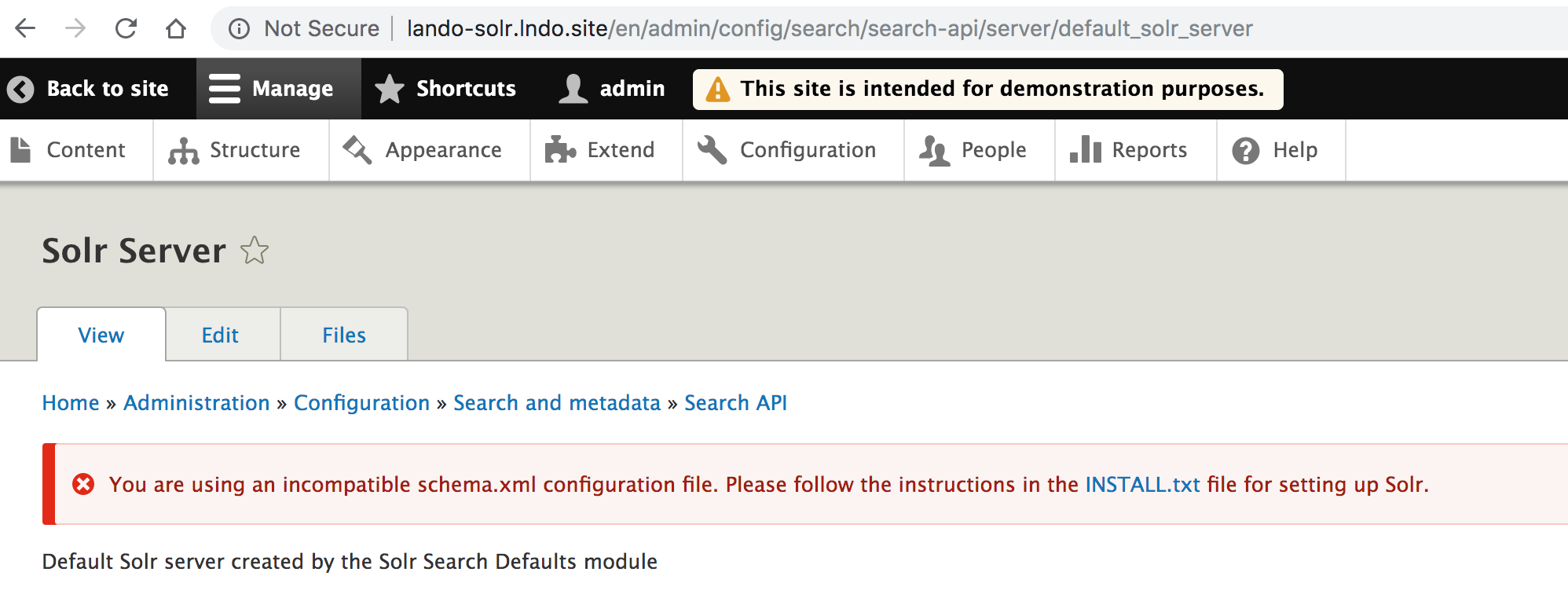
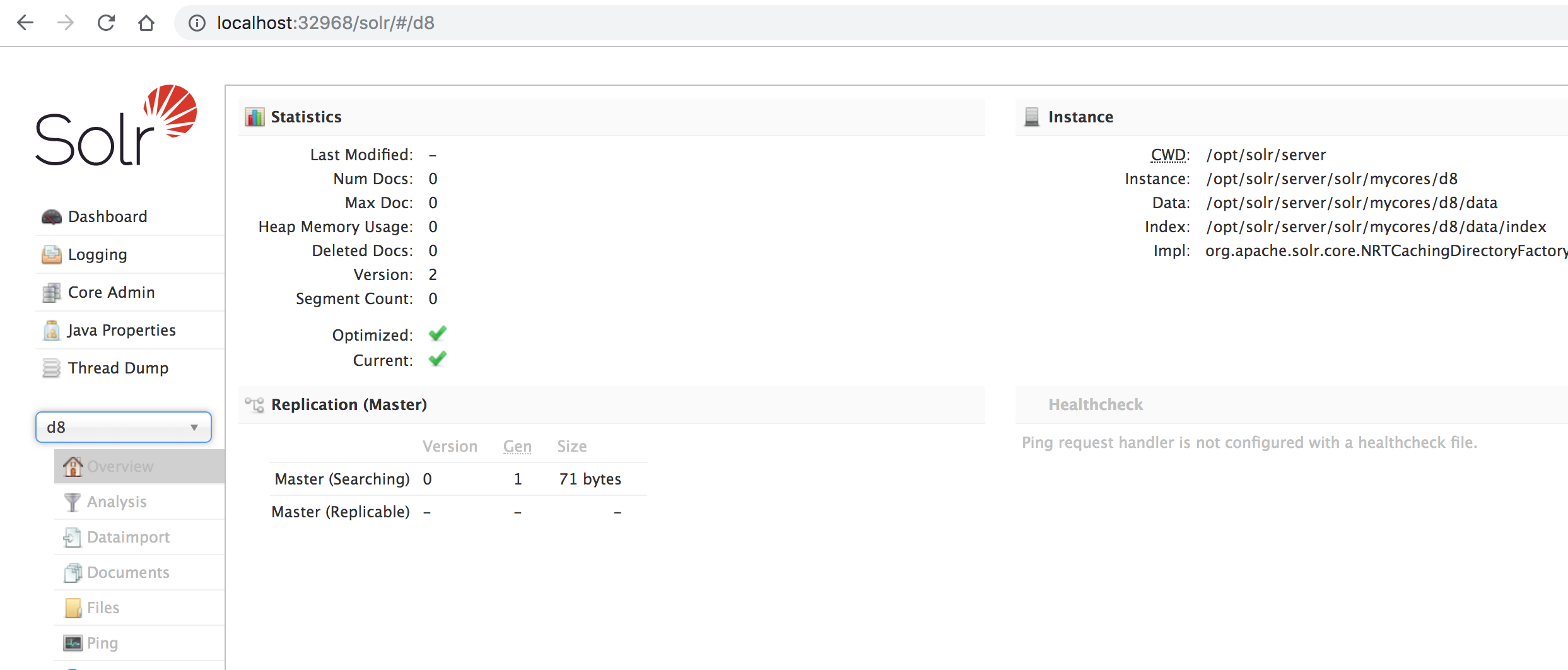
It is weird, because Solr instance is properly installed and it's accesible by external connection.
http://localhost:32968 (BTW the port number is assigned dynamically).
Tell us generally about your bug
By reading the INSTALL.TXT file provided from search_api_solr module, it says that we should copy XML files into the proper folder by executing the following command:
cp -R $DRUPAL/modules/contrib/search_api_solr/solr_conf/$SOLR_VERSION/* $SOLR/server/solr/$CORE/conf
Then I review into Solr container to find out there's not any XML files from the search_api_solr into /opt/solr/server/ folder, by executing the following commands:
lando ssh -s search
cd /opt/solr/server/
ls
README.txt  contexts  etc  lib  logs  modules  resources  scripts  solr  solr-webapp  start.jar
Tell us more
Here's where I found a way to solve it. But I am doing it manually. If you check Solr core instance into the browser, it says you where that core is installed:
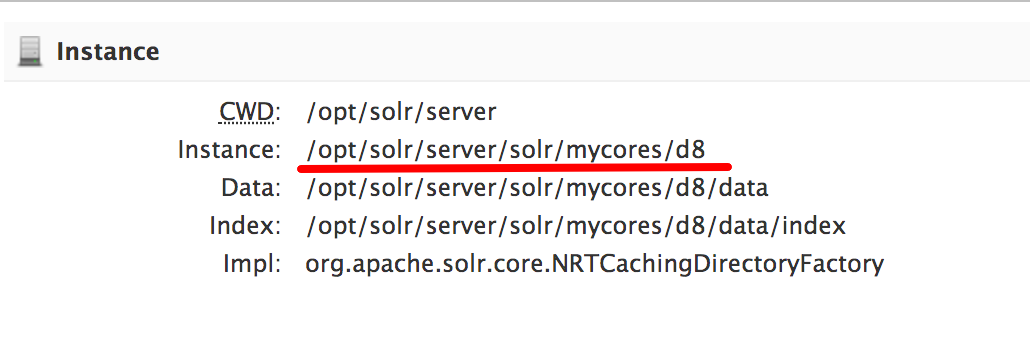
In order to solve it, I use docker cp to copy the Solr XML files into that proper folder /opt/solr/server/solr/mycores/d8. I executed the following commands:
docker cp modules/contrib/search_api_solr/solr-conf/6.x landosolr_search_1:/opt/solr/server/solr/mycores/d8
lando ssh -s search
cd /opt/solr/server/solr/mycores/d8
 mv conf conf.bak && mv 6.x conf
exit
lando restart
I struggled myself for few hours until I found that solution. However, I really think, that's something lando MUST do out-of-the-box. That's reason why I defined config lines into .lando.yml file.
I am not sure if that's something related to search_api_solr module INSTALL.TXT file description or that's something that lando is not handling while it build the Solr container.
Actually it seems that lando is not copying any Solr file into that container.
 kenneth-bolivar-castro
All 3 comments
@pirog thank you for your heads-up! Long story short, I came from previous lando version (v3.0.0-rc.1) where Solr configuration folder was working properly by using:
    config:
      conf:
However on last version I MUST use the following definition:
    config:
      dir:
More details here at official update guide: https://docs.lando.dev/guides/updating-to-rc2.html
Then I am closing this ticket since there's no an issue.
kenneth-bolivar-castro
on 4 Sep 2019
@kenneth-bolivar-castro thanks for dropping the workaround and link to the updating docs!
 pirog
on 4 Sep 2019
pirog
on 4 Sep 2019
Thank you so much @kenneth-bolivar-castro, your comment help me to solve an issue that I was trying to fix for a long time ago.
 ivanovf
on 5 Sep 2019
ivanovf
on 5 Sep 2019
Related issues
 jcmartinez
·
3Comments
jcmartinez
·
3Comments
 faiwiz
·
4Comments
faiwiz
·
4Comments
 eleftrik
·
3Comments
eleftrik
·
3Comments
 ericpugh
·
3Comments
ericpugh
·
3Comments
 runofthemill
·
4Comments
runofthemill
·
4Comments