Label-studio: Slow UI response times after ML backend connection
Describe the bug
UI response have slowed down very much after connecting a ML backend to the annotation project. Disabling the ML backend doesn't make response times return to normal.
To Reproduce
Steps to reproduce the behavior:
- Create a new annotation project
- Open a task -> fast (<0.3 seconds)
- Create a new ML backend
- Connect the ML backend to the annotation project
- Open the annotation project again (doesn't matter with ML backend or not)
- Open a task -> slow (5> seconds)
Expected behavior
For the task to open fast as it was before the ML backend was connected.
Screenshots
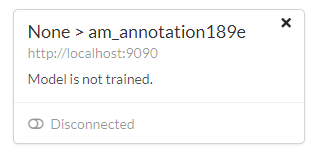
ML backend disabled:
Environment (please complete the following information):
- OS: Windows 10
- Label Studio Version: 0.9.1.post1
Additional context
NA
 atakanokan
All 3 comments
Update:
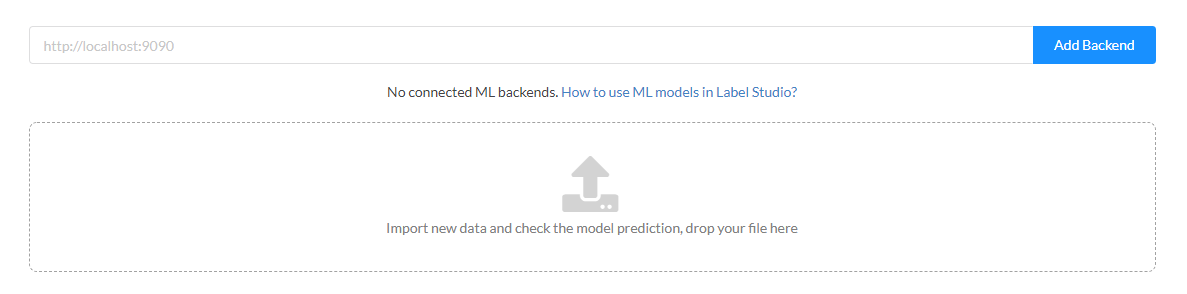
After deleting the ML backend connection (screenshot below), the task opening is now fast again. I am guessing when there is a ML backend added to the annotation project, label-studio tries to get predictions even if the ML backend is not connected. Would it be possible to bypass that so that the UI works much faster when a ML backend is added but not connected?
atakanokan
on 3 Mar 2021
I am facing the exact same problem
 Rishabh-hyperverge
on 3 Mar 2021
Rishabh-hyperverge
on 3 Mar 2021
Hey, guys, that issue has been fixed in https://github.com/heartexlabs/label-studio/pull/681/commits/33eb3e21e08a037d7d246bc87752a81b66470fc4 and will be released as 1.0.1 version
 niklub
on 19 Mar 2021
niklub
on 19 Mar 2021
Related issues
 dalekube
·
5Comments
dalekube
·
5Comments
 andreaferretti
·
6Comments
andreaferretti
·
6Comments
 cverluise
·
3Comments
Rishabh-hyperverge
·
6Comments
cverluise
·
3Comments
Rishabh-hyperverge
·
6Comments
 ghanshyamdev
·
5Comments
ghanshyamdev
·
5Comments
Most helpful comment
I am facing the exact same problem