Kratos: [DEM] Cluster creation
Dear DEM-Team @KratosMultiphysics/dem ,
I am trying to create a custom cluster file for a rather simple geometry:
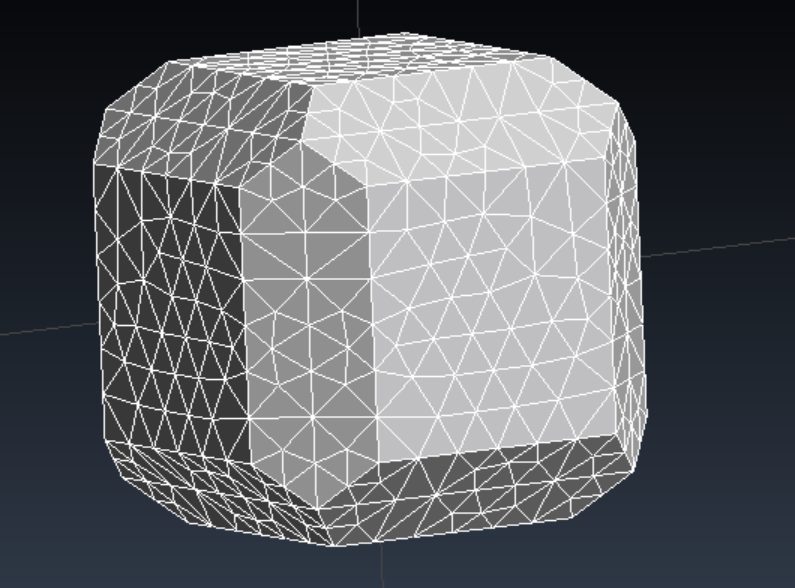
I am following the tutorial on how to create them:
- Create a triangular mesh in GID and output a *.obj file
- Transform that *.obj file with Spin3D into a new *.obj file to adjust the format
- I use the following command with SphereTree and replace NS with the desired number of spheres
makeTreeMedial -branch NS -depth 1 -testerLevels 2 -numCover 10000 -minCover 5 -
initSpheres 1000 -minSpheres 200 -erFact 2 -verify -nopause -eval -expand -merge -burst -
optimise balance -balExcess 0.001 -maxOptLevel 100 file_name.obj
- Delete artificial lines from the new *.sph file
- Create a volume tetra *.msh in GID and save it
- Use the *.msh and *.sph file with the
mesh_to_clu_converter.cppto create an executable and run this to create the *.clu file
The best version I could get is the following one and it is very bad (I am trying since tuesday morning):
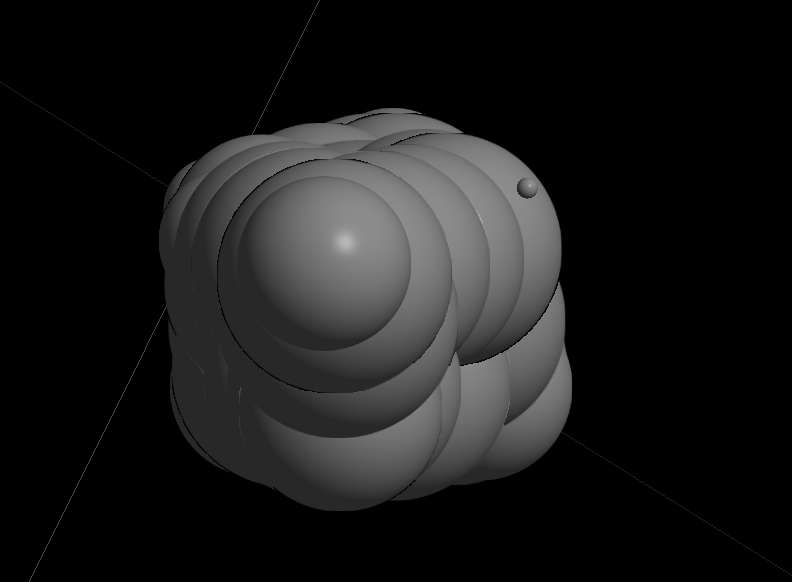
I can replace NS with up to 1000 and all I get is max. 70 spheres (see figure above). It never creates more spheres. Should I vary the other input variables ? I am completly lost.
I actually need like 5 different clu files ranging from very coarse to a really detailed version.
Do I have to adjust the obj mesh size and the volume mesh size, Can I define the size of the spheres? Do you have any other tips ?
Why are the spheres so big in the upper figure?
I also added the project file here :
test_quad.gid.zip
I hope you can help me, Klaus
 KlausBSautter
All 6 comments
Hi @KlausBSautter, for such a regular geometry I would recommend you use the option makeTreeOctree. To obtain 5 different clu files you can set the depth to 5, so the command to use should be: makeTreeOctree -depth 5 -nopause file_name.obj
In the .sph file created the spheres of all the different clusters may appear together, you can recognize each cluster by the radius of their spheres (all of them have the same), moreover, some spheres would have a negative radius, you will have to clean it up.
Let me know if you have any other problem.
 joaquinirazabal
on 29 Feb 2020
joaquinirazabal
on 29 Feb 2020
@joaquinirazabal thanks I'll try this. So the mesh size of my input files does not influence the result?
KlausBSautter
on 29 Feb 2020
I am not completely sure, but it shouldn't influence the result
joaquinirazabal
on 29 Feb 2020
@joaquinirazabal thanks a lot again!! This was the right way to go. :)
KlausBSautter
on 2 Mar 2020
@joaquinirazabal one more thing: Is there a trick to get rid of the inner particles?
KlausBSautter
on 9 Mar 2020
No, as far as I know, spheretree does not allow to get rid of the inner particles.
joaquinirazabal
on 9 Mar 2020
Related issues
 marcnunezc
·
5Comments
marcnunezc
·
5Comments
 roigcarlo
·
7Comments
roigcarlo
·
7Comments
 philbucher
·
4Comments
philbucher
·
4Comments
 armingeiser
·
6Comments
armingeiser
·
6Comments
 maceligueta
·
6Comments
maceligueta
·
6Comments