Kotlinx.coroutines: There is a problem about kotlinx.coroutines 0.23.1
android studio 3.1.3
kotlin version 1.2.30
When implementation kotlinx.coroutines 0.23.1 in the gradle.
Problems with Project \:
More than one file was found with OS independent path 'META-INF/main.kotlin_module'
 zondaOf2012
All 11 comments
You should be excluding all .kotlin_module files from your APK in the first place.
This will be fixed by updating the library's Kotlin to 1.2.50 and recompiling as it will honor archivesBaseName in common projects.
 JakeWharton
on 15 Jun 2018
JakeWharton
on 15 Jun 2018
@JakeWharton Thanks for your answer.
But it didn't solve the problem.
According this plan and updating the library's Kotlin to 1.2.50,however, another problem appears: Please select android SDK.
I'm already specifies these options:
compileSdkVersion 27
buildToolsVersion '27.0.3'
Android SDK Path
In the project's "app.iml" file , I found orderEntry type="jdk" jdkName="Android API 27 Platform" jdkType="Android SDK" change to orderEntry type="jdk" jdkName="Kotlin SDK" jdkType="KotlinSDK"
zondaOf2012
on 15 Jun 2018
In order to use kotlin-coroutines, 0.19.3 version had no choice.
This current plans:
android studio version 3.1.3
kotlin version 1.2.30
kotlinx-coroutines-core 0.19.3
zondaOf2012
on 15 Jun 2018
Just add
packagingOptions {
        exclude 'META-INF/main.kotlin_module'
    }
inside the android {} closure in your build.gradle file and it will compile fine ;)
 mrmitew
on 15 Jun 2018
mrmitew
on 15 Jun 2018
@mrmitew This can't solve my problems.
According this plan and updating the library's Kotlin to 1.2.50,however, another problem appears: Please select android SDK.
zondaOf2012
on 15 Jun 2018
If I 'd start to config with this:
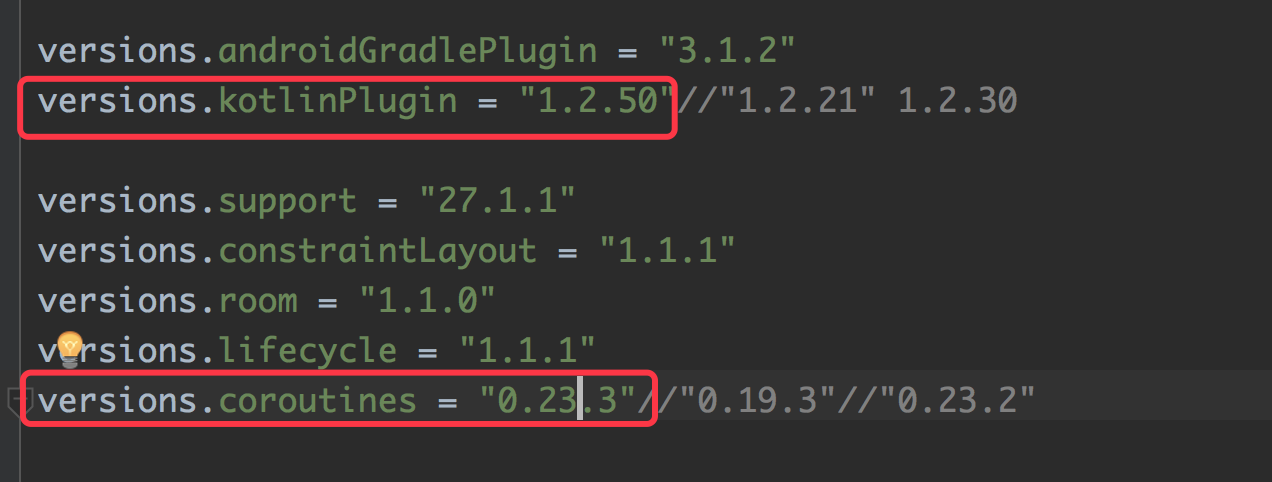
This is OK !
But, discover a very strange problem 😂:
If I change to config with this:
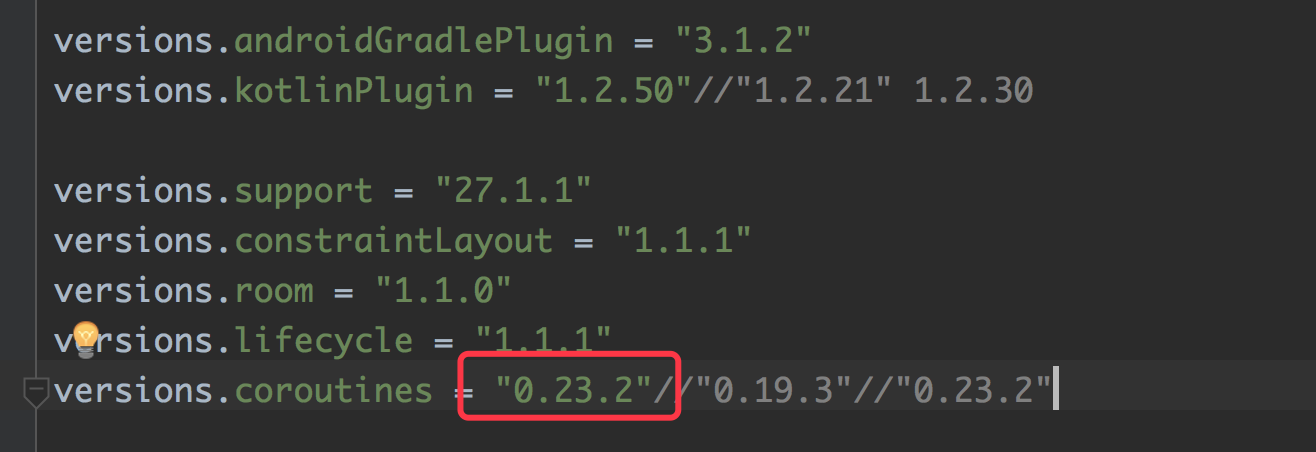
As mentioned above, problem will reappear. It doesn’t matter if I change back to first picture and clean/rebuild project etc.
Now,I change to config with this:
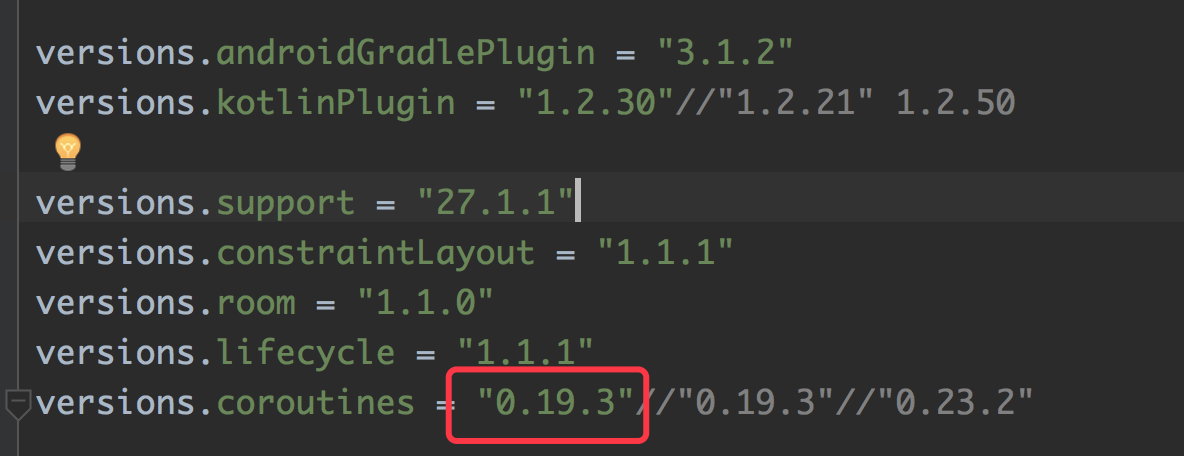
This is OK ! Now, There is no problem if I change back to first picture.
In a word, I have found the solution, but I did not understand.
zondaOf2012
on 19 Jun 2018
Can you, please, try with the latest released version of coroutines: 0.23.3. Do you have this problem?
 elizarov
on 21 Jun 2018
elizarov
on 21 Jun 2018
@elizarov Thank you for the reply.
If a new project begins with 0.23.3, this's usually fine. However, if a new project begin with 0.23.2, then upgrade 0.23.3, problem will reappear. In this case, I try to change version of coroutines to 0.19.3, then upgrade 0.23.3 ,this's usually fine.
zondaOf2012
on 22 Jun 2018
@zondaOf2012 change kotlin_version from '1.2.50' to '1.2.40', it will be ok
under android studio 3.1.3
 tmexcept
on 25 Jun 2018
tmexcept
on 25 Jun 2018
@tmexcept Thank you~~
zondaOf2012
on 4 Jul 2018
if the version is '1.2.50' there is a problem in windows, just change to '1.2.40', the problem will be solved.
@mrmitew @zondaOf2012 Thank both of you.
 nb312
on 13 Jul 2018
nb312
on 13 Jul 2018
Related issues
 LouisCAD
·
3Comments
LouisCAD
·
3Comments
 mvysny
·
3Comments
mvysny
·
3Comments
 IgorKey
·
3Comments
IgorKey
·
3Comments
 jaozinfs
·
3Comments
jaozinfs
·
3Comments
 mhernand40
·
3Comments
mhernand40
·
3Comments
Most helpful comment
@zondaOf2012 change kotlin_version from '1.2.50' to '1.2.40', it will be ok
under android studio 3.1.3