Koalas: Is there something wrong with concat when axis=1?
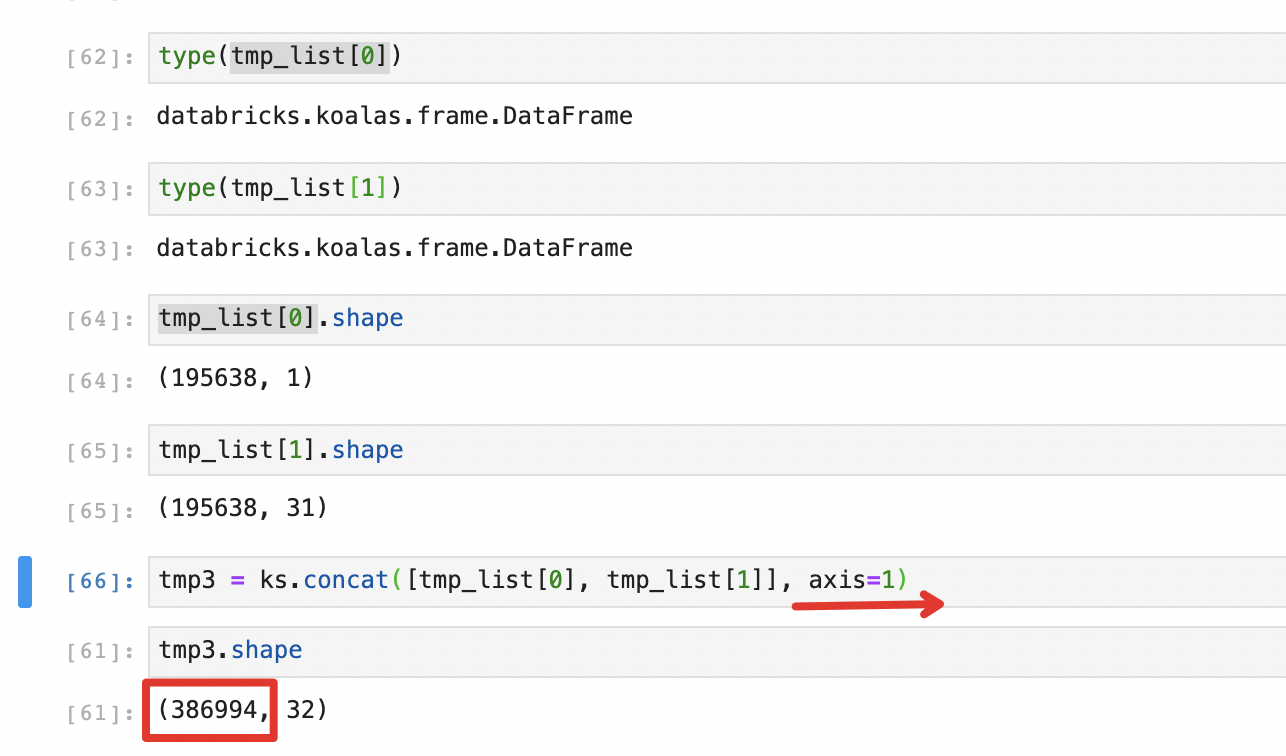
tmp3.shape is expected to be (195638, 32)
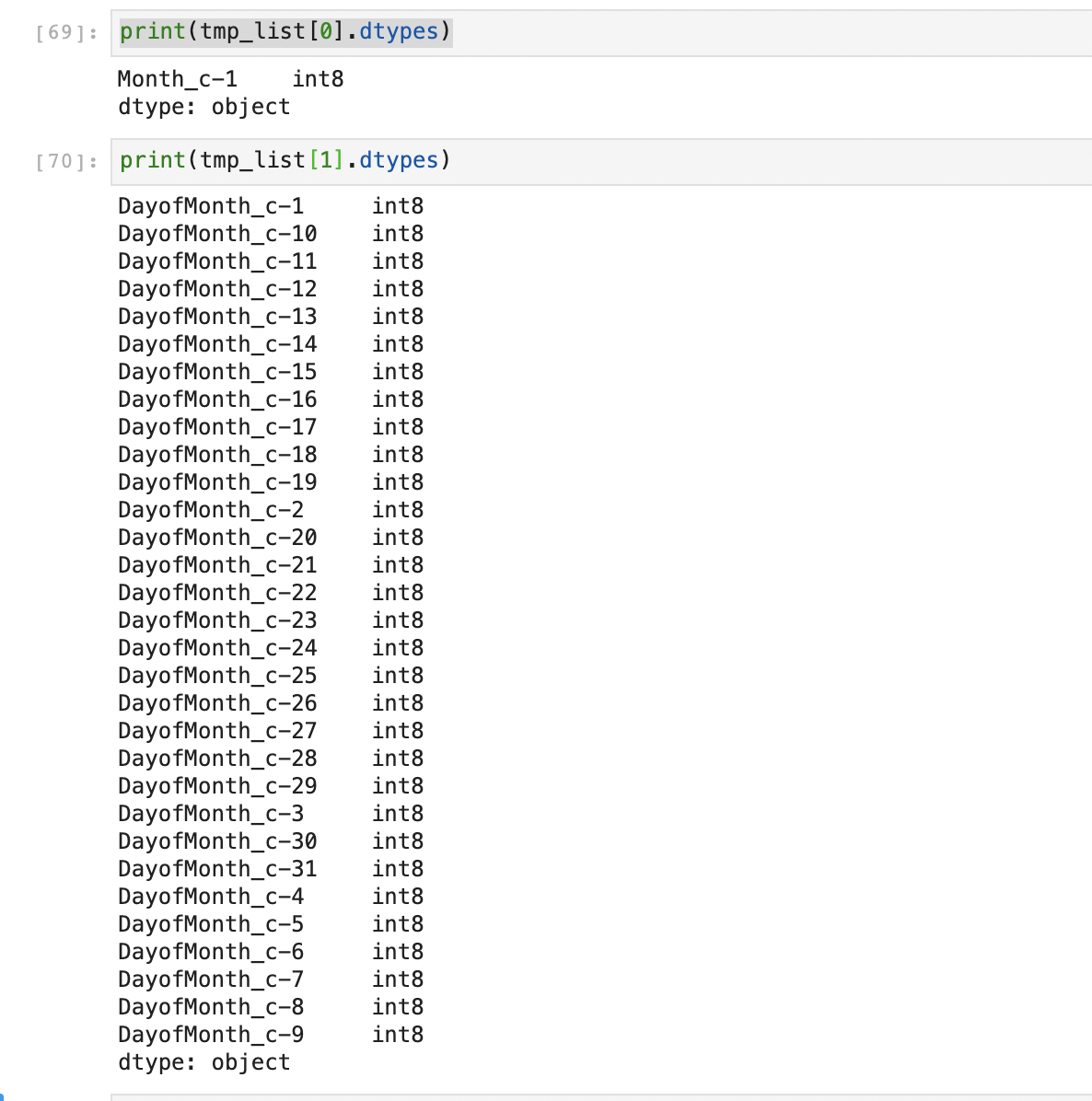
dtype info
 Tom-Deng
All 8 comments
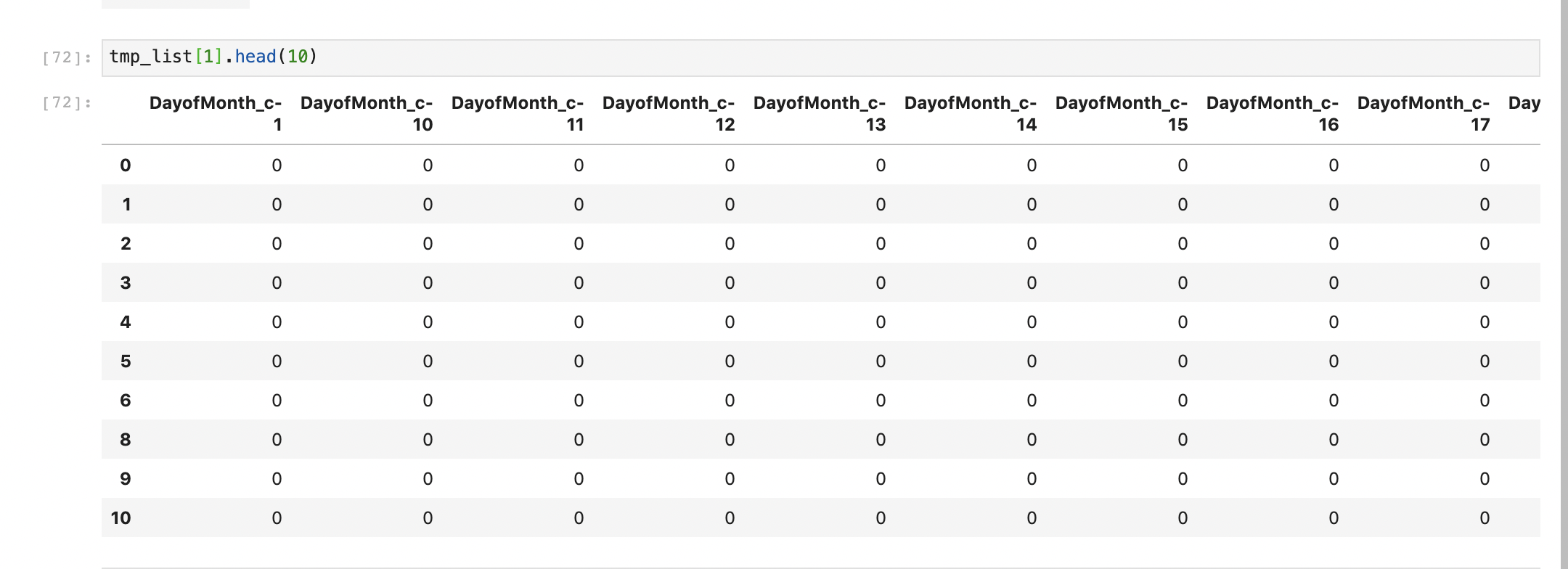
@Tom-Deng, do you mind showing the results of concat(tmp_list[0].head(10), tmp_list[1].head(10))? It will be helpful to show tmp_list[0].head(10) and tmp_list[1].head(10).
 HyukjinKwon
on 27 Apr 2020
HyukjinKwon
on 27 Apr 2020
tmp_list[0].head(10)
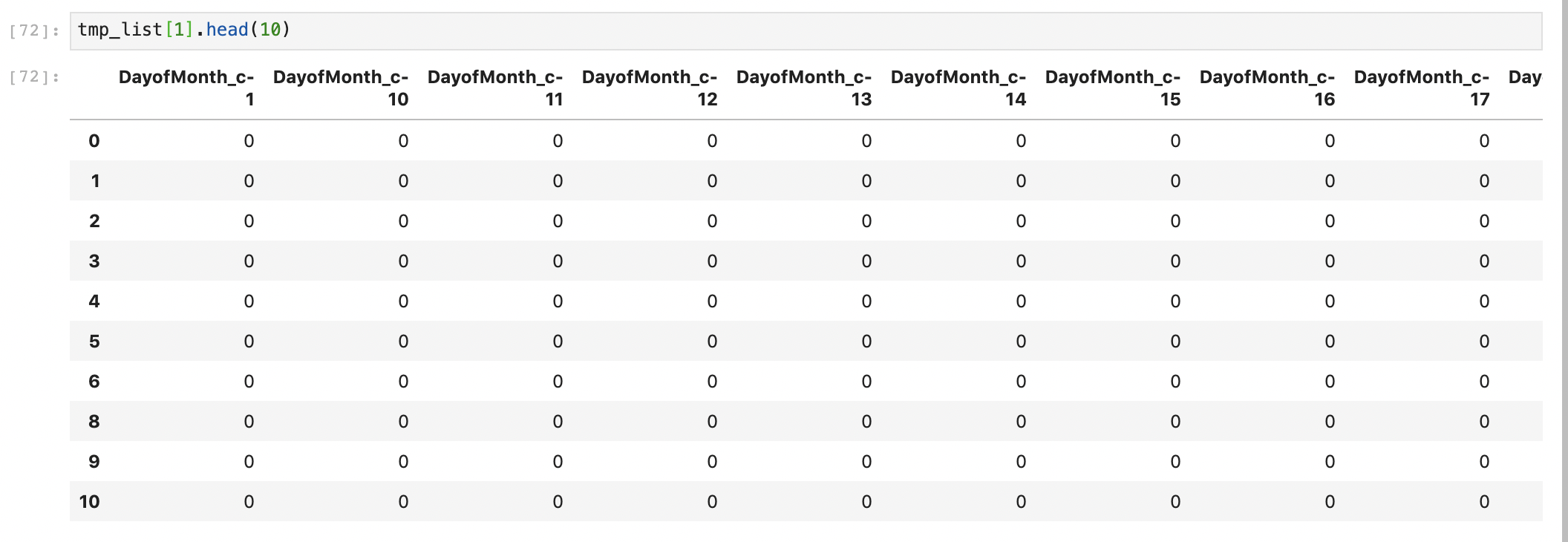
tmp_list[1].head(10)
csv file
csv_file.zip
Tom-Deng
on 27 Apr 2020
Can you show your full codes? It produces the same results in my side:
import databricks.koalas as ks
tmp0 = ks.read_csv("tmp_list_0.csv")
tmp1 = ks.read_csv("tmp_list_1.csv")
ks.concat([tmp0, tmp1], axis=1).shape
(43018, 32)


md5-90f3aaed5d6708adc978aeb7d45b0158
(43018, 32)
```
HyukjinKwon
on 27 Apr 2020
reference: https://github.com/szilard/benchm-ml
The wrong place:
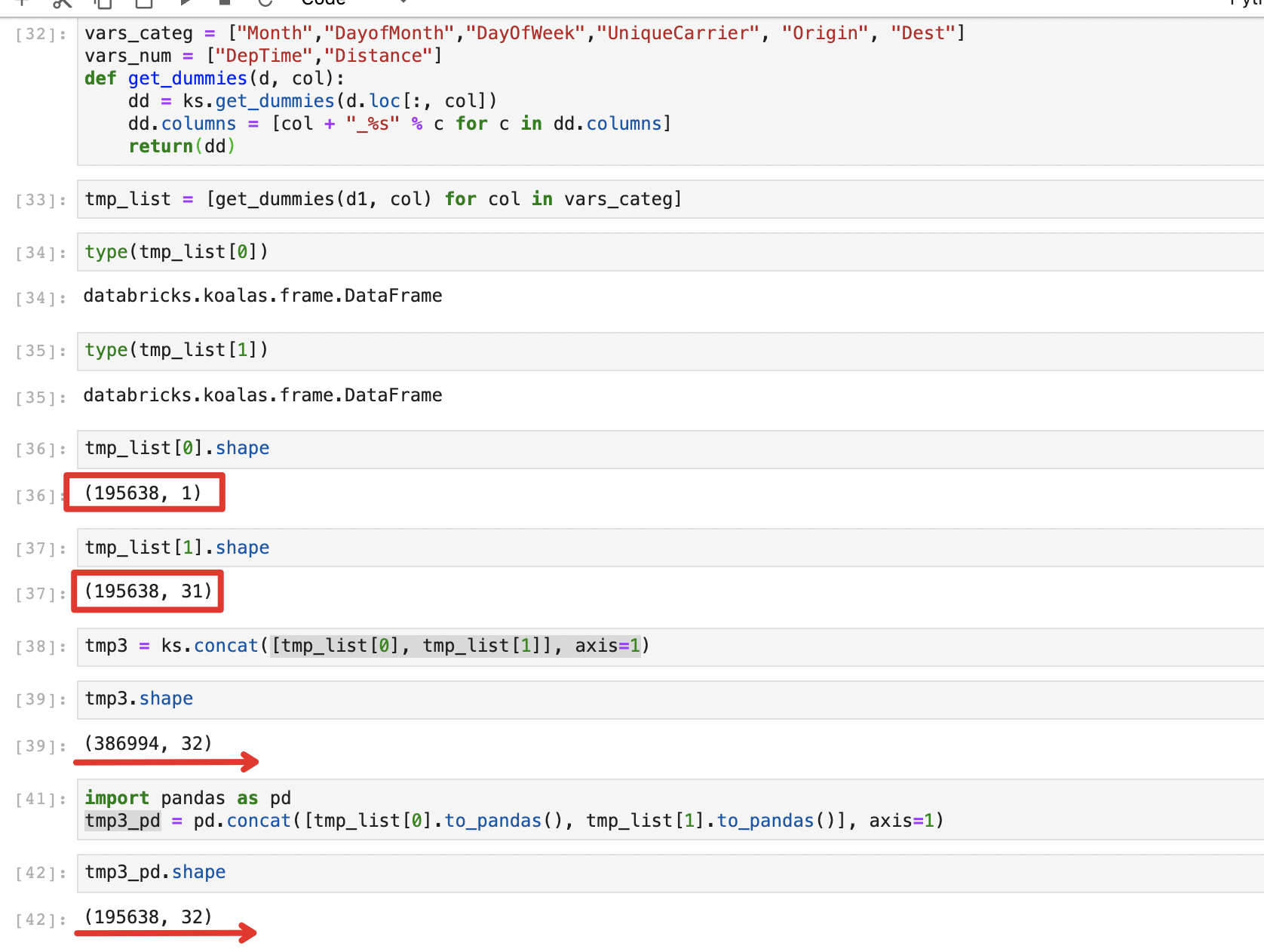
full code
github.tar.gz
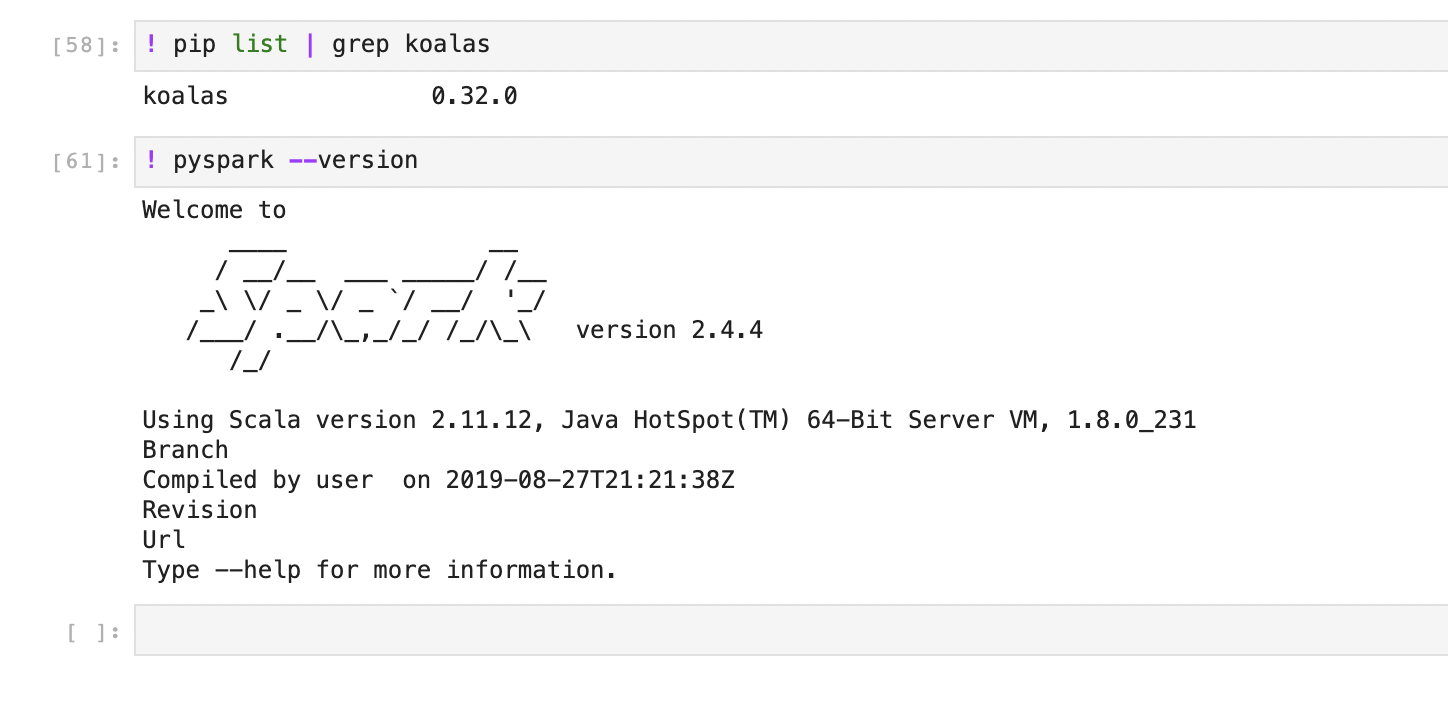
version info
Tom-Deng
on 27 Apr 2020
@Tom-Deng, can you post a copy-and-paste-able codes? It's a bit difficult for me to guess and write the codes to reproduce your case.
HyukjinKwon
on 27 Apr 2020
Code and used data are in compressed package "github.tar.gz" with last comment.
Tom-Deng
on 27 Apr 2020
I found out the reason. It's because you created the d1 by d1 = d1a.append(d1b) which will contain duplicated index values.
So far Koalas uses join on index columns to implement concat(..., axis=1), so if there are duplicated values, it will produce more rows than the original row number.
Could you use d1 = d1a.append(d1b, ignore_index=True) as a workaround?
 ueshin
on 27 Apr 2020
ueshin
on 27 Apr 2020
I found out the reason. It's because you created the
d1byd1 = d1a.append(d1b)which will contain duplicated index values.
So far Koalas uses join on index columns to implementconcat(..., axis=1), so if there are duplicated values, it will produce more rows than the original row number.Could you use
d1 = d1a.append(d1b, ignore_index=True)as a workaround?
This modification is valid.
Tom-Deng
on 28 Apr 2020
Related issues
 shril
·
5Comments
shril
·
5Comments
 akhilanandbv003
·
5Comments
ueshin
·
3Comments
akhilanandbv003
·
5Comments
ueshin
·
3Comments
 mks2192
·
4Comments
mks2192
·
4Comments
 rodneyjoyce
·
4Comments
rodneyjoyce
·
4Comments
Most helpful comment
I found out the reason. It's because you created the
d1byd1 = d1a.append(d1b)which will contain duplicated index values.So far Koalas uses join on index columns to implement
concat(..., axis=1), so if there are duplicated values, it will produce more rows than the original row number.Could you use
d1 = d1a.append(d1b, ignore_index=True)as a workaround?