Kiwix-android: text being cut on Help screen
Is it a ?
[x] Bug Report
[ ] Feature Request
Bug Report
Step 1: Are you ready to report ?
- Your issue may already be reported! Please search on the issue track before creating one.
- [x] I have test with the last (dev) version of the software? ( If not, and if possible, run your test again with the most recent version available.)
Step 2 : What is your environment ?
- browser / app : App
- version of the software you use : 2.3 Build 55
- device / operating system : Android 7.0 (Samsung Galaxy S6)
Step 3: Describe the problem:
What do you obtain? A copy of the error message or a screenshot is always useful
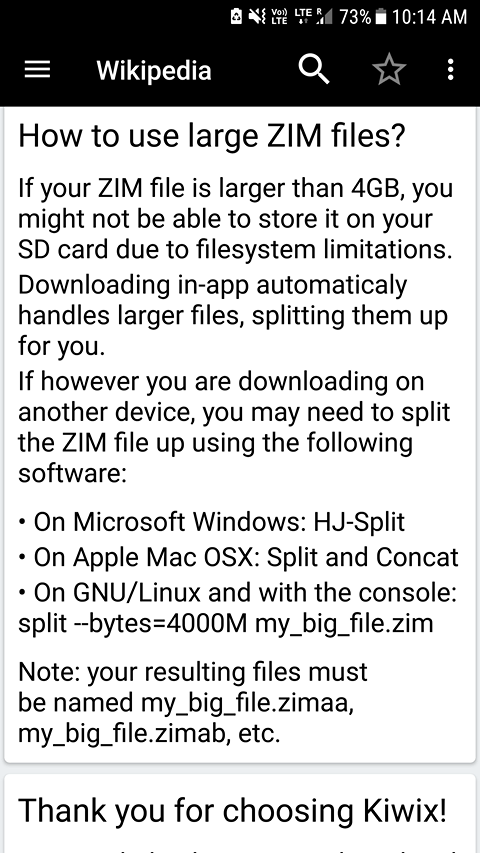
The text at the bottom of the help screen is being cut.
this is the screenshot of the bottom of the app:
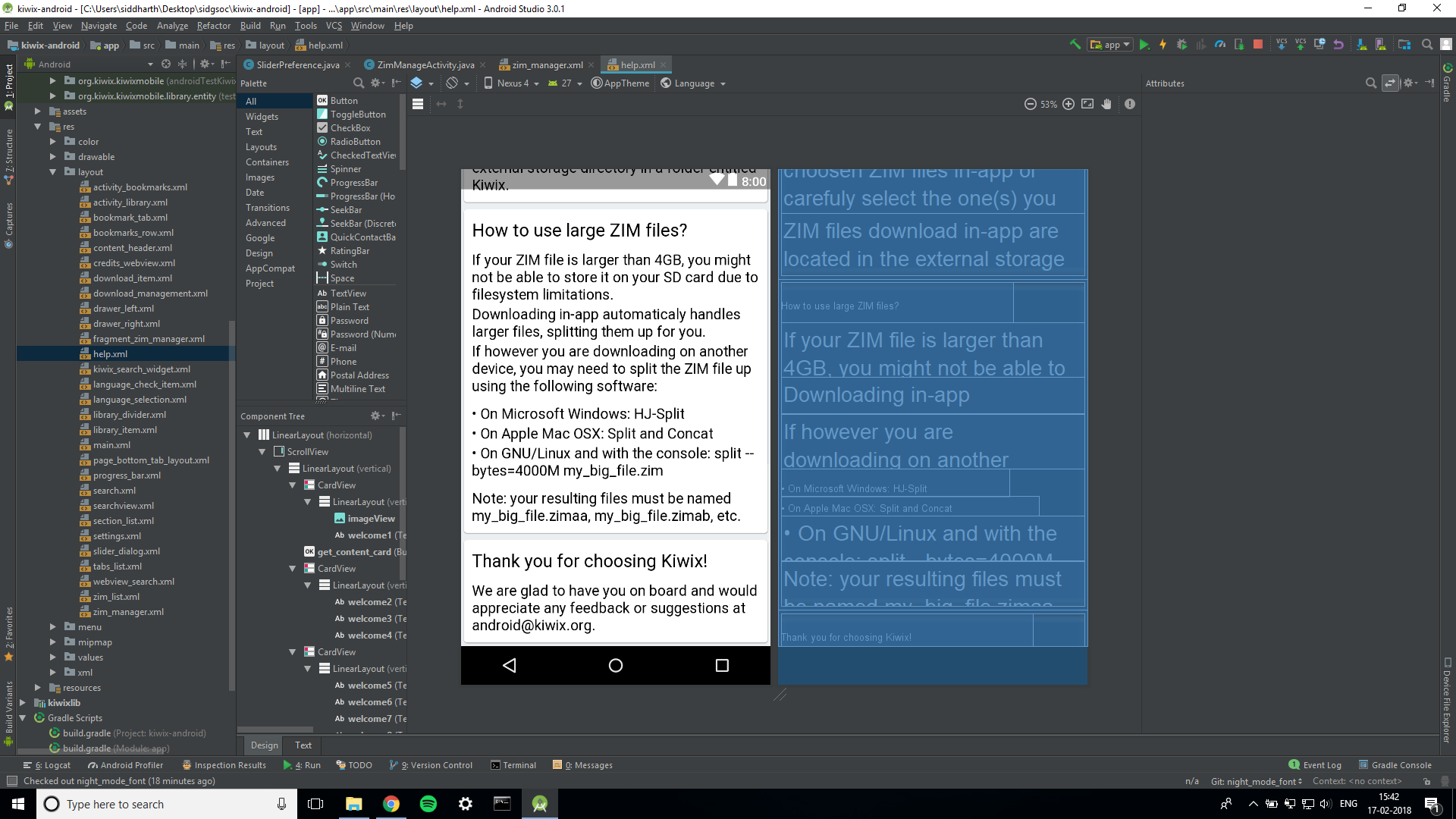
while this is the one that should actually be displayed:
When does this occur?
Steps to reproduce:
navigate to the bottom of the help screen
What should be the behaviour from your point of view? How do you expect the service to work?
The text should not be cut and the card ending should be properly displayed
Step 4 (optional) : Other Comments:
What is the context of this ticket? If not obvious, explain why you need to do this.
If you have an idea about the technical background of the ticket, please share it.
Feature Request
Feature Description
Please describe the feature you want to add to the project.
 siddharth2010
All 22 comments
I would like to work on this issue
siddharth2010
on 17 Feb 2018
@siddharth2010 I do not understand the problem, can you not just scroll down?
 kelson42
on 17 Feb 2018
kelson42
on 17 Feb 2018
yes thats the problem... I cant scroll down below that
siddharth2010
on 17 Feb 2018
@siddharth2010 Then go ahead :)
kelson42
on 17 Feb 2018
I checked the app with quite a few devices, and came to the conclusion that this is an issue with the Samsung android rom and not with the app. this issue is present in both Samsung S6 and S7.
siddharth2010
on 18 Feb 2018
@siddharth2010 Even I am facing the same issue. I have Motorola G4 Plus.
 omkarprabhu-98
on 18 Feb 2018
omkarprabhu-98
on 18 Feb 2018
@siddharth2010 @omkarprabhu-98 Can you please try adding android:paddingBottom="20dp" (you can change the value to what suits the best) and try to test it again on the devices in which the last card gets cut off and let me know if that works?
 brijeshshah13
on 18 Feb 2018
brijeshshah13
on 18 Feb 2018
@omkarprabhu-98 , I actually tried it on a moto g4 plus myself, and it was working perfectly.
siddharth2010
on 18 Feb 2018
@brijeshshah13 , I already tried that. It doesn't work. However, adding a "space" widget of height 85dp in the end fixes this issue on my device. But then the devices on which the app was earlier showing correctly start showing a blank space in the end...
siddharth2010
on 18 Feb 2018
Hey @brijeshshah13 , @omkarprabhu-98 I found a fix.
siddharth2010
on 18 Feb 2018
I uninstalled all instances of the app from my phone and deleted the kiwix associated folder from the internal storage. Then I reinstalled the app and now it's working perfectly on my phone.
siddharth2010
on 18 Feb 2018
This does sounds a bit unlikely, but after opening and closing the app a couple of times, the same thing started happening again, and so now the text is again being cut.
siddharth2010
on 18 Feb 2018
@siddharth2010 Okay. Thank you for the updates. Did you add the padding in the ScrollView? Please test that first. If that doesn't work out, then please try to change the layout_height to match_parent and see if that works for the good? Try this first for the Linear layout of the last 2 TextViews and if that doesn't work, then for the top most Linear Layout. Meanwhile, I will try to arrange one of those phones and test it out.
brijeshshah13
on 19 Feb 2018
sure, just a second.
siddharth2010
on 19 Feb 2018
@brijeshshah13 , I tested this on 3 phones: 2 android 7.0 and one android 6.0.1.
heres the report:
Samsung S6, and Moto g4+ (android 7.0): text was being cut initially,
Coolpad 3600I android 6.0: layout was initially perfect.
after adding padding to scrollview of 85dp, the layout on samsung and moto phones was perfect however, on coolpad it showed a persistant space on the screen.
the rest of the fixes had no effect.
siddharth2010
on 19 Feb 2018
@siddharth2010 Alright. Well, let's put this issue alive then until someone gets a workaround or a solution.
brijeshshah13
on 19 Feb 2018
sure.
siddharth2010
on 19 Feb 2018
I have made necessary changes in PR #524. Please review it.
 harsh-2711
on 26 Feb 2018
harsh-2711
on 26 Feb 2018
@siddharth2010 @brijeshshah13 I saw a weird thing
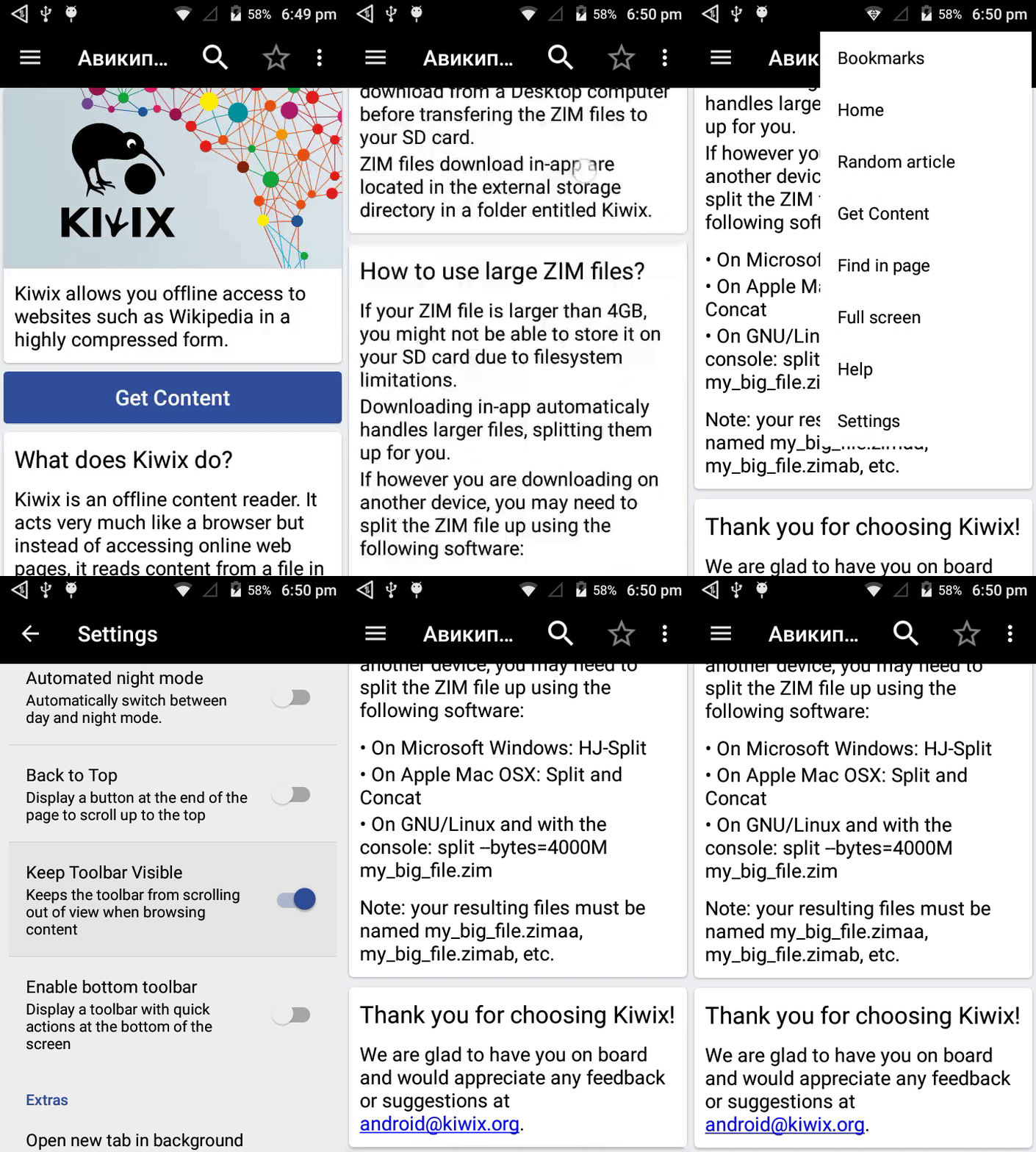
Surprisingly, the bottom text is visible when "Keep Toolbar Visible" is enabled.
I was about to open new issue for this unwanted relation between "Keep Toolbar Visible" and bottom text but then I thought it should come under this issue only.
gif showing the issue
Steps to reproduce:
- In help screen scroll to bottom and last few lines are not visible
- From settings enable "Keep Toolbar Visible"
Then again in help screen scroll to bottom and surprisingly the last few lines are visible
What should be the behaviour from your point of view? How do you expect the service to work?
The last few lines should be visible no matter "Keep Toolbar Visible" is enabled or disabled.
 jb1998
on 3 Mar 2018
jb1998
on 3 Mar 2018
@jb1998 Indeed. @harsh-2711 is currently working on the issue with another approach. However, you can create a new issue to solve this particular issue.
brijeshshah13
on 3 Mar 2018
@brijeshshah13 Okay.I opened a new issue to remove this unwanted relation between "Keep Toolbar Visible" and bottom text :)
jb1998
on 3 Mar 2018
Redundant by #803.
 abdulwd
on 7 Aug 2018
abdulwd
on 7 Aug 2018
Related issues
 chstdu
·
6Comments
chstdu
·
6Comments
 gouri-panda
·
5Comments
siddharth2010
·
4Comments
gouri-panda
·
5Comments
siddharth2010
·
4Comments
 asereze
·
4Comments
brijeshshah13
·
4Comments
asereze
·
4Comments
brijeshshah13
·
4Comments