I might have overlooked that, but is there a way to define a default layout?
My working session with Kitty usually starts with switching to the tall layout by pressing Ctrl+Shift+l. I believe, there should be a better way.
Maybe there's a way to map a keystroke that will open a new window in a certain layout as an alternative solution?
Anyways, thank you for building Kitty! It's a very worthwhile terminal replacement 👍
 mfilenko
All 5 comments
I think you can use https://sw.kovidgoyal.net/kitty/conf.html#opt-kitty.enabled_layouts and specify the tall layout first.
 Luflosi
on 6 Jan 2020
Luflosi
on 6 Jan 2020
The first layout listed in enabled_layouts in kitty.conf will be the
default. And you can use the combine operator to create a new window and
change its layout with a single keystroke.
 kovidgoyal
on 6 Jan 2020
kovidgoyal
on 6 Jan 2020
Hey guys,
Thank you very much for your help! I've clearly read documentation not attentive enough :sweat_smile:
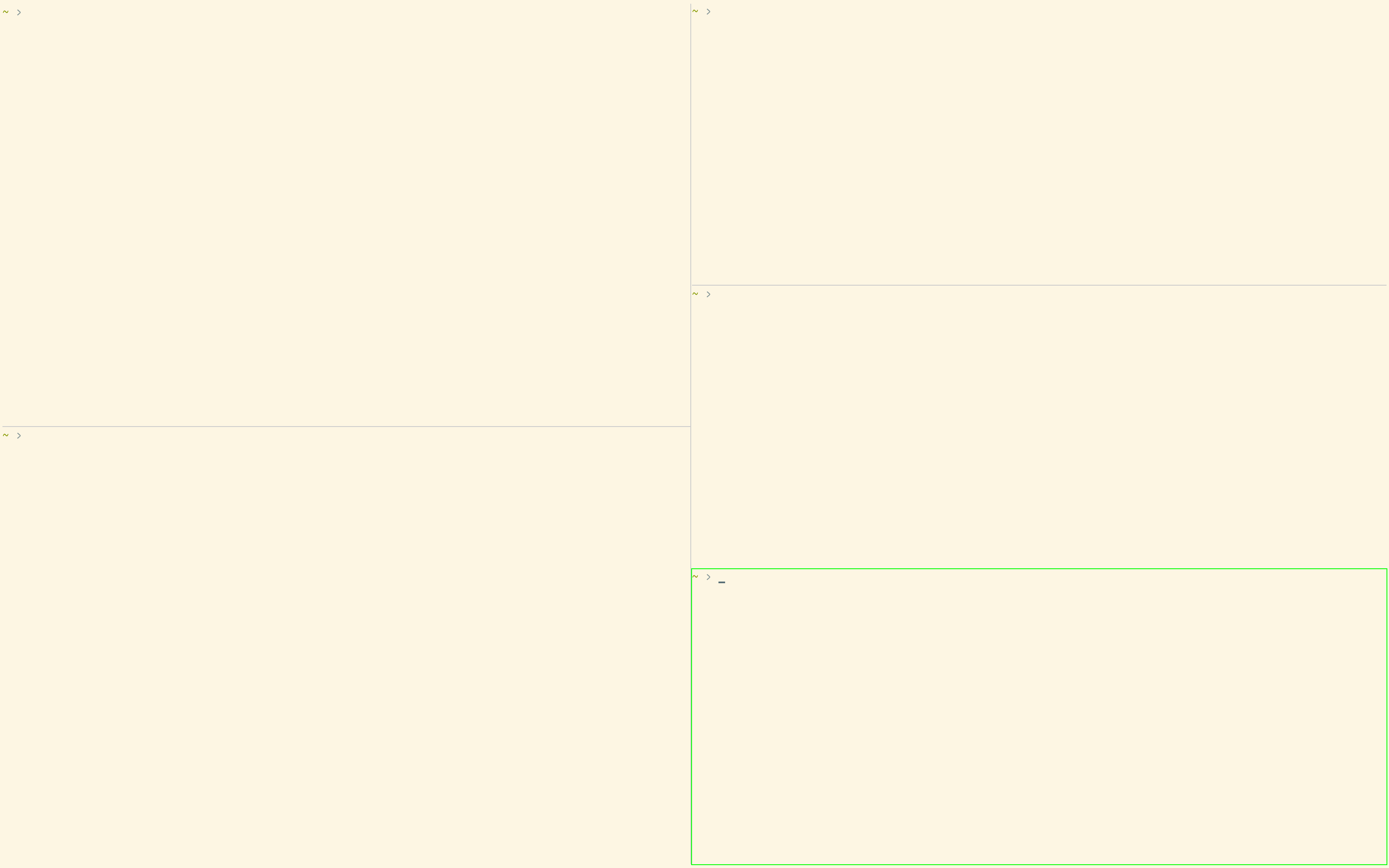
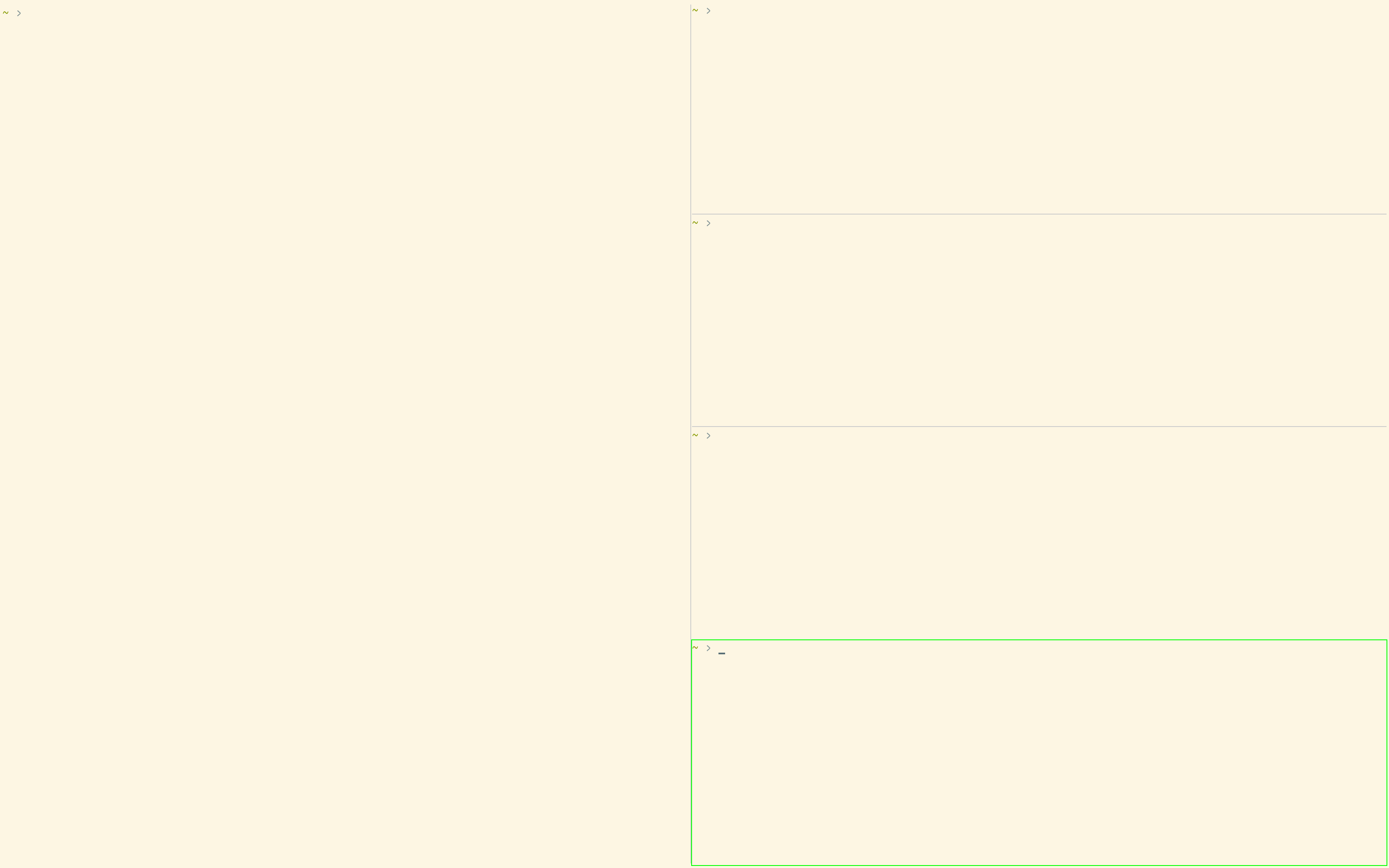
Although I'm a bit confused now as Ctrl+Shift+l with default configuration and specifying enabled_layouts in the configuration explicitly result in different behaviour.
This is five windows opened after I've pressed Ctrl+Shift+l once to switch to the tall layout with the default configuration (enabled_layouts commented out):
This is five windows opened with enabled_layouts set to tall,fat,grid,horizontal,vertical,stack in the configuration file explicitly:
Here are the screencasts for better illustration:
- Default config with switching to tall manually.
- Explicit list of enabled layouts with tall being the first one.
The former behavior seems to be more intelligent to me and I'm trying to configure my Kitty to behave exactly this way (so I don't have to press Ctrl+Shift+l every time I start it).
Maybe I misunderstand what Ctrl+Shift+l does, but it feels like with no enabled layouts specified Kitty tries to open a new window in the most optimal way having just fat layout as the first option.
My environment is macOS 10.15.2, kitty 0.15.1 (Homebrew).
mfilenko
on 8 Jan 2020
The default configuration is ['fat', 'grid', 'horizontal', 'stack', 'tall', 'vertical'] pressing ctrl+l once is getting you grid layout not tall layout. In the second screenshot, you are in tall layout. Whatever layout you put in enabled_layouts fist will be the layout kitty starts with. I think you are misunderstanding what each layout does. I suggest you put only a singlelayout in enabled layouts and familiarise yourself with what they look like.
kovidgoyal
on 11 Jan 2020
Hey,
Thanks a lot for taking a moment to clarify this for me! I really appreciate it :)
I had false assumptions I was coming from! Now it's perfectly clear and Kitty behaves exactly the way I want it to behave 👍
mfilenko
on 12 Jan 2020
Related issues
 ctrlcctrlv
·
29Comments
kovidgoyal
·
53Comments
ctrlcctrlv
·
29Comments
kovidgoyal
·
53Comments
 ChukwuemezieChristopherAneke
·
29Comments
ChukwuemezieChristopherAneke
·
29Comments
 schaden-freude
·
64Comments
schaden-freude
·
64Comments
 sssilver
·
40Comments
sssilver
·
40Comments
Most helpful comment
The first layout listed in enabled_layouts in kitty.conf will be the
default. And you can use the combine operator to create a new window and
change its layout with a single keystroke.