Kitty: Wrong render of some unicode symbols
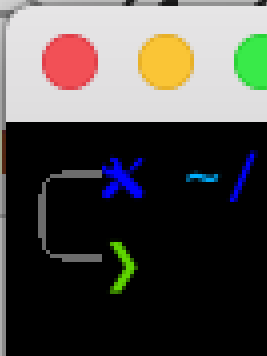
I am using rounded corners symbols in my terminal. It work fine with Gnome Terminal, but kitty render these symbols (U+256D, U+2570) wrong way - for some reasons it is not rounded
Here is a screenshoot

Initially thought it was a font issue - but it is not depends on font. And Gnome Terminal used exactly the same font and everything displayed well.
 webhive
All 9 comments
It's not a font issue. Box drawing characters are not drawn with fonts otherwise they dont always line up correctly. I simply haven't bothered with implementing rounded corners, in the custom drawing code. Patches are welcome, relevant code is in box_drawing.py search for TODO
 kovidgoyal
on 3 Aug 2019
kovidgoyal
on 3 Aug 2019
Done some quick attempt using midpoint algorithm
It is harder work when initially expected :) Definitely need to implement somehow a thinkness and antialiasing.
webhive
on 4 Aug 2019
https://en.wikipedia.org/wiki/Xiaolin_Wu%27s_line_algorithm may help. Also see 3fa7007e910242c4fb3f691acae74b887c26a718.
 Luflosi
on 4 Aug 2019
Luflosi
on 4 Aug 2019
Yeah that's why I have not bothered implementing it. There are examples
of doing curves and anti-aliasing in that file. For instance, the D()
function or fill_region()
kovidgoyal
on 4 Aug 2019
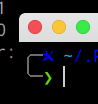
Ha! Added thikness.
Small font
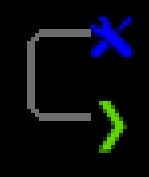
Large font
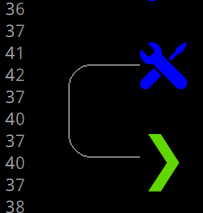
So the only thing to do is antialiasing. Damn - I never had so fun for a long time :)
webhive
on 4 Aug 2019
Hmm - applied Wu AA
Top right is mine, another one is GnomeTermnal
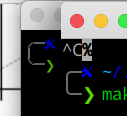
Close look
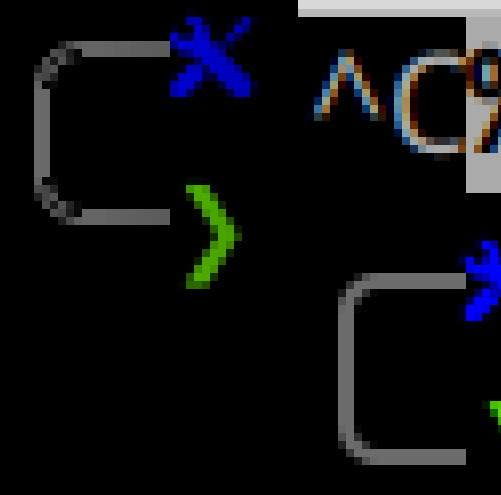
It is definitely antialiased, but looks ugly. Gnome Terminal has better AA while it is way more simple. Any suggestions?
webhive
on 4 Aug 2019
It's been a while since I did any anti-aliasing, but as I recall using
the various theoretical methods was overkill/didn't work well. Just a
simple y-axis blur seemed to work best, search the file for anit-alias
to see the implementation I used.
kovidgoyal
on 5 Aug 2019
@webhive maybe you didn't implement the algorithm correctly? https://create.stephan-brumme.com/antialiased-circle/ has some sample code for using Wu's algorithm to draw a circle. But I'm not sure how to make the line thicker than one pixel. Maybe the approach @kovidgoyal mentioned is better. Or maybe you find a completely different algorithm.
Luflosi
on 5 Aug 2019
@Luflosi Funny - used exactly this article. Yea - will try @kovidgoyal approach
webhive
on 5 Aug 2019
Related issues
 SolitudeSF
·
31Comments
SolitudeSF
·
31Comments
 serebit
·
28Comments
serebit
·
28Comments
 spinningarrow
·
31Comments
spinningarrow
·
31Comments
 schaden-freude
·
64Comments
schaden-freude
·
64Comments
 ChukwuemezieChristopherAneke
·
29Comments
ChukwuemezieChristopherAneke
·
29Comments
Most helpful comment
Ha! Added thikness.
Small font



Large font
So the only thing to do is antialiasing. Damn - I never had so fun for a long time :)