Description
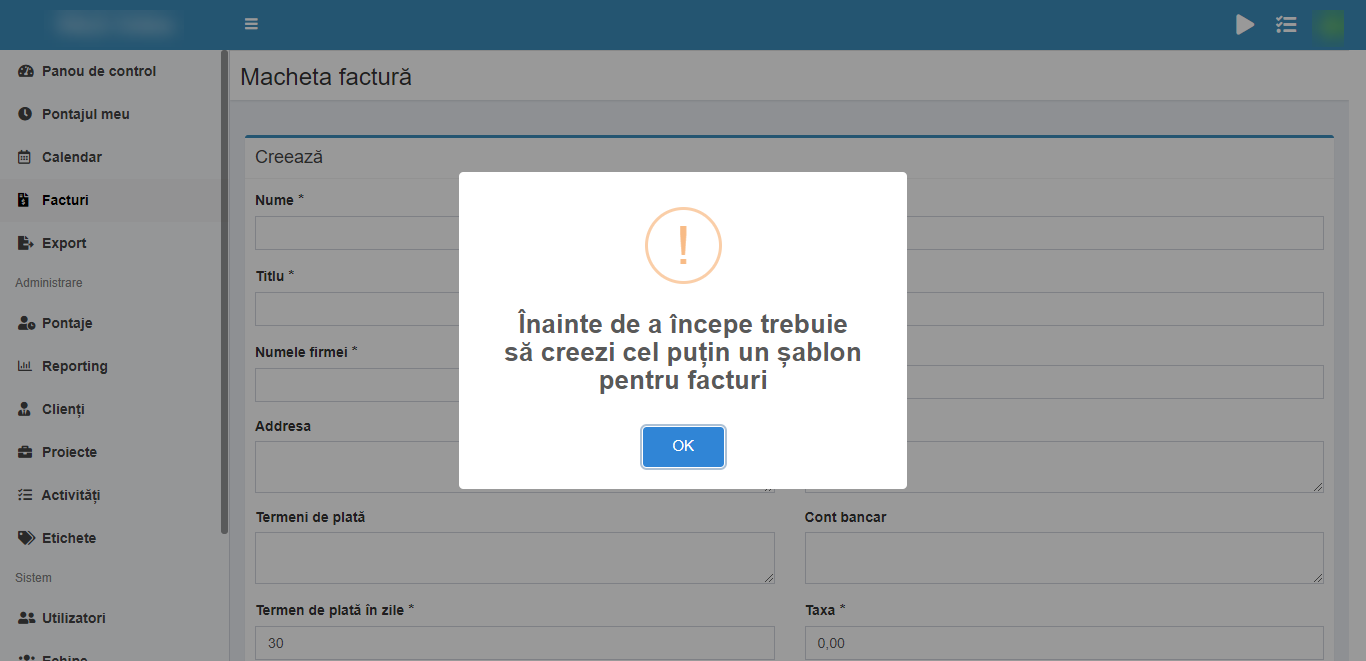
Installed Kimai v2, but I can't create invoices. I downloaded the plugin at https://github.com/Keleo/kimai2-invoice-templates and installed it like the tutorial says, but it was not worth it, I can't create an Invoice, whenever I try I receive the "You must create an invoice template before issuing an invoice".
Screenshot
Additional context
- Kimai version: 2
- PHP version: latest
 MikeSierraRO
All 16 comments
You don't need the bundle. Kimai ships default invoice templates.
You must create an invoice template before issuing an invoice
Have you considered to do that?
Fill the form with your company details and invoice settings and save. Then you can create your first invoice.
 kevinpapst
on 11 Nov 2020
kevinpapst
on 11 Nov 2020
Where can I find Kimai invoice templates? Is there any section where I can find templates already done?
"Have you considered to do that?" => yup' 💯
MikeSierraRO
on 11 Nov 2020
In the lower left part of the form you see in the background of your screenshot.
BTW: Make sure to use the correct wording "invoice template" in Kimai is the configuration of one invoice type and "Invoice document" is the actual file that will be used for creating the invoice: https://www.kimai.org/documentation/invoices.html#invoice-document
kevinpapst
on 11 Nov 2020
@kevinpapst thanks for your help!
Ya, I need to use the right wording.
My curiosity it's if there's any place where I can find ready2use invoice documents "templates".
For e.g., I have the following invoice:
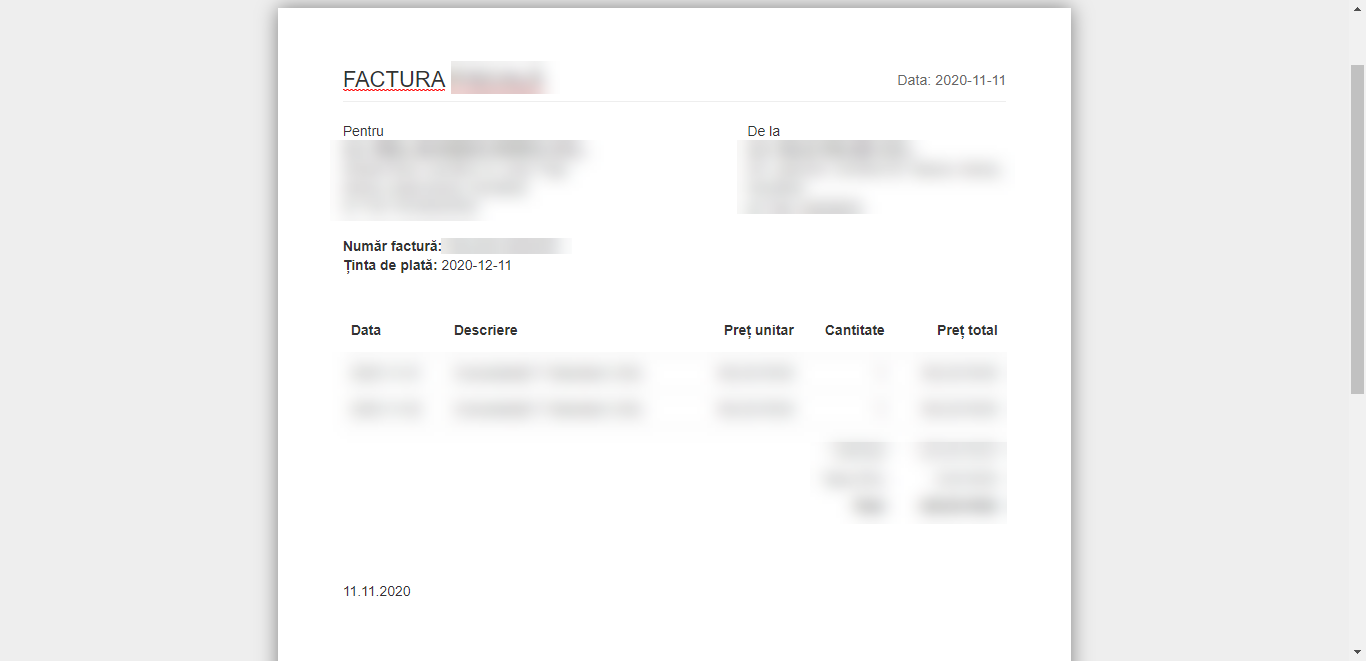
Where's the invoice document so I can modify it and add some text let's say, or a logo?
MikeSierraRO
on 11 Nov 2020
LOL, yeah for techies the wording "template" is obviously something else than for end users.
I posted the link to the docs already. Let me highlight the important part for you:
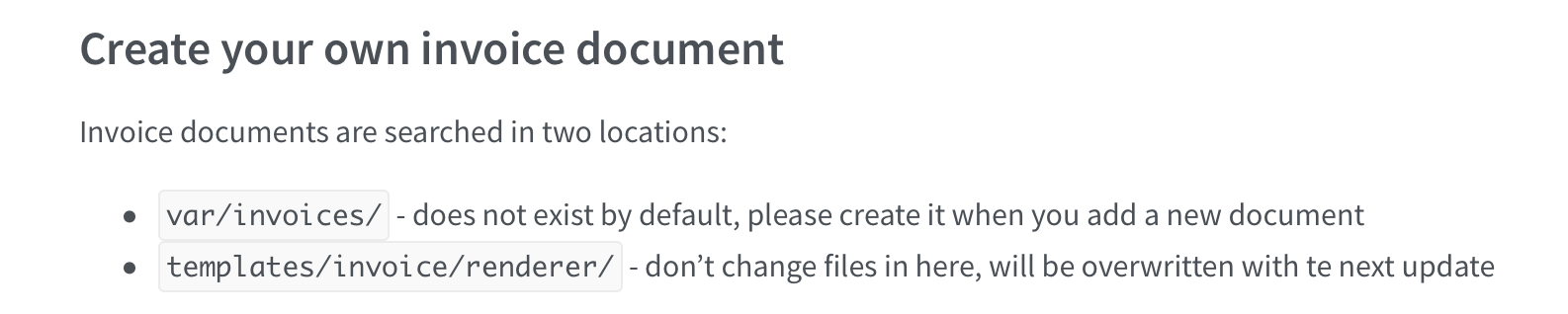
Copy the file from 2 and paste in 1.
If you don't know which file it is, open the "invoice document" select box and check the option value.
kevinpapst
on 11 Nov 2020
@kevinpapst LOL ya, that's true, I was what the heck? Why it's a invoice document when it's... invoice template :).
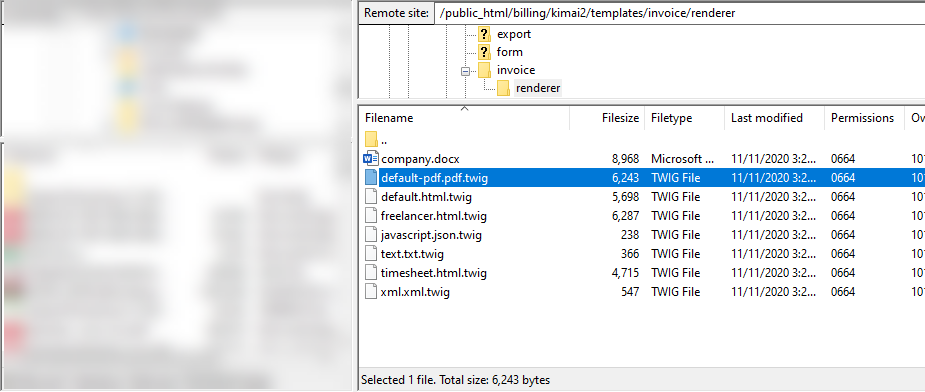
I suppouse that is this file, but if I open it in Notepad++ it's chinese for me, so.. is there another program that I should use to customize the invoice "document"?
MikeSierraRO
on 11 Nov 2020
@kevinpapst one more question.. I know that I'm a pain in the ass, but I want to create a template that's in Word for example.
If I use the variables that you provided in the link above, for example I only create a Word Document with those variables and I upload it to source 1 (/var/invoices)?
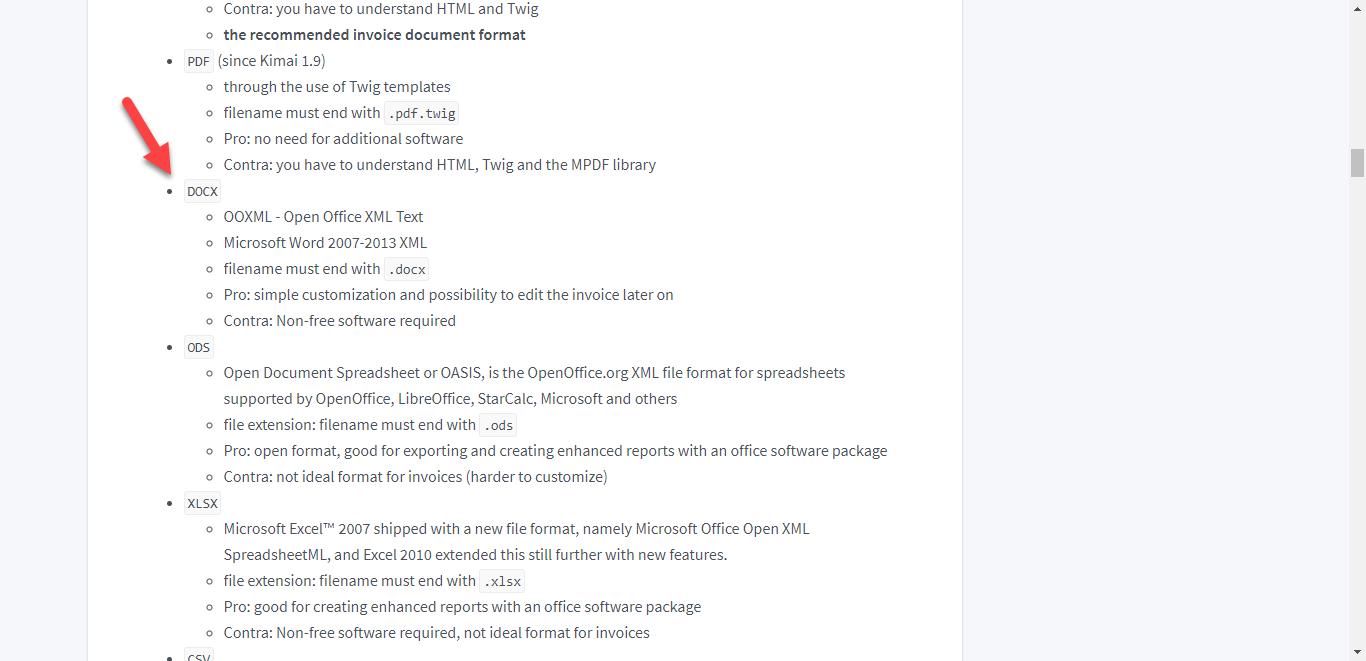
In this image it says that the only thing would be the file to be saved with the ending .docx.
- After I upload the file to /var/invoices, in the Kimai, where I select that the system uses the invoice document when generating invoices? I didn't find this.
MikeSierraRO
on 11 Nov 2020
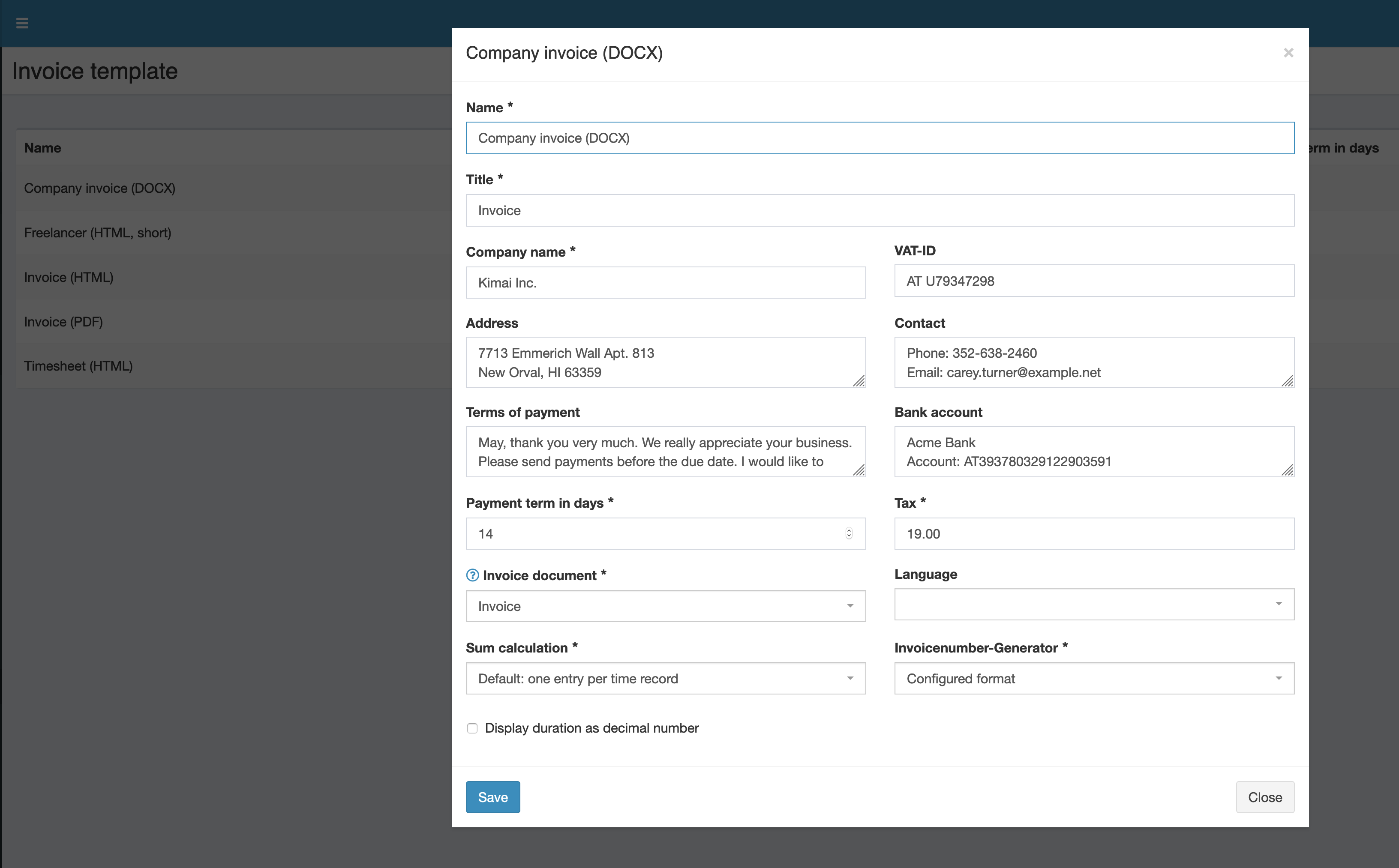
If you are not familiar with html and twig: http://twig.symfony.com then you should probably use a docx ... as you posted in the meantime 😁
In the dropdown "Invoice document" of the "invoice template":
kevinpapst
on 11 Nov 2020
@kevinpapst I'm making progress, but now I realize something...
Is this true that... if I choose to work with Word invoice documents, will I be able to only download the invoice as word document?
Isn't there any way that from Word document Kimai makes a PDF file? :D
MikeSierraRO
on 11 Nov 2020
nope, kimai is good but not magical^^
kevinpapst
on 11 Nov 2020
Gotcha!
How can I edit translations that are currently in use by Kimai? For example, in Romanian, the Due Date sounds like: Target Date, and that's not funny when we issue bills :)).
MikeSierraRO
on 11 Nov 2020
kevinpapst
on 11 Nov 2020
Upon submitting the changes they will take some time until they will be updated on the Kimai, am I right?
MikeSierraRO
on 11 Nov 2020
a couple of hours up to a couple of days until they are in the master branch.
or if you want to wait for the next release a couple of weeks
kevinpapst
on 11 Nov 2020
@kevinpapst can I get your help for 1 second?
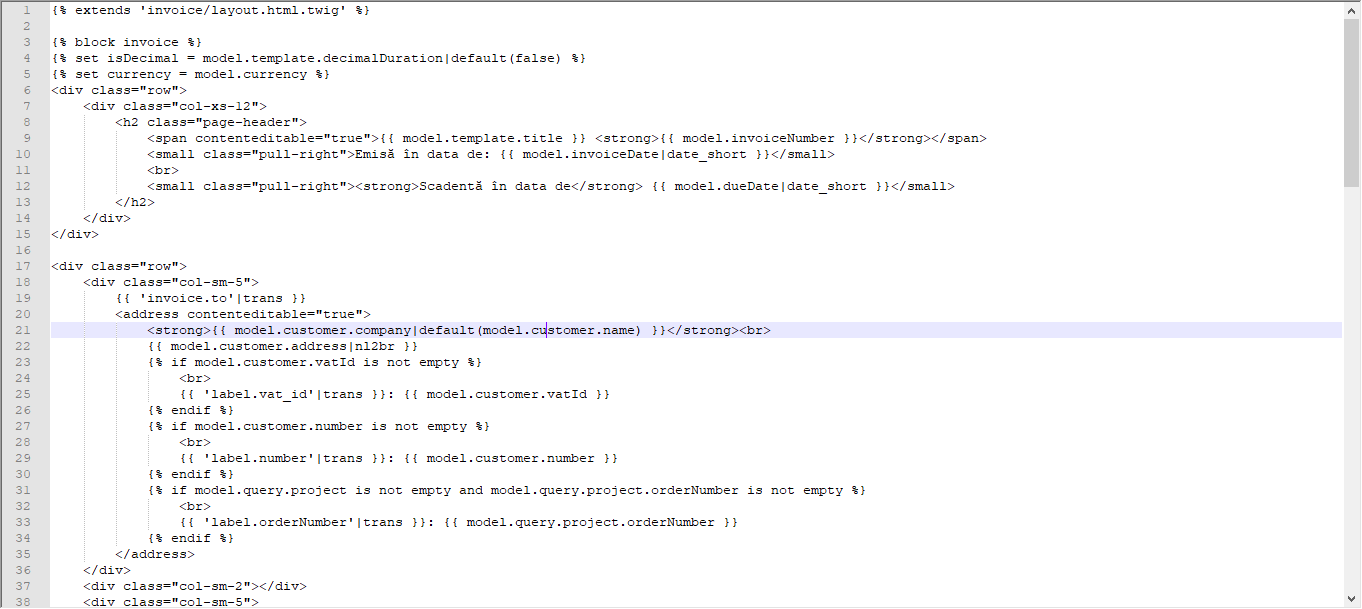
I started editing the PDF template, but I'm stuck with one error: Unexpected "endif" tag (expecting closing tag for the "block" tag defined near line 4).
Here's the code from line 1 to line 15. Am I missing something? I can't see the mistake...
MikeSierraRO
on 11 Nov 2020
You either deleted an "if" without deleting the "endif" or you deleted the "endblock" tag.
Nothing I can see on a screenshot... BUT before you upload the complete template ... that is a twig problem that you can ask on reddit, stack overflow and many other places.
Please don't misunderstand that.
I want everyone to be a happy Kimai user.
But my time is limited and I have spent thousands of hours in building Kimai.
I am not a one-person-for-every-problem support with arbitrary amounts of time for every user of Kimai.
kevinpapst
on 11 Nov 2020
Related issues
 roulious
·
4Comments
roulious
·
4Comments
 Recoil1980
·
5Comments
Recoil1980
·
5Comments
 gimmesomethinggood
·
4Comments
Recoil1980
·
7Comments
gimmesomethinggood
·
4Comments
Recoil1980
·
7Comments
 heeen
·
6Comments
heeen
·
6Comments
Most helpful comment
If you are not familiar with html and twig: http://twig.symfony.com then you should probably use a docx ... as you posted in the meantime 😁
In the dropdown "Invoice document" of the "invoice template":
