Kibana: [alerts] add a "Refresh" button to the alerts list and alert details views
Currently there is no explicit way to "refresh" the alerts list or the alert details view, to view the most recent data. Unless you make some UI action on the page, the data will never be updated, once it's rendered.
You can implicitly refresh those pages with current data by performing some other action on the view:
- on the alerts list, you can switch from the the "Alerts" tab to the "Connectors" tab and then back to the "Alerts" tab
- on the alert details, you can toggle the "Mute" button on and off
Rather than have to do this, it would be nicer to have an explicit "Refresh" button.
My guess would be on the alerts list that the "Refresh" button would in the search row somewhere - there's room in the top right of that view for a button, but the "Connectors" tab shares the same "space" and shouldn't have a "Refresh" button (yet anyway).
On the alert details view, seems like maybe next to the "Edit" link?
Note that we discussed in triage that there are other options, like an "auto" refresh, perhaps based on the alert interval. One nasty aspect of an auto refresh is that interesting info may disappear on the next refresh, so we'd probably want that "auto" aspect of the refresh to be optional (off by default). An explicit "Refresh" button is a good way to start, presumably we'll get more feedback if more function is required.
 pmuellr
All 10 comments
@pmuellr Can I take up this issue?
 dB2510
on 9 Nov 2020
dB2510
on 9 Nov 2020
- Hi! I am new to open source and was also interested in taking a stab at it!
 gaavar
on 9 Nov 2020
gaavar
on 9 Nov 2020
@dB2510 You are welcome to assign yourself to this issue and start working on it!
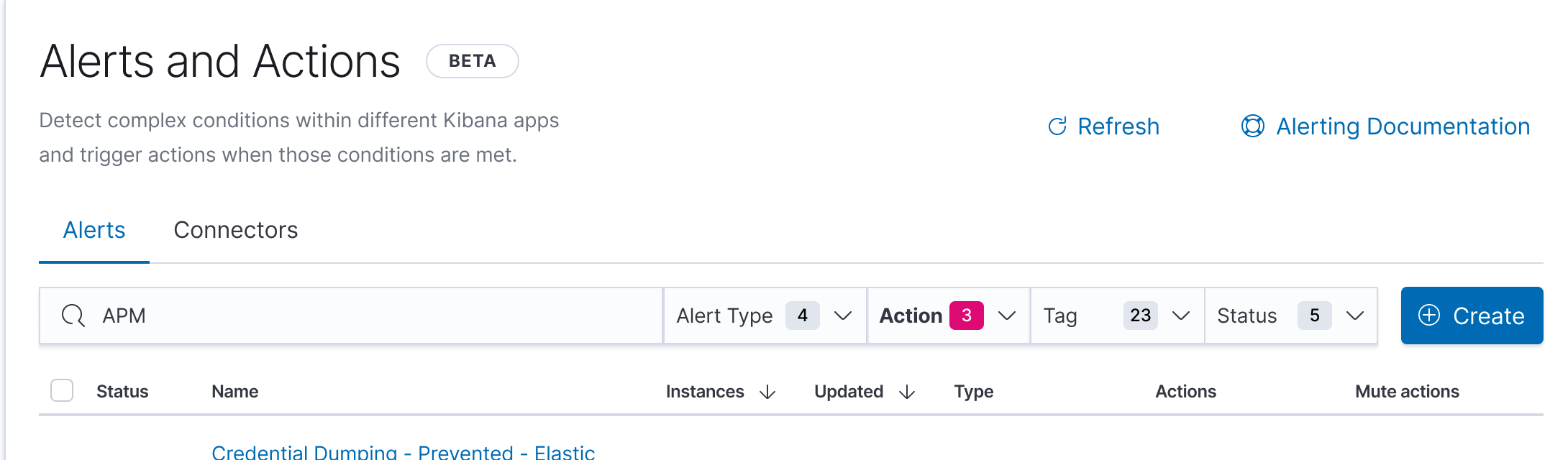
For the alert list view, look to add the refresh button to x-pack/plugins/triggers_actions_ui/public/application/sections/alerts_list/components/alerts_list.tsx. As @pmuellr suggested, it might make the most sense in the same row as the "Create" button and search bar:

For the alert details view, look to add the refresh button to x-pack/plugins/triggers_actions_ui/public/application/sections/alert_details/components/alert_details.tsx. Here it might make the most sense near the "Edit" link:
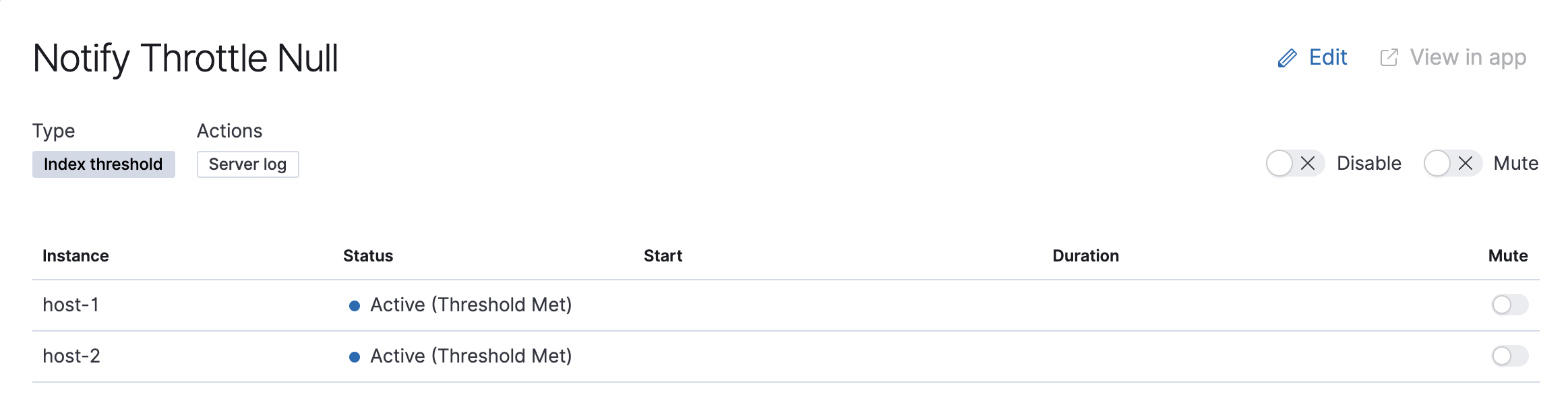
You can find other examples of Refresh buttons in Kibana on the "Discover" or "Maps" views.
Finally, you should add the appropriate tests to ensure clicking the refresh button makes the appropriate API calls to refresh the view.
Let me know if you have any questions! Thanks for taking this on
 ymao1
on 9 Nov 2020
ymao1
on 9 Nov 2020
@ymao1 Sure, I'll start working on this.
dB2510
on 10 Nov 2020
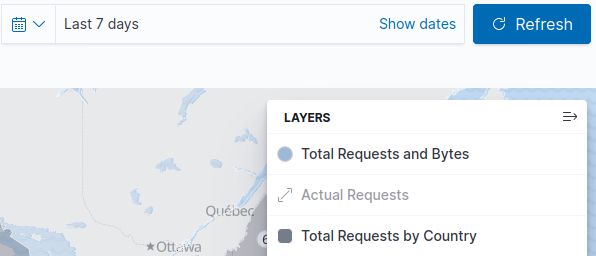
@ymao1 @pmuellr This is what I got from maps views.The refresh button should look something like this, right?
dB2510
on 10 Nov 2020
@dB2510 Yes, let's start with that.
@mdefazio We are looking to add a manual Refresh button to the Alerts List and Alerts Details views. Initial thought is to use the same button as found on the Discover and Maps views. Initial placement ideas here: https://github.com/elastic/kibana/issues/81816#issuecomment-724210133
Thoughts?
ymao1
on 10 Nov 2020
cc @arisonl
 mikecote
on 12 Nov 2020
mikecote
on 12 Nov 2020
Sorry for the slow response on this.
We created some preliminary mocks for a few other features and these included a place for the refresh button. In the detail view, I think it makes sense to include in the search bar area. (Management view below)
Detail view:
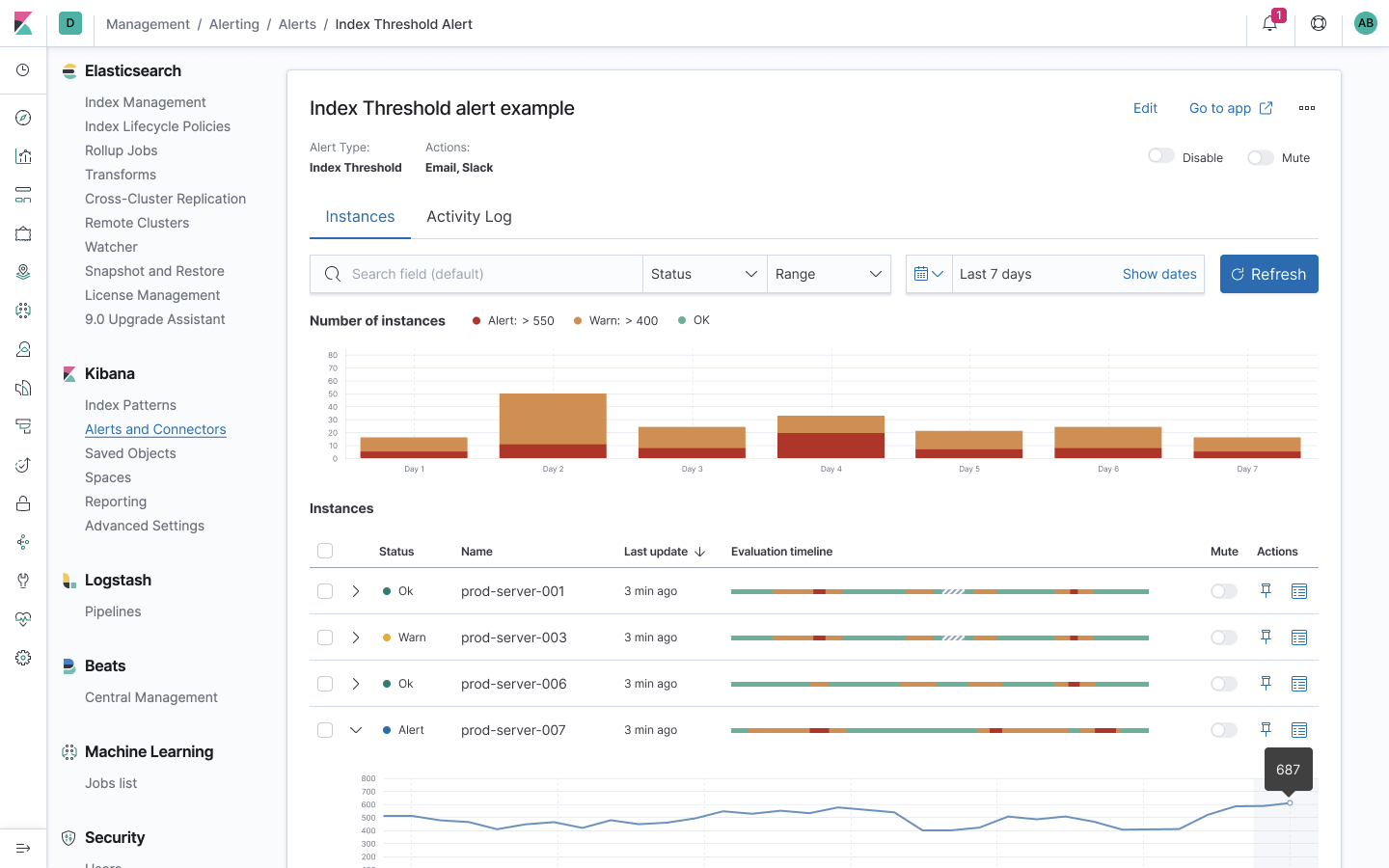
Management view:
However, the management view presents some challenges because of the 'Create' button and the 'Bulk' action button that can appear.

It feels like a lot to potentially have all 3. We hope to transition the bulk actions into the status bar (screenshot below) soon, which will solve this issue.
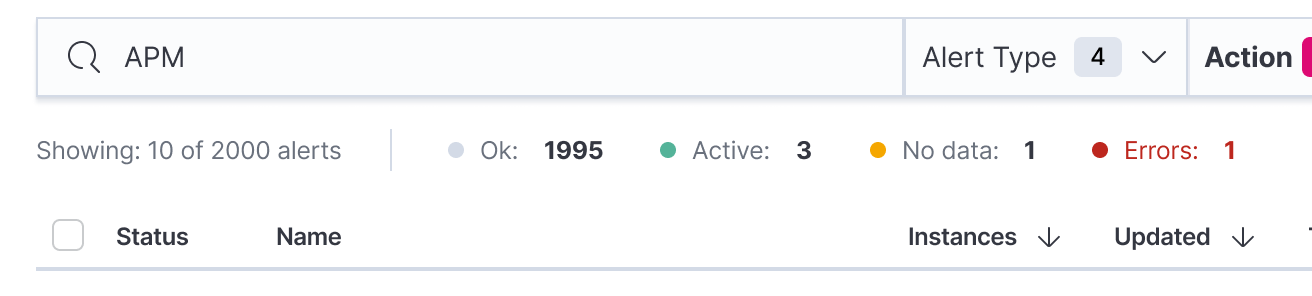
So I'm thinking of two possible directions:
1) We place the refresh button in the search /filter bar at the end after the create button and use EuiButtonEmpty with the refresh icon. And we will simply deal with the crowded bar until the bulk action gets moved.
2) We place the refresh button by the documentation link (see screenshot) as a temporary solution until the bulk action gets moved.
 mdefazio
on 12 Nov 2020
mdefazio
on 12 Nov 2020
@mdefazio I would be inclined to go with Option #1 for simplicity, especially as we'll be revisiting that area when the bulk actions get moved, but I could be easily convinced otherwise :)
ymao1
on 13 Nov 2020
@mdefazio I would be inclined to go with Option #1 for simplicity, especially as we'll be revisiting that area when the bulk actions get moved, but I could be easily convinced otherwise :)
Sounds good. I know I said at the end of the row in my previous message, but after taking another look, it might make sense to have it before the 'Create' button—I think we'll want to keep that primary action at the end since it will be easier for users to find it (and general layout aesthetics). Apologies if I made you rework anything.
mdefazio
on 17 Nov 2020
Related issues
 LukeMathWalker
·
3Comments
LukeMathWalker
·
3Comments
 stacey-gammon
·
3Comments
stacey-gammon
·
3Comments
 timroes
·
3Comments
timroes
·
3Comments
 ctindel
·
3Comments
ctindel
·
3Comments
 socialmineruser1
·
3Comments
socialmineruser1
·
3Comments
Most helpful comment
@mdefazio I would be inclined to go with Option #1 for simplicity, especially as we'll be revisiting that area when the bulk actions get moved, but I could be easily convinced otherwise :)