Kibana: [APM] Service maps: test 5: user loads service maps without anomaly detection integration when xpack.ml.enabled: false
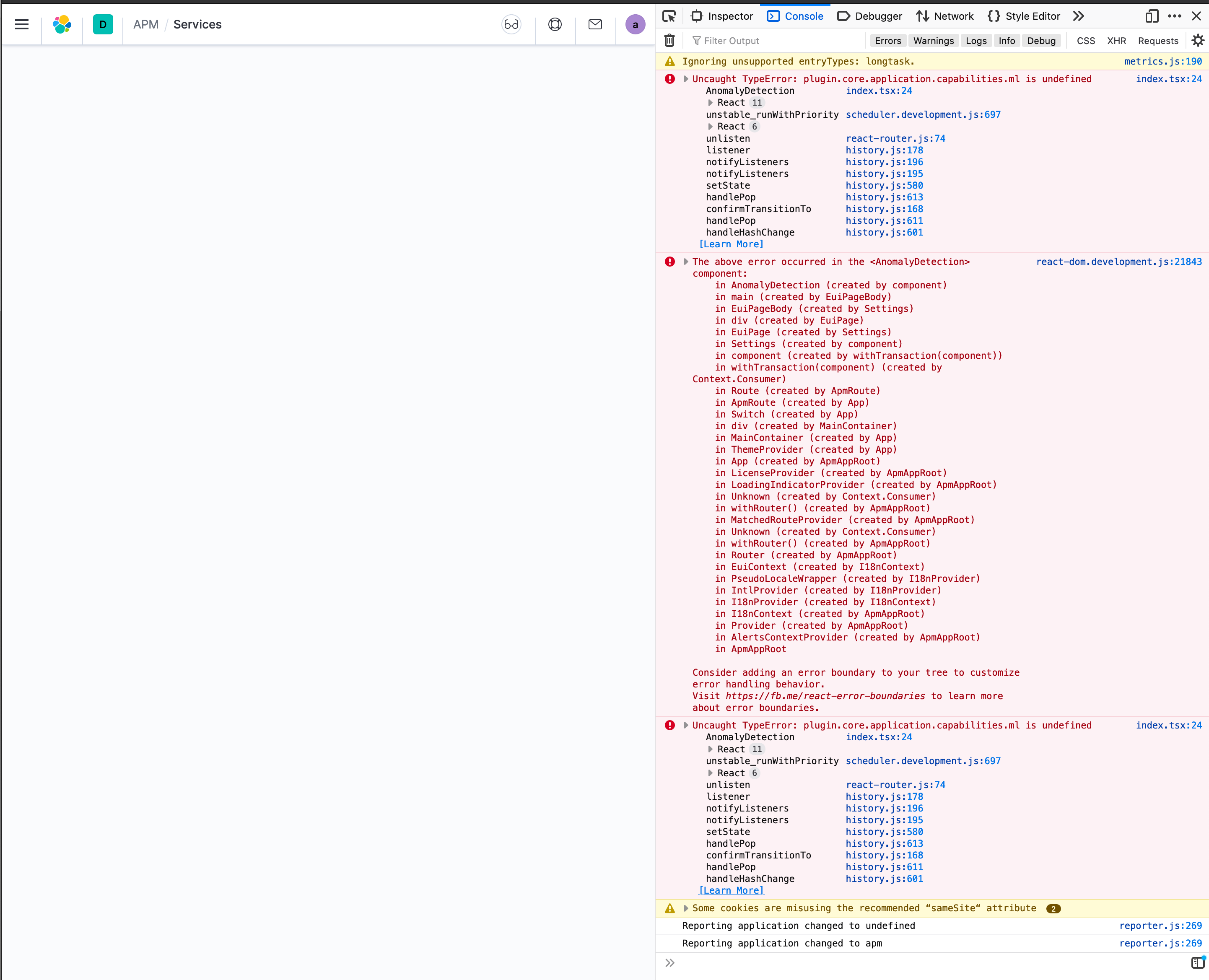
Clicking on Anomaly detection to enable ML with the plugin disabled (xpack.ml.enabled: false) breaks APM page.
 cauemarcondes
All 10 comments
Pinging @elastic/apm-ui (Team:apm)
 elasticmachine
on 22 Jul 2020
elasticmachine
on 22 Jul 2020
Thanks for testing this @cauemarcondes ! Was this part of the test plan? If not, please add it. Additionally, can you also add a line to check if there are no available ml nodes? It's something like xpack.ml.node (can't remember exactly)
 sqren
on 22 Jul 2020
sqren
on 22 Jul 2020
Was this part of the test plan?
Yes, it was.
Additionally, can you also add a line to check if there are no available ml nodes? It's something like xpack.ml.node
WIll check what's the exact name and add in the test plan.
cauemarcondes
on 23 Jul 2020
ML has its own capabilities endpoint and shared function to use to check if it is enabled:
/api/ml/ml_capabilities or mlCapabilities in mlSystemProvider
we have an open issue to add the node count to that response:
https://github.com/elastic/kibana/issues/67412
For now you can call /api/ml/ml_node_count to get this count.
if you need it as a shared function for calling server side, I can add it.
 jgowdyelastic
on 23 Jul 2020
jgowdyelastic
on 23 Jul 2020
@jgowdyelastic Thanks for chiming in! What I would like is a test case where we intentionally disable the ML node and then see how the ui behaves. I seem to recall there is an kibana.yml config option but can't remember what it's called.
sqren
on 23 Jul 2020
@cauemarcondes / @ogupte Did you find a way to disable the ML node via kibana.yml or similar?
sqren
on 24 Aug 2020
@cauemarcondes / @ogupte Did you find a way to disable the ML node via kibana.yml or similar?
Actually no, the discussion ended up here https://github.com/elastic/kibana/issues/72914#issuecomment-662978026
cauemarcondes
on 24 Aug 2020
Okay, since this is a real (ish) problem (I ran into it on Elastic Cloud I think) it would be nice to know how to simulate and see how the ui behaves.
sqren
on 24 Aug 2020
Actually no, the discussion ended up here #72914 (comment)
Apologies, I don't think I saw this.
It's possible to disable ML on the node by adding node.ml: false in the elasticsearch.yml file.
jgowdyelastic
on 24 Aug 2020
It's possible to disable ML on the node by adding
node.ml: falsein theelasticsearch.ymlfile.
Great! I think that's what I was looking for!
@cauemarcondes : I think you can test this with the apm-integration-testing command
scripts/compose.py start master --elasticsearch-java-opts="node.ml=false"
Related issues
 timroes
·
3Comments
timroes
·
3Comments
 LukeMathWalker
·
3Comments
LukeMathWalker
·
3Comments
 treussart
·
3Comments
treussart
·
3Comments
 socialmineruser1
·
3Comments
socialmineruser1
·
3Comments
 stacey-gammon
·
3Comments
stacey-gammon
·
3Comments