Kibana: Disable maximum table cell height for nested table
Describe the feature:
Describe a specific use case for the feature:
In new versions of kibana, they added a limit to the maximum height of a table cell inside a document.
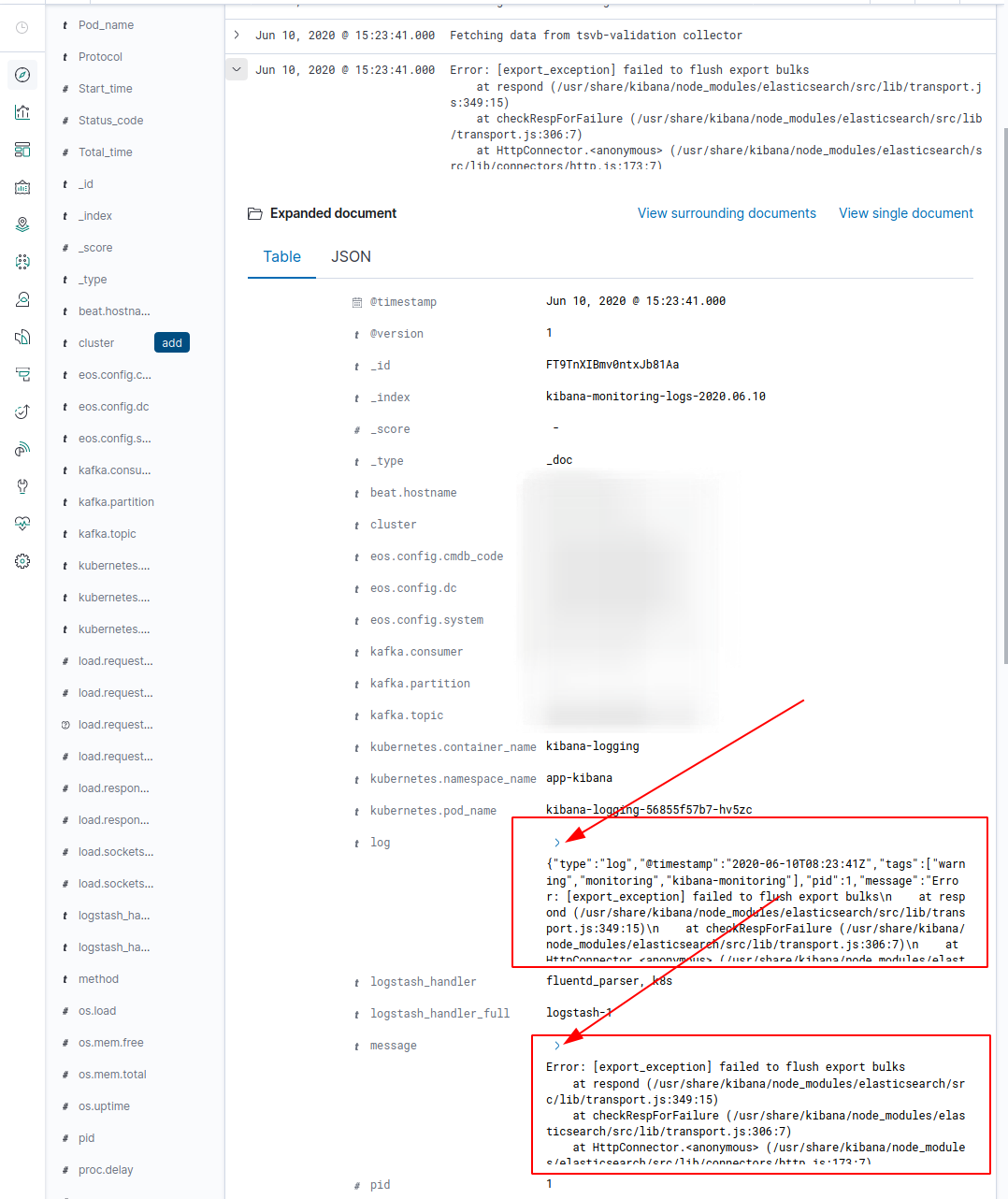
This fiature is a big inconvenience, since we have fields that contain large java stack-traces. That is, you must first expand the document in discovery, and then expand each of these fields inside the document. This significantly slows down the process of searching and navigating through the logs.
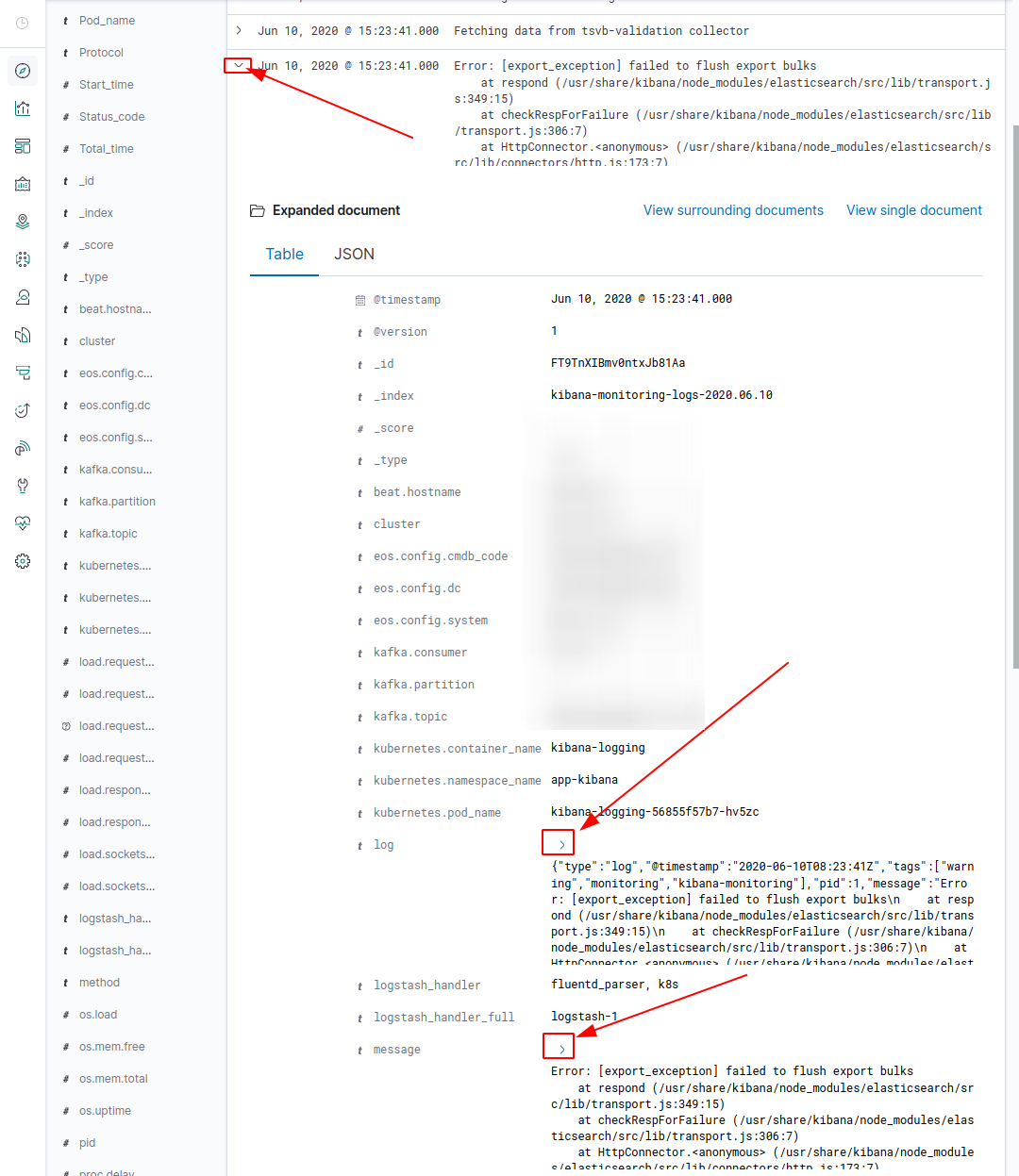
It's about this fiature: https://github.com/elastic/kibana/issues/20180
 obervinov
All 6 comments
You should be able to control that with the "Maximum table cell height" advanced setting - simply set it to a very high number.
 flash1293
on 10 Jun 2020
flash1293
on 10 Jun 2020
You should be able to control that with the "Maximum table cell height" advanced setting - simply set it to a very high number.
When changing the value of the Maximum table cell height, the size of the document table also increases

as a result, changing this parameter also impairs navigation.
I would like the ability to remove collapse for nested tables, and not for all tables at once.
As it was in previous versions of the kibana.
Unfortunately, with our volumes of documents, this innovation worsens the user experience and creates inconvenience in navigation.
It was enough to expand the document once completely, and not expand each field in the document separately.
obervinov
on 10 Jun 2020
I see, maybe it makes sense to offer more granular options for this. As we are currently re-designing the whole discover view, we might not fix this for the current layout but it should be considered in the new design.
cc @kertal should we re-open this issue and tag it accordingly to keep track of this?
flash1293
on 10 Jun 2020
@flash1293 yes we should keep track of this
 kertal
on 10 Jun 2020
kertal
on 10 Jun 2020
Pinging @elastic/kibana-app (Team:KibanaApp)
 elasticmachine
on 10 Jun 2020
elasticmachine
on 10 Jun 2020
Many thanks!
Our team is waiting for a new design.
obervinov
on 10 Jun 2020
Related issues
 LukeMathWalker
·
3Comments
LukeMathWalker
·
3Comments
 mark54g
·
3Comments
mark54g
·
3Comments
 bhavyarm
·
3Comments
bhavyarm
·
3Comments
 stacey-gammon
·
3Comments
stacey-gammon
·
3Comments
 bradvido
·
3Comments
bradvido
·
3Comments
Most helpful comment
When changing the value of the Maximum table cell height, the size of the document table also increases

as a result, changing this parameter also impairs navigation.
I would like the ability to remove collapse for nested tables, and not for all tables at once.
As it was in previous versions of the kibana.
Unfortunately, with our volumes of documents, this innovation worsens the user experience and creates inconvenience in navigation.
It was enough to expand the document once completely, and not expand each field in the document separately.