Kibana: Add link to Cloud console in the add data steps
Background
Getting Beats setup for new Cloud users can be challenging due to having to juggle elastic credentials. On the Add Data steps in Kibana, the elastic credentials are slotted in the steps for users to enter the details in to a Beats yaml file. Populating these credentials in the file results in friction as users won't necessarily have the password handy, and resetting the password can be convoluted, requiring a number of steps.
Option 1
In the _Add Data_ steps, it would be great to have a quick link back to the Cloud console for users to grab a new elastic password if they've forgotten it. It's ideal if the user can be deeplinked into the Security page. If not, we can use the workaround described in #40477 where the link is https://cloud.elastic.co/deployments?q=$deployment.
The message can be Forgot your 'elastic' password? Click here and navigate into the Security page of this deployment to reset the password.
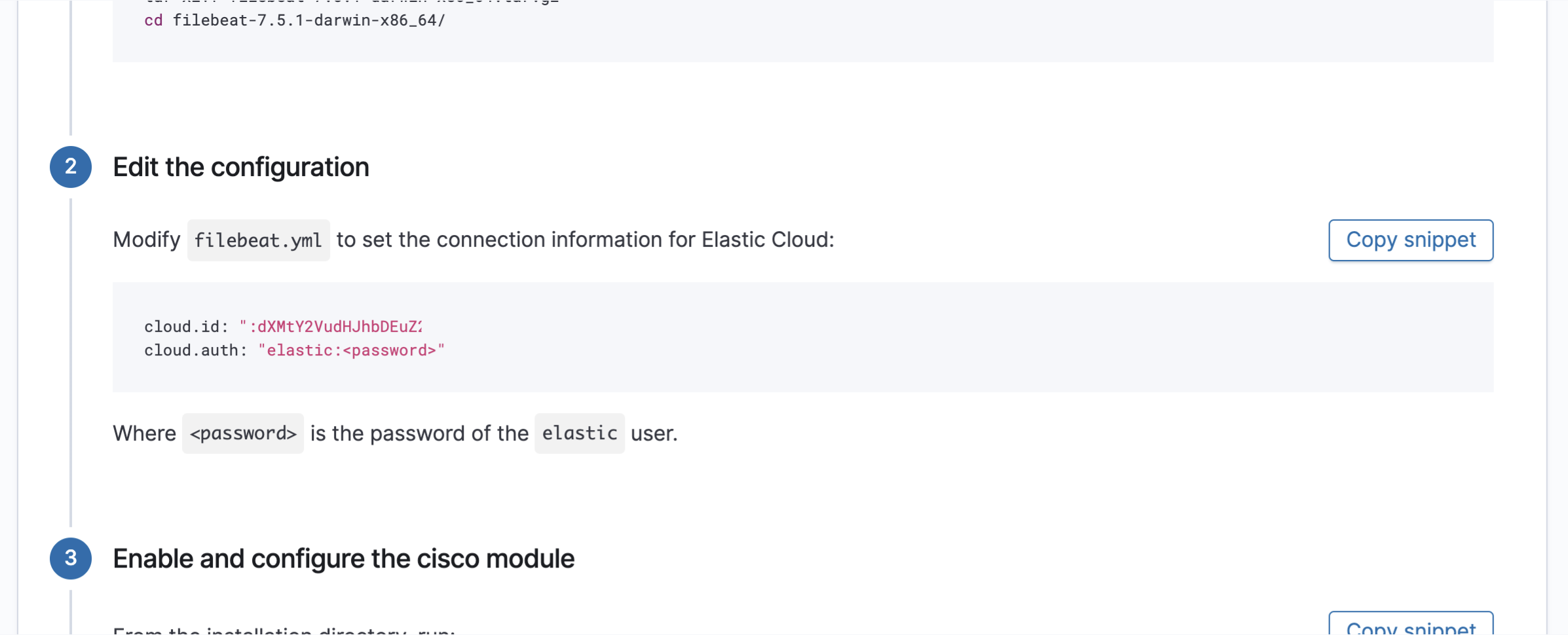
The major drawback here will be that when a user resets their elastic password, and they are logged into Kibana as the elastic user, they will be logged out. This adds a few extra steps where the user needs to re-login, navigate back to the Add Data steps, and continue with the instructions.
Option 2
In the Add Data steps, rather than show the elastic user, provide instructions with an ingest user with the role ingest_admin. This Kibana user would be able to see the credentials in the instructions, similar to the existing Cloud flow. How/if we show the password is an unanswered question. But the main benefit in this approach would be that if a user _resets_ the ingest user password, they would not lose their Kibana session and can continue in the Add Data steps without having to re-login.
SSO and onboarding improvements will change this in the future, but in the short-term, this would help users get started until those changes land.
CC @skearns64 @tbragin @uric
 osmanis
All 7 comments
Pinging @elastic/integrations (Team:Beats)
 elasticmachine
on 24 Mar 2020
elasticmachine
on 24 Mar 2020
That seems entirely reasonable to me. @mostlyjason copying you as it seems a cross-use case ingest matter.
@alvarolobato @andresrc Do you have a perspective here? Are we in charge of maintaining these tutorials? I'm curious which team would be in charge of triaging this issue.
 tbragin
on 30 Mar 2020
tbragin
on 30 Mar 2020
Pinging @elastic/logs-metrics-ui (Team:logs-metrics-ui)
elasticmachine
on 30 Mar 2020
@sgrodzicki can you look into this? I've added it to your team.
 alvarolobato
on 30 Mar 2020
alvarolobato
on 30 Mar 2020
Updated the issue description to include another option for this problem that provides a better experience where the user doesn't get logged out of their session if they're logged in as the elastic user.
osmanis
on 30 Mar 2020
It looks like this has been maintained by @elastic/kibana-app so far. Code lives in here:
https://github.com/elastic/kibana/tree/master/src/plugins/home/server/tutorials/instructions
AFAIR there have been discussions about moving it closer to the plugin itself (infra in this case). @jasonrhodes is this still on?
We would also need to settle on either option 1 or 2. @osmanis do you have further input on that?
 sgrodzicki
on 3 Apr 2020
sgrodzicki
on 3 Apr 2020
Hey @sgrodzicki, quick update, there has been a lot of discussion this week on this experience with @VijayDoshi and @arisonl. I suggest we table the discussion here as there are broader plans to address this issue that are more aligned with the ideal longterm approach that we want to provide to users.
osmanis
on 3 Apr 2020
Related issues
 snide
·
3Comments
snide
·
3Comments
 stacey-gammon
·
3Comments
stacey-gammon
·
3Comments
 celesteking
·
3Comments
celesteking
·
3Comments
 treussart
·
3Comments
treussart
·
3Comments
 ynux
·
3Comments
ynux
·
3Comments
Most helpful comment
Hey @sgrodzicki, quick update, there has been a lot of discussion this week on this experience with @VijayDoshi and @arisonl. I suggest we table the discussion here as there are broader plans to address this issue that are more aligned with the ideal longterm approach that we want to provide to users.