Kibana: Export "Formatted" button is not working
Kibana version:
7.3.0
Elasticsearch version:
7.3.0
Server OS version:
CentOS 7
Browser version:
Chrome 76
Browser OS version:
Windows 10
Original install method (e.g. download page, yum, from source, etc.):
yum
Describe the bug:
Export Formatted button not working
Steps to reproduce:
- Create a data table visualization
- Split rows by date histogram (
@timestampmonthly) - Click on 'Export Formatted"
Expected behavior:
Should download export
Screenshots (if relevant):
Errors in browser console (if relevant):
TypeError: Cannot read property 'formatter' of undefined
    at commons.bundle.js:5
    at Array.map (<anonymous>)
    at commons.bundle.js:5
    at Array.map (<anonymous>)
    at controller.self.toCsv (commons.bundle.js:5)
    at controller.self.exportAsCsv (commons.bundle.js:5)
    at fn (eval at compile (vendors.bundle.dll.js:499), <anonymous>:4:196)
    at callback (vendors.bundle.dll.js:499)
    at ChildScope.$eval (vendors.bundle.dll.js:499)
    at ChildScope.$apply (vendors.bundle.dll.js:499)
Provide logs and/or server output (if relevant):
Any additional context:
Was working before upgrading to v7 (previously in v6.5 => v6.8 => v7.3)
 florianajir
All 5 comments
Pinging @elastic/kibana-app
 elasticmachine
on 20 Aug 2019
elasticmachine
on 20 Aug 2019
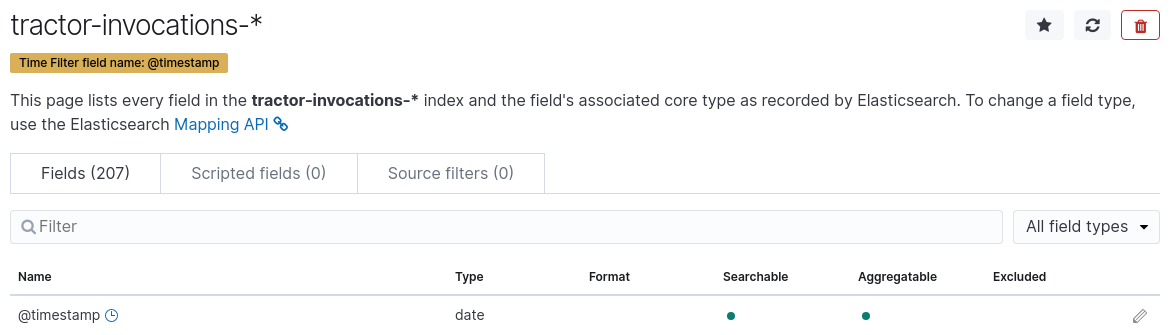
Hi, I am not able to reproduce that on either master nor the 7.3.0 release. Could you please check in Management > Index Pattern if there is any specific field formatter assigned to the @timestamp field. If not, are you somehow able to reproduce the same behavior with the Sample Data in Kibana? Could you perhaps (with or without sample data) save that visualization that causes the failure and export eh saved object of it (Management > Saved Objects) and upload it here? Thanks
 timroes
on 20 Aug 2019
timroes
on 20 Aug 2019
Hi, thank you for the quick reply, I don't remember exactly the criteria of the visualization (not saved) but I tried to reproduce it and now it's working,.
I close the issue.
florianajir
on 20 Aug 2019
I have the exact same problem.
I am able to save my visualization but I can't download the formatted csv only the raw one. As soon as I disable the Date Histogram in my data table it works. I tried other data set that we had with the same result.
I found a workaround if I am in my visualization and I click on Inspect and download the Formatted CSV from there, it works.
Kibana version:
7.3.0
Elasticsearch version:
7.3.0
Server OS version:
Elastic is on
CentOS 7.6
our Kibana is running in a Container in OpenShift behind a HAproxy
Browser version:
Chrome 76.0.3809.132
Browser OS version:
CentOS 7.6
Original install method (e.g. download page, yum, from source, etc.):
yum
Describe the bug:
Export Formatted button not working
Steps to reproduce:
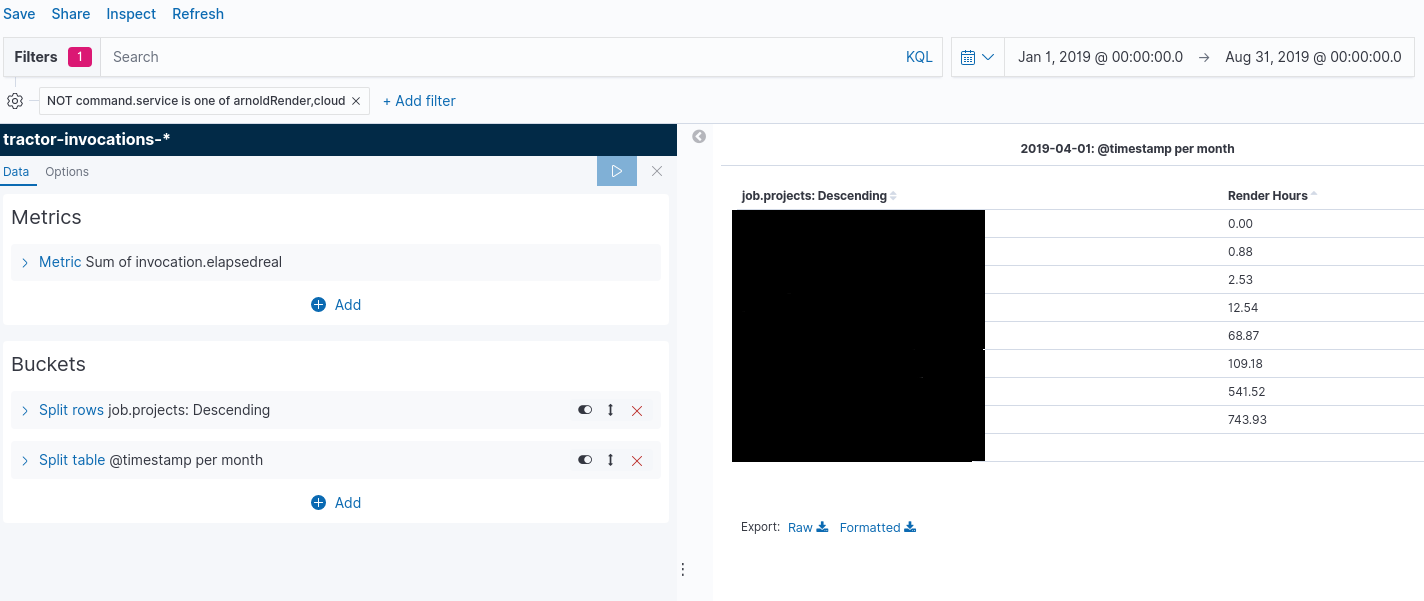
Create a data table visualization
Split rows by date histogram (@timestamp monthly)
Click on 'Export Formatted"
Expected behavior:
Should download export
Screenshots (if relevant):
Errors in browser console (if relevant):
TypeError: Cannot read property 'formatter' of undefined
at commons.bundle.js:5
at Array.map (
at commons.bundle.js:5
at Array.map (
at controller.self.toCsv (commons.bundle.js:5)
at controller.self.exportAsCsv (commons.bundle.js:5)
at fn (eval at compile (vendors.bundle.dll.js:499),
at callback (vendors.bundle.dll.js:499)
at ChildScope.$eval (vendors.bundle.dll.js:499)
at ChildScope.$apply (vendors.bundle.dll.js:499)
Provide logs and/or server output (if relevant):
I get a bit different infos in Firefox
TypeError
columnNumber: 28424
fileName: "https://serveraddress/bundles/commons.bundle.js"
lineNumber: 5
message: "columns.find(...) is undefined"
tack: "controller/self.toCsv/csvRows</<@https://server/bundles/commons.bundle.js:5:28424\ncontroller/self.toCsv/csvRows<@https://server/bundles/commons.bundle.js:5:28306\ncontroller/self.toCsv@https://server/bundles/commons.bundle.js:5:28276\ncontroller/self.exportAsCsv@https://server/bundles/commons.bundle.js:5:27777\nfn@https://server/built_assets/dlls/vendors.bundle.dll.js line 499 > Function:4:193\ncallback@https://server/built_assets/dlls/vendors.bundle.dll.js:499:275626\n$eval@https://server/built_assets/dlls/vendors.bundle.dll.js:499:213074\n$apply@https://server/built_assets/dlls/vendors.bundle.dll.js:499:213412\nngEventHandler/<@https://server/built_assets/dlls/vendors.bundle.dll.js:499:275727\ndispatch@https://server/built_assets/dlls/vendors.bundle.dll.js:493:61021\nadd/elemData.handle@https://server/built_assets/dlls/vendors.bundle.dll.js:493:57787\n"
Any additional context:
Was working before upgrading to v7
 jessikaduquette
on 5 Sep 2019
jessikaduquette
on 5 Sep 2019
I have the same problem with the same error message.
 ddhogan
on 8 Nov 2019
ddhogan
on 8 Nov 2019
Related issues
 socialmineruser1
·
3Comments
socialmineruser1
·
3Comments
 ynux
·
3Comments
ynux
·
3Comments
 treussart
·
3Comments
treussart
·
3Comments
 bhavyarm
·
3Comments
bhavyarm
·
3Comments
 stacey-gammon
·
3Comments
stacey-gammon
·
3Comments
Most helpful comment
I have the exact same problem.

I am able to save my visualization but I can't download the formatted csv only the raw one. As soon as I disable the Date Histogram in my data table it works. I tried other data set that we had with the same result.
I found a workaround if I am in my visualization and I click on Inspect and download the Formatted CSV from there, it works.
Kibana version:
7.3.0
Elasticsearch version:
7.3.0
Server OS version:
Elastic is on
CentOS 7.6
our Kibana is running in a Container in OpenShift behind a HAproxy
Browser version:
Chrome 76.0.3809.132
Browser OS version:
CentOS 7.6
Original install method (e.g. download page, yum, from source, etc.):
yum
Describe the bug:
Export Formatted button not working
Steps to reproduce:
Create a data table visualization
Split rows by date histogram (@timestamp monthly)
Click on 'Export Formatted"
Expected behavior:
Should download export
Screenshots (if relevant):

Errors in browser console (if relevant):
TypeError: Cannot read property 'formatter' of undefined)):4:196)
at commons.bundle.js:5
at Array.map (
at commons.bundle.js:5
at Array.map (
at controller.self.toCsv (commons.bundle.js:5)
at controller.self.exportAsCsv (commons.bundle.js:5)
at fn (eval at compile (vendors.bundle.dll.js:499),
at callback (vendors.bundle.dll.js:499)
at ChildScope.$eval (vendors.bundle.dll.js:499)
at ChildScope.$apply (vendors.bundle.dll.js:499)
Provide logs and/or server output (if relevant):
I get a bit different infos in Firefox
TypeError
Any additional context:
Was working before upgrading to v7