Kibana: Configurable Pre-Login Warning Screen
Original comment by @alexfrancoeur:
Some work environments require you to acknowledge and accept a warning before entering a product that may contain sensitive information. This should screen should be completely optional and shown before accessing the login page. In order to fulfill this use case, Kibana would need the following.
- A configurable option to turn this screen on or off
- This would ideally be on a per-realm basis. It's possible a SAML provider already provides this message but if SAML fails and the secondary AD kicks in, we would need to display this message
- Configurable descriptive text for this page
- A configurable background color for this page (nice to have)
- A button to acknowledge that you've read and accepted the terms
 elasticmachine
All 24 comments
Original comment by @alexfrancoeur:
elasticmachine
on 21 Mar 2018
Related specs for federal info systems: https://nvd.nist.gov/800-53/Rev4/control/AC-8
 arisonl
on 30 Jul 2019
arisonl
on 30 Jul 2019
This seems quite similar https://github.com/elastic/kibana/pull/51557 We could potentially add a message acknowledgment element (checkbox) which then enables the log-in form
arisonl
on 25 Nov 2019
This seems quite similar #51557 We could potentially add a message acknowledgment element (checkbox) which then enables the log-in form
Yeah this does seem similar. One distinction I see is:
This would ideally be on a per-realm basis. It's possible a SAML provider already provides this message but if SAML fails and the secondary AD kicks in, we would need to display this message
The login page does not distinguish between realms, so it would show the same message for any realm which authenticates via username and password (such as AD, LDAP, native, and token)
 legrego
on 26 Nov 2019
legrego
on 26 Nov 2019
https://github.com/elastic/kibana/pull/51557 adds a message which is displayed on the login page itself. @arisonl, do you happen to know if we still need this?
 kobelb
on 6 Jan 2020
kobelb
on 6 Jan 2020
for authentication setups that involve password this works great for fed. A "by logging in you have agreed to X" message achieve all the requirements of a checkbox or multi-stage workflow by my read of the spec.
For authentication methods that do not involve a kibana login screen (Oauth, impersonation, etc)
as long as the message also shows up regardless of realm we are good. Being able to push that warning to the SAML or other central auth screen is too big of an assumption. Kibana admins may not have the flexibility to modify the warning screens on corp SAML flows which may be under configuration management limitations. It's dumb but it's true.
 derickson
on 7 Jan 2020
derickson
on 7 Jan 2020
Per @kobelb's comment on #51557, that approach will not address the need to display a pre-login message for SSO realms like SAML and PKI, which is indeed a requirement for this issue.
So, this issue is not fully met by #51557
 mbarretta
on 7 Jan 2020
mbarretta
on 7 Jan 2020
agree that it will be a problem for SSO. also, ideally, we would like an explicit approval of the T&Cs of the system.
 m-adams
on 8 Jan 2020
m-adams
on 8 Jan 2020
Requirements from last week's meeting:
- The requirement is for a pre-access warning and ACK (not pre-login). By "access" we mean access to the data, visualisations, dashboards etc., not the login action.
- To cover the IdP initiated SSO flows (e.g. the user is first accessing her IdP dashboard and selects Kibana from there), we will use a separate page to display the warning and require the ACK. In such a case, the user is accessing their IdP, logging in there, select Kibana, see the warning page, acknowledge it, access Kibana objects/data.
- Acknowledgment should happen with each new authentication session, meaning that if a session is active, users should not have to ACK again.
- Ability to configure and show the warning per realm. This way users may end up seeing duplicates of the ACK page (if they are logging in with different realms and these realms have the warning configured), but at the same time there is no way around acknowledging the warning.
- The warning will support text and links. Click a button to ACK.
Possible extensions in the future (initially out of scope):
- Provide a justification for the access through the page and log it with Kibana logs.
- Display timestamp of last login.
- Richer formatting.
References:
cc: @azasypkin @m-adams @mbarretta @choobinejad @derickson
arisonl
on 13 Apr 2020
Thanks for summarizing, @arisonl .
By the way Kibana also exposes APIs that can be used programmatically (i.e. without presenting any UI, with the tools like curl or wget). In this case request already includes credentials and is automatically authenticated before performing an action.
How are we supposed to deal with this when pre-access warning is enabled @m-adams @mbarretta @choobinejad?
I see that NIST Special Publication 800-53 (Rev. 4) says that:
System use notifications are used only for access via logon interfaces with human users and are not required when such human interfaces do not exist.
Does it mean Kibana can ignore pre-access warning requirement when it's accessed programmatically?
 azasypkin
on 14 Apr 2020
azasypkin
on 14 Apr 2020
@azasypkin I haven't seen any requirement for warnings on programmatic interfaces.
Normally, these wouldn't be used directly by end-users and could be blocked.
m-adams
on 14 Apr 2020
Normally, these wouldn't be used directly by end-users and could be blocked.
These can be used for a variety of reasons that users may not be aware of, e.g.:
- Reporting internally relies on this type of access
- Elastic Cloud internally talks to Kibana using some of the Kibana APIs
- Administrators may want to integrate Kibana into some flows that also rely on API access and at the same time show pre-access warning to "normal" users
I believe automatically blocking this completely on the Kibana side because of pre-access warning will become a problem.
@m-adams any reasons we cannot allow API access irrespective to pre-access warning requirement as suggested by NIST 800-53? If Kibana admins would like to disable API access completely, they can do this explicitly via configuration.
azasypkin
on 14 Apr 2020
I just meant from end user machines.
As the spec said, it's only concerned with user interfaces.
On Tue, Apr 14, 2020 at 10:34 AM Aleh Zasypkin notifications@github.com
wrote:
Normally, these wouldn't be used directly by end-users and could be
blocked.These can be used for a variety of reasons that users may not be aware of,
e.g.:
- Reporting internally relies on this type of access
- Elastic Cloud internally talks to Kibana using some of the Kibana
APIs- Administrators may want to integrate Kibana into some flows that
also rely on API access and at the same time show pre-access warning to
"normal" usersI believe automatically blocking this completely on the Kibana side
because of pre-access warning will become a problem.@m-adams https://github.com/m-adams any reasons we cannot allow API
access irrespective to pre-access warning requirement as suggested by NIST
800-53? If Kibana admins would like to disable API access completely, they
can do this explicitly via configuration
https://www.elastic.co/guide/en/kibana/master/kibana-authentication.html#http-authentication
.—
You are receiving this because you were mentioned.
Reply to this email directly, view it on GitHub
https://github.com/elastic/kibana/issues/18176#issuecomment-613333681,
or unsubscribe
https://github.com/notifications/unsubscribe-auth/ABYDJMPPC3X7AOTO3FAHN3DRMQU3DANCNFSM4IH4KPSQ
.
--
Matthew Adams
{
“title”: "Senior Solution Architect”,
“location”: “5 Southampton St.Covent Garden, London WC2E 7HA”,
“url”: “elastic.co”,
}
Search. Observe. Protect.
m-adams
on 14 Apr 2020
Okay, good. We'll make sure that this behavior is clearly documented anyway.
azasypkin
on 14 Apr 2020
Hi @m-adams @mbarretta @choobinejad @arisonl
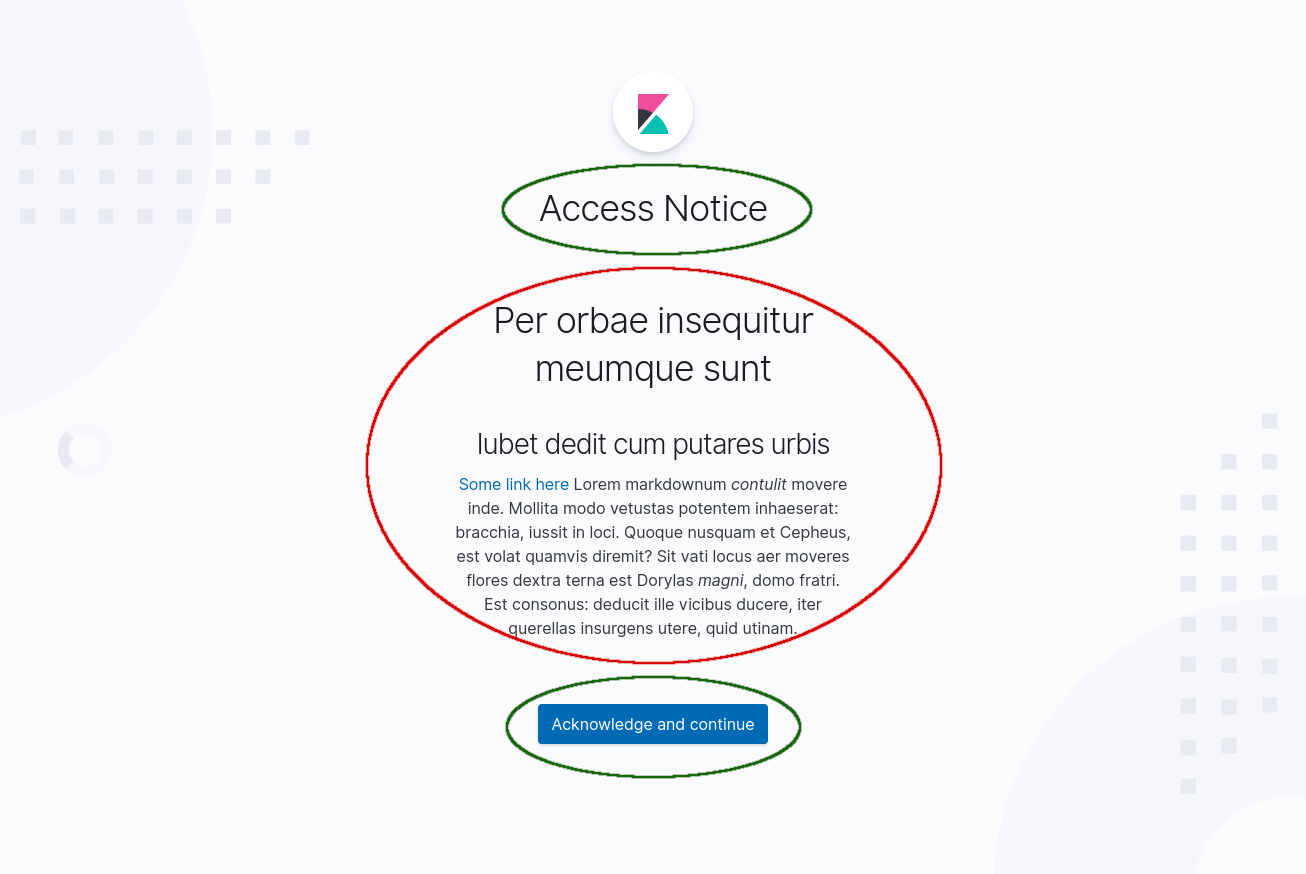
Here is the preliminary prototype of how the access notice screen will look like. Would you mind giving a feedback? In particular:
Title text and button text (highlighted in green) - these will be hard coded, so we need to pick fixed strings that would cover majority of the use cases now
Access notice text (highlighted in red) - this is Markdown, and can be configured by the Kibana admins via
kibana.ymllike that:
xpack.security.authc.providers:
  basic.basic1:
    order: 0
    accessNotice: "# Per orbae insequitur meumque sunt\n
                   ## Iubet dedit cum putares urbis\n
                   [Some link here](some-link) \n
                   Lorem markdownum *contulit* movere inde. Mollita modo vetustas potentem
                   inhaeserat: bracchia, iussit in loci. Quoque nusquam et Cepheus, est volat
                   quamvis diremit? Sit vati locus aer moveres flores dextra terna est Dorylas
                   *magni*, domo fratri. Est consonus: deducit ille vicibus ducere, iter querellas
                   insurgens utere, quid utinam."
It'd be great if you can share a "real" access notice text if you have any so that we can see how it looks like exactly. Otherwise just tell me if it looks OK or not (alignment, position etc.).
Hey @ryankeairns ,
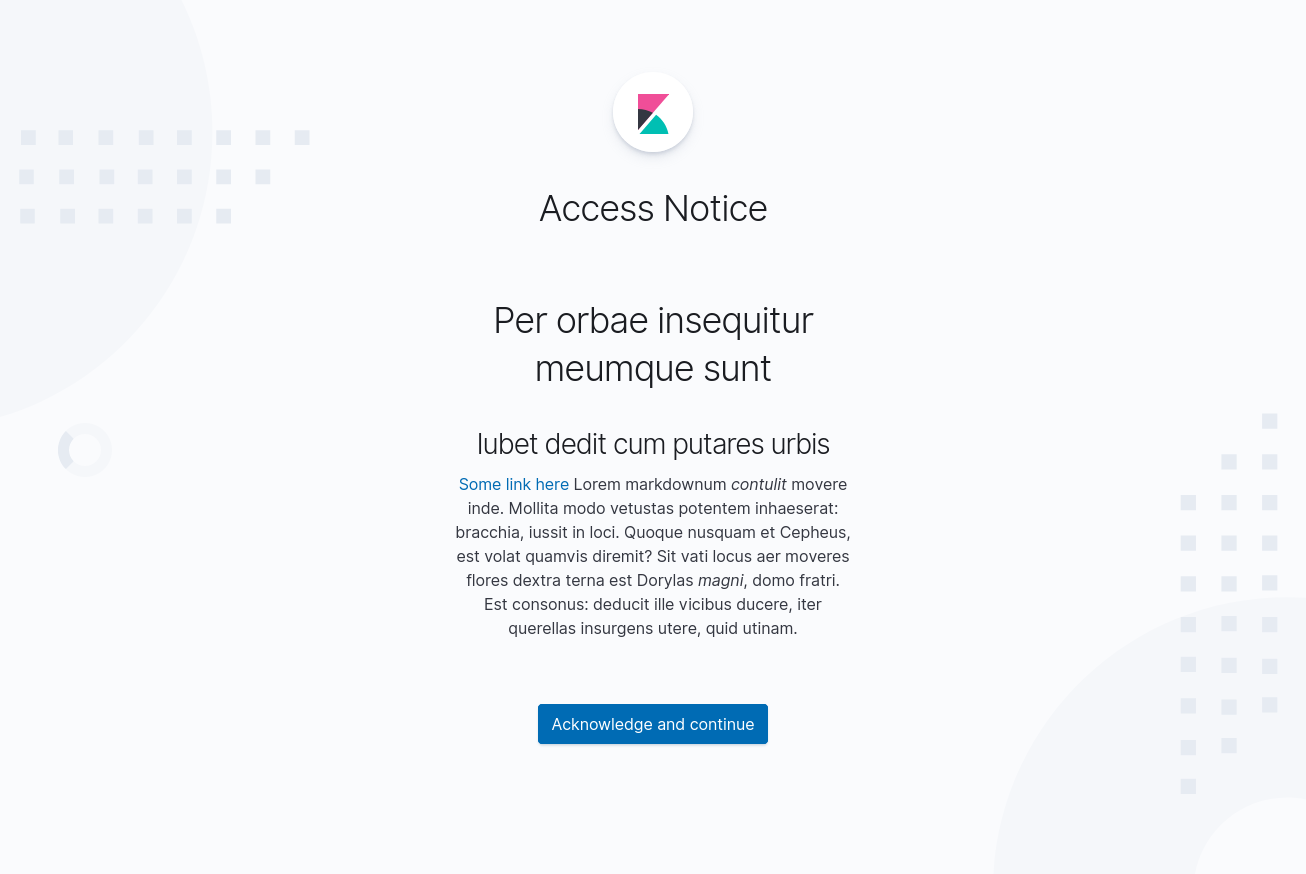
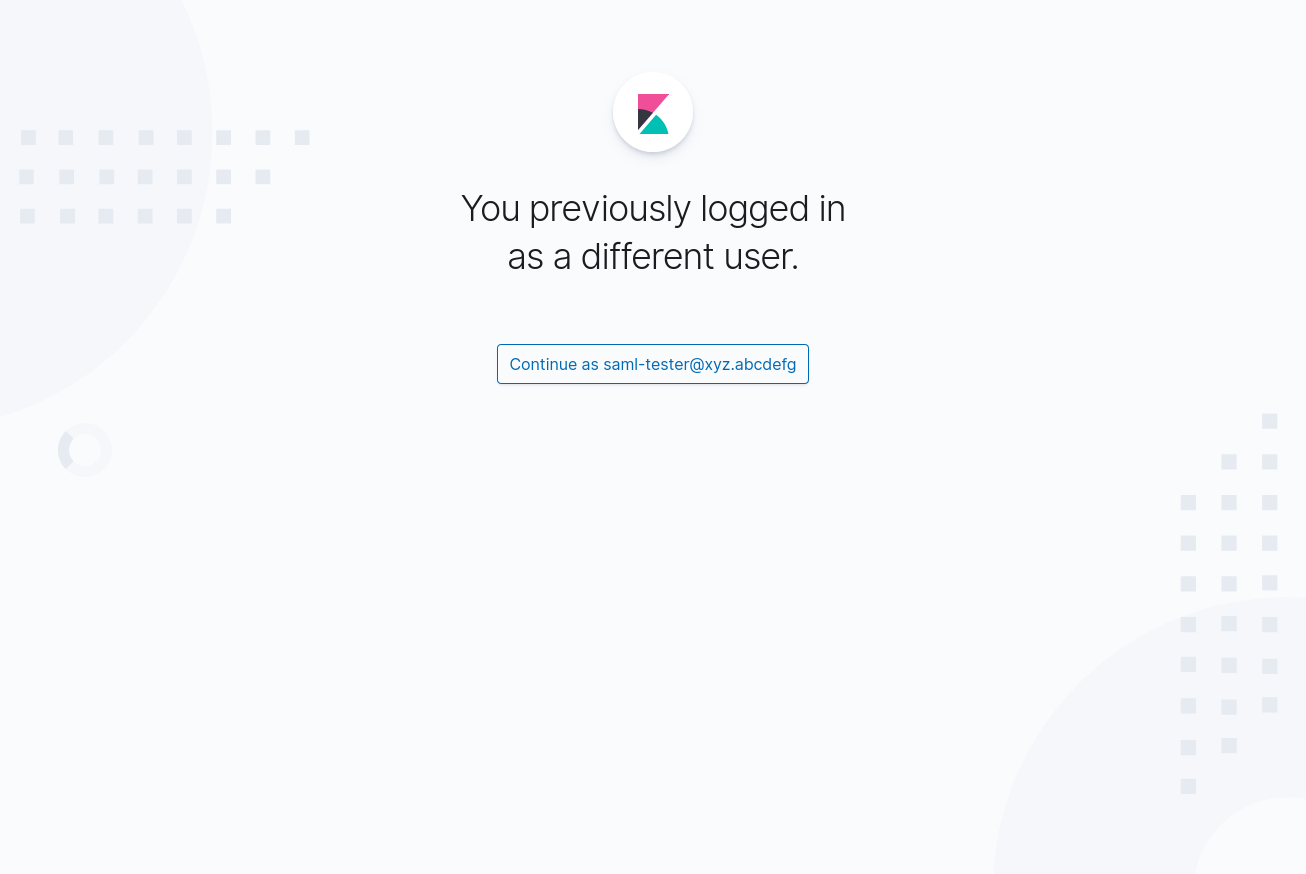
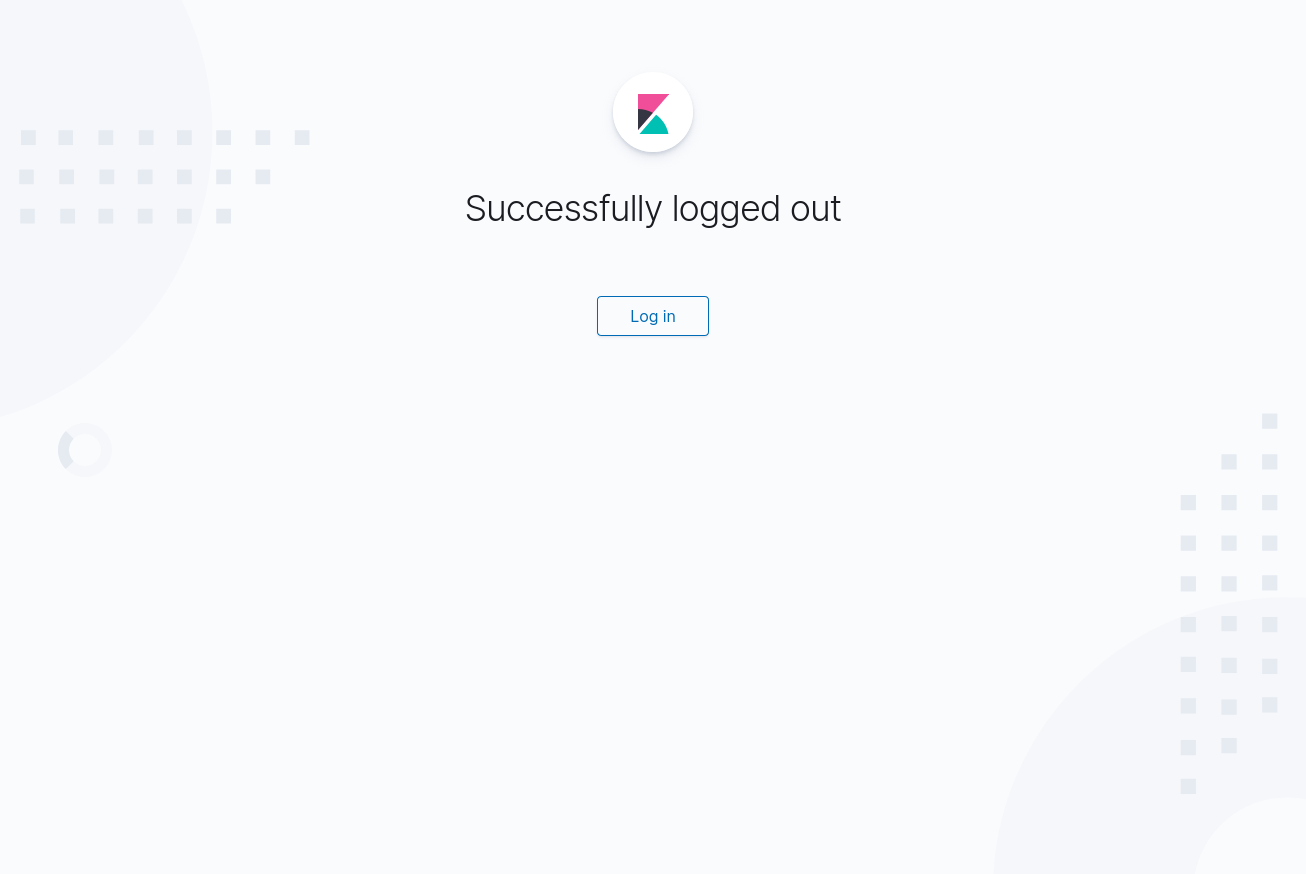
Would you mind giving a design feedback on the screen itself? Ideally I'd keep the base style like it's right now (Kibana logo + centered title) since it's in line with other similar screens we have in Kibana right now (see below), but will align with whatever you think is better. Thanks!
The new screen we'd like to introduce:
Existing Overwritten Session screen:
Existing Logged out screen:
azasypkin
on 15 Apr 2020
I assume that the acceptance will be audited as well?
Matthew
m-adams
on 15 Apr 2020
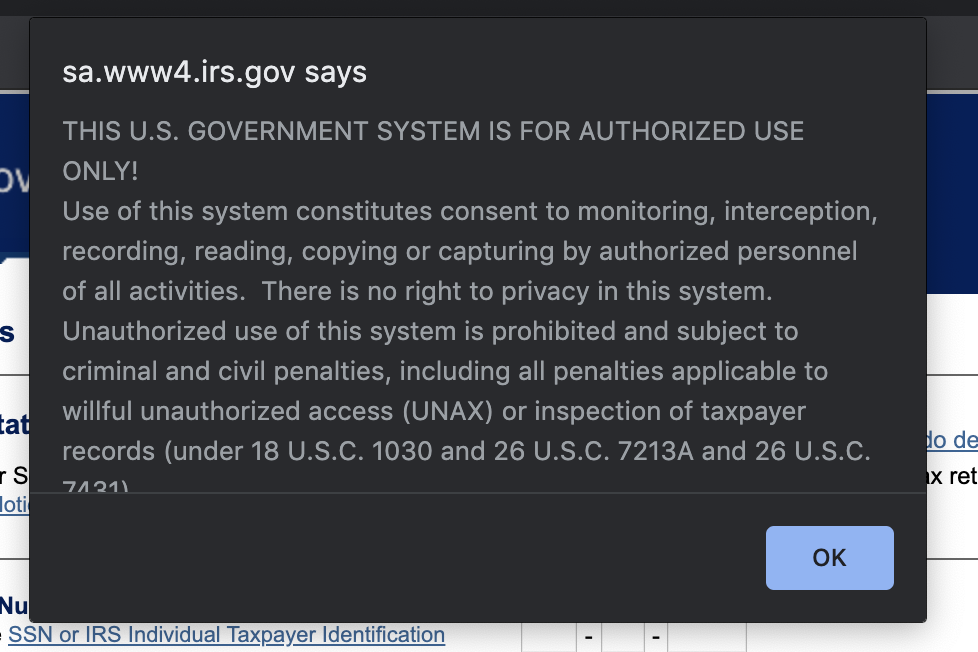
It'd be great if you can share a "real" access notice text if you have any so that we can see how it looks like exactly.
I'm not sure what this is worth, but the public irs.gov site has the following notice at https://sa.www4.irs.gov/irfof/lang/en/irfofgetstatus.jsp:
legrego
on 15 Apr 2020
@azasypkin keeping with the screens you shared above AND with Dave's recent log in mockups, I am proposing the following design:
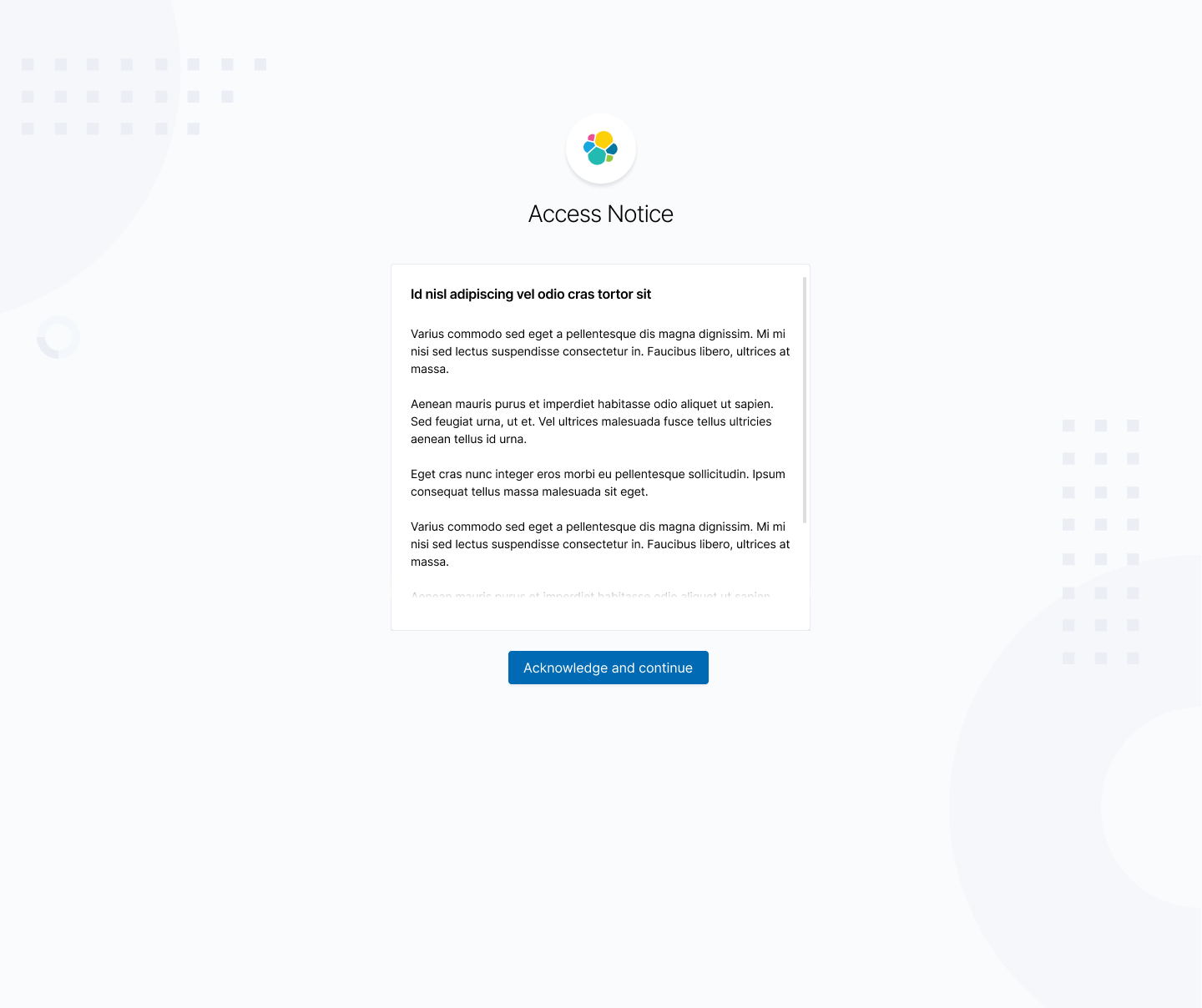
If possible, it might look a little neater if the button is in the footer of the panel:

 ryankeairns
on 15 Apr 2020
ryankeairns
on 15 Apr 2020
Acknowledgement workflow
@azasypkin +1, only human-interactive interfaces are concerned with the the pre-access acknowledgement.
It's ok that some features, e.g. Reporting, may use APIs without explicit user acknowledge. This is because the user must retrieve the Report by either (1) logging into Kibana interactively and acknowledging the terms or (2) interacting with Kibana APIs, where there is no acknowledgement requirement.
For background, as part of a system's compliance plan, the Kibana administrator typically needs to establish a process where anyone with access to APIs must acknowledge the warning as part of their "onboarding". That's why this requirement only applies to human-interactive workflows.
Notice text
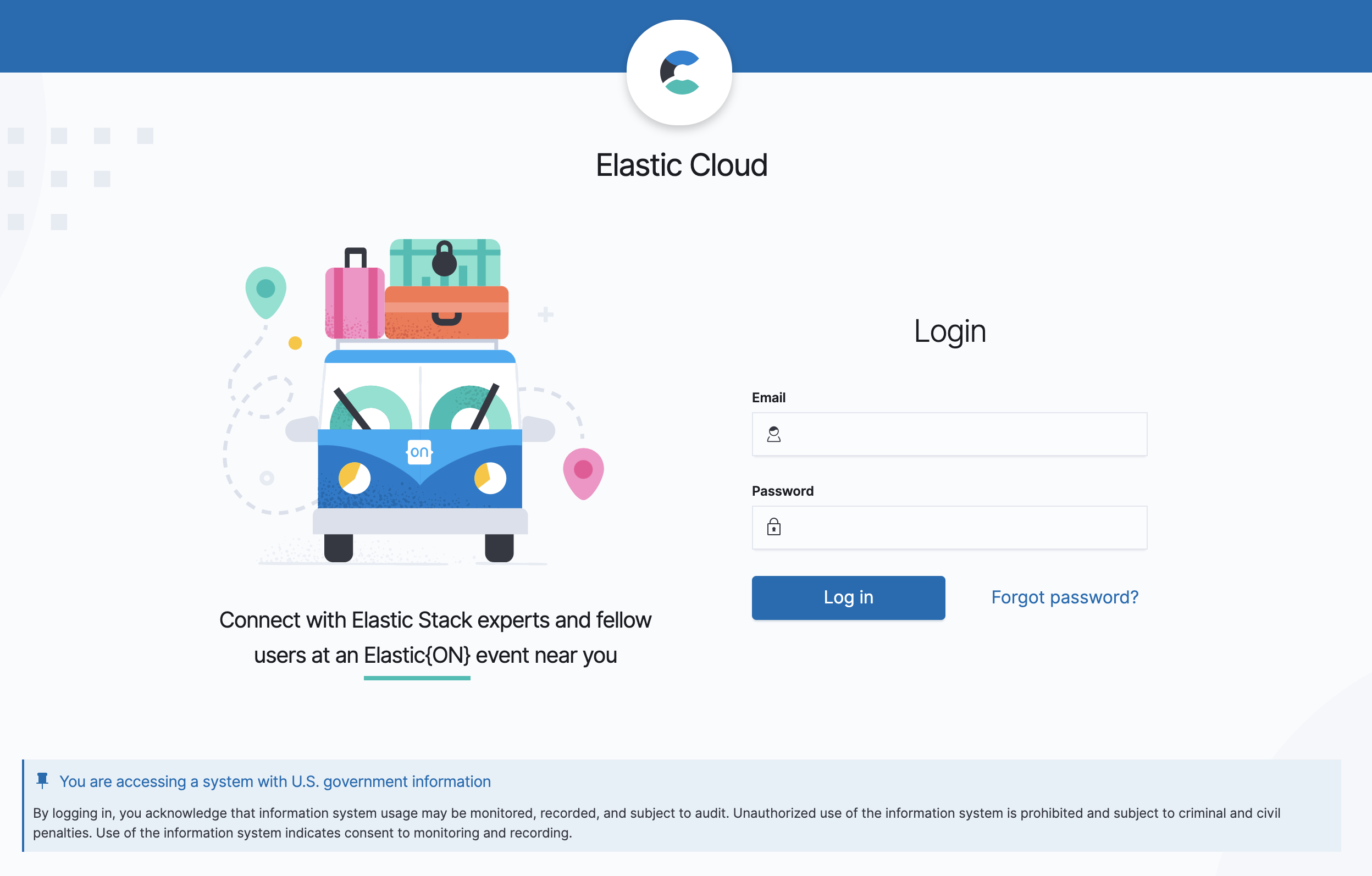
Here's a screenshot of the Elastic Cloud [FedRAMP edition] for reference. I'd suggest we use the same warning:
You are accessing a system with U.S. government information
By logging in, you acknowledge that information system usage may be monitored, recorded, and subject to audit. Unauthorized use of the information system is prohibited and subject to criminal and civil penalties. Use of the information system indicates consent to monitoring and recording.
Other things
- Personally, I like the _Acknowledge and continue_ text on the button. _Acknowledge_ is the keyword here (as it doesn't matter if they actually _agree_!)
- The yaml config is nice and simple. Like it! I also ran into a new customer use case for by-realm configuration of the warning, so
++to that approach. ++to @m-adams question on audit. Ideally, we will audit the user's acknowledgement. Is that in scope of this issue @azasypkin?
 choobinejad
on 15 Apr 2020
choobinejad
on 15 Apr 2020
Thanks everyone for feedback! Attached the screenshot with the latest design proposal from @ryankeairns.
I assume that the acceptance will be audited as well?
++ to @m-adams question on audit. Ideally, we will audit the user's acknowledgement. Is that in scope of this issue @azasypkin?
Yeah, that's the plan. Kibana Audit logging is very basic right now, but we'll have audit event for this action nevertheless.
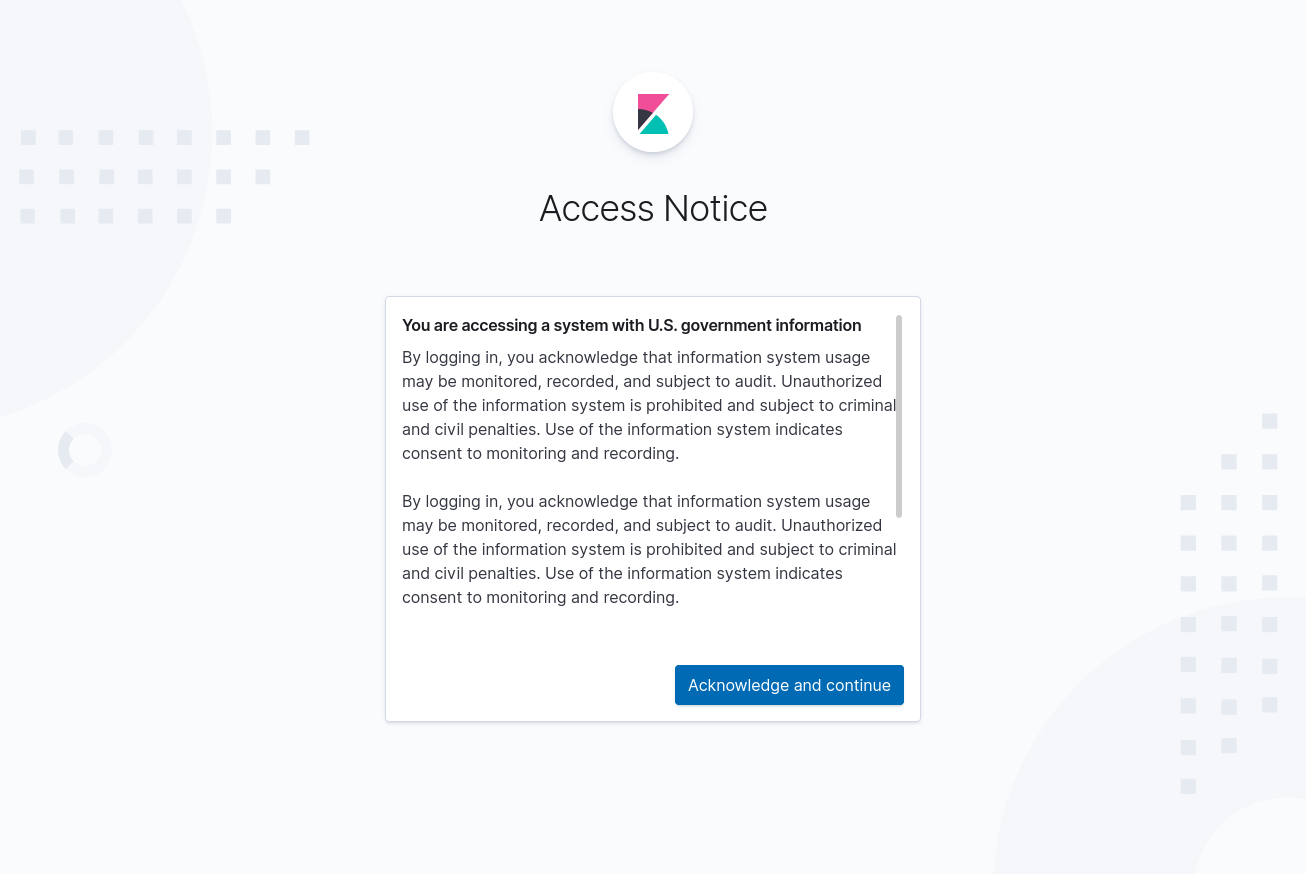
Config looks like this (copy-pasted multiple times to show max height/width with scroll bar):
xpack.security.authc.providers:
  basic.basic1:
    order: 0
    accessNotice: "#### You are accessing a system with U.S. government information \n\n
                   By logging in, you acknowledge that information system usage may be monitored, recorded, and subject to audit. Unauthorized use of the information system is prohibited and subject to criminal and civil penalties. Use of the information system indicates consent to monitoring and recording.
                   \n\nBy logging in, you acknowledge that information system usage may be monitored, recorded, and subject to audit. Unauthorized use of the information system is prohibited and subject to criminal and civil penalties. Use of the information system indicates consent to monitoring and recording.
                   \n\nBy logging in, you acknowledge that information system usage may be monitored, recorded, and subject to audit. Unauthorized use of the information system is prohibited and subject to criminal and civil penalties. Use of the information system indicates consent to monitoring and recording."
Looks good.
It would also be nice if accessNotice could be either the text, as it is now, or a file path to a file containing the text.
 kresss
on 15 Apr 2020
kresss
on 15 Apr 2020
@azasypkin
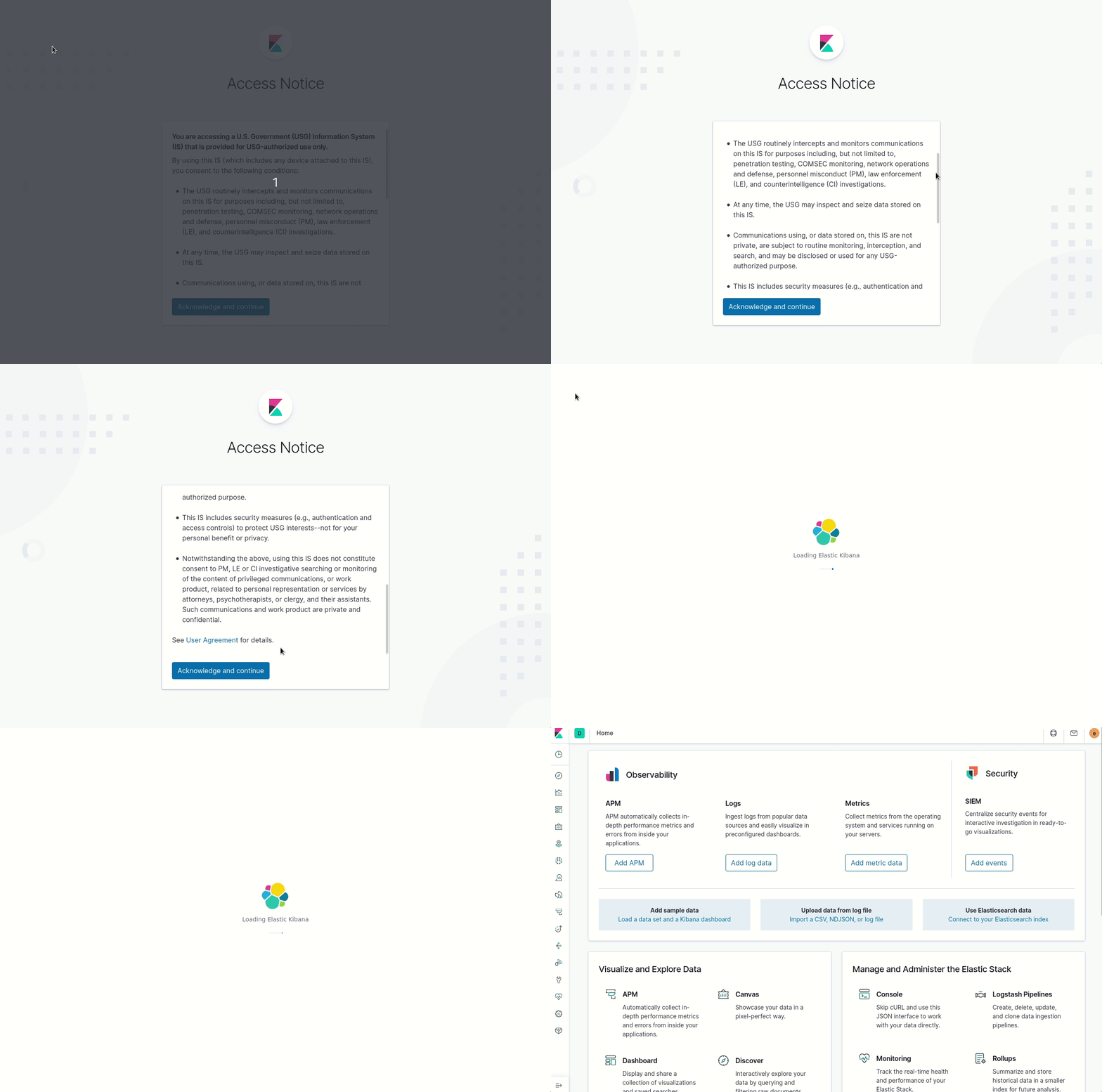
Here's another example of text for a DoD system, this with bullets:
"You are accessing a U.S. Government (USG) Information System (IS) that is provided for USG-authorized use only. By using this IS (which includes any device attached to this IS), you consent to the following conditions:
  - The USG routinely intercepts and monitors communications on this IS for purposes including, but not limited to, penetration testing, COMSEC monitoring, network operations and defense, personnel misconduct (PM), law enforcement (LE), and counterintelligence (CI) investigations.
  - At any time, the USG may inspect and seize data stored on this IS.
  - Communications using, or data stored on, this IS are not private, are subject to routine monitoring, interception, and search, and may be disclosed or used for any USG-authorized purpose.
  - This IS includes security measures (e.g., authentication and access controls) to protect USG interests--not for your personal benefit or privacy.
  - Notwithstanding the above, using this IS does not constitute consent to PM, LE or CI investigative searching or monitoring of the content of privileged communications, or work product, related to personal representation or services by attorneys, psychotherapists, or clergy, and their assistants. Such communications and work product are private and confidential. See User Agreement for details."
It would also be nice if accessNotice could be either the text, as it is now, or a file path to a file containing the text.
Good to know, noted, thanks. We'll go the easiest and safest route for now (the text configurable in kibana.yml) and gather users feedback. It's always easier to add new functionality if people really need it than to remove it if people don't.
Here's another example of text for a DoD system, this with bullets:
Nice! Here is how it will look like at the first iteration:
azasypkin
on 20 Apr 2020
Feature is handled in https://github.com/elastic/kibana/pull/63563 and will be available in Kibana starting from 7.8.0.
azasypkin
on 28 Apr 2020
Related issues
 bradvido
·
3Comments
bradvido
·
3Comments
 tbragin
·
3Comments
tbragin
·
3Comments
 timmolter
·
3Comments
timmolter
·
3Comments
 timroes
·
3Comments
timroes
·
3Comments
 ctindel
·
3Comments
ctindel
·
3Comments
Most helpful comment
Related specs for federal info systems: https://nvd.nist.gov/800-53/Rev4/control/AC-8