Kibana: How to round up the value in the metric visualization?
Kibana version: 5.4.1
Browser version: Internet Explorer 11.0.9600.18762
Description of the problem including expected versus actual behavior:
We wont to round up value which we receive in the metric visualization. But we can't to find tuning for this. How can we do it?

 KimKS2017
All 4 comments
It is possible.
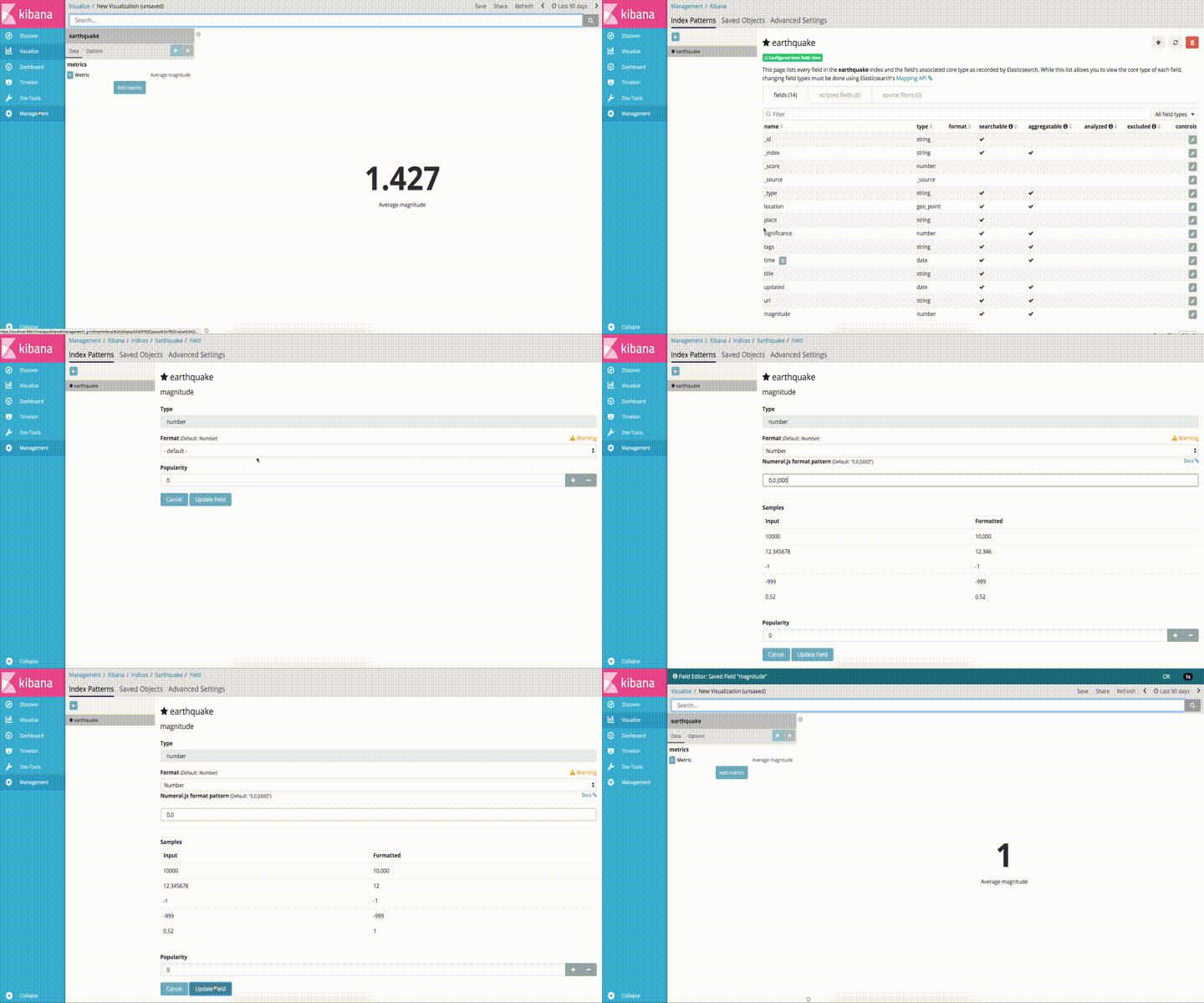
Under Management -> Index Patterns. Select the target Index Pattern. Locate the field used by the metric. Click the edit button on the far right. Add a number formatter and set the format to 0,0.
In the future, if you have questions about functionality, please ask in the kibana forum at https://discuss.elastic.co/c/kibana. That is a better place for these types of questions.
 nreese
on 14 Sep 2017
nreese
on 14 Sep 2017
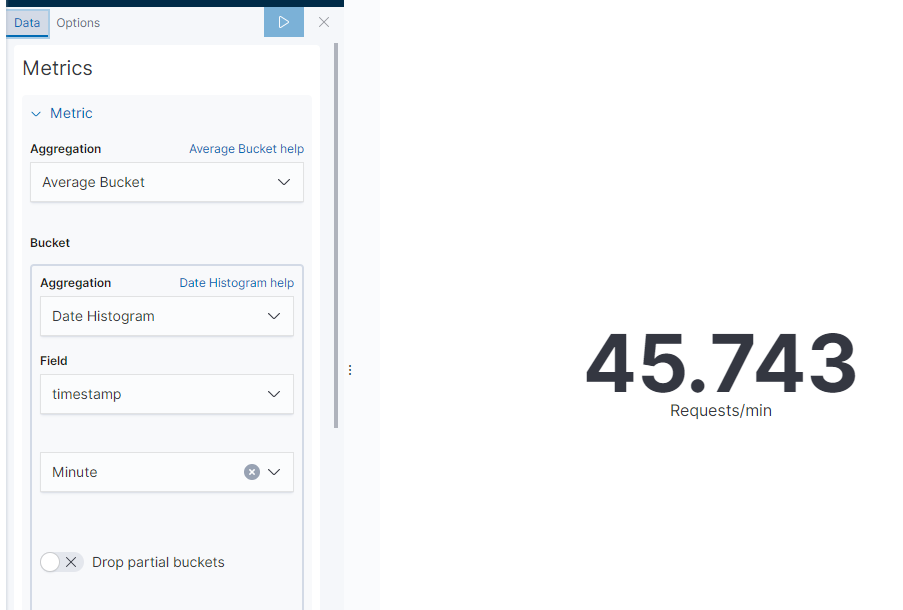
The solution provided doesn't appear to work if you are displaying the average count (say, Requests/minute) since there is no field referenced in the count.
 cawoodm
on 27 Sep 2019
cawoodm
on 27 Sep 2019
The solution provided doesn't appear to work if you are displaying the average count (say, Requests/minute) since there is no field referenced in the count.
Can you create an enhancement issue for this request?
nreese
on 27 Sep 2019
I am also facing the same issue. The average of the field doesn't get rounded through advanced settings. Please help with the solution
 rupsray
on 2 Apr 2020
rupsray
on 2 Apr 2020
Related issues
 Vineeth-Mohan
·
149Comments
Vineeth-Mohan
·
149Comments
 bquartier
·
79Comments
bquartier
·
79Comments
 cff3
·
83Comments
cff3
·
83Comments
 stormpython
·
74Comments
stormpython
·
74Comments
 JulienPalard
·
95Comments
JulienPalard
·
95Comments
Most helpful comment
The solution provided doesn't appear to work if you are displaying the average count (say, Requests/minute) since there is no field referenced in the count.