Kibana: Kibana remembers invalid app urls, preventing returning to the default app page
Kibana version:
Tested in
- 5.4
- 5.5
Elasticsearch version:
Tested in
- 5.4
- 5.5
Server OS version:
Browser versions:
Tested on both:
- Chrome Version 59.0.3071.115 (Official Build) (64-bit) OSX
- Firefox 54.0.1 (64-bit) OSX
Browser OS version:
- OSX Sierra 10.12.5 (16F73)
Original install method (e.g. download page, yum, from source, etc.):
- Tarball unzip
Description of the problem including expected versus actual behaviour:
- If you happen to have a mis-typed link to a dashboard it will redirect the user to the Discover function, but will also remember the invalid link so that the next time you click on Dashboard you will return again to Discover. The only way to get around this is to manually correct the URL for the dashboard.
Steps to reproduce:
- Load Kibana in a browser and click Dashboard
- Adjust the url to be an "incorrect" one, eg from
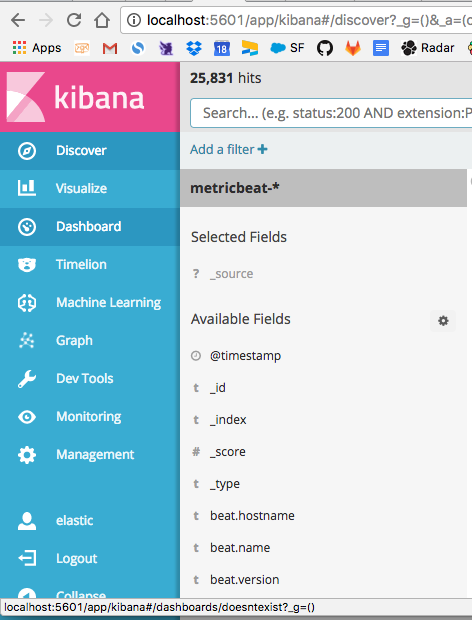
http://localhost:5601/app/kibana#/dashboards?_g=()tohttp://localhost:5601/app/kibana#/dashboards/doesntexist?_g=()and you'll be redirected to the Discover page - Try to click the Dashboard button again to go back to the main dashboards page, you'll get sent to the incorrect/invalid url instead as Kibana remembers the wrong/incorrect url as the link from the Dashboard button now.
When hovering over the Dashboard button, see the link url in the status bar:
Errors in browser console (if relevant):
Provide logs and/or server output (if relevant):
Possible fix: If an invalid dashboard url is typed/detected, then don't store or remember that url on the Dashboard button but use the default instead.
Workarounds: Log out of Kibana and in again or manually enter the correct/default dashboard url to reset it.
 geekpete
All 6 comments
I noticed this before too, not sure if I filed an issue for it, but if I did I can't find it now.
It's not just dashboard, but any kibana app url, including visualize and dev tools.
 stacey-gammon
on 18 Jul 2017
stacey-gammon
on 18 Jul 2017
tagging @elastic/kibana-platform as I think this might be in their realm. I suspect this has existed for awhile, perhaps since 5.0.
stacey-gammon
on 18 Jul 2017
Hmm, perhaps we should clear the last URL for the active app when we do our redirect? I really wish we just had 404 pages 😞
 spalger
on 18 Jul 2017
spalger
on 18 Jul 2017
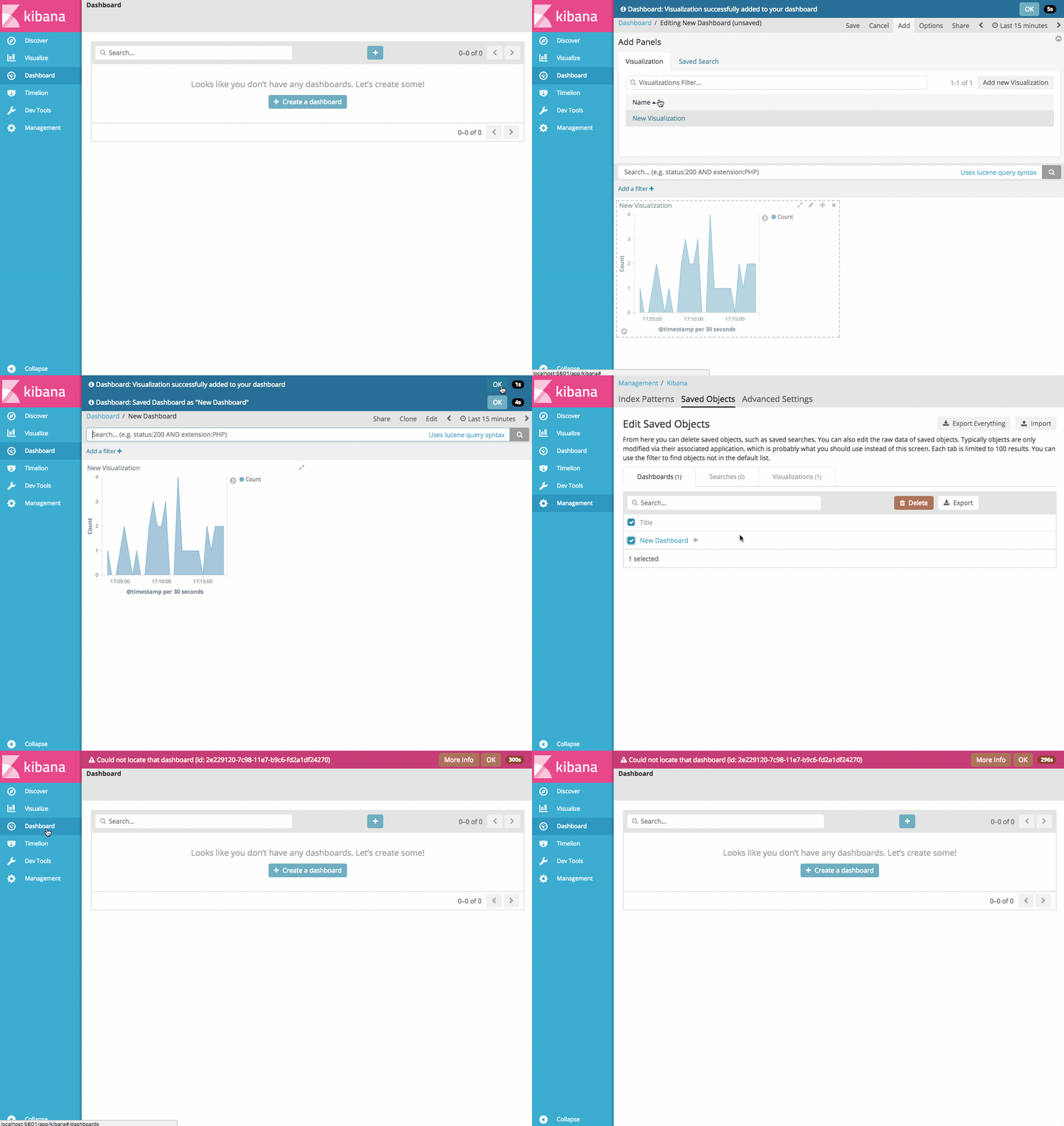
I'm unable to reproduce this in 5.4, 5.5, 5.5.1, 5.6, or master When I navigate to a missing dashboard I get redirected to the dashboard listing page, which overwrites the lastUrl for the dashboard app and gives me the chance to open the correct dashboard or create a new one.
Please correct me if I'm understanding the reproduction steps incorrectly but this seems to have been fixed in a recent release.
spalger
on 9 Aug 2017
It still exists in all those versions, and master.
To repro you have to edit the url manually. It works fine if you type in an invalid dashboard id, but not if you mess up the url. In step two above:
Adjust the url to be an "incorrect" one, eg from http://localhost:5601/app/kibana#/dashboards?_g=() to http://localhost:5601/app/kibana#/dashboards/doesntexist?_g=() and you'll be redirected to the Discover page
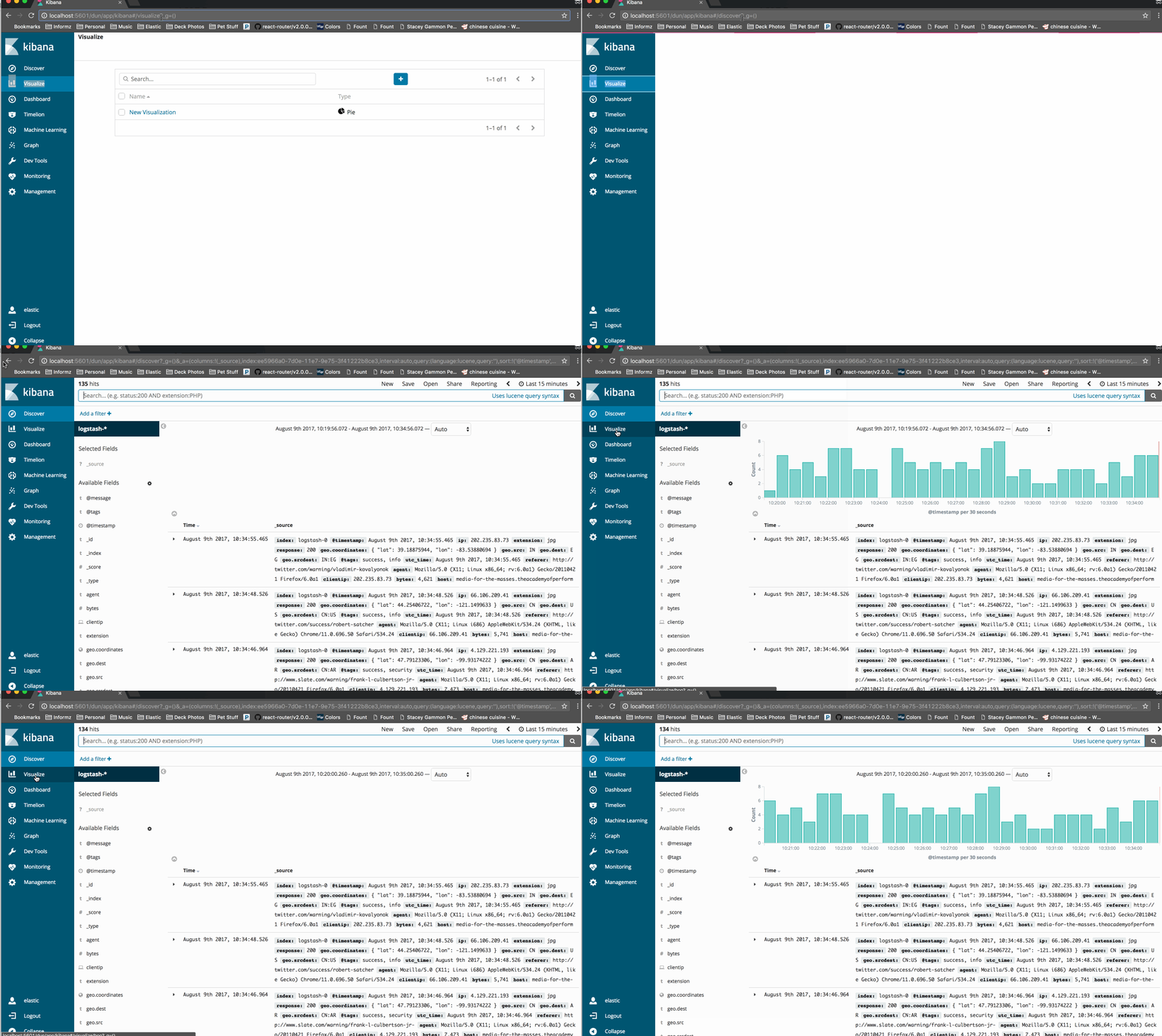
The url is wrong because dashboard should be singular, not plural, so it's not even trying to access that dashboard doesntexist, the url is just wrong. e.g. http://localhost:5601/app/kibana#/dashboards/doesntexist?_g=() will cause the redirect to discover while http://localhost:5601/app/kibana#/dashboard/doesntexist?_g=() will correctly cause the "doesntexist" dashboard not found error.
For example go to the visualize page, then type into the url http://localhost:5601/dun/app/kibana#/visualize/boo. That will redirect you to discover because the url is wrong. But then try to navigate back to visualize and because of the way chrome saves the "lastSubUrl" to that link, it will constantly try to navigate to that invalid url.
stacey-gammon
on 9 Aug 2017
This still happens for kibana 6.4.3, if url has one more sub-path. E.g. if you try this: http://localhost:5601/app/kibana#/dashboard/not_exist/something?_g=() It redirects to discover and now if you click on dashboard it'll keep redirecting back to discover page.
 riddheshMarkandeya
on 3 May 2019
riddheshMarkandeya
on 3 May 2019
Related issues
 stigdescamps
·
88Comments
stigdescamps
·
88Comments
 JulienPalard
·
95Comments
JulienPalard
·
95Comments
 TiNico22
·
87Comments
TiNico22
·
87Comments
 ctindel
·
81Comments
ctindel
·
81Comments
 AlexIoannides
·
138Comments
AlexIoannides
·
138Comments
Most helpful comment
It still exists in all those versions, and master.
To repro you have to edit the url manually. It works fine if you type in an invalid dashboard id, but not if you mess up the url. In step two above:
The url is wrong because dashboard should be singular, not plural, so it's not even trying to access that dashboard
doesntexist, the url is just wrong. e.g.http://localhost:5601/app/kibana#/dashboards/doesntexist?_g=()will cause the redirect to discover whilehttp://localhost:5601/app/kibana#/dashboard/doesntexist?_g=()will correctly cause the"doesntexist" dashboard not founderror.For example go to the visualize page, then type into the url
http://localhost:5601/dun/app/kibana#/visualize/boo. That will redirect you to discover because the url is wrong. But then try to navigate back to visualize and because of the way chrome saves the "lastSubUrl" to that link, it will constantly try to navigate to that invalid url.