Kestrelhttpserver: How can we change the default kestrel port when using new dotnet cli ?
Hi,
When I run "dotnet run", kestrel starts serving at http://localhost:5000
How can I change it to http://localhost:5050 ?
I added a hosting.json file to project directory with the following content:
{
"server": "Microsoft.AspNetCore.Server.Kestrel",
"server.urls": "http://localhost:5050"
}
This is part of my project.json:
"content": [
"wwwroot",
"Views",
"hosting.json"
],
Any ideas ?
Thanks!
 sirentek
All 27 comments
I have found it!
public class Program
{
public static void Main(string[] args)
{
var host = new WebHostBuilder()
.UseServer("Microsoft.AspNetCore.Server.Kestrel")
.UseApplicationBasePath(Directory.GetCurrentDirectory())
.UseDefaultConfiguration(args)
.UseIISPlatformHandlerUrl()
.UseStartup<Startup>()
.UseUrls("http://localhost:5050")
.Build();
host.Run();
}
}
Really thanks for making sure you posted what you found, this helped me!
 joshcomley
on 4 May 2016
joshcomley
on 4 May 2016
Note that this has been further changed in RC2: https://github.com/aspnet/Announcements/issues/168
 mikeharder
on 4 May 2016
mikeharder
on 4 May 2016
@joshcomley yes, thank you. I used this info to solve my problem with Docker port forwarding. The step that lead me here was https://blog.rendle.io/asp-net-5-dnx-beta8-connection-refused-in-docker/
And in my case I needed to specify all zeros in the IP:
.UseUrls("http://0.0.0.0:5000") // Take that, Docker port forwarding!!!
 robbpriestley
on 19 May 2016
robbpriestley
on 19 May 2016
An alternative by passing arguments:
dotnet run --server.urls http://0.0.0.0:5000
 imkheong
on 19 Jul 2016
imkheong
on 19 Jul 2016
You can also use the ASPNETCORE_URLS environment variable
 moozzyk
on 19 Jul 2016
moozzyk
on 19 Jul 2016
For the record, the pure single-line command-line usage to run aspnet-core app with custom port goes like this:
dotnet new -t web
dotnet restore

# Unix:
ASPNETCORE_URLS="https://*:5123" dotnet run

# Windows PowerShell:
$env:ASPNETCORE_URLS="https://*:5123" ; dotnet run

# Windows CMD (note: no quotes):
SET ASPNETCORE_URLS=https://*:5123 && dotnet run
IMO, there should be a default, simple, standard command-line usage like ROR web servers _as well_: http://guides.rubyonrails.org/command_line.html (extremely sane and logical command line options)
dotnet run --environment Production --port 5123
dotnet run -e Production -p 5123

# just like:
bin/rails server --environment production --port 4000
bin/rails server -e production -p 4000
 ghost
on 5 Aug 2016
ghost
on 5 Aug 2016
If anyone is interested I've built a dotnet cli extension that provides the functionality described by ghost above you can check it out here https://github.com/josh-bradley/DotNetRunWeb
 josh-bradley
on 16 Feb 2017
josh-bradley
on 16 Feb 2017
At least for Dotnet Core 1.1, dotnet run --server.urls "http://*:5000"
This only works if you include Microsoft.Extensions.Configuration.CommandLine and use .AddCommandLine(args)
public class Program
{
    public static void Main(string[] args)
    {
        var config = new ConfigurationBuilder()
            .AddCommandLine(args)
            .Build();
        var host = new WebHostBuilder()
            .UseConfiguration(config)
            .UseKestrel()
            .UseContentRoot(Directory.GetCurrentDirectory())
            .UseStartup<Startup>()
            .Build();
        host.Run();
    }
}
 TotzkePaul
on 21 Apr 2017
TotzkePaul
on 21 Apr 2017
Thanks so much,
.UseUrls("http://0.0.0.0:5000") is still working.
 mbpakalin
on 30 Apr 2017
mbpakalin
on 30 Apr 2017
So there is still no --port parameter when you run it?
 stanislavromanov
on 3 May 2017
stanislavromanov
on 3 May 2017
I don't think it makes much sense to specify the port without an IP.
You could write something like this in Program.cs
public static void Main(string[] args)
{
        var config = GetServerUrlsFromCommandLine(args);
        var port = config.GetValue<int?>("port")??5000;

        var host = new WebHostBuilder()
            .UseKestrel()
            .UseConfiguration(config)
            .UseContentRoot(Directory.GetCurrentDirectory())
            .UseIISIntegration()
            .UseStartup<Startup>()
            .UseApplicationInsights()
            .Build();

        host.Run();
}
public static IConfigurationRoot GetServerUrlsFromCommandLine(string[] args)
{
        var config = new ConfigurationBuilder()
            .AddCommandLine(args)
            .Build();
        var serverport = config.GetValue<int?>("port") ?? 5000;
        var serverurls = config.GetValue<string>("server.urls") ?? string.Format("http://*:{0}", serverport);


        var configDictionary = new Dictionary<string, string>
        {
            {"server.urls", serverurls},
            {"port", serverport.ToString()}
        };

        return new ConfigurationBuilder()
            .AddCommandLine(args)
            .AddInMemoryCollection(configDictionary)
            .Build();
}
Hello.
ASP.NET Core. Is it possible to have 3 intances of the same app running at the same time, each one running in a different port? In the program.cs the enviroment variable does not work... I am trying to use host.Development.json, host.Production.json and host.Staging.json. I have to use only one machine for the 3 enviroments...
 cemana
on 15 May 2017
cemana
on 15 May 2017
It is possible to have 3 instances using different environment variables.
A lot will depend on how you have Program.cs and Startup.cs configured. Dotnet Core by default assumes the environment is production. How to change the environment will partially depend on the OS.
TotzkePaul
on 15 May 2017
dotnetcore 1.1
public class Program
{
public static void Main(string[] args)
{
BuildWebHost(args).Run();
}
    public static IWebHost BuildWebHost(string[] args) =>
        WebHost.CreateDefaultBuilder(args)
            .UseStartup<Startup>()
            .UseUrls("http://0.0.0.0:1234") // change your custom port
            .Build();
}
 ethanliew
on 17 Aug 2017
ethanliew
on 17 Aug 2017
How can it be changed these days using ASP.NET Core 2.0 from the command line?
 Nezz
on 10 Sep 2017
Nezz
on 10 Sep 2017
if you use @ethanliew 's answer, there shouldnt be much you need to change to make Core 2.0 work.
TotzkePaul
on 10 Sep 2017
@TotzkePaul I was referring to a command line argument. --server.urls no longer works. Neither does --environment. Would be nice to have something that's cross-platform.
Nezz
on 10 Sep 2017
 Tratcher
on 11 Sep 2017
Tratcher
on 11 Sep 2017
@TotzkePaul Ideally we wouldn't have to hard-code our IP/ports. This should be 100% configurable so we don't have to recompile the app if we decide to deploy the app to a different server having a different IP.
 scionwest
on 12 Sep 2017
scionwest
on 12 Sep 2017
I'll get an update on this in the next couple of days. I agree that the ports should be configurable via the command line.
I think someone deleted their comment about "0.0.0.0 vs *". I think * is all handles (IPv4 and IPv6) while 0.0.0.0 is only IPv4 address. There is something else, let me know.
- I think there is some issues with using the custom port with
CreateDefaultBuilderin your program.cs - AFAIK, IIS Express doesn't pass arguments
- Docker can reassign ports for you.
TotzkePaul
on 10 Oct 2017
So I am using launchSettings.json to set pass in the variables. Each config should be separated by a space and have the format of "{Key}={Value}".
{
  "iisSettings": ...,
  "profiles": ...,
    "Main.Web": {
      "commandName": "Project",
      "launchBrowser": true,
      "commandLineArgs": "arg1=value1 --port=8080",
      "environmentVariables": {
        "ASPNETCORE_ENVIRONMENT": "Development"
      }
    }
  }
}
As far as I know, WebHost.CreateDefaultBuilder(args) will not let use args to uses command line for configs.
In the past, your StartUp constructor looked like public Startup(IHostingEnvironment env) and was responsible for the configuration but now we can we can use Program.cs (or where ever your Main(string[] args) is located) to configure the StartUp by using public Startup(IConfiguration configuration)
    public class Program
    {
        public static void Main(string[] args)
        {
            BuildWebHost(args).Run();
        }


        public static IWebHost BuildWebHost(string[] args)
        {
            var bindingConfig = new ConfigurationBuilder()
                .AddCommandLine(args)
                .Build();
            var serverport = bindingConfig.GetValue<int?>("port") ?? 5000;
            //serverurls is the socket address(es) that we will bind to by using .UseUrls(serverurls)
            var serverurls = bindingConfig.GetValue<string>("server.urls") ?? string.Format("http://*:{0}", serverport);

            var configDictionary = new Dictionary<string, string>
            {
                {"server.urls", serverurls},
                {"port", serverport.ToString()}
            };

            return new WebHostBuilder()
                .UseKestrel()
                .UseContentRoot(Directory.GetCurrentDirectory())
                //ConfigureAppConfiguration sets up the configuration for Startup(IConfiguration configuration)
                .ConfigureAppConfiguration((builderContext, config) =>
                {
                    IHostingEnvironment env = builderContext.HostingEnvironment;

                    config.AddJsonFile("appsettings.json", optional: false, reloadOnChange: true)
                        .AddJsonFile($"appsettings.{env.EnvironmentName}.json", optional: true, reloadOnChange: true)
                        .AddUserSecrets<Startup>(optional: false)
                        //adds all configs from command line
                        .AddCommandLine(args)
                        //Overrides server.urls/port configs from AddCommandLine's configs
                        .AddInMemoryCollection(configDictionary);
                })
                .UseIISIntegration()
                .UseDefaultServiceProvider((context, options) =>
                {
                    options.ValidateScopes = context.HostingEnvironment.IsDevelopment();
                })
                .UseStartup<Startup>()
                .UseUrls(serverurls)
                .Build();
        }
    }
This is my project where I set it to use CommandLine to pass in args.
https://github.com/TotzkePaul/MainWeb/tree/master/Main.Web
TotzkePaul
on 13 Oct 2017
install package Microsoft.Extensions.Configuration.CommandLine
public class Program
{
    public static void Main(string[] args)
    {
        var configuration = new ConfigurationBuilder()
            .AddCommandLine(args)
            .Build();
        BuildWebHost(args, configuration).Run();
    }

    public static IWebHost BuildWebHost(string[] args, IConfiguration configuration) =>
        WebHost.CreateDefaultBuilder(args)
            .UseConfiguration(configuration)
            .UseStartup<Startup>()
            .Build();
}
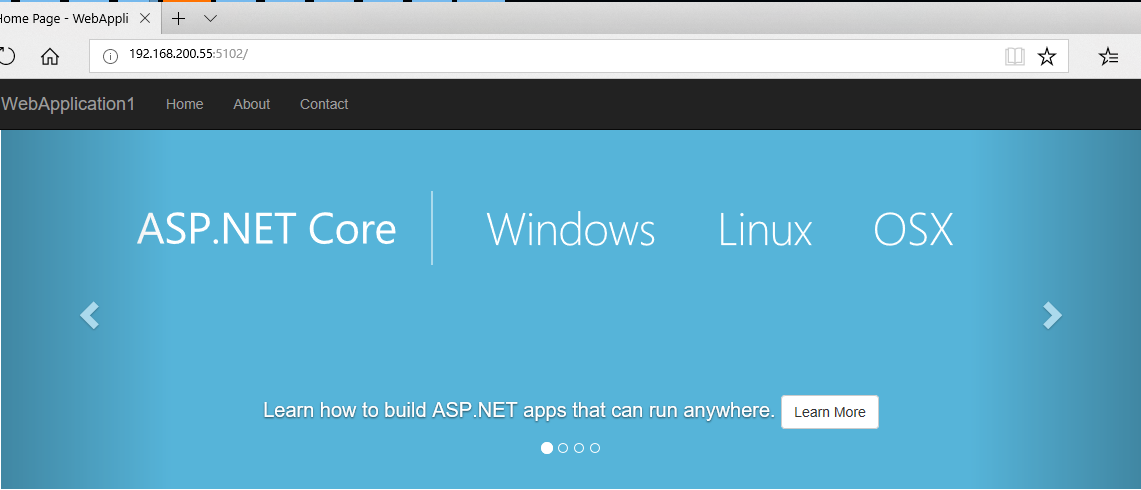
dotnet WebApplication1.dll --server.urls "http://localhost:5101;http://*:5102"
firewall-cmd --permanent --zone=public --add-port=5102/tcp
firewall-cmd --reload
 bidianqing
on 8 Mar 2018
bidianqing
on 8 Mar 2018
Solution provided by @bidianqing is still valid and works in Linux.
Thanks mate.
 ysris
on 28 Mar 2018
ysris
on 28 Mar 2018
good
 wjkhappy14
on 7 Jun 2018
wjkhappy14
on 7 Jun 2018
Is it possible to change/switch Kestrel port binding at runtime?
 masums
on 30 Aug 2018
masums
on 30 Aug 2018
Comments on closed issues are not tracked, please open a new issue with the details for your scenario.
Tratcher
on 30 Aug 2018
Related issues
 codepunkt
·
7Comments
codepunkt
·
7Comments
 felschr
·
6Comments
felschr
·
6Comments
 ayende
·
6Comments
ayende
·
6Comments
 chtbof
·
3Comments
chtbof
·
3Comments
 Eilon
·
7Comments
Eilon
·
7Comments
Most helpful comment
For the record, the pure single-line command-line usage to run aspnet-core app with custom port goes like this:
IMO, there should be a default, simple, standard command-line usage like ROR web servers _as well_: http://guides.rubyonrails.org/command_line.html (extremely sane and logical command line options)