Kendo-angular: Kendo multiselect dropdown list scrolls to top
I'm submitting a...
- Bug report about kendo multiselect dropdown list
Current behavior
If have scroller then try to scroll down and select an item further down the list, it doesn't select and pops you back to the top of the list
Expected behavior
It should select item not to scroll to the top
Minimal reproduction of the problem with instructions
Similar to the case in the example:
https://plnkr.co/edit/dKHILUdPFB383jln5cYM?p=preview
Environment
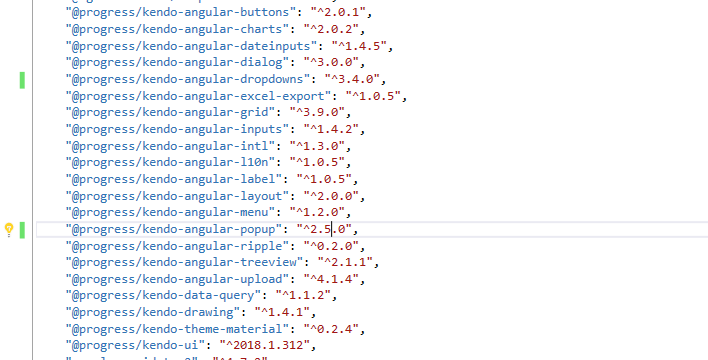
Package versions:
Browser:
- Chrome (desktop)
- Firefox
- IE
System:
- Node version: v8.9.4
- Platform: Windows
 daniloacim
All 10 comments
@daniloacim Thanks for your input!
It seems, however, that this is not a bug but a problem with the configuration of the component.
<kendo-dropdownlist [data]="listItems()">

/* ... */

public listItems(): Array<number> { return  [1, 2, 3, 4, 5, 6, 7, 8, 9, 10, 11, 12, 13, 14, 15, 16, 17, 18, 19, 20]; }
As you are binding the component data to a function, the latter will produce a new array on every change detection cycle (even though the primitive data values are the same, the array reference is not), which results in constant recreation of the options dropdown. And that can cause all sorts of unpredictable behavior, not just problems with the selection - you can also notice the keyboard navigation is not working in your example.
However, as mentioned earlier, this is not considered a bug. The component is not designed to work in such a way, as constantly changing the data would result in bad and laggy performance especially in slower browsers or when the data list has a few hundered items or more.
If you need to always show up-to-date data, you should change/fetch your data only on certain events and user interactions - e.g. when the list is getting opened. Refer to this example.
If you need further assistance with how to setup your component for a specific and unusual scenario, I'll encourage you to open a support ticket.
 dimitar-pechev
on 28 Nov 2018
dimitar-pechev
on 28 Nov 2018
@dimitar-pechev Thanks for your response!
I've changed from function to array but still getting the same issue.
When click on any item further down the list it scrolls to the top except already have anything selected then works correctly. But if there is no any item selected it won't work well.

daniloacim
on 28 Nov 2018
@daniloacim You can submit a support ticket from your account page.
If you could share more code about the MultiSelect, I will investigate the case. A full runnable example, like the one you provided about the DropDownList would be best, as just the mark-up gives you only half the picture.
dimitar-pechev
on 28 Nov 2018
Posting modified version from Kendo example so you can notice the same issue.
https://stackblitz.com/edit/angular-aufcdc?embed=1&file=src/index.html
daniloacim
on 29 Nov 2018
@daniloacim The problem is similar to the one in your previous example: you are binding the MultiSelect component value to a function which produces a new array instance on every change detection cycle. Which triggers an internal state reset of the component.
I noticed, however, that this is a simplified version of an example in our docs about custom filters. Also, this behavior was supported in previous versions of the component (binding the value to a function that returns a new array). So, in the upcoming days we'll look either to include a fix to support this behavior, or we'll just change the demo with a correct approach for setting the value, as in principle it's not needed to reset the value every time change detection is run.
In the meantime you can refer to this example that supports the desired behavior. In it the MultiSelect initial value is assigned only once when the component is created via a custom directive. According to your needs, you could alternatively wrap the MultiSelect in a component instead of using a directive - it would work all the same.
dimitar-pechev
on 30 Nov 2018
@dimitar-pechev Changed it to static list but still not working.
Please check it https://stackblitz.com/edit/angular-aufcdc.
daniloacim
on 30 Nov 2018
@daniloacim As mentioned in my previous comment, the issue in your case is coming from binding the value to a function that returns a new array, not the data.
The provided example contains a possible solution to your issue. Please review it. If it doesn't solve your problem, I suggest you open a support ticket, where you could get help for your specific implementation.
dimitar-pechev
on 3 Dec 2018
Yes, you are right. Thought to the data instead of value.
The example you've sent to me is working.
Thank you very much!
daniloacim
on 3 Dec 2018
Glad I could help!
Closing the issue now.
dimitar-pechev
on 3 Dec 2018
Thanks, this thread helped me solve a similar issue.
 Dror-Bar
on 19 May 2019
Dror-Bar
on 19 May 2019
Related issues
 MaklaCof
·
3Comments
MaklaCof
·
3Comments
 simon11196
·
3Comments
simon11196
·
3Comments
 ipeshev
·
3Comments
ipeshev
·
3Comments
 svetq
·
3Comments
svetq
·
3Comments
 ilianiv
·
3Comments
ilianiv
·
3Comments