Keepassxc: Classic theme doesn't actually use the system theme
Overview
My system theme is Breeze Dark. As the name says, it's a dark theme. However, after I set KeepassXC to use the "Classic (Platform-native)" theme, Breeze Dark is never actually used and instead a lot of grey colors appear.
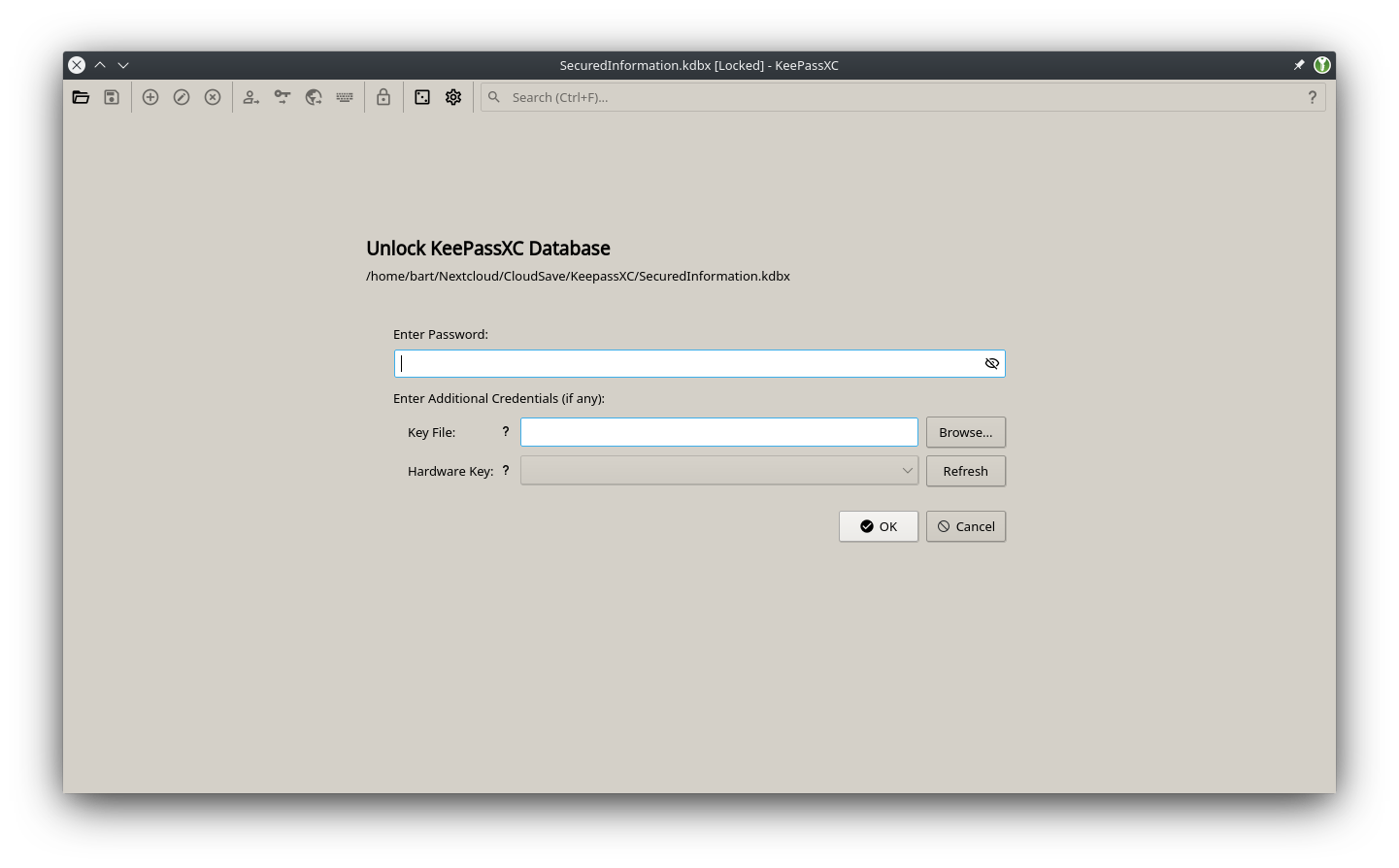
I can set the application to use the built-in dark theme, and although it then appears dark, it still doesn't look like it belongs on my desktop with the rest of the applications.
Steps to Reproduce
- Run KeepassXC in a KDE Plasma environment
- Set system theme to Breeze Dark
- Set KeepassXC theme to "Classic (Platform-native)"
Expected Behavior
The application to look as before the 2.6.0 upgrade and use the Breeze Dark colors
Actual Behavior
The application appears as grey with white instead.
Context
KeePassXC - 2.6.0
Revision: 0765954
Operating System: Linux
Desktop Env: KDE Plasma
Windowing System: X11
Qt: 5.14.2
 PureTryOut
All 10 comments
Looks like you are using the AppImage or Snap release.
 phoerious
on 12 Jul 2020
phoerious
on 12 Jul 2020
I am not. This is straight from the Alpine Linux repositories. I _never_ use either of those 2 packaging systems.
PureTryOut
on 12 Jul 2020
Actually, nvm. That is indeed Breeze, but it doesn't propagate the palette. This is a Qt configuration issue on your system.
phoerious
on 12 Jul 2020
Uh, ok, strange? I never had this with any other (Qt) application before. I just set the system theme using Plasma's systemsettings application :thinking:
Is it some missing package?
PureTryOut
on 12 Jul 2020
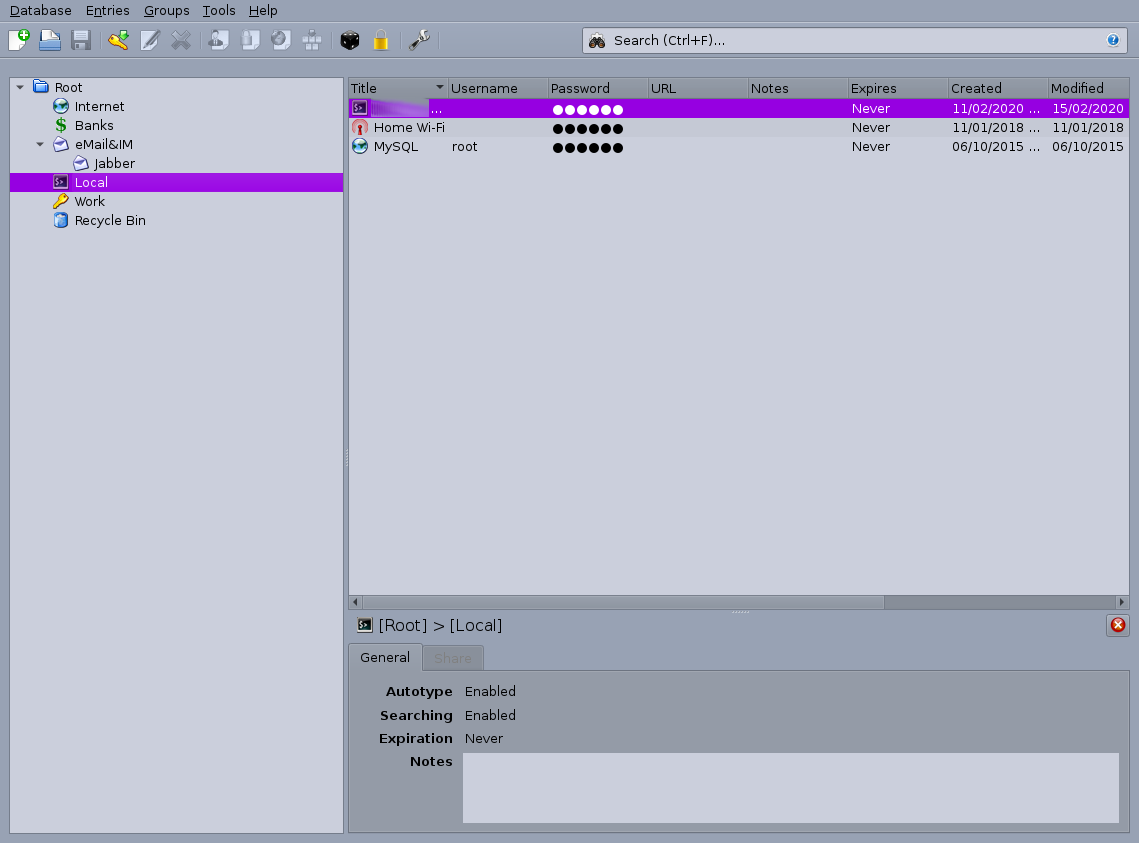
Same issue on Arch linux. I'm using qt5ct to configure my Qt looks. Repo package, not appimage or snap.
keepassxc-2.5.4:
keepassxc-2.6.0 with classic theme:
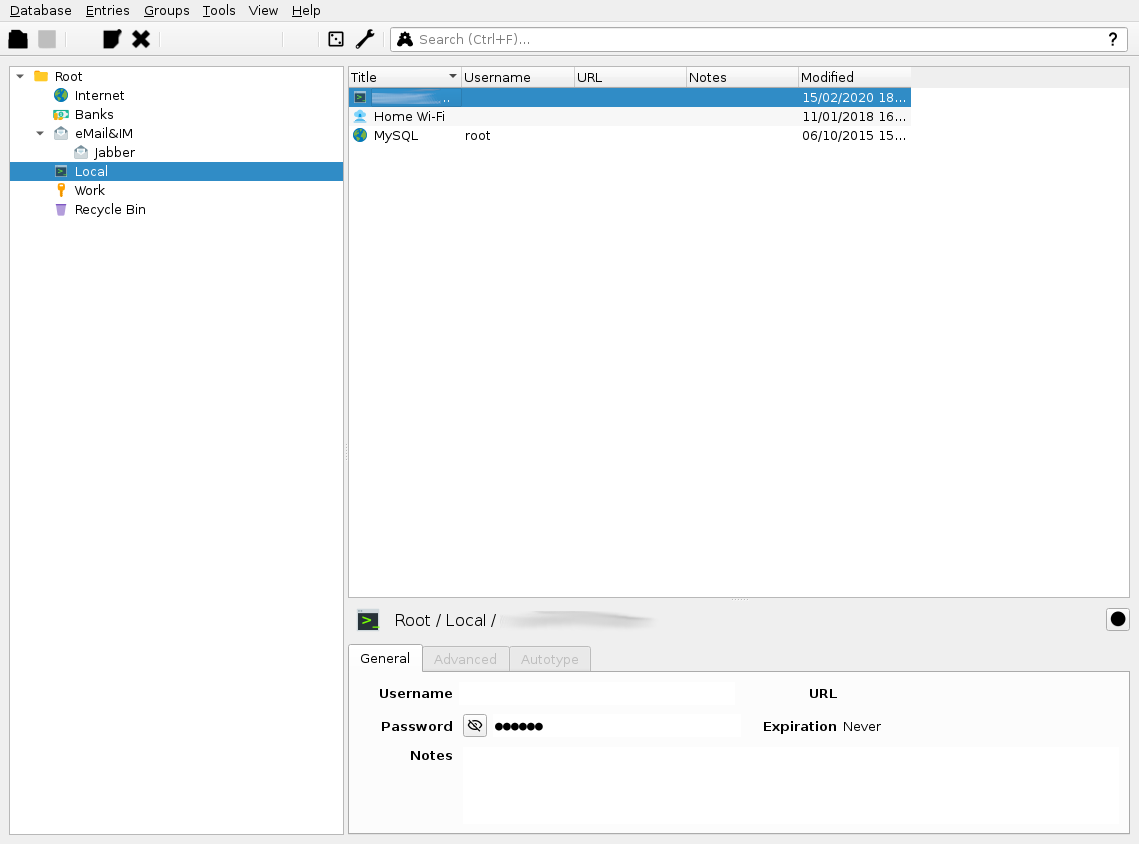
I don't mind new themes as long as I can switch to the old one and it looks same (except icons, of course).
KeePassXC - 2.6.0
Revision: 0765954 (2.6.0 release)
Operating System: Arch Linux
Desktop Env: None (this is not a DE name, this is "No DE")
Windowing System: X11
Qt: 5.15.0
qt5ct: 1.0
 Watkurem
on 16 Jul 2020
Watkurem
on 16 Jul 2020
Classic uses whatever is defined as your system default. If your system default is qt5ct, then you have to configure that correctly. At the moment it looks like you either have no system theme (therefore Qt falls back to Fusion) or Fusion is defined as your default in qt5ct.
phoerious
on 16 Jul 2020
If your system default is qt5ct, then you have to configure that correctly.
@phoerious
Yes. And I do believe it is configured:
- Everything else uses proper theme with proper colors;
- Keepassxc 2.5.4 uses proper theme with proper colors.
- Keepassxc 2.6.0 actually uses the theme set in qt5ct, but ignores color scheme.
Issue is same as the one @PureTryOut is having: theme is picked up correctly, but keepassxc ignores the colors specifically for some reason.
I don't work with Qt, but if I had to guess, I'd guess a flag like "use custom color profile and ignore system settings" that should not be set for the classic theme.
While I do have Fusion set as my theme, changing to something different in qt5ct actually changes the theme for keepassxc. For example, keepassxc 2.6.0 with "Windows" theme set via qt5ct:
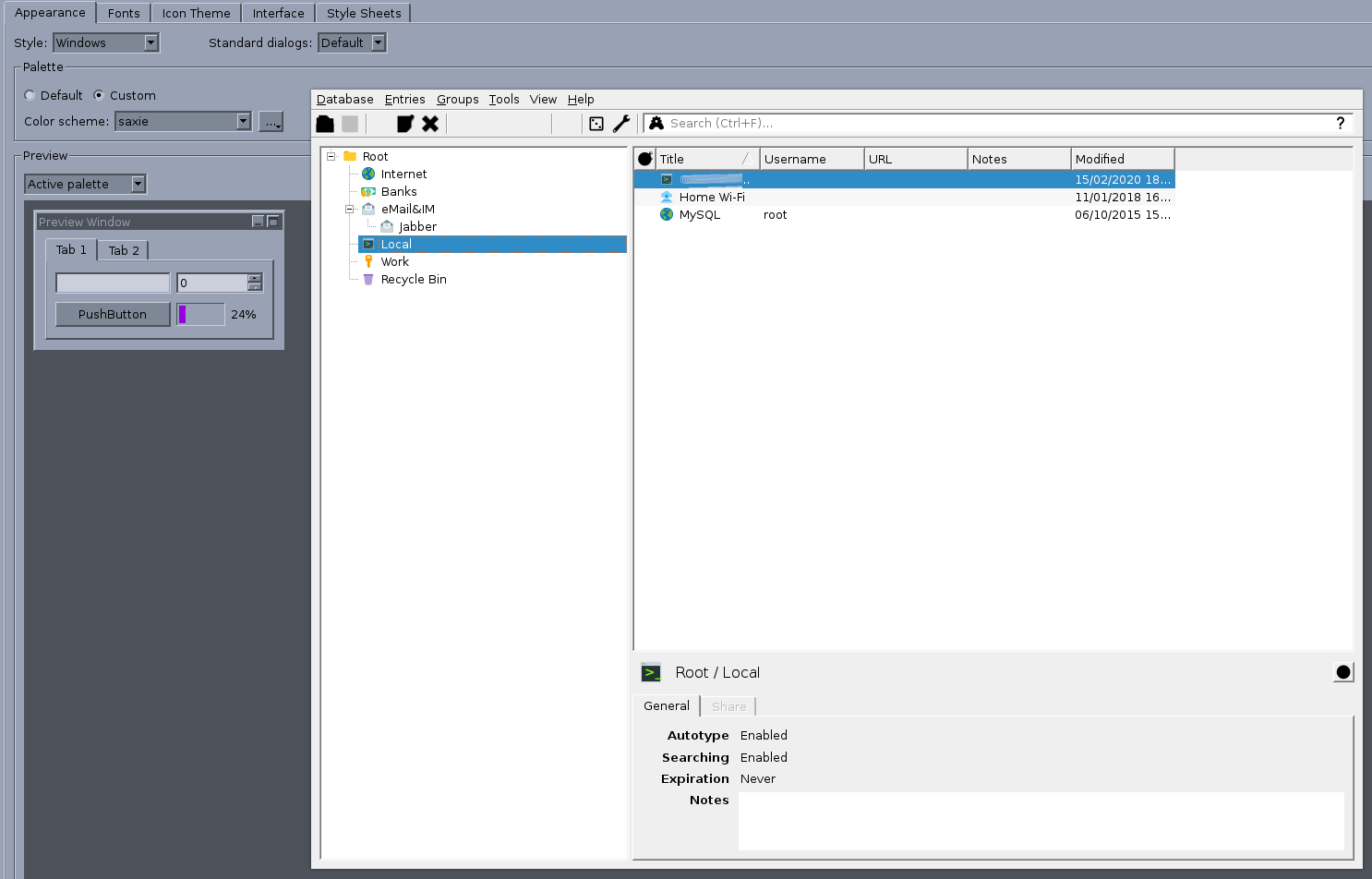
It respects the "Style", but ignores the "Palette" choice. 2.5.4 works fine.
Is there a special setting I have to make for 2.6.0 somewhere?
Watkurem
on 16 Jul 2020
I figured out why this is happening, we are forcing the use of the standard palette no matter if it's classic or custom theme. Will fix in 2.6.1.
 droidmonkey
on 17 Jul 2020
droidmonkey
on 17 Jul 2020
@droidmonkey
Thanks! And thank you guys for keeping the old theme available.
Another thing to try could be using new theme, but applying system-wide palette to it (I stay on classic because I dislike the choice of white-green/black-green, for example).
Watkurem
on 17 Jul 2020
Read the pinned issues please.
phoerious
on 17 Jul 2020
Related issues
 lostfictions
·
3Comments
lostfictions
·
3Comments
 813gan
·
3Comments
813gan
·
3Comments
 nfnty
·
3Comments
nfnty
·
3Comments
 amvasilyev
·
3Comments
amvasilyev
·
3Comments
 rugk
·
3Comments
rugk
·
3Comments
Most helpful comment
I figured out why this is happening, we are forcing the use of the standard palette no matter if it's classic or custom theme. Will fix in 2.6.1.