Keepassxc: Unusable interface after update to 2.6.0 on Arch Linux
Overview
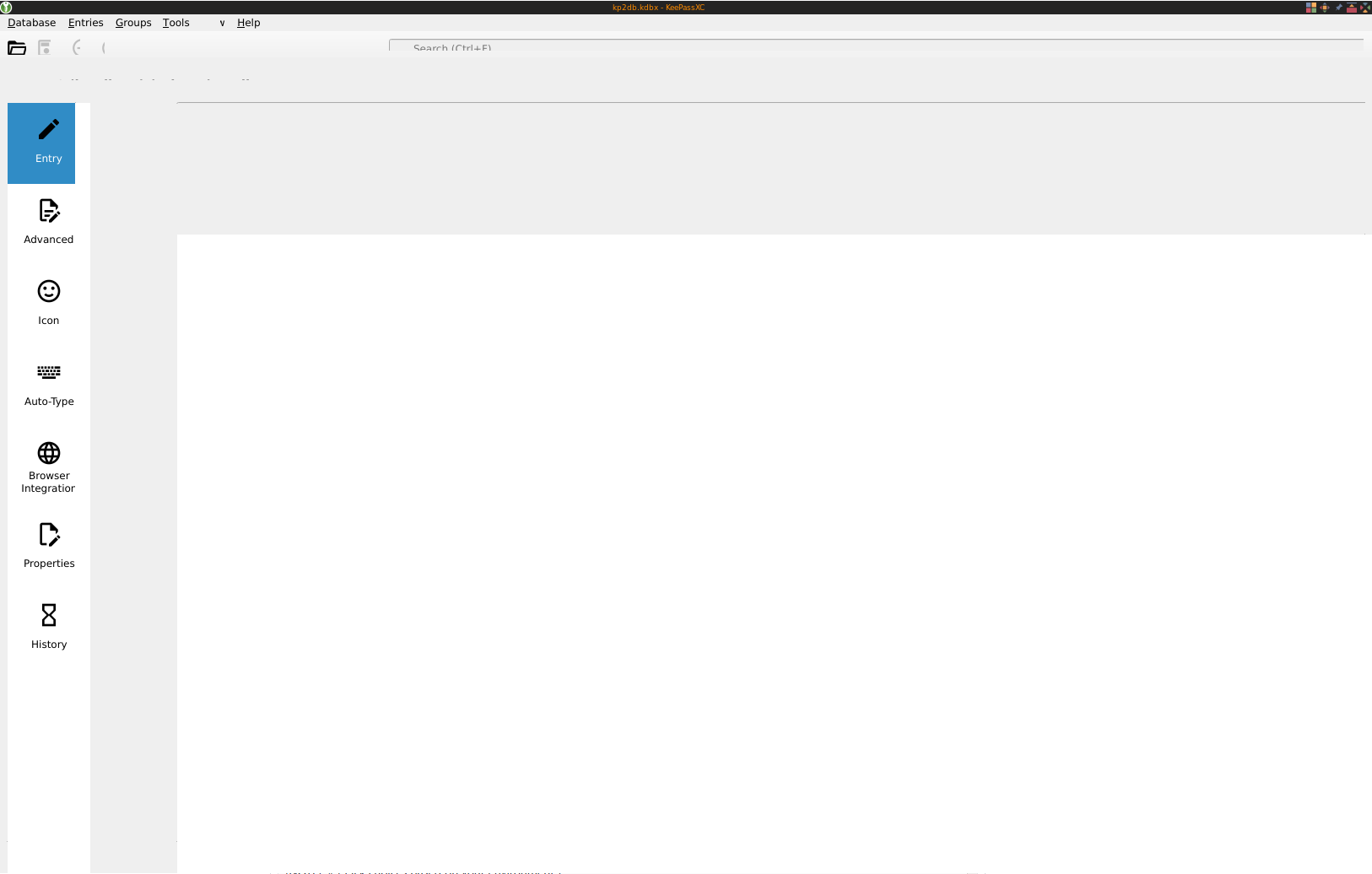
I can't see/select most things.
I'm aware of #4963: the icons became better (second screenshot) after unsetting QT_QPA_PLATFORMTHEME (or setting it to gtk2), but the main issue remains.
Tried changing the theme (automatic/light/dark), and also downgrading qt5ct from 1.0-1 to 0.41-5, but the result is the same.
Actual Behavior
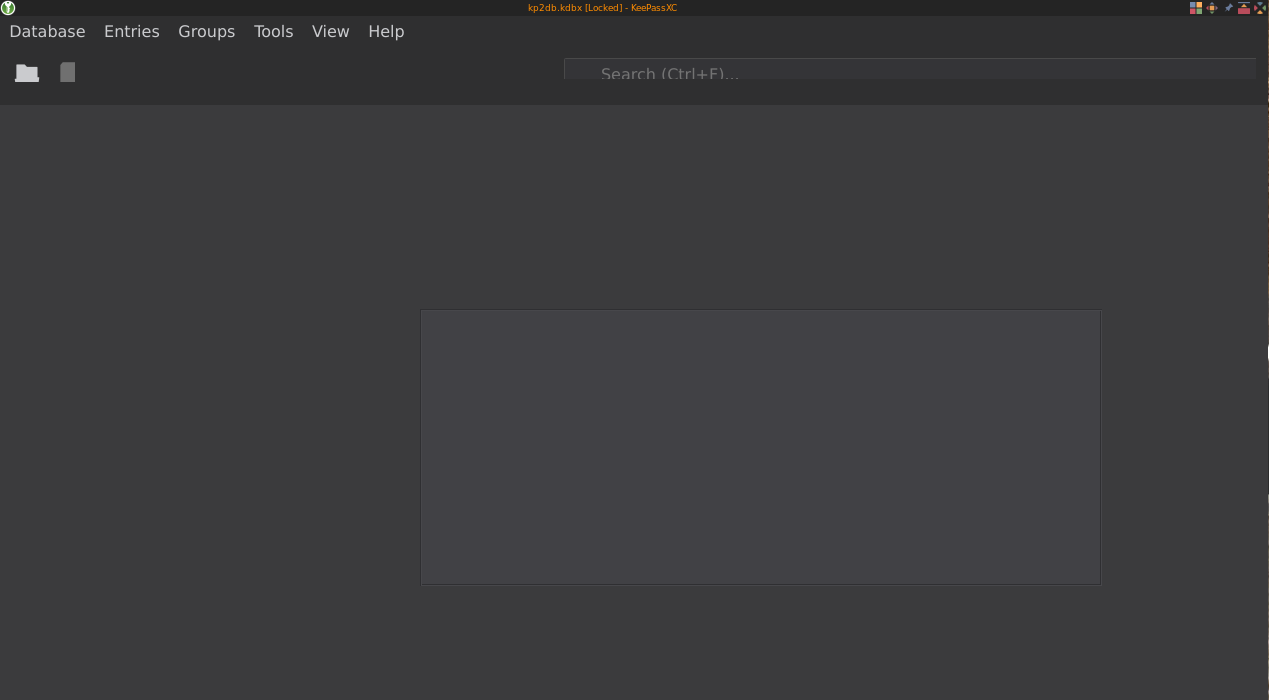
After setting QT_QPA_PLATFORMTHEME to gtk2:
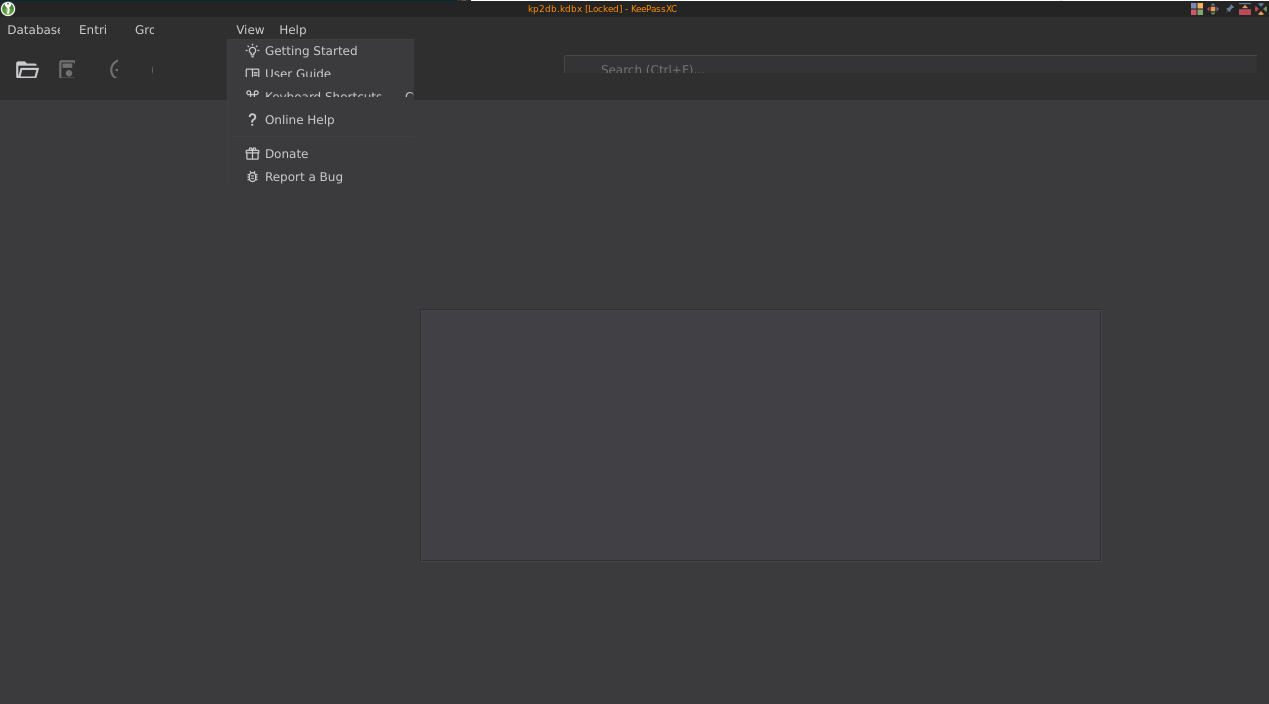
Blindly entering my database password (as I know the password field is usually focused) allows me to unlock it (text blurred on purpose):

Edit item:
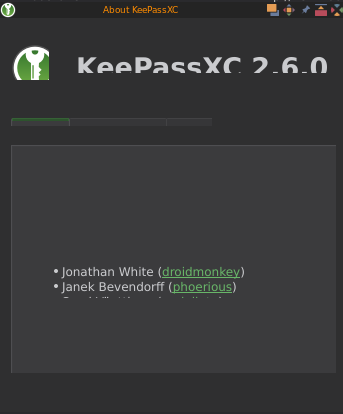
KeePassXC - Version 2.6.0
Revision: 0765954
Qt 5.15.0
Debugging mode is disabled.
Operating system: Arch Linux
CPU architecture: x86_64
Kernel: linux 5.7.7-arch1-1
Desktop Env: Gnome/KDE (AwesomeWM)
Windowing System: X11
Enabled extensions:
- Auto-Type
- Browser Integration
- SSH Agent
- KeeShare (signed and unsigned sharing)
- YubiKey
- Secret Service Integration
Cryptographic libraries:
libgcrypt 1.8.6
 afv
afv
All 31 comments
Check out https://doc.qt.io/qt-5/highdpi.html#high-dpi-support-in-qt
 droidmonkey
on 11 Jul 2020
droidmonkey
on 11 Jul 2020
Thanks!
My screen is 2560×1440. QT_SCALE_FACTOR set to 1.2 helps:
$ QT_SCALE_FACTOR=1 QT_QPA_PLATFORMTHEME= keepassxc
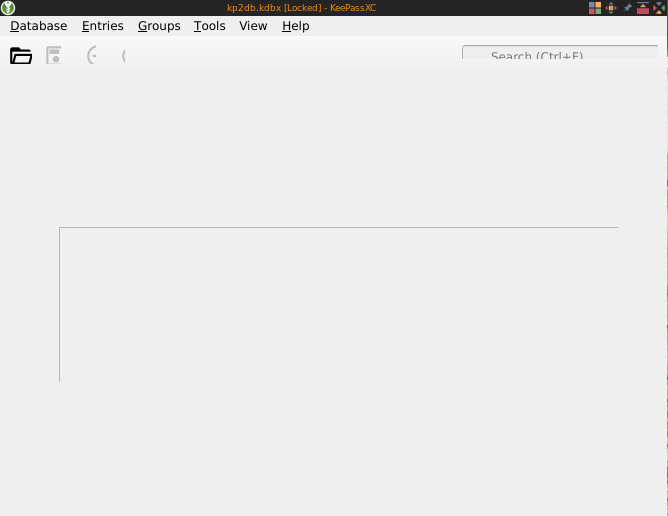
$ QT_SCALE_FACTOR=1.1 QT_QPA_PLATFORMTHEME= keepassxc
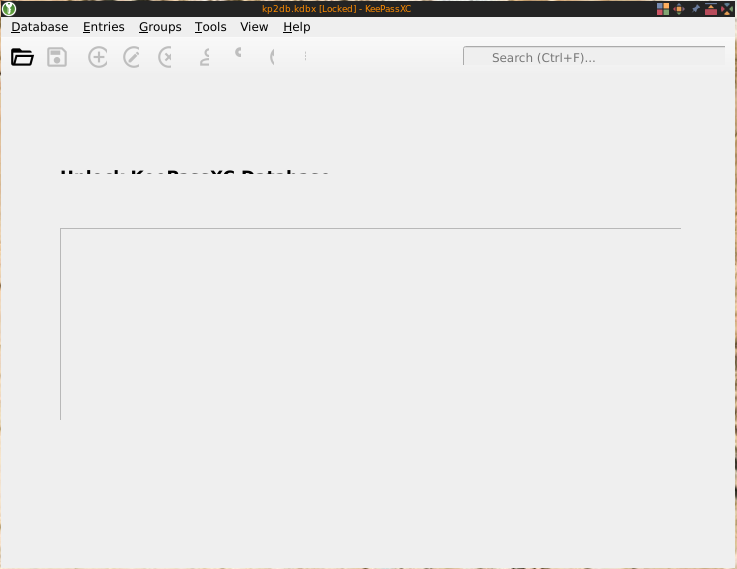
$ QT_SCALE_FACTOR=1.2 QT_QPA_PLATFORMTHEME= keepassxc
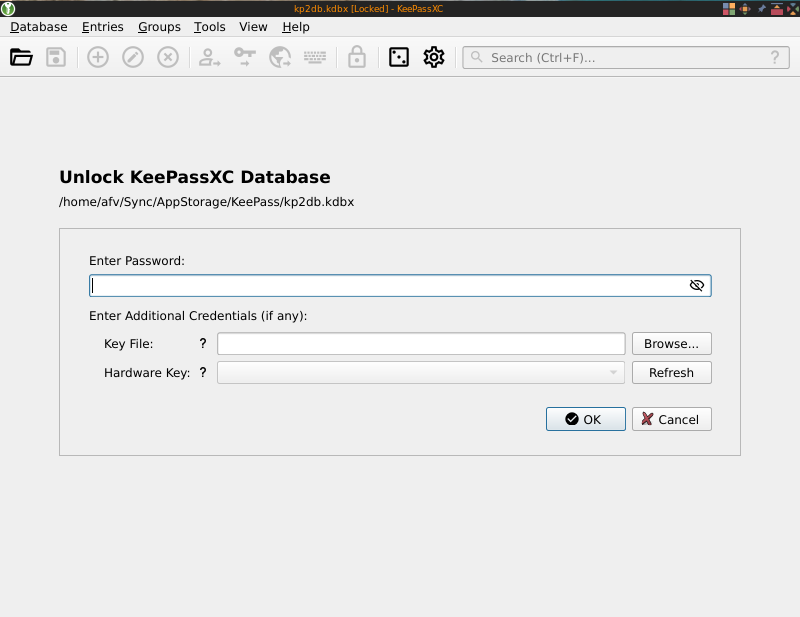
Edit: setting QT_AUTO_SCREEN_SCALE_FACTOR to 0, as @konecny-ondrej said later, also fixes it for me (without making things bigger). This happened also on my laptop with 1920×1080.
afv
on 11 Jul 2020
I have the exact same issue on my 1080p screens. Setting QT_SCALE_FACTOR=1.2 helps (though it still looks a lot worse than it did in previous versions), but I've never used any scaling options before.
OS: Arch Linux
Qt: 5.15.0-4
Kernel: 5.7.7-arch1-1
DE: None (i3wm)
QT_QPA_PLATFORMTHEME: qt5ct (though resetting this variable doesn't affect the issue)
 busimus
on 11 Jul 2020
busimus
on 11 Jul 2020
Can everybody who has this problem please state their distribution, Qt version, and QT_QPA_PLATFORMTHEME? This seems to be a systematic Qt bug and we need to single out which versions are affected.
 phoerious
on 11 Jul 2020
phoerious
on 11 Jul 2020
That's another problem. Please read the pinned issues.
phoerious
on 11 Jul 2020
Having similar issues here using a regular 1080p display.
Distro: Arch Linux
DE: None, Sway/Wayland
QT: 5.15.0
QT_QPA_PLATFORMTHEME: unset
 Ghosthree3
on 11 Jul 2020
Ghosthree3
on 11 Jul 2020
Same issue on 1920x1200 display.
Distro: Arch Linux
DE: None, xorg, i3wm
QT: 5.15.0
QT_QPA_PLATFORMTHEME: unset (or unknown to me)
 migu
on 11 Jul 2020
migu
on 11 Jul 2020
Distro: Arch Linux
DE: i3wm
QT: 5.15.0
QT_QPA_PLATFORMTHEME: unset
 Segaja
on 11 Jul 2020
Segaja
on 11 Jul 2020
Having this issue too with 2 24" 1080p displays, although it looks like mine is not nearly as bad as OP's. Using the "Classic (Platform-native)" theme, but this issue occurs on the default theme as well.
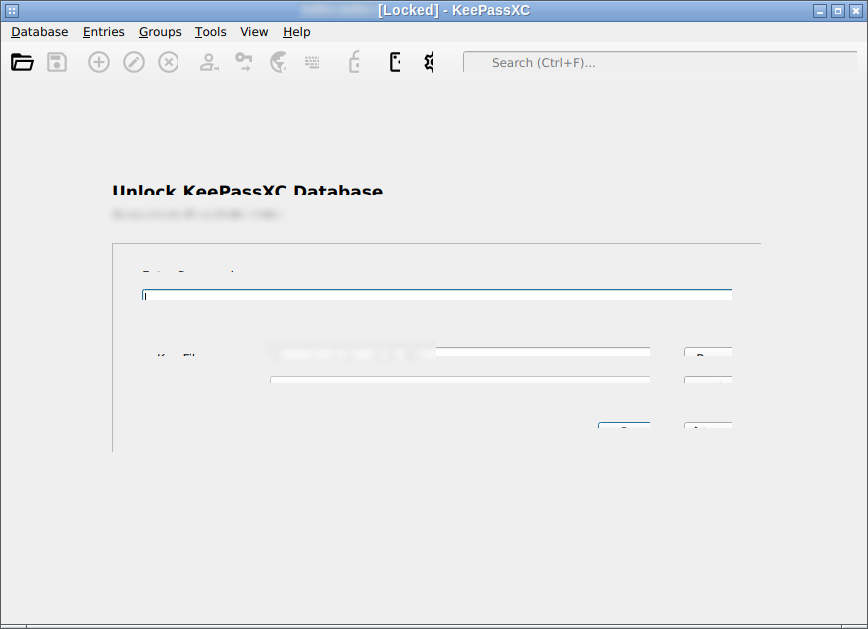
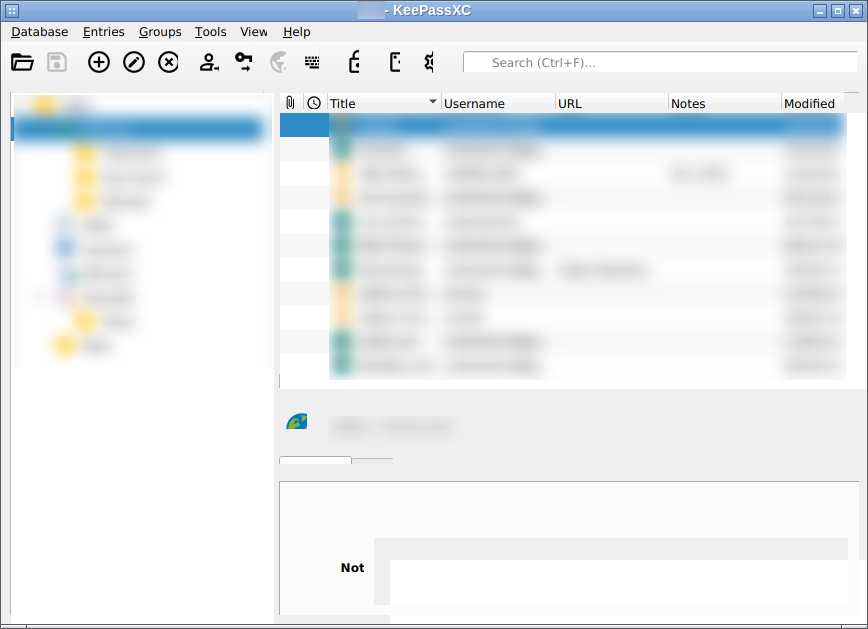
Distro: Arch Linux
DE: none (Openbox)
Qt: 5.15.0
QT_QPA_PLATFORMTHEME: unset
Setting QT_SCALE_FACTOR=1.1 fixes the cutoff issues but obviously makes the UI slightly bigger than normal.
 andrewlin16
on 11 Jul 2020
andrewlin16
on 11 Jul 2020
Common theme is arch Linux, HD display (not hidpi), and no platform theme set. i3wm possible contributor. Qt 5.15.0
droidmonkey
on 12 Jul 2020
Distro: Arch Linux
DE: Gnome
Qt: 5.15.0
QT_QPA_PLATFORMTHEME: qt5ct
Display: Both 1080p & 1440p
Distro: Fedora 32 (AppImage)
DE: Gnome
Qt: ?
QT_QPA_PLATFORMTHEME: qt5ct
Display: Both 1080p & 1440p
 kendellfab
on 12 Jul 2020
kendellfab
on 12 Jul 2020
Distro: Arch Linux
DE: None (i3wm)
Qt: 5.15.0
QT_QPA_PLATFORMTHEME: qt5ct (Breeze is selected in qt5ct)
Display: 1080p
I had this issue (classic theme because I was comparing it with pre-2.6 keepassxc):

but after setting the correct DPI in ~/.Xresources: Xft.dpi: 96 it got resolved:
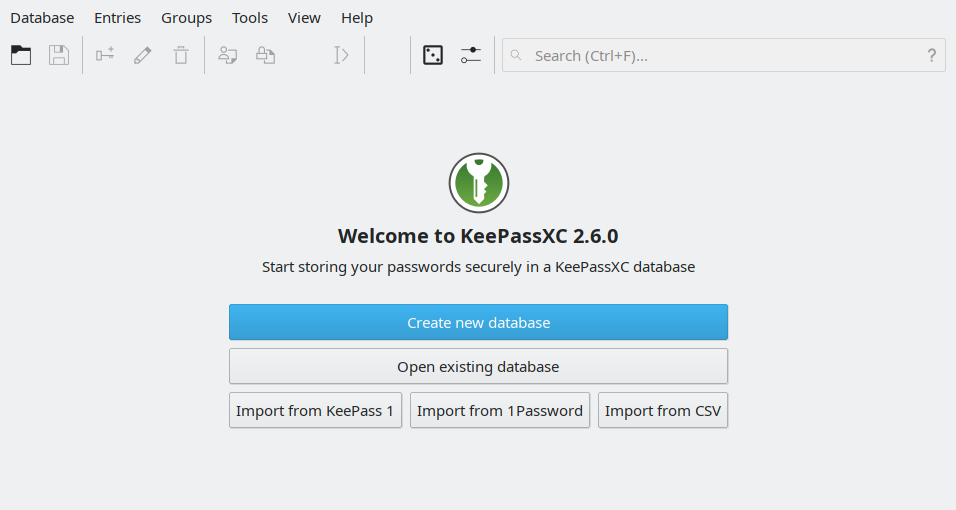
The icons are still fuzzy (compared to crisp icons of pre-2.6 keepassxc).
Weirdly enough, on a different machine (only screen resolution is different) that seems to have correctly detected DPI from EDID, setting Xft.dpi was necessary too.
 di72nn
on 12 Jul 2020
di72nn
on 12 Jul 2020
Your icon theme is wrong. You have to unset QT_QPA_PLATFORMTHEME.
phoerious
on 12 Jul 2020
The theme is not wrong, it's custom (that's the point of themes, isn't it?).
Unsetting QT_QPA_PLATFORMTHEME does change icons. It also changes sizes and widgets' looks, which is certainly undesirable.
Anyway, the icons in the screenshots work perfectly fine with pre-2.6 keepassxc and other Qt5 applications (e.g. KDE apps).
I'm not bothered enough (yet) to investigate the icons, maybe they simply don't scale well for that size.
di72nn
on 12 Jul 2020
We don't support third party icons at all, you assume all issues
droidmonkey
on 12 Jul 2020
Distro: Arch Linux
DE: None (i3wm)
Qt: 5.15.0
QT_QPA_PLATFORMTHEME: qt5ct (Breeze darker)
Display: 1080p
 Kevinjil
on 13 Jul 2020
Kevinjil
on 13 Jul 2020
Setting QT_AUTO_SCREEN_SCALE_FACTOR to 0 worked around the problem for me.
 konecny-ondrej
on 13 Jul 2020
konecny-ondrej
on 13 Jul 2020
Yup for non-4K monitors that's the perfect setting
droidmonkey
on 13 Jul 2020
I have the same issue.
Distro: Arch Linux
DE: i3wm
Qt: 5.15.0-4
QT_QPA_PLATFORMTHEME: not set
Display: Two: 1920x1080 and 1024x768, I'm launching on the lower resolution one.
Setting QT_AUTO_SCREEN_SCALE_FACTOR to 0 or setting QT_SCALE_FACTOR to 1.5 fixes the issue for me. Setting the DPI in .Xresources also fixes the issue.
 dextercd
on 13 Jul 2020
dextercd
on 13 Jul 2020
Bottom line is that this is a configuration issue with the system that prevents Qt from determining the appropriate scaling factor to use.
droidmonkey
on 13 Jul 2020
Are you marking this as a wontfix then? Should we just export the variable in our environment? Qt is never going to be properly configured on my system because I don't use anything that requires it to be.
Ghosthree3
on 13 Jul 2020
This is a can't fix, your environment needs to be updated as appropriate. This is an unfortunate combination of limited Linux standards compliance across distros and Qt making bad assumptions based on the data provided to it. Fixing this will most likely break the UI on properly configured machines.
droidmonkey
on 13 Jul 2020
Are you sure it's actually a system configuration issue, not an app issue that can be worked around with system configuration? I don't see this issue on other QT apps I use, such as Musescore, the Nextcloud client, or OBS.
 virtualdxs
on 13 Jul 2020
virtualdxs
on 13 Jul 2020
Those apps probably don't have support for HiDPI. This occurs when that support is enabled, and it's not something that we can configure since it needs to be set prior to everything bootstrapping.
droidmonkey
on 13 Jul 2020
We could skip this step when no platform theme is set, but that's an ugly hack.
phoerious
on 13 Jul 2020
That has unintended consequences written all over it
droidmonkey
on 13 Jul 2020
Hm, I think that QT just does not like that my monitor has a non-standard DPI of 91x91. I have set the Xft.dpi to 96 and it works as well. I can live with this. On my laptop issue this does not happen (also latest Arch).
konecny-ondrej
on 13 Jul 2020
Facing the same issues (Arch, bspwm, Qt 5.15.0-4, 1600x900 + 2560x1080, QT_QPA_PLATFORMTHEME=qt5ct). Both environment variables fixed it (1.1 for the scale factor suffices here). Isn't there a way for the application itself to test for the resolution and set the proper scale factor? I have a bunch of other Qt applications that are unaffected by this. I mean, sure most people will figure out how to fix this, but can't the application at least see that it's rendering everything wrong and print a warning or open a dialog about the environment variable?
 klausborges
on 13 Jul 2020
klausborges
on 13 Jul 2020
@spaceporn direct that question over to Qt please, they are just as capable (if not more so) to perform accurate detection. I am locking this thread since the solution is well known and we do not need anymore reports. Please note that when you adjust your environment variables those other applications probably are unaffected, this would indicate they are not running with HiDPI support.
droidmonkey
on 13 Jul 2020
Regarding other Qt applications being unaffected: those probably do not have fractional scaling enabled.
phoerious
on 14 Jul 2020
I am going to fix this by disabling the setting of the rounding policy to "PassThrough" on Linux and macOS. Only Windows will allow fractional scaling until Qt fixes their bug.
droidmonkey
on 15 Jul 2020
Related issues
 shaneknysh
·
3Comments
shaneknysh
·
3Comments
 amvasilyev
·
3Comments
amvasilyev
·
3Comments
 haroldm
·
3Comments
haroldm
·
3Comments
 TheZ3ro
·
3Comments
TheZ3ro
·
3Comments
 2tbwXj46BDbdNBRV79DS
·
3Comments
2tbwXj46BDbdNBRV79DS
·
3Comments
Most helpful comment
Setting QT_AUTO_SCREEN_SCALE_FACTOR to 0 worked around the problem for me.