Keepassxc: Automatic theme change using Snap
Overview
The automatic theme (dark/light) does not work when installed as a snap.
On KeePassXC the automatic theme option is available. My understanding is that it will change the theme from dark to light when the theme of the operating system does so.
On my ubuntu 20.04 device, this does not seem to work. I expect that the reason for this is that I've installed it as a snap.
Expected Behavior
That KeePassXC changes theme when the rest of my desktop does so.
Actual Behavior
No change in the layout of KeePassXC when the rest of my desktop changes its shell and window theme.
Context
This could very well not be the fault in KeePassXC, but fundamentally related to snap packages, as there are various other snaps with theme issues.
I've not tested the PPA distributed version because that is still at KeePassXC 2.4.3
Debug information
KeePassXC - Versie 2.6.0
Revisie: 0765954
Distributie: Snap
Qt 5.9.5
De foutopsporingsmodus is uitgeschakeld.
Besturingssysteem: Ubuntu Core 18
CPU-architectuur: x86_64
Kernelversie: linux 5.4.0-40-generic
Geactiveerde extensies:
- Auto-type
- Browserintegratie
- SSH-agent
- KeeShare (getekend en ongetekend delen)
- YubiKey
- Integratie van geheime diensten
Cryptografische bibliotheken:
libgcrypt 1.8.1
Operating System: Linux
Desktop Env: Gnome
Windowing System: X11
 AJJLagerweij
All 20 comments
Are you talking about live changes or in general? Automatic does not listen for theme change events. It only tries to detect your current theme when the application starts.
 phoerious
on 8 Jul 2020
phoerious
on 8 Jul 2020
Thanks for your swift response. I've indeed checked if restarting the application did help but it didn't.
It keeps the light theme on at all times.
Just for the sake of completeness, is Automatic supposed to change the theme when it is opened again from the system tray?
I quit the program (Ctrl-Q) but want to be sure wether that is necessary or not.
P.S.
I also tried to use the 'classical theme' (platform-specific) which looks exactly like my other programs when I've my light theme turned on. But it also doesn't change to the dark theme when the rest of my desktop does. (Also tested when relaunching the application)
AJJLagerweij
on 8 Jul 2020
You have to fully restart for theme changes to take effect. Theme detection on Linux is based on the brightness Qt palette of the Classic theme, since there is no standard interface for detecting dark or light system themes.
phoerious
on 8 Jul 2020
That is a very smart way of recognizing the theme.
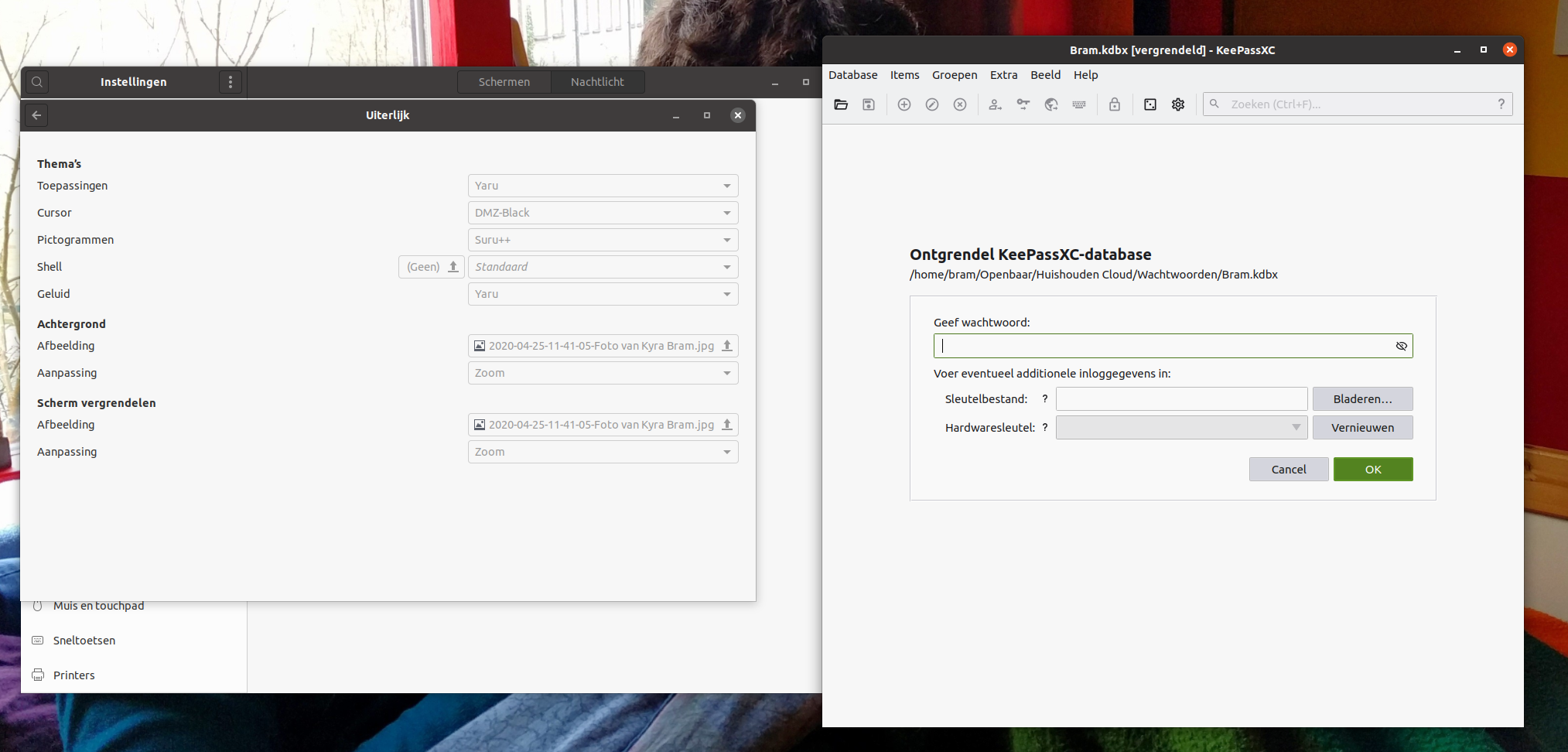
Light theme when using Yaru and standard gnome-shell.
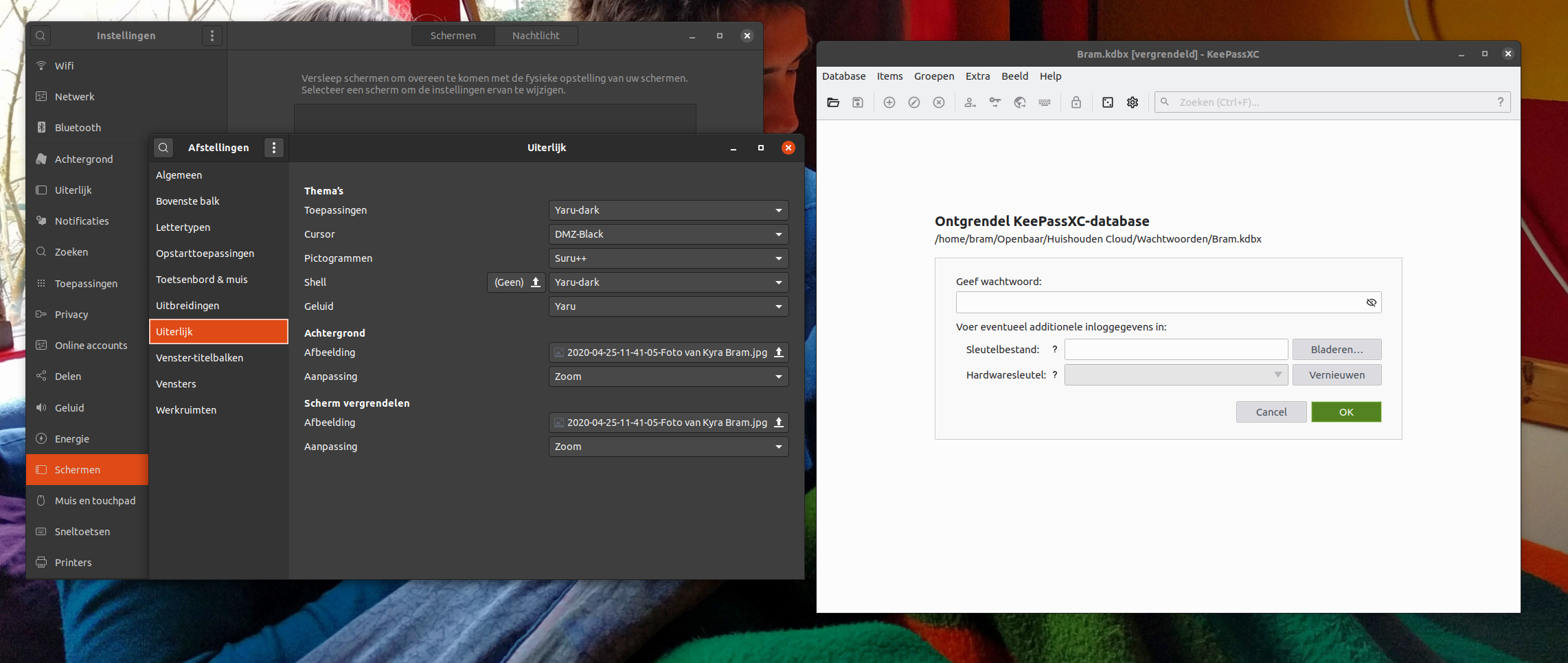
And after system reboot still, the light theme when using Yaru-dark theme and gnome-shell.
I assume, but am unsure, that the snap package can only access the default of the sandbox that it is installed in. Which is probably independent of the user themes.
AJJLagerweij
on 8 Jul 2020
Please test the PPA or AppImage.
phoerious
on 8 Jul 2020
I'm testing the AppImage, that one does not seem to work either
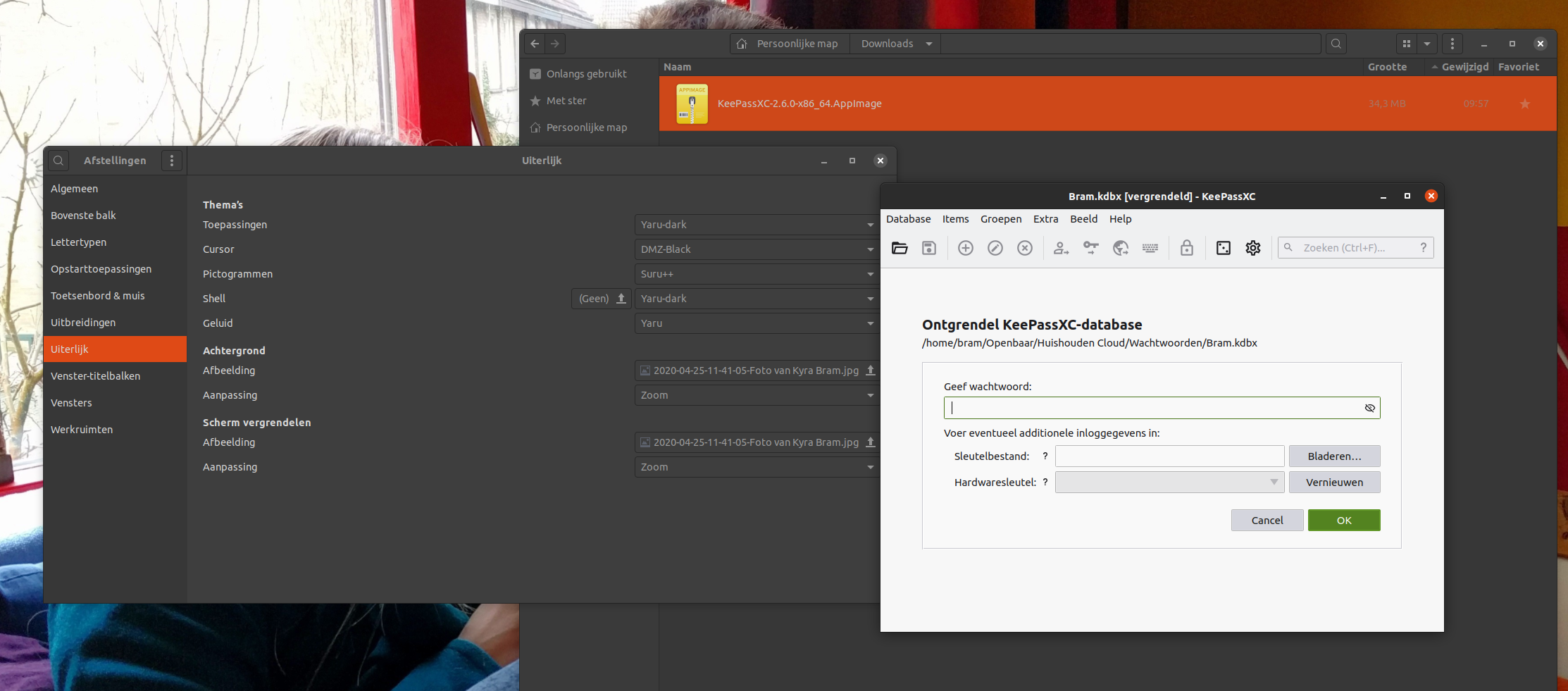
How do I test version 2.6.0 using the PPA, Ubuntu Software states that the version is 2.4.3+dfsg.1-1bulid1.
This is also the version that is installed when I use sudo apt install keepassxc
AJJLagerweij
on 8 Jul 2020
Install it from here: https://launchpad.net/~phoerious/+archive/ubuntu/keepassxc
When the classic theme is light as well, then I suspect you are having a general theming issue with Qt apps. Install qt5ct and check your theme configuration.
phoerious
on 8 Jul 2020
Thanks for the PPA, it still doesn't work there, however.
qt5ct gives an error which is related to its setup: "the environment variable is not set (required value: qt5ct)."
I've tried following the help page and the following works:
$ export QT_QPA_PLATFORMTHEME=qt5ct
$ qt5ct
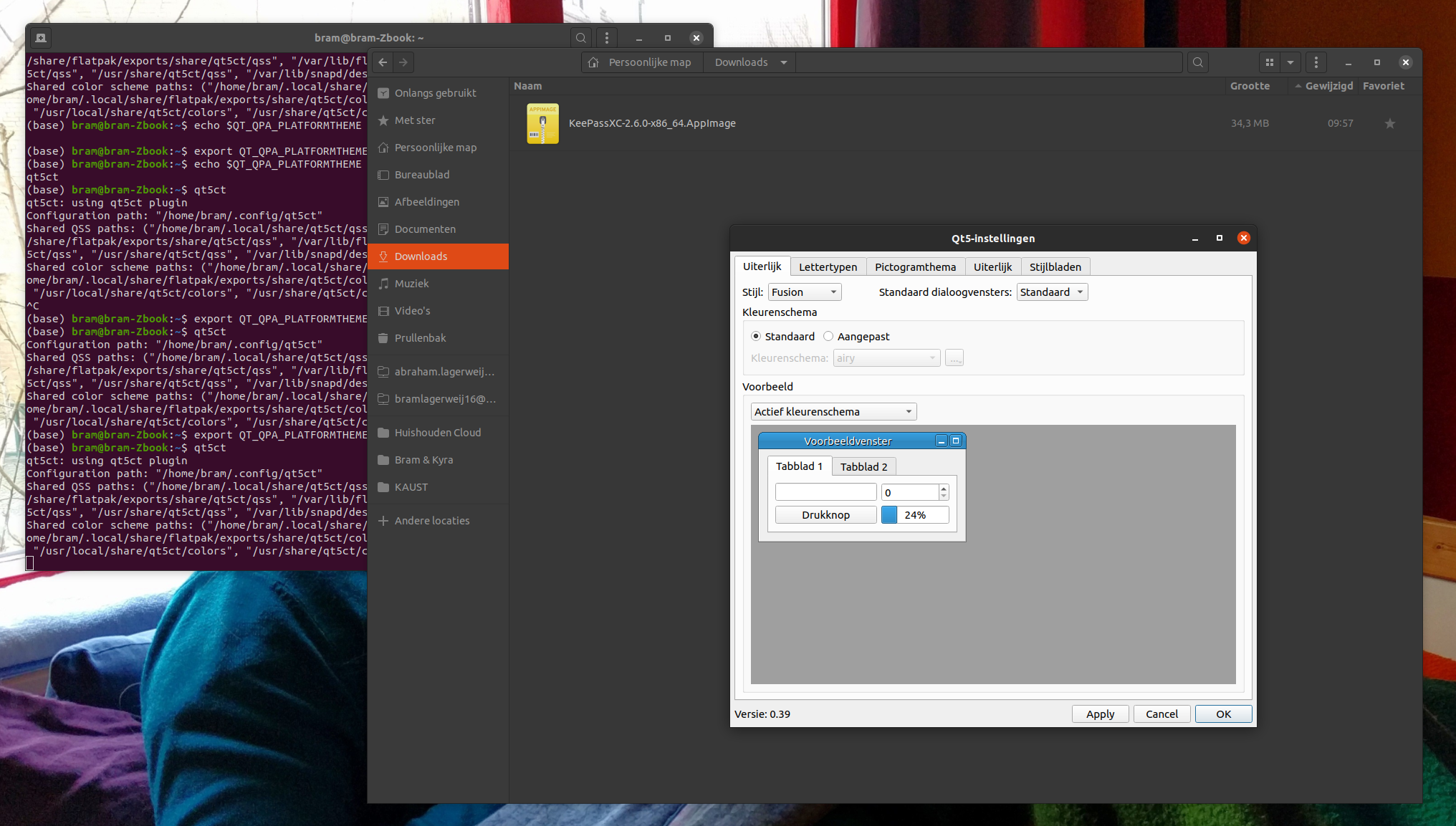
However KeePassXC stays light, and qt5ct does also not change with the theme colours (I unsure if it is supposed however).
AJJLagerweij
on 8 Jul 2020
It's a Qt configuration issue on your system. Qt doesn't pick up your system theme. There is nothing we can do about it. You have to fix that on your system. One way could be to set a suitable theme in qt5ct and start KeePassXC with QT_QPA_PLATFORMTHEME=qt5ct.
phoerious
on 8 Jul 2020
Thanks, we're getting close to the solution here.
Launching the version installed with the PPA using the terminal with:
QT_QPA_PLATFORMTHEME=gtk2 keepassxc
works.
(One can also set the enviroment variable for all qt5 programs with echo "export QT_QPA_PLATFORMTHEME=gtk2" >> ~/.profile and logout and in again)
Here the theme is correctly automatically recognized:
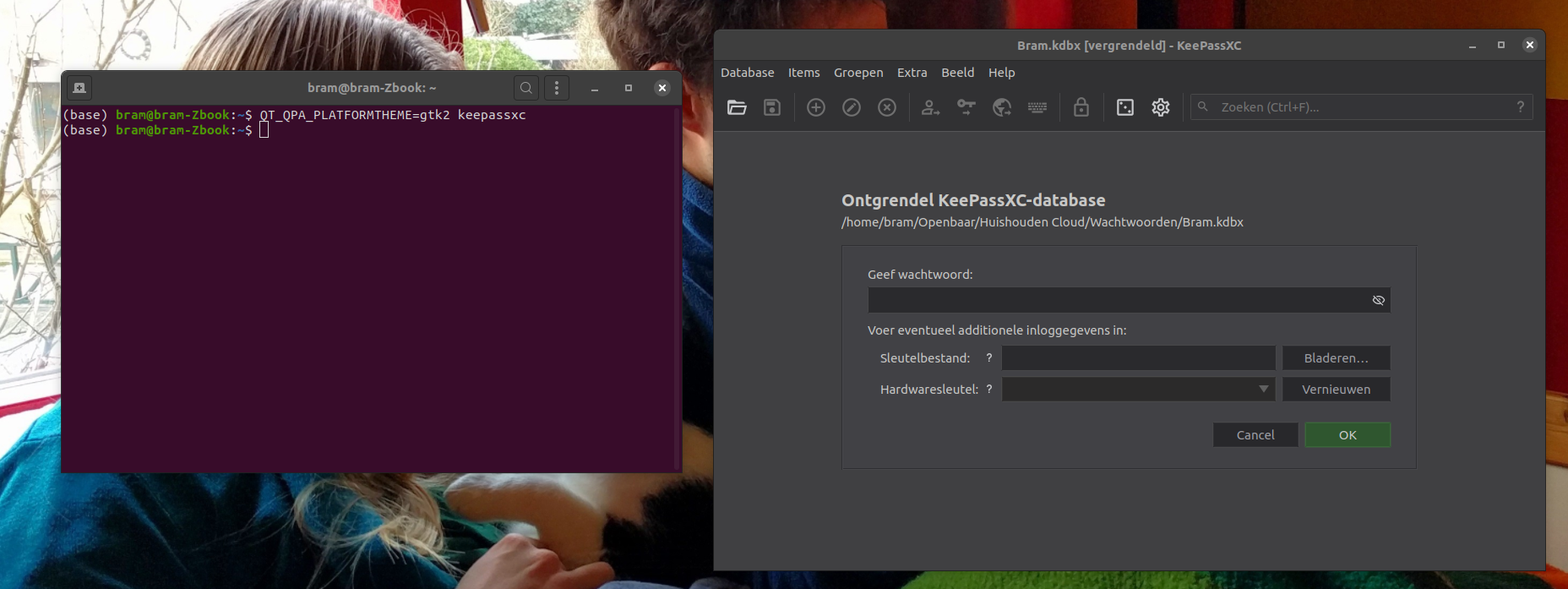
Even better is using the 'classical theme' because that one changes directly to the correct dark/light theme without having to restart the program.
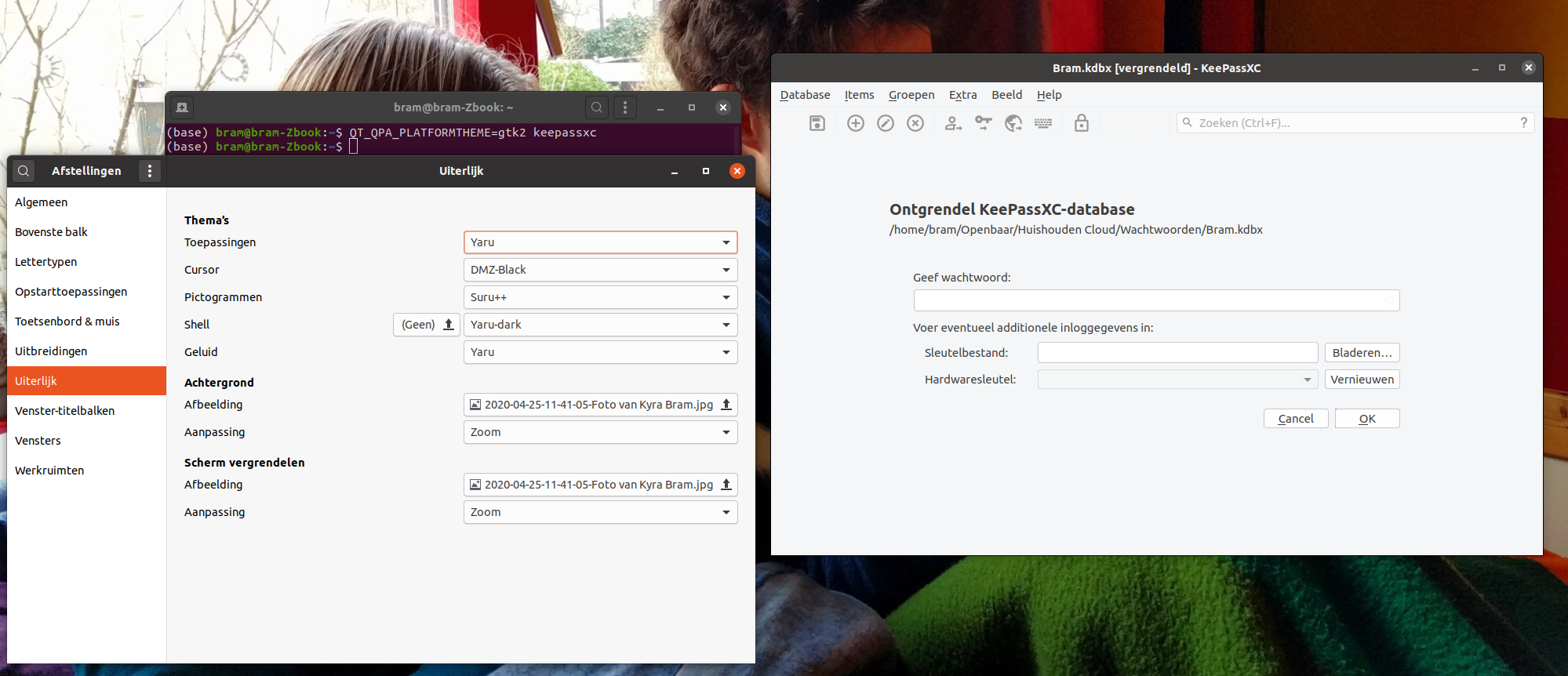
only changing the 'gnome tweak tool' theme setting without a restart:

AJJLagerweij
on 8 Jul 2020
The snap package, however, does not work so nicely.
Currently, I've edited my environment and launching the KeePassXC PPA with: keepassxc works perfect and recognizes the theme correctly.
Launching the snap version with snap run keepassxc does fail the theme recognition, the following warnings are shown:
Gtk-Message: 11:52:42.515: Failed to load module "canberra-gtk-module"
Gtk-Message: 11:52:42.517: Failed to load module "canberra-gtk-module"
Qt: Session management error: None of the authentication protocols specified are supported
I'm currently trying to figure out where these errors come from.
AJJLagerweij
on 8 Jul 2020
Launching the version installed with the PPA using the terminal with:
QT_QPA_PLATFORMTHEME=gtk2 keepassxc
works.(One can also set the enviroment variable for all qt5 programs with
echo "export QT_QPA_PLATFORMTHEME=gtk2" >> ~/.profileand logout and in again)
This seems to slow down application startup significantly on fresh installs.
Nevertheless, it would be interesting what is the default value and why a value without proper theme support is chosen as default.
 darkdragon-001
on 11 Jul 2020
darkdragon-001
on 11 Jul 2020
The default depends on your platform.
phoerious
on 11 Jul 2020
@phoerious How can I find it out? I am using Ubuntu 20.04. The environment variable QT_QPA_PLATFORMTHEME is _not_ set.
darkdragon-001
on 11 Jul 2020
This seems to slow down application startup significantly on fresh installs.
Nevertheless, it would be interesting what is the default value and why a value without proper theme support is chosen as default.
I advise to test the issue for yourself as well as I cannot recreate it.
I've tested the startup times of GNU Octave and KeePassXC and both start in an instant (less then a second).
The drawback of the QT_QPA_PLATFORMTHEME=gtk2 keepassxc method is that even though the theme changes with my system the icons do not. When I start KeePassXC when my system theme is light it will have the icons that belong to a light theme. When my system switches to a dark theme the KeePassXC items do no change. That means that the 'dark icons' are clickable and the light ones are not, even though the dark icons are barely recognizable. When I quit KeePassXC and lauch it again the icons are chosen appropriately. I assume that this behaviour is because the 'Classical Layout' does select the icons depending on the colour theme at start up and I assume that this behaviour is intended. (It's not a big isue anyway).
Sadly I do still have issues with the theme recognition of the snap package.
How is this for the dev team, was the theme change tested on a gnome based platform?
If so what were the environment settings and what was the behaviour of KeePassXC?
And how so when using the snap package?
That is, is the issue reproducible?
AJJLagerweij
on 11 Jul 2020
I tested extensively on Ubuntu 19/20 KDE, gnome, and xfce
 droidmonkey
on 12 Jul 2020
droidmonkey
on 12 Jul 2020
Dear all,
I think that the tone of my previous message was incorrect.
I've never doubted the testing of KeePassXC, as I've been using it, without issues, on several platforms for quite some time.
And even the issue discussed here is, at least in my opinion, very minor.
Is it most logical to assume that the problem is with my setup and that if I perform a new install of Ubuntu that it will work (also for the snap)?
AJJLagerweij
on 12 Jul 2020
Yes absolutely. Although a fresh install of Linux mint 19.4 will give you troubles, any Debian or Ubuntu based distro will work out of the box. Fedora is also known to work just fine.
droidmonkey
on 12 Jul 2020
Thanks for the help. I've tested on a clean install and the PPA seems to work appropriately.
Even after removing the lines with QT_QPA_PLATFORMTHEME=... from my ~.profile file the program starts in the appropriate theme. And its looks are in agreement with the settings of qt5ct (if I ask the theme to be gtk2 it will change appropriately).
The issue I had stemmed from the way I had messed around with my graphics drivers. It did also solve some issues I had with the app indicator icon.
Sadly it did not change the behaviour of the snap package.
The snap does respond to the automatic theme setting at start-up nor to the qt5ct settings.
I do still assume that it has to do with limitations of snap in general. (thus it would not be a KeePassXC issue)
Can this be confirmed (or denied of course) by anyone else, as my experience with snap is very small?
AJJLagerweij
on 12 Jul 2020
Snaps won't respond to your theming, that is the nature of snaps and Qt bundling. This is not something we can control.
droidmonkey
on 13 Jul 2020
Related issues
 rugk
·
3Comments
rugk
·
3Comments
 clementlesne
·
3Comments
clementlesne
·
3Comments
 2tbwXj46BDbdNBRV79DS
·
3Comments
2tbwXj46BDbdNBRV79DS
·
3Comments
 MisterY
·
3Comments
MisterY
·
3Comments
 lostfictions
·
3Comments
lostfictions
·
3Comments