Keepassxc: [PRE-RELEASE] In macOS dark mode, tab display colors are wrong (2.4.0-beta2)
When MacOS is set to "dark mode" theme (System Prefs > General > Appearance: Dark), KeepassXC will display its currently selected tab in black text on almost-black background (basically unreadable). Any unselected tab(s) display in black on light grey (readable but ugly, and not in keeping with theme).
Expected Behavior
All tabs are readable, and the selected one even moreso by being highlighted.
(using Finder as model)
1. App has focus
- display the selected tab in white on dark grey
- display unselected tabs in grey on "almost-black" (very dark grey)

2. App does not have focus
- display the selected tab in white on dark grey
- display unselected tabs in grey on "almost-black" (very dark grey)

Note that all the grey levels get lighter by a shade, when focus is gained.
Current Behavior
1. KeePassXC has focus
- current tab displays as black text on almost-black background
- unselected tabs display as black text on light grey background

2. KeePassXC does not have focus
- current tab displays as black text on almost-black background
- unselected tabs display as black text on light grey background

Note that the appearance of the selected tab does not change at all with gain/loss of focus.
Note that the grey levels in the tabs actually get a shade _darker_ with gain of focus.
Possible Solution
- Most important: Change the color of the selected tab's text to be white.
- Change the color of the unselected tabs' text to be grey.
- Change the color of the unselected tabs' background to be dark grey.
Related (closed) bug: Dark Mode on macOS 10.14 makes texts barely readable
Steps to Reproduce
- Open KeePassXC
- Open more than one .kdbx file (so that selected and unselected tabs are both visible)
- In System Preferences > General > Appearance, toggle back and forth between Light and Dark.
- While doing so, select (focus) and deselect the application. Note its appearance.
Context
Nothing special; I use the program all day long with multiple databases open, but that's probably a typical use case. Personal + Work + Work#2 + free work done for relatives + government secrets...
Debug Info
KeePassXC - Version 2.4.0-beta2
Build Type: PreRelease
Revision: 9bc20f0
Libraries:
- Qt 5.12.0
- libgcrypt 1.8.4
Operating system: macOS 10.14
CPU architecture: x86_64
Kernel: darwin 18.2.0
Enabled extensions:
- Auto-Type
- Browser Integration
- SSH Agent
- KeeShare (only unsigned sharing)
- YubiKey
- TouchID
 tomhundt
All 9 comments
Confirmed, but that is very strange because we don't enforce any specific colors on the tabs. I think this is really a Qt bug. (also I need to test multiple databases on MacOS more often haha)
 droidmonkey
on 25 Feb 2019
droidmonkey
on 25 Feb 2019
I created an issue: https://bugreports.qt.io/browse/QTBUG-74065
droidmonkey
on 25 Feb 2019
This also now applies to the latest stable v2.4.0 release, and looks like it has been fixed/merged in the upstream Qt library in 256664.
 sebflipper
on 26 Mar 2019
sebflipper
on 26 Mar 2019
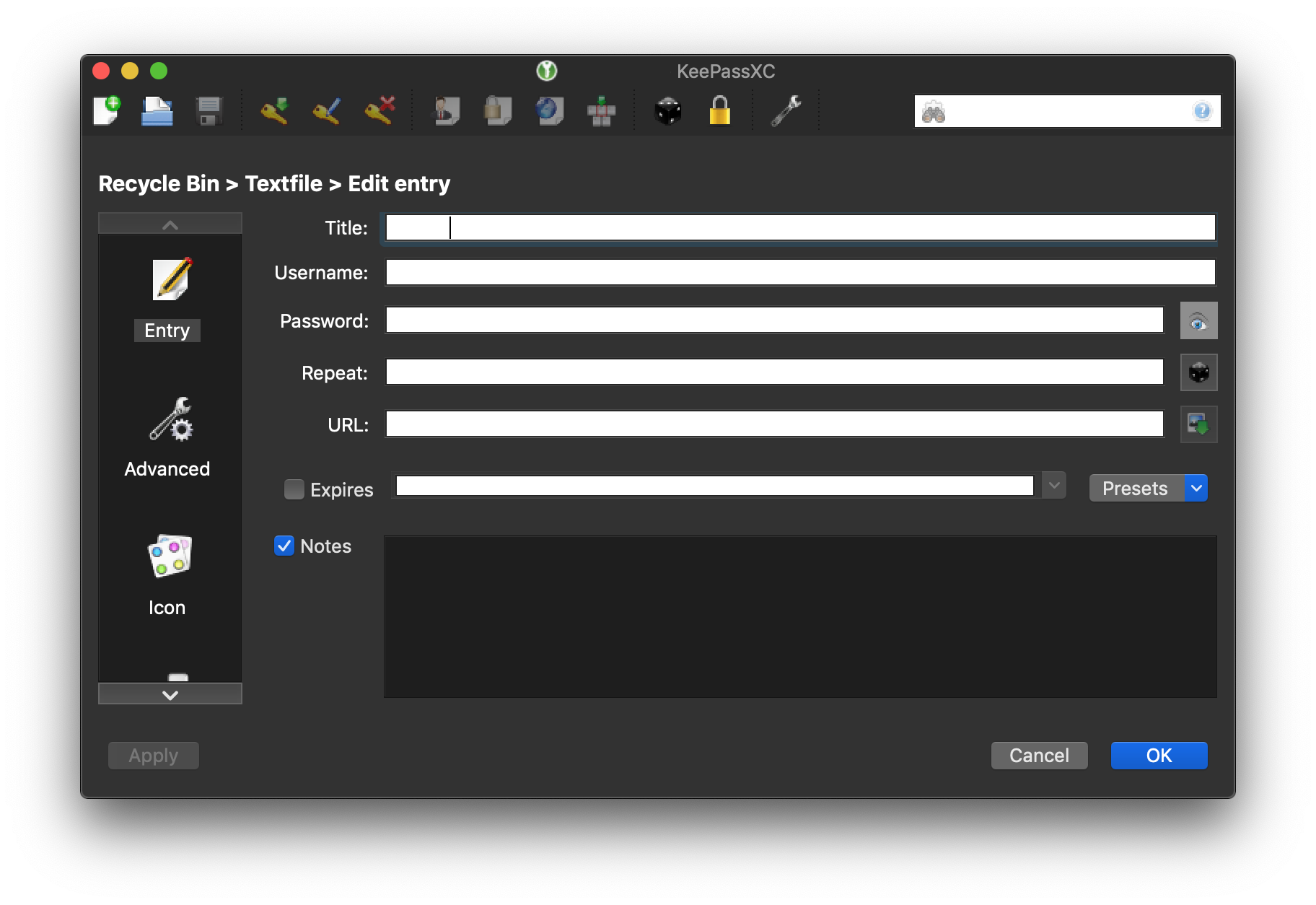
I don't want to hijack this bug, but I guess there is still another Qt related bug regarding Mojave. When switching from Light to Dark Mode while KeePassXC is open, all input fields stay white (in Light Mode Colour).

 stonerl
on 6 Apr 2019
stonerl
on 6 Apr 2019
Just restart the application after switching color schemes. That is a Qt bug.
droidmonkey
on 6 Apr 2019
Just commenting after upgrading to version 2.4.1 : from the change log I understand this issue could have been solved, but it doesn't seem to be the case. Tabs and tab names are still not the right color.
 belle-isle
on 20 Apr 2019
belle-isle
on 20 Apr 2019
No, we only fixed reference entry colouring. Tab colouring is something Qt needs to fix.
 phoerious
on 20 Apr 2019
phoerious
on 20 Apr 2019
This issue is duplicated by #3193, which includes a workaround on how to disable broken dark mode support on Mojave.
 zyv
on 30 May 2019
zyv
on 30 May 2019
keepassxc: 2.5.1
macos: 10.15.1
Tab titles colour and input fields colour look good for me in dark and light mode, even after chaning theme without restarting keepassxc.
 craighurley
on 14 Nov 2019
craighurley
on 14 Nov 2019
Related issues
 guihkx
·
3Comments
guihkx
·
3Comments
 amvasilyev
·
3Comments
amvasilyev
·
3Comments
 lostfictions
·
3Comments
guihkx
·
3Comments
lostfictions
·
3Comments
guihkx
·
3Comments
 MisterY
·
3Comments
MisterY
·
3Comments
Most helpful comment
This also now applies to the latest stable v2.4.0 release, and looks like it has been fixed/merged in the upstream Qt library in 256664.