Keepassxc: Add ability to save attachment from details panel
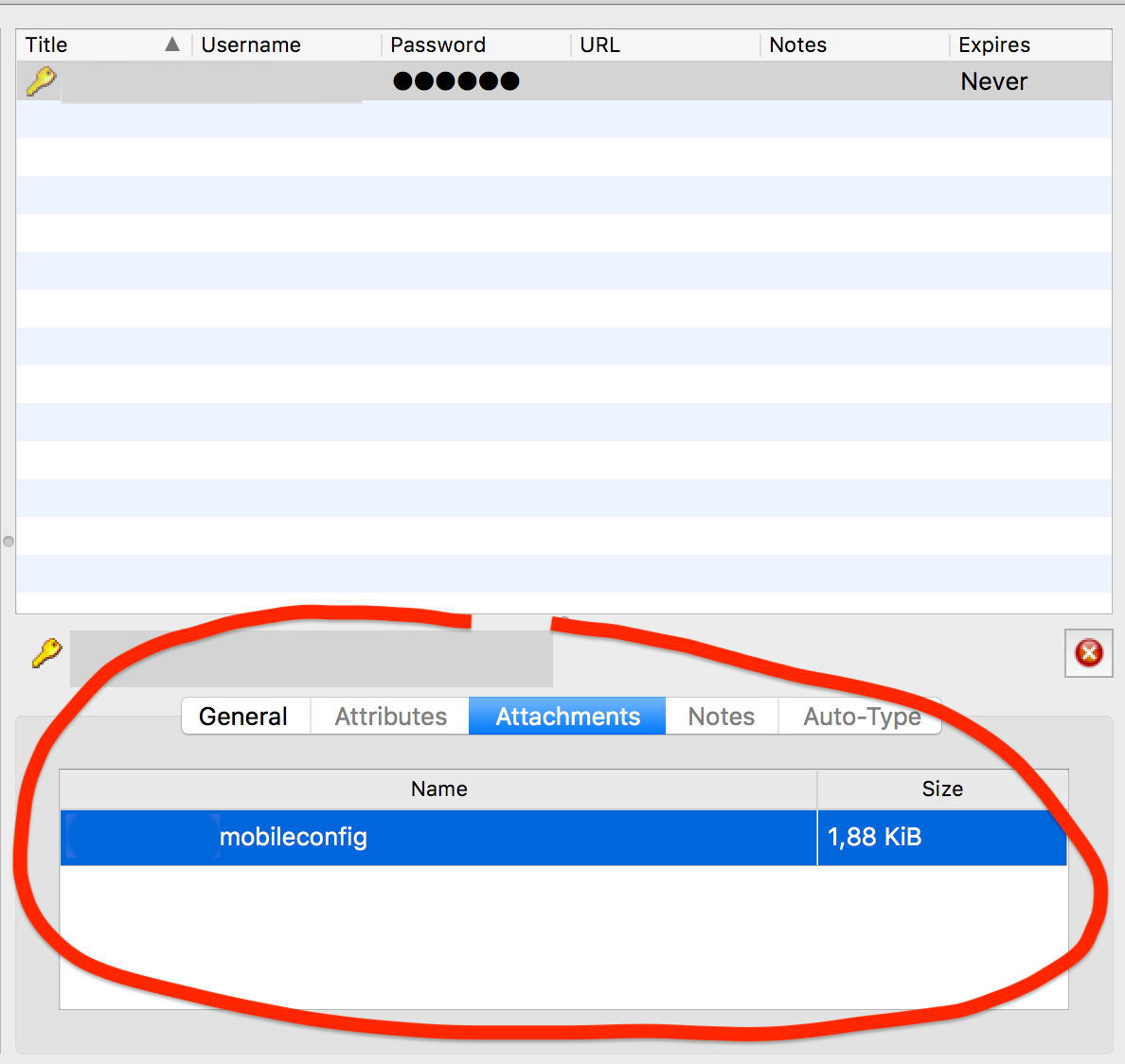
there is no way to download an attachement in the overview of an entry.
Expected Behavior
when selecting an entry in the overview i'd like to extract an attachement.
Current Behavior
i can just double click the attachement to open it
Possible Solution
provide similar actions than in in the detail view (edit entry, advanced, attachements). just open and download are relevant for this view.
Steps to Reproduce (for bugs)
- add an attachement to an entry
- try to get it on your desktop or any other place outside keepassxc
Debug Info
KeePassXC - Version 2.3.1
Revision: 2fcaeea
Libraries:
- Qt 5.9.3
- libgcrypt 1.8.2
Operating system: macOS High Sierra (10.13)
CPU architecture: x86_64
Kernel: darwin 17.6.0
Enabled extensions:
- Auto-Type
- Browser Integration
- Legacy Browser Integration (KeePassHTTP)
- SSH Agent
- YubiKey
 kampfq
All 7 comments
Good suggestion, should be simple to add a save icon in the far right.
 droidmonkey
on 10 Jun 2018
droidmonkey
on 10 Jun 2018
Any progress on this? I recently switched from KeePassX to KeePassXC. This is an important feature to me, since I have certificate files stored in my KeePass file which I can't open now.
Is there any workaround to get download an attachment?
 gucce
on 24 Apr 2019
gucce
on 24 Apr 2019
Just double click the entry (or press enter) and go to the advanced tab on the left.
droidmonkey
on 24 Apr 2019
I have to look up this issue every time I need to save an attachment, since I need to do it so infrequently.
 phyber
on 30 Jul 2019
phyber
on 30 Jul 2019
Please simply add a "Save as..." Button.
 ilogs-sepa
on 5 Oct 2019
ilogs-sepa
on 5 Oct 2019
Surprised this is not a feature already!
EDIT: So you can actually save the files in the edit view. I thought that functionality wasn't available at all!
 mobeigi
on 22 Nov 2019
mobeigi
on 22 Nov 2019
I was about to suggest being able to save files / adding an attachment to KeePassXC. When looking if it already was suggested I found out that it was already a feature.
Currently it's hidden away in the advanced menu which I pretty much never have to look at. Definitely should make this feature more clear by adding an attachment tab (or simply make the advanced tab clickable even when there are no attachments).
 nixpc
on 8 Mar 2020
nixpc
on 8 Mar 2020
Related issues
 guihkx
·
3Comments
guihkx
·
3Comments
 lostfictions
·
3Comments
lostfictions
·
3Comments
 mstarke
·
3Comments
mstarke
·
3Comments
 haroldm
·
3Comments
haroldm
·
3Comments
 shyim
·
3Comments
shyim
·
3Comments
Most helpful comment
Surprised this is not a feature already!
EDIT: So you can actually save the files in the edit view. I thought that functionality wasn't available at all!