Keepassxc: Unable access to Menu Options
Expected Behavior
See menu options and click on Database > Change Master Key / Tools > Settings, etc
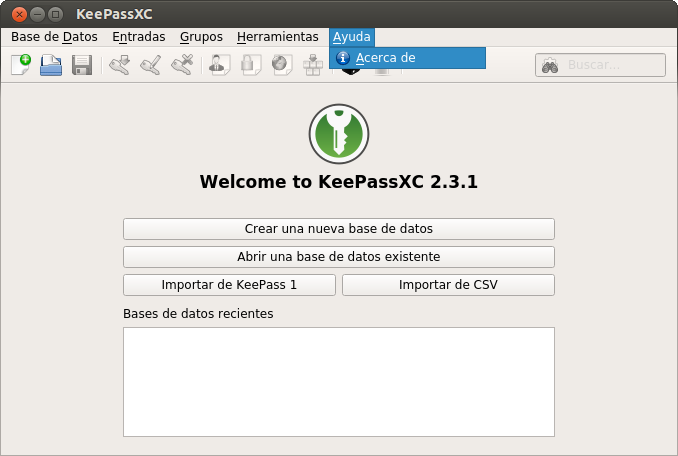
Current Behavior
There is no possibility to access them.
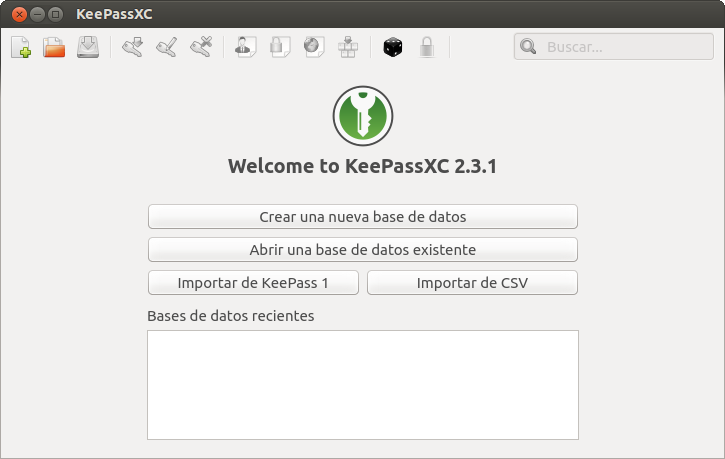
Possible Solution
Right Click on Tabbar, Suggest a font. Define settings at keepassxc.ini
Steps to Reproduce (for bugs)
- Run KeePassXC
Context
I've migrated from an KeePass version 1 database and now KeePassXC warns me about generating a new key file for my DB, but I have no options to do it.
Debug Info
I can't access to Help → About here.
KeePassXC - 2.3.1
Revision: 2.3.1-0ppa1~trusty1 (Ubuntu 14.04)
Libraries:
- Qt 4.8.5
Operating system: Ubuntu 14.04.5 LTS
CPU architecture: x86_64
Kernel: 3.13.0-145-generic
Enabled extensions:
- I don't know
 xusy2k
All 4 comments
They are probably in the very top of the desktop display.
 droidmonkey
on 7 May 2018
droidmonkey
on 7 May 2018
You're right, this menu options are shown at Unity desktop top bar, but not at Gnome Flashback desktop (I use this last one)
xusy2k
on 7 May 2018
You probably want to uninstall the appmenu-qt5 package. You can also try playing with the QT_QPA_PLATFORMTHEME env var. Set it to gtk2 to prevent the appmenu from being used.
An interesting read on how Qt5 styles itself:
https://wiki.archlinux.org/index.php/qt
droidmonkey
on 7 May 2018
Thank you very very much @droidmonkey!!!!!
This works perfect!!!!!
QT_QPA_PLATFORMTHEME=gtk2 keepassxc
I've added to my aliases file :-)
xusy2k
on 7 May 2018
Related issues
 813gan
·
3Comments
813gan
·
3Comments
 haroldm
·
3Comments
haroldm
·
3Comments
 nfnty
·
3Comments
nfnty
·
3Comments
 mstarke
·
3Comments
mstarke
·
3Comments
 MisterY
·
3Comments
MisterY
·
3Comments
Most helpful comment
Thank you very very much @droidmonkey!!!!!
This works perfect!!!!!
I've added to my aliases file :-)