Keepassdx: No memory to load your entire database for GDrive
This is what I get when I try to load Google Drive file
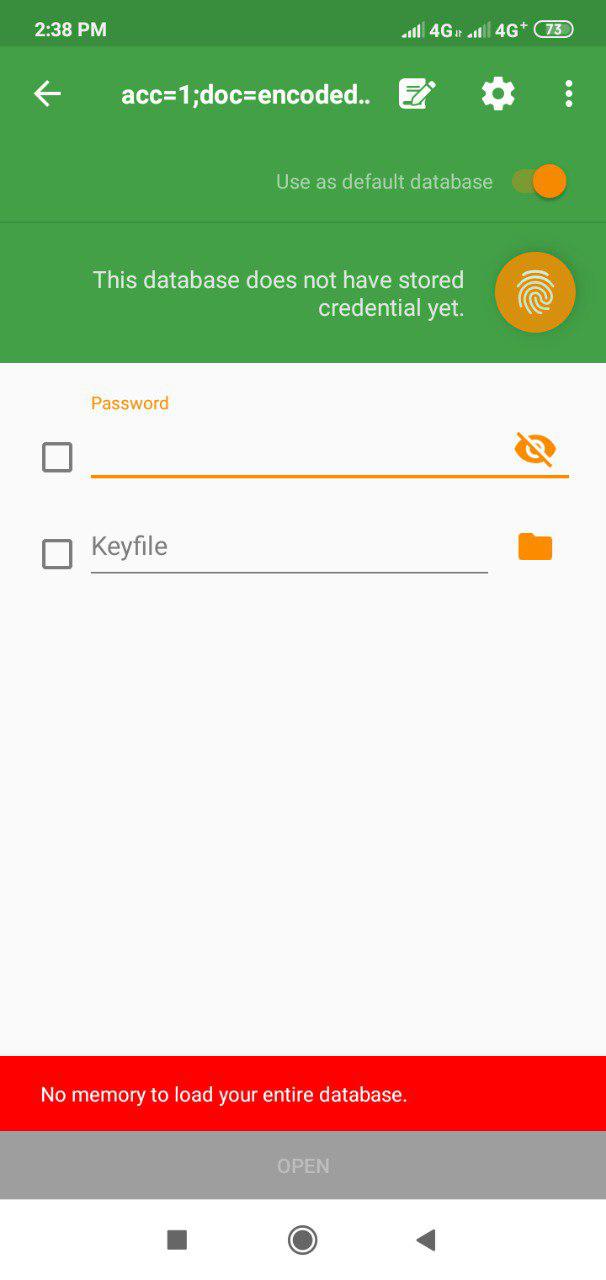
I don't know whether it is connected to this issue but I suppose it is.
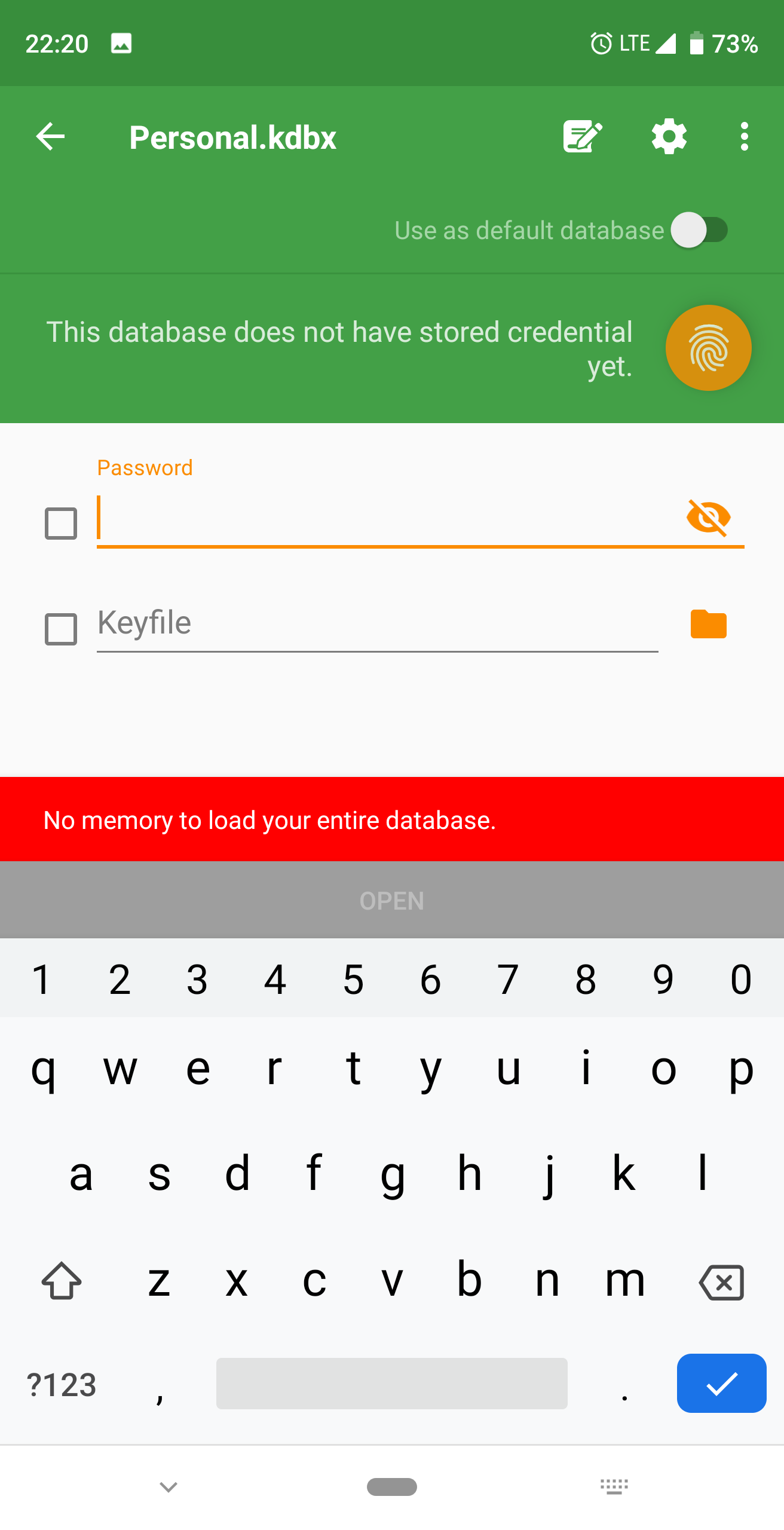
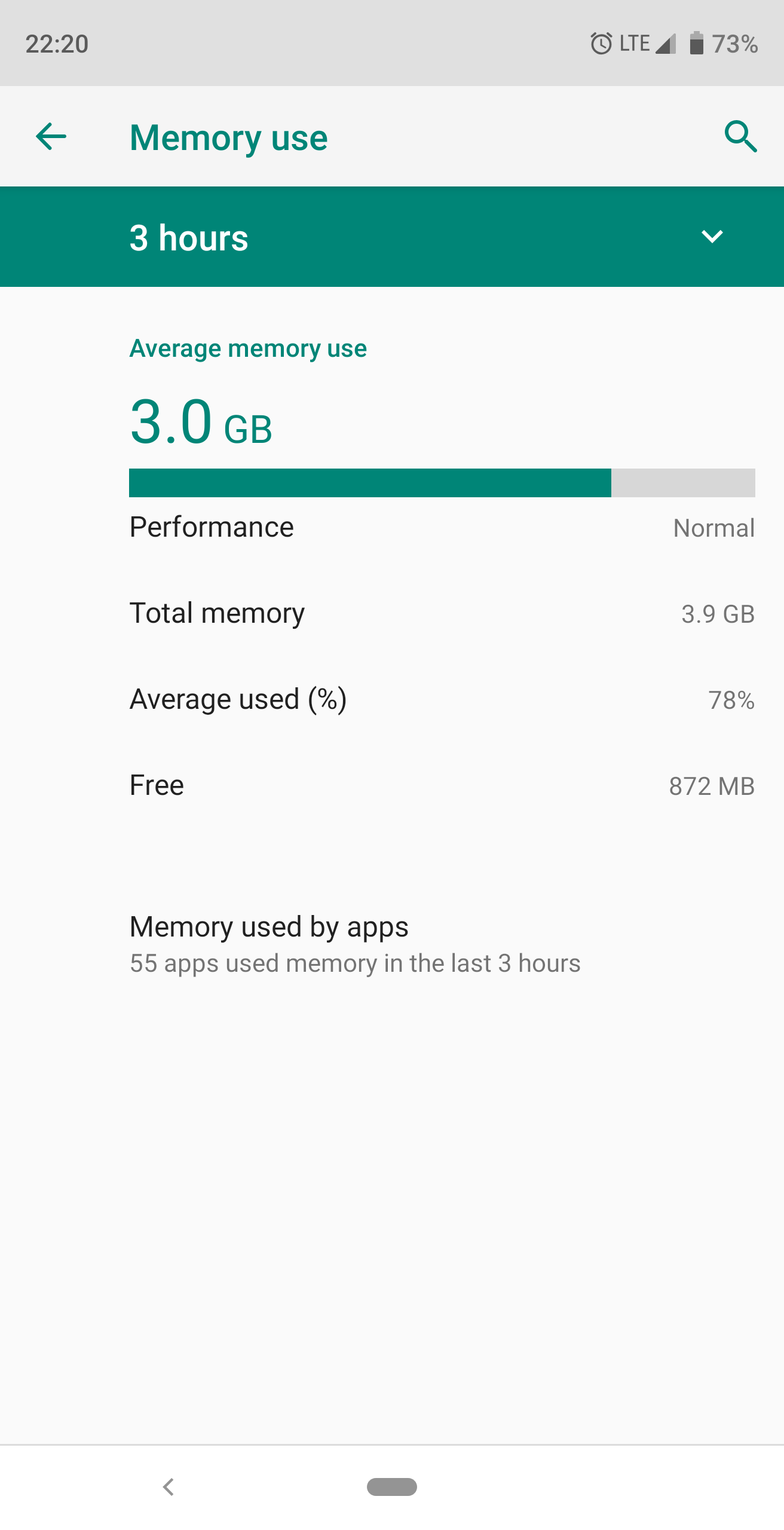
P.S. I have brand-new device (Xioami Redmi 7) with plenty of memory (64Gb+3Gb RAM) so it is definitely not a memory issue.
 Suncatcher
All 10 comments
I think it comes from the formatting of links retrieved by the content manager. (Must be verified) I will try to improve the system when I will do the tests for the clouds.
 J-Jamet
on 3 Oct 2019
J-Jamet
on 3 Oct 2019
The same bug is observed while loading from local storage. Quitting your app, too many errors. Impossible to work
Suncatcher
on 20 Oct 2019
Also seeing this with one of my main dbs that is approximately 2mb in size (icons and small attachments mostly). K2A handles it ok.
 xenithorb
on 27 Oct 2019
xenithorb
on 27 Oct 2019
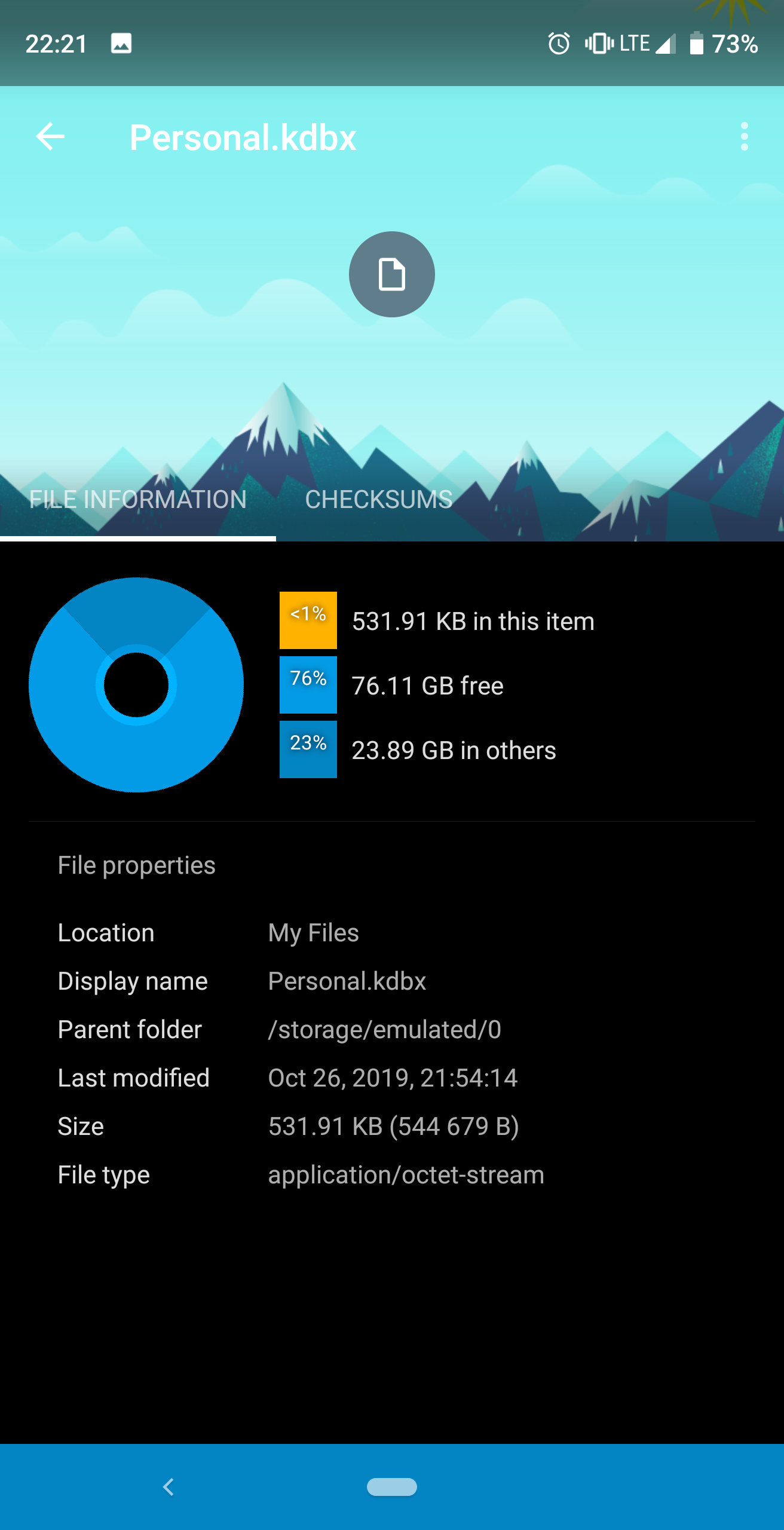
I also observed this on my Essential PH-1 both trying to load from Dropbox and when trying to load from the filesystem. I wonder if it's dependent on some of the content on the KeePass database?
 TheLonelyGhost
on 27 Oct 2019
TheLonelyGhost
on 27 Oct 2019
that is approximately 2mb in size
my db-file is 500Kb and the same thing. It's size-irrelevant bug.
Suncatcher
on 27 Oct 2019
I have this problem on and off with a small 70kB database. As a workaround, when I edit the file with another Keepass client (XC mainly) most of the time DX can open it again. I usually just add/remove an empty entry to/from the recycling bin folder.
 PeteS4
on 30 Oct 2019
PeteS4
on 30 Oct 2019
I can confirm that after editing the DB with k2a or keepassxc it opens without issue
xenithorb
on 30 Oct 2019
This is probably the same issue as #256
 lgrahl
on 18 Nov 2019
lgrahl
on 18 Nov 2019
Can confirm #256 completely coincides with my use case. It also seems to have some better definition of the issue and more leg-work on resolving it.
TheLonelyGhost
on 19 Nov 2019
I close this issue and leave #256 open for better visibility.
J-Jamet
on 30 Nov 2019
Related issues
 axel-dd
·
5Comments
axel-dd
·
5Comments
 gihucom
·
3Comments
gihucom
·
3Comments
 stp-ip
·
3Comments
stp-ip
·
3Comments
 erwincatt
·
4Comments
erwincatt
·
4Comments
 kermit-frog
·
4Comments
kermit-frog
·
4Comments