Keepassdx: Fingerprint scanner does not work
Device: Lenovo zuk z1
Android 8.1
With other programs, the fingerprint works perfectly. For example, the andOTP program works.
[spoiler]
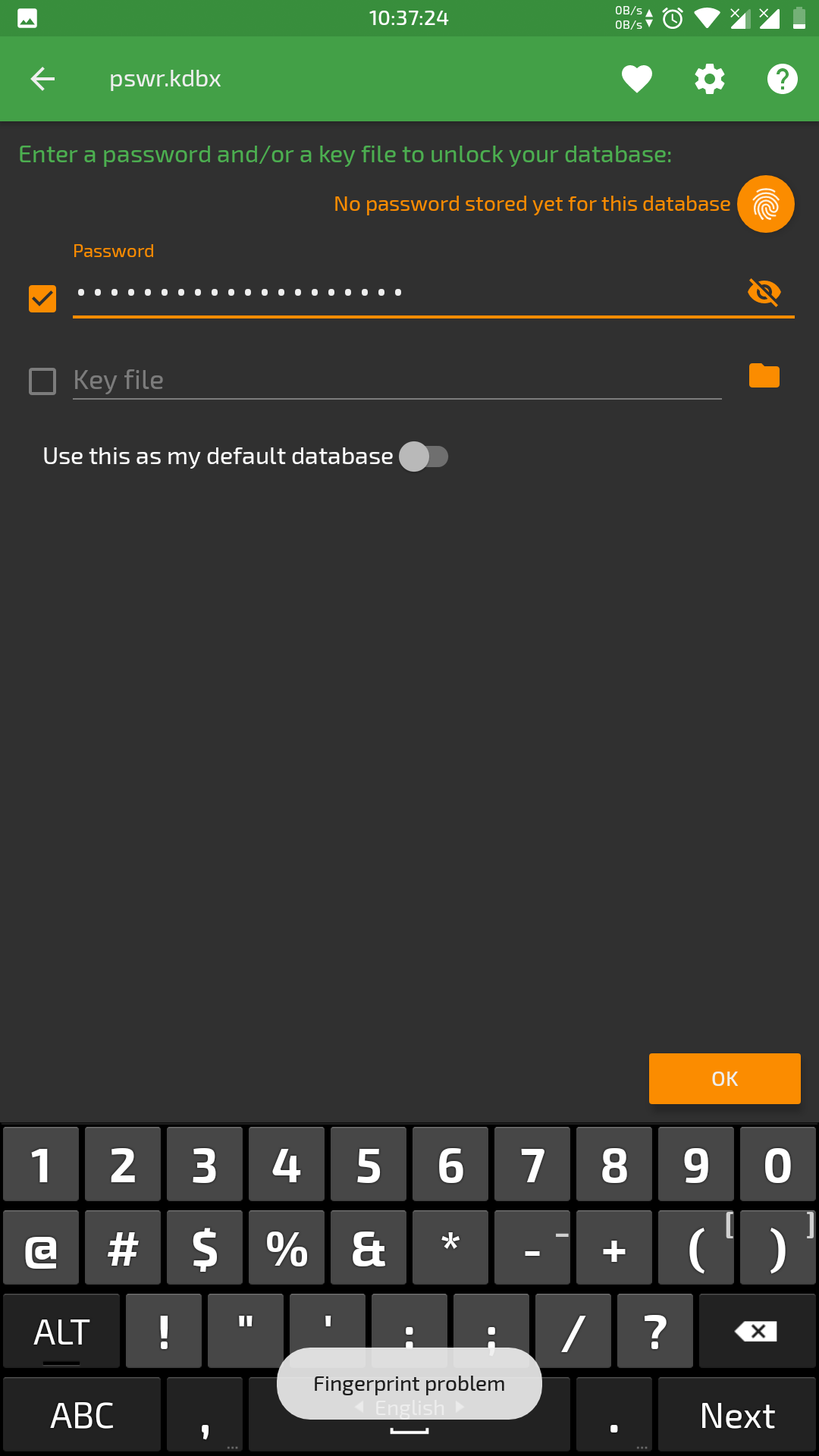
)[/spoiler]
 vArhont
All 13 comments
The problem is normally fixed in the new version 2.5.0.0beta6, if you use F-Droid, It takes a little time for the server to update. (Link to https://github.com/Kunzisoft/KeePassDX/issues/25)
 J-Jamet
on 13 Mar 2018
J-Jamet
on 13 Mar 2018
In this version, the same problem, only now when I put my finger on the fingerprint scanner, it seems that it tries to read it with an interval of half a second, but still with an error

vArhont
on 14 Mar 2018
Have you tried to delete the fingerprint keys in the settings?
Something I don't understand, why for you the scanner tries to read it with an interval of half a second ?
J-Jamet
on 14 Mar 2018
When I press my finger on the fingerprint scanner, the phone vibrates at a half-second interval (this happens when the fingerprint is read), and the inscription "trouble with fingerprints" is constantly updated, sometimes there is an inscription saying that I removed my finger from the scanner too quickly, but this is not so.
vArhont
on 14 Mar 2018
OK, thanks for the description of the problem. I can only test with the emulator because I don't have a real device with fingerprint scanner. Vibrations with small intervals occur to store a password, read a password or both?
"trouble with fingerprints" is not an error of the app, so the fingerprints API should throw an error, but at this time I don't know which one.
J-Jamet
on 14 Mar 2018
maybe I can help you with something? is there a way to fix this error so you understand what the problem is? I really like this version of the keepass dx program
vArhont
on 16 Mar 2018
link to #52
I think now that the problem is the auto re-init of fingerprint after an error. Devices must react differently depending on the model. I'll try to change the exception handling mode.
J-Jamet
on 19 Mar 2018
Hello, can you tell me if the new version 2.5.0.0beta7 is better for you ? (Normally, lot of problems are now shown in the top box and you have to follow the instructions.)
J-Jamet
on 25 Mar 2018
After updating to version 2.5.0.0beta7 I had the same error. Fixed of by removing all fingerprints and reentering them as described avove
 mwip
on 1 Apr 2018
mwip
on 1 Apr 2018
It is possible that the refactoring makes the old keystore obsolete and displays a null exception. To solve the problem, the Fingerprint Store must be cleared in
Application settings -> [Fingerprint] Delete encryption keys.
you must then recreate the fingerprints for each password.
Sorry for the manipulation
J-Jamet
on 1 Apr 2018
"you must then recreate the fingerprints for each password."
but I can't even create a password for the database
vArhont
on 3 Apr 2018
The password can't be changed in the application without open the database, just reassign a fingerprint to the current password to unlock the database.
J-Jamet
on 3 Apr 2018
I close this issue, I'll open a new one if necessary.
J-Jamet
on 6 Apr 2018
Related issues
 Wilker-a
·
6Comments
J-Jamet
·
3Comments
Wilker-a
·
6Comments
J-Jamet
·
3Comments
 MisterY
·
7Comments
MisterY
·
7Comments
 alexanderadam
·
4Comments
alexanderadam
·
4Comments
 Wandelstock
·
6Comments
Wandelstock
·
6Comments
Most helpful comment
It is possible that the refactoring makes the old keystore obsolete and displays a null exception. To solve the problem, the Fingerprint Store must be cleared in
Application settings -> [Fingerprint] Delete encryption keys.you must then recreate the fingerprints for each password.
Sorry for the manipulation