Keepass2android: Autofill Framework always asks to save passwords
I have several apps that I open with my fingerprint or where I don't won't to drop the password in KeePass.
But on oreo it always asks to save it after I entered it. Any option to deactivated it?
 SciLor
All 6 comments
"never" option for specific app would solve the issue.
Means app could locally store list of app ids with autofill disabled
 thousandsofthem
on 26 Aug 2018
thousandsofthem
on 26 Aug 2018
The "NO THANKS" button should set a persistent flag per application, rather than just dismissing the prompt.
 tim-elmer
on 29 Aug 2018
tim-elmer
on 29 Aug 2018
The "NO THANKS" button should set a persistent flag per application, rather than just dismissing the prompt.
I don't think so. This wouldn't be transparent to the user. There is another button needed for that.
SciLor
on 29 Aug 2018
That's reasonable. Maybe change "NO THANKS" to "NOT THIS TIME" and add a "NEVER"?
My issue is that I expected this functionality to exist, and the "NO THANKS" button seemed to be how it would be accessed.
tim-elmer
on 29 Aug 2018
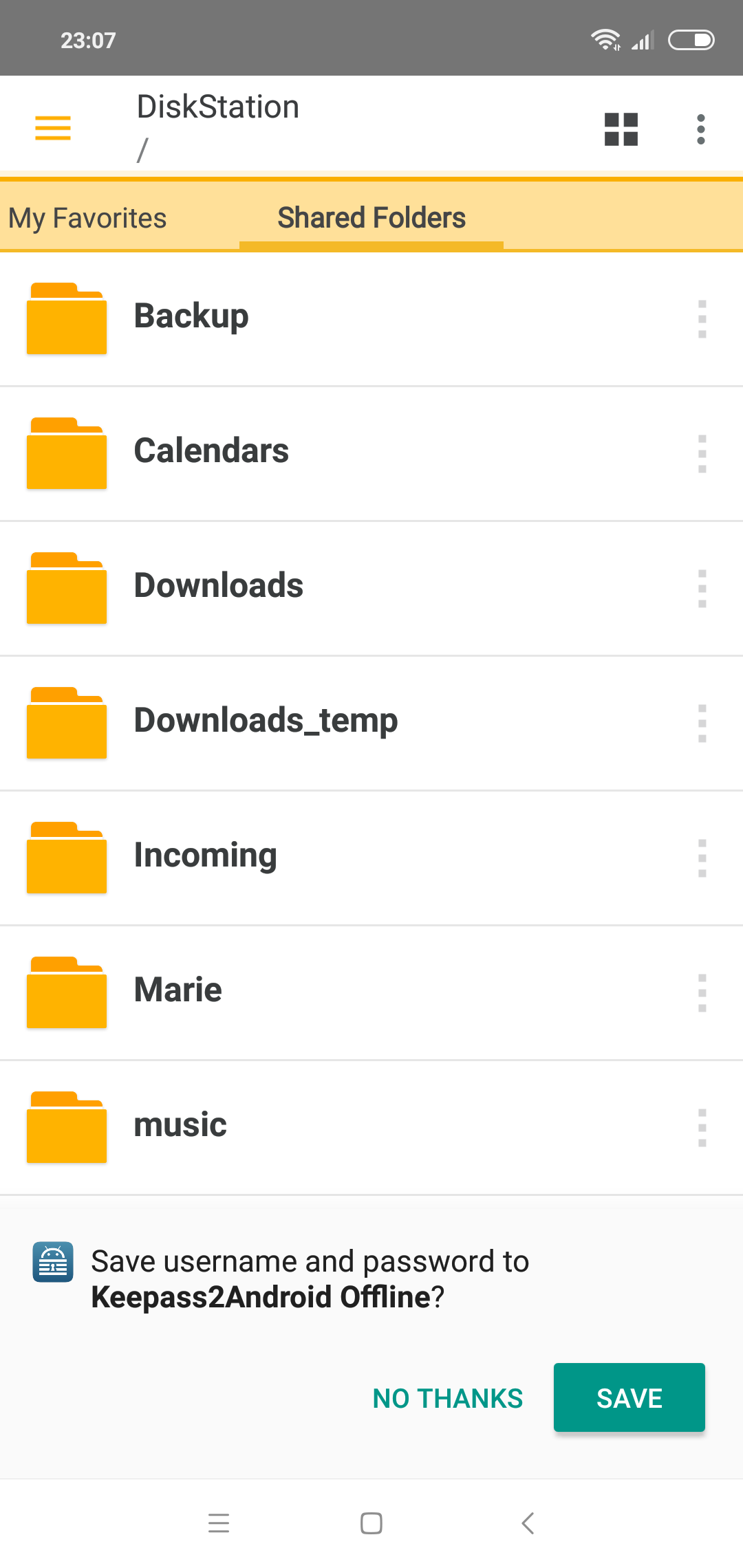
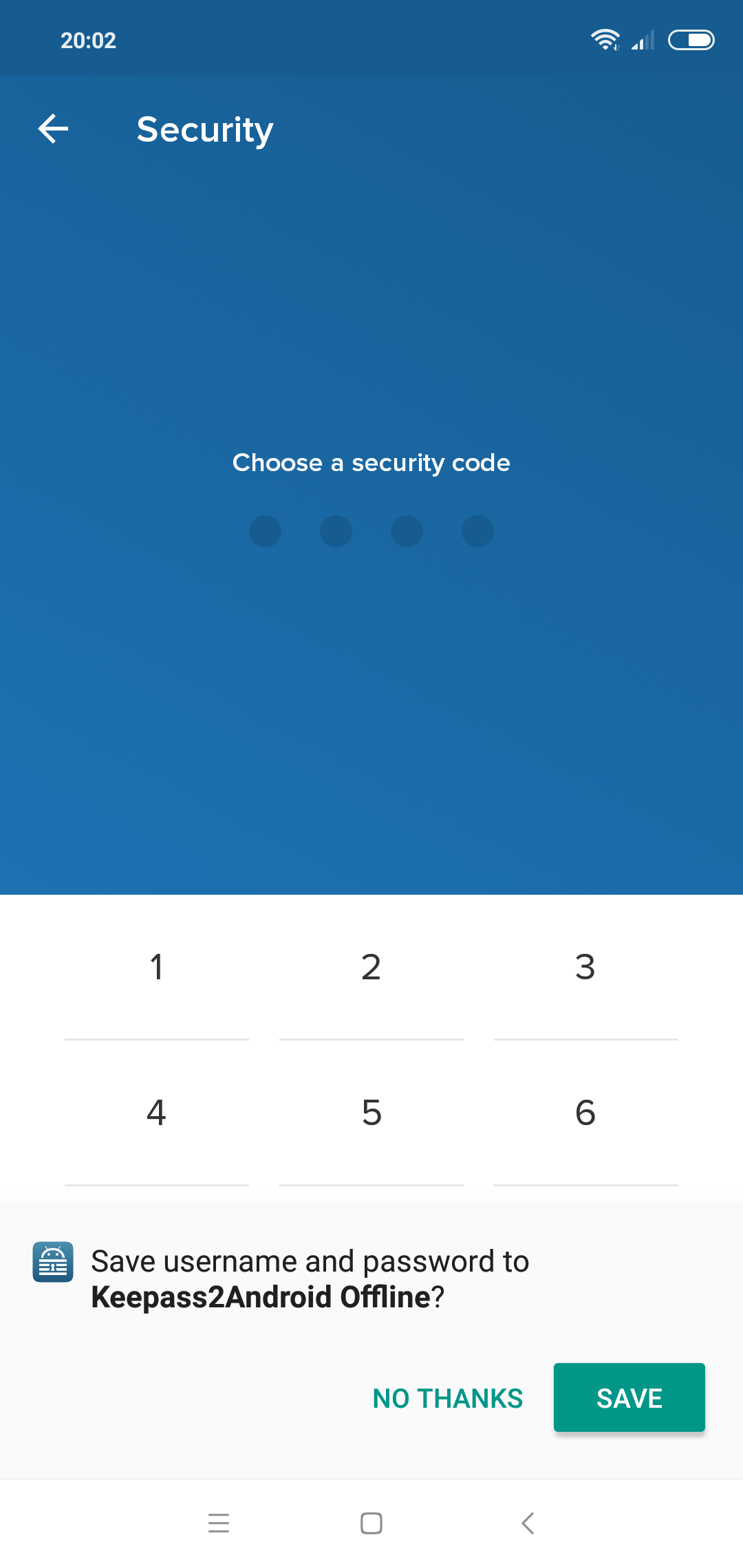
I would love to have an option which allows Keepass2Android to never ask to save password!!!
The database I use on my smartphone is just a synchronized copy of a master version located in the Cloud, so I never have to update my local Keepass database on my smartphone.
Look at these screenshots taken in Lydia and DS File:
 syldub69
on 15 Nov 2018
syldub69
on 15 Nov 2018
@dasgrischa The "never" option does not exist at this point in time.
Additionally, this issue pertains to the dialog for saving entered credentials, not the autofill popup seen in your screenshot. I would suggest that you create a separate issue in regards to disabling autofill for specific applications.
tim-elmer
on 7 Mar 2019
Related issues
 Sveninndh
·
6Comments
Sveninndh
·
6Comments
 GuillaumeCz
·
5Comments
GuillaumeCz
·
5Comments
 bbbco
·
4Comments
bbbco
·
4Comments
 spocko
·
4Comments
spocko
·
4Comments
 ghost
·
3Comments
ghost
·
3Comments