Karma: Karma 1.6 breaks Headless support for Chrome
Expected behaviour
When using Karma 1.6, you should be able to use chrome headless support
Actual behaviour
Chrome won't start with headless mode
> karma start --single-run --browsers=Chrome_Beta_Headless
07 04 2017 15:21:17.494:WARN [watcher]: All files matched by "/opt/atlassian/pipelines/agent/build/packages/sams-client/dist/_test/_setup/main.js" were excluded or matched by prior matchers.
07 04 2017 15:21:18.853:INFO [karma]: Karma v1.6.0 server started at http://0.0.0.0:9876/
07 04 2017 15:21:18.854:INFO [launcher]: Launching browser Chrome_Beta_Headless with unlimited concurrency
07 04 2017 15:21:18.863:INFO [launcher]: Starting browser Chrome
07 04 2017 15:21:19.403:INFO [HeadlessChrome 0.0.0 (Linux 0.0.0)]: Connected on socket NKuNZ76kZe8lL7FnAAAA with id 75816684
07 04 2017 15:21:29.405:WARN [HeadlessChrome 0.0.0 (Linux 0.0.0)]: Disconnected (1 times), because no message in 10000 ms.
HeadlessChrome 0.0.0 (Linux 0.0.0) ERROR
  Disconnected, because no message in 10000 ms.
Environment Details
- Karma version (output of
karma --version): 1.6 - Relevant part of your
karma.config.jsfile
    browsers: ["Chrome", "Chrome_Beta_Headless"],

    customLaunchers: {
      Chrome_Beta_Headless: {
        base: 'Chrome',
        flags: ['--headless', '--disable-gpu', '--remote-debugging-port=9222']
      }
    },
Steps to reproduce the behaviour
- Setup a custom launcher as above
- karma start --single-run --browsers=Chrome_Beta_Headless
- Get the error above.
- Rollback to Karma 1.5, everything works.
 omniscient
All 97 comments
@omniscient I can't to reproduce the problem on macOs/Chrome 57.0.2987.133
Sample Project - https://gist.github.com/maksimr/a6b6a68e3fd5dfa8d63e6c9379d2f998

 maksimr
on 8 Apr 2017
maksimr
on 8 Apr 2017
Small precision, it crash on Bitbucket Pipeline, which run some CoreOS Linux OS. We are not using macs, essentially Windows and Linux boxes for builds. It still works fine on Windows (non-headless), issue seems to be on Linux.
Edit : Not working on windows after further tests. We're using Tape instead of Jasmine, with some overrides on window.__karma__.start is there anything that change here that can break us?
 maroy1986
on 10 Apr 2017
maroy1986
on 10 Apr 2017
is there anything that change here that can break us?
You can look at CHANGELOG.
Small precision, it crash on Bitbucket Pipeline, which run some CoreOS Linux OS. We are not using macs, essentially Windows and Linux boxes for builds.
Did you try run sample project on Bitbucket?
Is it reproduced locally?
Does it work if downgrade on [email protected]?
maksimr
on 10 Apr 2017
Hey @maksimr! Thanks for your support on this, very appreciated. Your sample works fine on Linux/Bitbucket. After review, it might not have anything to do with headless mode... We use a custom implementation of Tape and RequireJS adapter with Karma. I am trying to put a sample together for you but it might take a few days. I'll let you know.
omniscient
on 11 Apr 2017
For me it does work again after downgrading to karma 1.5.
I'm having to run it in this docker:
FROM markadams/chromium-xvfb

RUN echo 'deb http://deb.debian.org/debian jessie-backports main' > /etc/apt/sources.list.d/jessie-backports.list && \
    echp 'deb http://packages.linuxmint.com debian import' >> /etc/apt/sources.list

RUN apt-get update && apt-get install -y curl
RUN curl -sL https://deb.nodesource.com/setup_7.x | bash -
RUN apt-get install -t jessie-backports -y openjdk-8-jre-headless ca-certificates-java
RUN apt-get install -y nodejs git-core netcat libxi6 libgconf-2-4 firefox && \
    npm install -g npm@latest gulp protractor serve

RUN webdriver-manager update
Which times out karma 1.6 but works fine with karma 1.5. Fully reproducible.
 thany
on 11 Apr 2017
thany
on 11 Apr 2017
@thany
Did you try to run sample project in your Docker image?
Also, I didn't see code which runs karma tests in your Docker config sample.
Thanks
maksimr
on 11 Apr 2017
It's the CI environment that runs the tests in the docker. I'm not sure how good you are with docker, but what I posted was the Dockerfile, which is only responsible for building the image that makes up the docker, which is then to be used to do work.
In the end, it doesn't matter what kind of tests are being run. It's karma that locks up, not the tests.
thany
on 13 Apr 2017
@thany
I posted was the Dockerfile
I know but I still don't see any line of the code which runs the karma/tests. All of these stuff simple setups environment and nothing about your tests or karma.
Could you describe how you run tests?
Thanks
maksimr
on 13 Apr 2017
@thany I still recommend you to run sample project in your Docker because sometimes problem not in karma.
maksimr
on 13 Apr 2017
I get the same error than @omniscient but @maksimr you need to run the tests in a headless server without a GUI. If I run npm test on my machine is fine but when running it on CI (terminal-based) it throws the same error @omniscient posted.

karma.conf:
browsers: ['ChromeHeadless'],

    customLaunchers: {
      ChromeHeadless: {
        base: 'Chrome',
        flags: ['--headless', '--disable-gpu', '--remote-debugging-port=9222', 'http://0.0.0.0:9876/']
      }
    },
UPDATE: Also, rolling back to Karma 1.5 has not made any difference here for me as you can see above.
 missbruni
on 27 Apr 2017
missbruni
on 27 Apr 2017
Brilliant. But I'm not using chrome-headless. Maybe I could. But either way, I'm stuck at Karma 1.5 because of this.
thany
on 4 May 2017
@missbruni In your case, I think you're only missing the CHROME_BIN environment variable on your CI environment. That's pretty obvious from the error. I don't know which CI you are using or if you're running this inside a docker container, but most of them require you to set that variable. Error should go away by setting it up. If not, you most likely hit the same issue we have.
maroy1986
on 5 May 2017
Can anybody give a link on how to set up CHROME_BIN please.
 AlexisMaximo
on 4 Jun 2017
AlexisMaximo
on 4 Jun 2017
I'm getting this same issue even on v1.5.0
Running "karma:chrome_headless" (karma) task
06 06 2017 10:21:28.876:INFO [karma]: Karma v1.5.0 server started at http://0.0.0.0:19876/
06 06 2017 10:21:28.877:INFO [launcher]: Launching browser ChromeHeadless with unlimited concurrency
06 06 2017 10:21:28.885:INFO [launcher]: Starting browser ChromeHeadless
06 06 2017 10:22:28.887:WARN [launcher]: ChromeHeadless have not captured in 60000 ms, killing.
06 06 2017 10:22:29.005:INFO [launcher]: Trying to start ChromeHeadless again (1/2).
06 06 2017 10:23:29.010:WARN [launcher]: ChromeHeadless have not captured in 60000 ms, killing.
06 06 2017 10:23:29.124:INFO [launcher]: Trying to start ChromeHeadless again (2/2).
Downgraded to 0.13.22 (!) and it's working.
 JoshSchreuder
on 6 Jun 2017
JoshSchreuder
on 6 Jun 2017
Got into this with karma v1.7.0
Google Chrome 59.0.3071.86
bash -c "node_modules/karma/bin/karma start --browsers ChromeHeadless_without_security ./karma.conf.js --singleRun"
06 06 2017 08:15:59.369:INFO [karma]: Karma v1.7.0 server started at http://0.0.0.0:9876/
06 06 2017 08:15:59.371:INFO [launcher]: Launching browser ChromeHeadless_without_security with unlimited concurrency
06 06 2017 08:15:59.378:INFO [launcher]: Starting browser ChromeHeadless_without_security
06 06 2017 08:15:59.641:INFO [HeadlessChrome 0.0.0 (Linux 0.0.0)]: Connected on socket JoIAImqq8pNor1vAAAAA with id 85283426
HeadlessChrome 0.0.0 (Linux 0.0.0): Executed 0 of 398 SUCCESS (0 secs / 0 secs)
06 06 2017 08:16:11.411:WARN [HeadlessChrome 0.0.0 (Linux 0.0.0)]: Disconnected (1 times), because no message in 10000 ms.
HeadlessChrome 0.0.0 (Linux 0.0.0) ERROR
HeadlessChrome 0.0.0 (Linux 0.0.0) ERROR
  Disconnected, because no message in 10000 ms.
HeadlessChrome 0.0.0 (Linux 0.0.0): Executed 0 of 398 DISCONNECTED (10.004 secs / 0 secs)
HeadlessChrome 0.0.0 (Linux 0.0.0): Executed 0 of 398 DISCONNECTED (10.004 secs / 0 secs)
- Karma version (output of
karma --version): 1.7 - Relevant part of
karma.config.jsfile
browsers: ['Chrome, ChromeHeadless, ChromeHeadless_without_security'],
    customLaunchers: {
      ChromeHeadless_without_security: {
        base: 'ChromeHeadless',
        flags: ['--disable-web-security']
      }
    }
 mskutin
on 6 Jun 2017
mskutin
on 6 Jun 2017
Hi,
I am also receiving the same error message "disconnected". How do I keep the session active.
Raja K
 cullsin
on 16 Jun 2017
cullsin
on 16 Jun 2017
Using latest karma, latest karma chrome runner, latest jasmine and latest Chrome.
Headless mode does not work. Same 'disconnected' issues as everyone else is having.
 Harha
on 31 Jul 2017
Harha
on 31 Jul 2017
I got this to work on Chrome 60 by changing the base browser to ChromeHeadless
  'ChromeCustom': {
    base: 'ChromeHeadless',
    flags: ['--no-sandbox'],
    debug: false
  },
 nicksterx
on 10 Aug 2017
nicksterx
on 10 Aug 2017
Not working for me.
 SeanFacer
on 10 Aug 2017
SeanFacer
on 10 Aug 2017
I got exactly same error as @mskutin with same versions of Karma and Chrome. Can't reproduce it on OS X or Docker container running in Docker for Mac. Although happens every time in Docker container running on build server (Cent OS 7.3).
Investigation showed that it is related to the slower machine and happens, because it took >10 seconds before test bundle was parsed and executed by Chrome and therefore test run was started and communicated back to Karma server. Reasons why it may take long vary.
There are 2 ways to handle timeout:
- Investigate why your test bundle loads >10 seconds and make sure it loads faster.
- Increase
browserNoActivityTimeoutto highter value, so test bundle has enough time to load.
This particular appearance of timeout does not seem to be a Karma issue, but rather problem in the project or misconfiguration.
 devoto13
on 16 Aug 2017
devoto13
on 16 Aug 2017
Getting same issue in Karma 1.7 on OSX Sierra:
$ yarn list | grep karma
├─ [email protected]
├─ [email protected]
├─ [email protected]
├─ [email protected]
├─ [email protected]
21 08 2017 17:06:22.778:INFO [karma]: Karma v1.7.0 server started at http://0.0.0.0:9001/
21 08 2017 17:06:22.778:INFO [launcher]: Launching browser ChromeHeadless with unlimited concurrency
21 08 2017 17:06:22.783:INFO [launcher]: Starting browser ChromeHeadless
21 08 2017 17:06:23.172:INFO [HeadlessChrome 0.0.0 (Mac OS X 10.12.4)]: Connected on socket 6Y7vpyL6fHYvEe6DAAAA with id 51455195
HeadlessChrome 0.0.0 (Mac OS X 10.12.4): Executed 197 of 319 SUCCESS (0 secs / 0.09 secs)
HeadlessChrome 0.0.0 (Mac OS X 10.12.4) ERROR
  Disconnected, because no message in 10000 ms.
HeadlessChrome 0.0.0 (Mac OS X 10.12.4): Executed 197 of 319 DISCONNECTED (10.425 secs / 0.09 secs)
It actually gets through a lot of my tests, but dies part way through.
This actually seems to be caused by an upgrade of karma-mocha.
[email protected] = broken
[email protected] = broken
[email protected] = WORKS!!!
 rally25rs
on 21 Aug 2017
rally25rs
on 21 Aug 2017
The issue is still there, any update on this? I've also tried various propositions made by other peoples here and still no luck. Stuck on Karma 1.5.0 for now.
For reference, Here's what I'm using at the moment when it works :
- karma 1.5.0
- karma-chrome-launcher 2.1.1
- karma-ie-launcher 1.0.0
- karama-requirejs 1.1.0
I'm using Tape as assertion library.
Only updating Karma to 1.7.1 or any versions over 1.5.0 make it break. It breaks on Chrome, IE, and Chromeheadless.
maroy1986
on 8 Sep 2017
I'm using Karma version 1.4.1 and I also having this behavior on windows. First run works, but when I start it a second time it would fail. If I close the console and reopen it then it works (but again only for the first time, second call breaks again).
 sten82
on 12 Sep 2017
sten82
on 12 Sep 2017
Tried all the above suggestions. None worked for me. The test runner times out without executing any tests on chrome headless on Ubuntu Server 14.04.5 LTS. Why does this happen? Any workaround?
Note: The tests run perfectly on my OSX machine [Sierra] with karma, karma-chrome-launcher, with headless chrome setup. The problem is just on the linux server.
Error:
25 09 2017 13:56:19.075:INFO [karma]: Karma v1.5.0 server started at http://0.0.0.0:9876/build/
25 09 2017 13:56:19.076:INFO [launcher]: Launching browser ChromeHeadless with unlimited concurrency
25 09 2017 13:56:19.080:INFO [launcher]: Starting browser Chrome
25 09 2017 13:56:19.263:INFO [HeadlessChrome 0.0.0 (Linux 0.0.0)]: Connected on socket zDM7md2A7Je8kqsPAAAA with id 1679961
25 09 2017 13:58:19.552:WARN [HeadlessChrome 0.0.0 (Linux 0.0.0)]: Disconnected (1 times), because no message in 120000 ms.
HeadlessChrome 0.0.0 (Linux 0.0.0) ERROR
  Disconnected, because no message in 120000 ms.
Here is my configuration:
const ChromiumRevision = require('puppeteer/package.json').puppeteer.chromium_revision;
const Downloader = require('puppeteer/utils/ChromiumDownloader');
const revisionInfo = Downloader.revisionInfo(Downloader.currentPlatform(), ChromiumRevision);

process.env.CHROME_BIN = revisionInfo.executablePath;
module.exports = function (config) {
    config.set({
        basePath: 'build/',
        frameworks: ['jasmine'],
        plugins: [
            require('karma-jasmine'),
            require('karma-chrome-launcher'),
        ],
        customLaunchers: {
            'ChromeHeadless': {
                base: 'Chrome',
                flags: [
                    '--headless',
                    '--disable-gpu',
                    // Without a remote debugging port, Google Chrome exits immediately.
                    '--remote-debugging-port=9222'
                ],
                debug: true
            }
        },
        autoWatch: false,
        browsers: ['ChromeHeadless'],
        singleRun: true,
        browserNoActivityTimeout: 120000,
        urlRoot: '/build/'
    })
}
I have logged an issue on karma-chrome-launcher repo here
 applecool
on 26 Sep 2017
applecool
on 26 Sep 2017
@applecool
Just managed to get puppeteer to work, inside a docker container.
Just note that, if using docker, you must run npm install in the container.
If not running docker, make sure your host got all the libraries installed.
Here are the relevant bits:
package.json
    "karma": "0.13.19",
    "karma-chrome-launcher": "^2.2.0",
    "karma-mocha": "0.2.1",
    "puppeteer": "^0.10.2",
karma.conf.js:
// Chrome puppeteer support: https://github.com/karma-runner/karma-chrome-launcher/tree/0ef4ee4f0b3d97c778bd02546504c6bdc7caec84#headless-chrome-with-puppeteer
const ChromiumRevision = require('puppeteer/package.json').puppeteer.chromium_revision;
const Downloader = require('puppeteer/utils/ChromiumDownloader');
const revisionInfo = Downloader.revisionInfo(Downloader.currentPlatform(), ChromiumRevision);
process.env.CHROME_BIN = revisionInfo.executablePath;
    browsers: [
      'ChromeHeadless_custom',
    ],

    customLaunchers: {
      'ChromeHeadless_custom': {
        base: 'ChromeHeadless',
        flags: [
          // We must disable the Chrome sandbox when running Chrome inside Docker (Chrome's sandbox needs
          // more permissions than Docker allows by default)
          // Also: https://github.com/GoogleChrome/puppeteer/issues/560
          '--no-sandbox',
          '--disable-setuid-sandbox',
        ],
      },
    },
Dockerfile
FROM node:8

WORKDIR /html5-client/

# https://github.com/GoogleChrome/puppeteer/issues/290#issuecomment-322921352
RUN apt-get update && \
apt-get install -yq gconf-service libasound2 libatk1.0-0 libc6 libcairo2 libcups2 libdbus-1-3 \
libexpat1 libfontconfig1 libgcc1 libgconf-2-4 libgdk-pixbuf2.0-0 libglib2.0-0 libgtk-3-0 libnspr4 \
libpango-1.0-0 libpangocairo-1.0-0 libstdc++6 libx11-6 libx11-xcb1 libxcb1 libxcomposite1 \
libxcursor1 libxdamage1 libxext6 libxfixes3 libxi6 libxrandr2 libxrender1 libxss1 libxtst6 \
ca-certificates fonts-liberation libappindicator1 libnss3 lsb-release xdg-utils wget
 Izhaki
on 28 Sep 2017
Izhaki
on 28 Sep 2017
@Izhaki Thanks for sharing your successful attempt. But its not working. I am not using Docker. I am just using a plain ubuntu linux server. By the way, out of curiosity, why are using the age old version of karma? The latest version of karma is 1.7.1.
Here are my karma related packages in my package.json:
 "karma": "1.7.1",
    "karma-chrome-launcher": "2.2.0",
    "karma-htmlfile-reporter": "0.3.5",
    "karma-jasmine": "1.1.0",
    "karma-junit-reporter": "1.2.0",
    "puppeteer": "^0.10.2"
applecool
on 28 Sep 2017
@applecool You have a sample repo?
Izhaki
on 28 Sep 2017
No I don't. But all the information is above. And I just updated my puppeteer to it's latest version "0.11.0". Tried to manually execute the chromium as follows:
node_modules/puppeteer/.local-chromium/linux-499413/chrome-linux/chrome -v --headless --no-sandbox --disable-setuid-sandbox
It just doesn't launch it. It just throws me back to my prompt. No errors. Nothing! It's literally killing me!
applecool
on 28 Sep 2017
@applecool
I've just upgraded the dependencies to:
"karma": "1.7.1",
"karma-junit-reporter": "1.2.0",
"karma-mocha": "1.3.0",
"karma-mocha-reporter": "2.2.4",
"puppeteer": "0.10.2",
And it works both on my local (Mac) and inside the Docker image shared above.
I see this as an evidence that the issue you have is not with Karma, but probably with Puppeteer (as you have seen, quite a few people are having platform-dependent issue with Puppeteer).
Izhaki
on 29 Sep 2017
For all of you with issues. There seem to be a lot of platform dependent issues with Chrome/Puppeteer, which, if you are using Puppeteer, you can rule out in minutes using docker. Here's how:
karma.conf.js:
// Chrome puppeteer support: https://github.com/karma-runner/karma-chrome-launcher/tree/0ef4ee4f0b3d97c778bd02546504c6bdc7caec84#headless-chrome-with-puppeteer
const ChromiumRevision = require('puppeteer/package.json').puppeteer.chromium_revision;
const Downloader = require('puppeteer/utils/ChromiumDownloader');
const revisionInfo = Downloader.revisionInfo(Downloader.currentPlatform(), ChromiumRevision);
process.env.CHROME_BIN = revisionInfo.executablePath;
    browsers: [
      'ChromeHeadless_custom',
    ],

    customLaunchers: {
      'ChromeHeadless_custom': {
        base: 'ChromeHeadless',
        flags: [
          // We must disable the Chrome sandbox when running Chrome inside Docker (Chrome's sandbox needs
          // more permissions than Docker allows by default)
          // Also: https://github.com/GoogleChrome/puppeteer/issues/560
          '--no-sandbox',
          '--disable-setuid-sandbox',
        ],
      },
    },
Install docker
Dockerfile
Put the following Dockerfile at the root of your project:
FROM node:8

# Set the WORKDIR to /client/ so all following commands run in /client/
WORKDIR /client/

# Various libs required by Phantom and Puppeteer
# https://github.com/GoogleChrome/puppeteer/issues/290#issuecomment-322921352
RUN apt-get update && \
apt-get install -yq gconf-service libasound2 libatk1.0-0 libc6 libcairo2 libcups2 libdbus-1-3 \
libexpat1 libfontconfig1 libgcc1 libgconf-2-4 libgdk-pixbuf2.0-0 libglib2.0-0 libgtk-3-0 libnspr4 \
libpango-1.0-0 libpangocairo-1.0-0 libstdc++6 libx11-6 libx11-xcb1 libxcb1 libxcomposite1 \
libxcursor1 libxdamage1 libxext6 libxfixes3 libxi6 libxrandr2 libxrender1 libxss1 libxtst6 \
ca-certificates fonts-liberation libappindicator1 libnss3 lsb-release xdg-utils wget

# Copy package.json
COPY package.json ./

# Install dependencies before copying the whole codebase into the image.
RUN npm install

# Copy the whole codebase. We do this after installing dependencies so changes to the code base
# won't invalidate the above layers cache.
COPY . .

# The default command to run. Will typically be overwriten when running the container.
CMD ["npm", "run", "test"]
Build and run the docker image
Then (note the dot at the end of the first line):
$ docker build --rm --tag client:latest .
$ docker run --rm client:latest
The command (CMD) in the docker file will be executed by default when you run the container (docker run). You can override it like so:
$ docker run --rm client:latest npm run tests:unit
Pray
If this fails (given the docker build was successful), then there's clearly a problem with the project/dependencies and not with the platform. Report them here.
Izhaki
on 29 Sep 2017
same for me
Chrome v61, karma v1.7.1 (and v1.5.0), windows 7
WARN [launcher]: ChromeHeadless have not captured in 180000 ms, killing.
not sure if this is right place to complain, since i've tried karma v1.5.0 which did not work for me either.
confused whether reason is chrome version or karma version or os version or certain combination of them...
 art-in
on 6 Oct 2017
art-in
on 6 Oct 2017
I'm having the same issue and downgrading to karma v1.5.0 does not resolve the issue.
Chrome v61, karma v1.7.1, windows 7
The weird thing is that I have gotten this to work on another machine with the same setup as above. I can also run the tests successfully using Chrome on both machines.
I've tried debugging this a little and found the Chrome is launched in headless mode. Once it gets going the browser starts polling the server and does get a response, but never seems to think that the server has connected.
The response that it gets is the same when running the test with Chrome, but when not in headless mode Chrome polls again with a sid value. Headless does not execute the next request with the sid but instead resends the same request as it previously made with a different t value.
Could this be a problem with the socket.io library that Karma uses for this communication? Maybe a Chrome Headless issue?
 daryl0313
on 10 Oct 2017
daryl0313
on 10 Oct 2017
Well I think I found what was causing the issue for me. In my case I noticed that there was a connection that was disconnecting too soon.
I found that in /static/karma.js, when the socket is created, there is a timeout value that is hardcoded to 2 seconds (see below). I just added another 0 to make it 20 seconds and the connection stayed open long enough for the server to respond to the initial request.
https://github.com/karma-runner/karma/blob/e79463b94ff6d3ad87526b3c68b38b90e924ea42/client/main.js#L14-L20
The next problem I faced was that Karma thought there was no activity even though there was traffic going back and forth on the socket. To fix that I just added browserNoActivityTimeout: 60000 to the Karma configuration.
Is there anyway the socket timeout can be configurable?
daryl0313
on 10 Oct 2017
@daryl0313 that fixed it for me. But someone should examine, why it takes so long to connect instead of just checking in a work-around
 Markus-Ende
on 17 Oct 2017
Markus-Ende
on 17 Oct 2017
same when running in the default runner in Gitlab (probably a really slow server). When using a different runner it works.
 meiordac
on 27 Oct 2017
meiordac
on 27 Oct 2017
@daryl0313 that worked for me too. We have some build machines that work with chrome headless and some that do not. By comparing the Wireshark captures between when it worked and when it did not work I found that the GET /socker.io/socker.io.js call wasn't showing up in the Wireshark capture. I read through this thread and tried your suggestion and it worked.
As for this working on some agents and not others it could simply be related to speed - it may fail to be working on our slower agents due to that timeout.
 MarkRx
on 27 Oct 2017
MarkRx
on 27 Oct 2017
I don't think this is related to the speed of the machine, but probably more with how the OS handles chrome running as a background process. I can get the tests to run when not in Headless mode and I can actually get the tests to run in Headless mode when Fiddler is running.
I'm starting to think the problem is in either the socket.io library used by the Karma server or in Chrome itself. I was able to get the socket.io library to log more debug messages and the timings looked similar to the timings in this issue, https://github.com/socketio/socket.io/issues/3100.
daryl0313
on 31 Oct 2017
Same issue. I tried everything suggested on this issue. Thing that worked was to change timeout from 2000 to 20000 (add a zero).
Ref: https://github.com/karma-runner/karma/blob/e79463b94ff6d3ad87526b3c68b38b90e924ea42/client/main.js#L14-L20
 gyandeeps
on 16 Nov 2017
gyandeeps
on 16 Nov 2017
Hi,
I have this problem but while deploying to heroku. So everything works great on windows and linux with karma 1.7.1 but on heroku I get "ChromeHeadless have not captured in 60000 ms, killing.". I have tried downgrading to 1.5.0 to no avail. I have investigated how I could modify the timeout as suggested above and commit those changes to the repo to use my own (now) custom Karma instead of the one downloaded by heroku as part of building the deploy but it doesn't work. I created a support ticket at heroku but they said that this issue falls outside their support policy (even though I am using their own chrome build pack...). Anyone have an idea about what to do? My next experiment will be to fork karma and change the code and then try to reference the forked project in my package.json.
 fredespi
on 21 Nov 2017
fredespi
on 21 Nov 2017
Don't know where to write my solution for "Disconnected, because no message in 10000 ms" (sorry, if that will not resolve the problem).
The solution will work for a project with 100+ test files and variable count of cases (matching with a pattern like a **/tests/**/*.spec.js).
Chrome starts at the same time with starting of project scanning for test files. Scanning may take lot of time and throw error with disconnect. So u can make stage with scanning before launching karma. For this u need to walk through the project and autogenerate single test file with only imports like this: import '../../src/tests/utils.spec.js' or require('../../src/tests/utils.spec.js'). Then set karma to test this generated file.
You would get increases in productivity in your tests passing and chrome will not fall with error.
 fenderil
on 21 Dec 2017
fenderil
on 21 Dec 2017
I've been having this issue with karma 2 with angular-cli, downgrading to 1.7.1 solved this for me
 MikaAK
on 8 Jan 2018
MikaAK
on 8 Jan 2018
I am also having this issue now on Chrome v63, karma v1.7.1, windows 7
Easily reproducible (at my pc) by using the angular-cli to create a new application, change 'Chrome' to 'ChromeHeadless' in the karma.conf.js and running ng test. I can solve it using @daryl0313 's workaround, but this is not usable when only using npm for installation.
 bas-l
on 8 Jan 2018
bas-l
on 8 Jan 2018
@bas-l @MikaAK That's weird seems like 2.0.0 + karma-chrome-launcher 2.2.0 solve it for me.
 Mokto
on 8 Jan 2018
Mokto
on 8 Jan 2018
@Mokto Unfortunately in my case it still has the same issues with both upgraded and it still does work with the socket timeout upgraded to 20000 and the browserNoActivityTimeout upgraded to 60000. (Not if one of the two is omitted). Funny thing is that it all works fine on the Ubuntu environment.
bas-l
on 9 Jan 2018
I think, that is stopped being funny a while ago. Same issues on Ubuntu, trying now with changes both timeouts.
 BrightShadow
on 12 Jan 2018
BrightShadow
on 12 Jan 2018
NOPE. Still nothing. I've even increased retry number from 2 to 3 and what I'm getting now is:
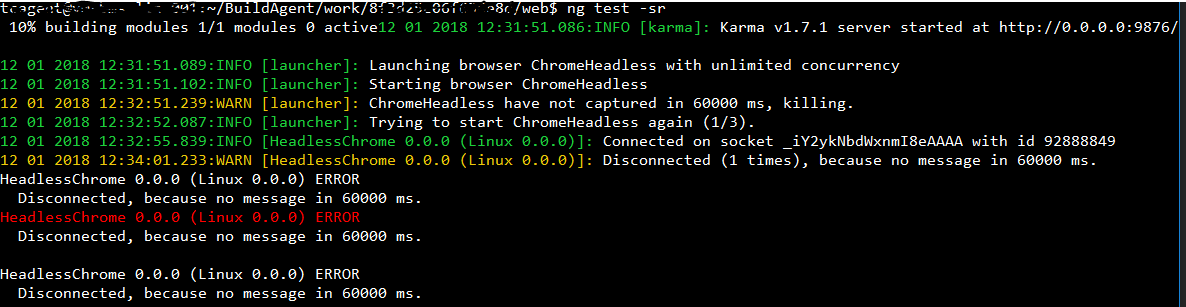
BrightShadow
on 12 Jan 2018
@BrightShadow Did you change the socket timeout in the node_modules/karma/static/karma.js?
I have tried tweaking it a bit and for me it already worked with the timeout set to 3000 instead of 2000.
When failing I get a little bit a different message, so there might also be another issue maybe? As it seems to say that there is a connection on the socket at least. I only get the warnings in the attached picture.
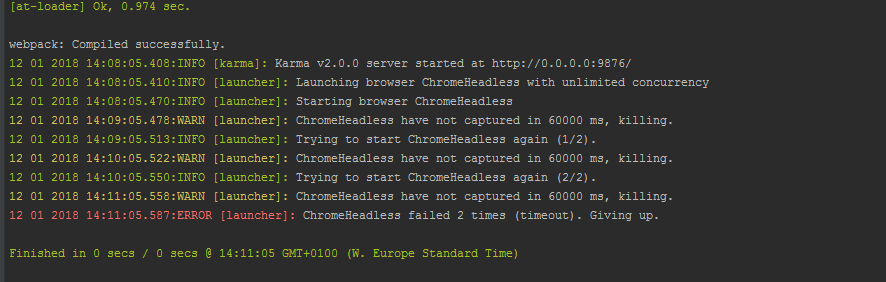
bas-l
on 12 Jan 2018
Yeah I tried, different values. 3000, 10000 etc. IN various combinations... with other timeouts :-)
BrightShadow
on 12 Jan 2018
Now I'm trying to move to PhantomJS. Maybe it will work...
Too much time spent on this.
BrightShadow
on 12 Jan 2018
I am seeing this on both Windows (7,10) and Linux in Karma v2 and v1.7.1. A google search suggests that this has been an outstanding issue for quite some time, would be great to get a definitive fix.
 ImranAhmed
on 13 Jan 2018
ImranAhmed
on 13 Jan 2018
This might not add much value to the conversation but I'll post my workaround anyways.
My use case is testing an Angular app. Karma 2.0.0 + karma-chrome-launcher 2.2.0, and running the tests on headless chrome. I installed karma-spec-reporter to see what test was causing the crash and it turned out that there was a test calling the saveAs method from the package file-saver, thus trying to download file on test execution. (I know, noob mistake). So I added a spy to the saveAs method and just stubbed the call. Problem solved.
 croso-df
on 30 Jan 2018
croso-df
on 30 Jan 2018
I can confirm the saveAs call is making chrome crash. However, it does not happen in every environment, for me it only happens in travis-ci, but not in my mac, even tough they have the same versions.
 juanfmx2
on 31 Jan 2018
juanfmx2
on 31 Jan 2018
I finally found a good solution! I was able to run my tests, on the machines where this was an issue, by using karma-firefox-launcher and launching Firefox in headless mode.
Firefox can be launched in headless mode with the following configuration:
customLaunchers: {
  Firefox_Headless: {
    base: 'Firefox',
    flags: ['-headless']
  }
}
I've found also that when we upgraded build machine for tests to 4 cores, 16GB of RAM and SSD disk, problem disappeared. I assume that karma has some timeouts that breaks on slower machines. Maybe this is just a lucky, I don't know. We just upgraded Azure machine...
BrightShadow
on 8 Feb 2018
@daryl0313 It's not necessary to define your own launcher. karma-firefox-launcher makes the FirefoxHeadless launcher available so you may just use it. If it doesn't work for you then you may have an older version of the package; just update karma-firefox-launcher and it'll be fine.
 mgol
on 11 Feb 2018
mgol
on 11 Feb 2018
Still happening here with 2.0.0 =(
 DanielRuf
on 14 Feb 2018
DanielRuf
on 14 Feb 2018
Angular should stop shipping with Karma if this issue is not getting resolved.
ImranAhmed
on 19 Feb 2018
This is a memory issue for us. Running the project server and tests simultaneously brought about these errors, meanwhile each alone runs ok. We bumped the VM memory and this is no longer an issue.
 fungjj92
on 19 Feb 2018
fungjj92
on 19 Feb 2018
This is a memory issue for us. Running the project server and tests simultaneously brought about these errors, meanwhile each alone runs ok. We bumped the VM memory and this is no longer an issue.
This is not a real solution for this, if it is really a memory leak. We will switch to Chrome headless.
DanielRuf
on 19 Feb 2018
Facing this issue with our CI environment while testing an angular4-cli project. Strangely works fine in local dev. Tried various karma versions from 0.13 to 2.0 along with karma-chrome-launcher, karma-firefox-launcher and jsdom with no avail.
Solved it for now by using good ol' karma-phantomjs-launcher. Had to enable commented out browser polyfills and application imports (intl) from polyfills.ts.
 aarjithn
on 22 Feb 2018
aarjithn
on 22 Feb 2018
Or you use puppeteer and other solutions. Works much better.
DanielRuf
on 22 Feb 2018
Same issue here on Windows 7. With this config:
customLaunchers: {
// ChromeHeadless - version 60 and above
CH: {
base: 'Chrome',
flags: [
'--headless',
'--disable-gpu',
// Without a remote debugging port, Google Chrome exits immediately.
'--remote-debugging-port=9222'
]
},
it starts a server and waits for me to open an actual chrome tab on this port:
INFO [karma]: Karma v1.7.1 server started at http://0.0.0.0:8083/
Waiting for a captured browser... To capture a browser open http://localhost:8083/
And on my other machine with Windows 7 it works just fine. Why would that be the case?
 Pro7ect
on 5 Mar 2018
Pro7ect
on 5 Mar 2018
@croso-df thanks for the reply! The cause of my issue was also a call to saveAs in tests. I used spyOn(window, 'saveAs') in the test and they immediately started working again.
 audiodude
on 17 Mar 2018
audiodude
on 17 Mar 2018
After a long investigation the error was due to having Virtualbox installed with the VirtualBox Host-Only Network interface enabled.
Once this network interface disabled no more issue.
From our investigation it seems this interface slows down the connection a lot and since the timeout to connect it hardcoded inside the lib it fails to connect.
While changing the hardcoded timeout value (by a huge number) it also solved the issue.
Not sure if an issue should be also opened to virtualbox.
 Chido42
on 28 Mar 2018
Chido42
on 28 Mar 2018
@Chido42 Hum, that's weird, I didn't have any virtualization engine installed at that moment we opened this issue and I was hitting the error. Even on a clean VM with only the dev tools installed, I was hitting the issue too, like a lot of people here. I have my doubts about that one, but if it works for you, that's great 👍
maroy1986
on 28 Mar 2018
@maroy1986 Not saying it was the only issue (we also have a docker build that needed the other workaround already mentioned). Just one more reason the issue might appear ;).
Chido42
on 28 Mar 2018
Installation of karma-cli resolved that issue for me
 vladarsky
on 3 Apr 2018
vladarsky
on 3 Apr 2018
Thanks @Adoratus. I was getting the same issue, but it got fixed after i added karma-cli to dev dependency.
 codeNoobie
on 3 Apr 2018
codeNoobie
on 3 Apr 2018
I'm wondering, is there any maintainer on this project?
This issue filed almost year ago, and now it is second top commented issue in the project.
The reason of the issue was already found by @daryl0313 six months ago.
People cannot use headless chrome through karma because of this.
What's the problem to fix it? Any response from maintainer/contributors would be good.
art-in
on 3 Apr 2018
@artin-phares Well, I feel the solution proposed by @daryl0313 was more a workaround than a permanent fix. Nobody still nailed the issue.
I'm also concern about the lack of response of any maintainer/contributor. As I said, we could have made a PR long time ago with the proposed workaround, but I doubt anybody would have merged it since the issue probably lies somewhere else.
Still, someone more involved in Karma DEV should have a look at this. That being said, I didn't have a chance of trying it with the Karma 2.x version, wonder if it fixes anything, I know they updated a lot of deps and the issue seems to came from SocketIO somehow...
maroy1986
on 3 Apr 2018
In my case nothing helped until I finally realised my puppeteer is not up to date. 1.2.0 works.
 Scharnvirk
on 6 Apr 2018
Scharnvirk
on 6 Apr 2018
Still happening with Angular v6 and cli v6.0.
ImranAhmed
on 7 May 2018
this seems to be related to https://github.com/karma-runner/karma-chrome-launcher/issues/154
 adrhc
on 7 May 2018
adrhc
on 7 May 2018
I tried karma-chrome-launcher karma-firefox-launcher none worked then karma-phantomjs-launcher worked for me. Just uncomment all the core-js imports to run it successfully in polyfill.ts if using angular-cli.
 aseemchopraDiebold
on 7 Jun 2018
aseemchopraDiebold
on 7 Jun 2018
@Chido42 disabling VirtualBox network adapters fixed it IMMEDIATELY for me. Thanks so much. Two days of digging on this. You're the best!
 mbruning24
on 8 Jun 2018
mbruning24
on 8 Jun 2018
Setting browserNoActivityTimeout: 60000 helped us solve a whole class of problems. We run our stuff in a Docker container (both Chrome headless and the tests themselves live in the same container).
Is virtualization or containerization contributing to this issue at all?
 mallyvai
on 9 Jun 2018
mallyvai
on 9 Jun 2018
Is virtualization or containerization contributing to this issue at all?
I/O is often slower there.
DanielRuf
on 9 Jun 2018
This issue is quite annoying. I've wasted a few hours trying to poke around it, but testing in Chrome just will not work. The only solution for us was to use Firefox in our Docker image - worked without any issues at all. We didn't even have to set browserNoActivityTimeout - it connected right after our angular application was built.
To anybody who might be having this issue - if it's not of absolute must for you to be using Chrome - safe your time on a wasted cause. Apparently this issue needs more attention from the contributors/owners!
Ping @maksimr, @devoto13 anybody else ?
 steve-todorov
on 8 Jul 2018
steve-todorov
on 8 Jul 2018
@steve-todorov Several potential causes were listed above, which may be leading to timeouts. Unless you can provide a reproduction showing that the slowness is caused by karma and not one of the above reasons I don't think it is actionable.
Also note that Karma works exactly the same in Chrome and FF, so if later works and former does not it is likely because of Chrome, not Karma.
devoto13
on 8 Jul 2018
I tried changing the browser to Chrome in my karma.conf.js and got the following:
Incomplete: No specs found, , randomized with seed 88496
 vogelbeere
on 29 Aug 2018
vogelbeere
on 29 Aug 2018
I am facing the same issue. Below are the configurations that I am using.
karma 1.7.1
karma-chrome-launcher 2.1.1
Karma configuration is as below :
autoWatch: false,
browsers: ['ChromeHeadless'],
customLaunchers: {
ChromeHeadless: {
base: 'Chrome',
flags: [
'--disable-gpu',
'--headless',
'--no-sandbox',
'--remote-debugging-port=9222',
'--disable-web-security'
]
}
},
singleRun: true,
browserNoActivityTimeout: 120000
None of the solutions mentioned in this thread is working for me. tried changing versions but still stuck.
 swetapatil1
on 26 Sep 2018
swetapatil1
on 26 Sep 2018
You need to config the files you want to test.
 johnjbarton
on 26 Sep 2018
johnjbarton
on 26 Sep 2018
You need to config the files you want to test.
This is a very general answer and not very helpful. See the previous comments, the new version / update has some issues.
DanielRuf
on 26 Sep 2018
This is a very general answer
The post by @swetapatil1 includes a configuration with no files.
johnjbarton
on 26 Sep 2018
This is a very general answer
The post by @swetapatil1 includes a configuration with no files.
@johnjbarton I did not post whole content of karma config file. below is the full configuration file.
`
//No proxy
process.env.NO_PROXY = 'localhost, 0.0.0.0/4201, 127.0.0.1:9876/';
// Binary path for ChromeHeadless
process.env.CHROME_BIN = require('puppeteer').executablePath()
module.exports = function (config) {
config.set({
basePath: '',
frameworks: ['jasmine', '@angular/cli', "karma-typescript"],
files: [
{ pattern: "src/*/.ts" }
],
karmaTypescriptConfig: {
reports:
{
"lcovonly": {
"directory": "coverage",
"subdirectory": "lcov",
"filename": "lcov.info"
}
}
},
plugins: [
require('karma-jasmine'),
require('karma-typescript'),
require('karma-chrome-launcher'),
require('karma-jasmine-html-reporter'),
require('karma-coverage-istanbul-reporter'),
require('@angular/cli/plugins/karma')
],
client: {
clearContext: false // leave Jasmine Spec Runner output visible in browser
},
coverageIstanbulReporter: {
reports: ['html', 'lcovonly'],
fixWebpackSourcePaths: true
},
angularCli: {
environment: 'dev'
},
reporters: ['progress', 'kjhtml', "dots", "karma-typescript"],
listenAddress: 'localhost',
port: 9876,
colors: true,
logLevel: config.LOG_DEBUG,
autoWatch: false,
browsers: ['ChromeHeadless'],
customLaunchers: {
ChromeHeadless: {
base: 'Chrome',
flags: [
'--disable-gpu',
'--headless',
'--no-sandbox',
'--remote-debugging-port=9222',
]
}
},
singleRun: true
});
};
`
swetapatil1
on 26 Sep 2018
// Binary path for ChromeHeadless
process.env.CHROME_BIN = require('puppeteer').executablePath()
This issue is very unlikely to be related to karma-runner. karma-runner really just calls out to a launcher to get the browser going, then tries to connect to it. The connect failed so the most likely explanation is that the browser did not come up or the page with the connection logic did not load.
1) install karma 3.0 and all up to date deps.
2) Post the log with logLevel: config.LOG_DEBUG,
Maybe we need to add some more error logging.
johnjbarton
on 26 Sep 2018
// Binary path for ChromeHeadless
process.env.CHROME_BIN = require('puppeteer').executablePath()This issue is very unlikely to be related to karma-runner. karma-runner really just calls out to a launcher to get the browser going, then tries to connect to it. The connect failed so the most likely explanation is that the browser did not come up or the page with the connection logic did not load.
- install karma 3.0 and all up to date deps.
- Post the log with logLevel: config.LOG_DEBUG,
Maybe we need to add some more error logging.
@johnjbarton Updated to all latest versions. my package.json looks like below.
"devDependencies": {
"@angular/cli": "1.2.7",
"@angular/compiler-cli": "^4.0.0",
"@angular/language-service": "^4.0.0",
"@types/jasmine": "~2.5.53",
"@types/jasminewd2": "~2.0.2",
"@types/node": "~6.0.60",
"brfs": "^1.4.0",
"browserify": "^14.5.0",
"browserify-shim": "^3.8.0",
"codelyzer": "~3.0.1",
"jasmine-core": "~2.6.2",
"jasmine-spec-reporter": "~4.1.0",
"karma": "3.0.0",
"karma-chrome-launcher": "2.2.0",
"karma-cli": "1.0.1",
"karma-coverage-istanbul-reporter": "2.0.4",
"karma-jasmine": "1.1.2",
"karma-jasmine-html-reporter": "1.3.1",
"karma-typescript": "3.0.13",
"karma-browserify": "5.3.0",
"protractor": "~5.1.2",
"puppeteer": "~1.7.0",
"sonarqube-scanner": "^2.0.2",
"ts-node": "~3.0.4",
"tslint": "~5.3.2",
"typescript": "~2.3.3"
},
Below are the logs that I got. Hope it helps to resolve the issue.
[32m26 09 2018 18:49:48.839:INFO [karma]: [39mKarma v3.0.0 server started at http://127.0.0.1:9876/
[32m26 09 2018 18:49:48.840:INFO [launcher]: [39mLaunching browser ChromeHeadless with unlimited concurrency
[32m26 09 2018 18:49:48.854:INFO [launcher]: [39mStarting browser Chrome
[36m26 09 2018 18:49:48.855:DEBUG [temp-dir]: [39mCreating temp dir at /tmp/karma-62557134
[36m26 09 2018 18:49:48.856:DEBUG [launcher]: [39m/home/jenkins/workspace/node_modules/puppeteer/.local-chromium/linux-579032/chrome-linux/chrome --user-data-dir=/tmp/karma-62557134 --no-default-browser-check --no-first-run --disable-default-apps --disable-popup-blocking --disable-translate --disable-background-timer-throttling --disable-renderer-backgrounding --disable-device-discovery-notifications --disable-gpu --headless --no-sandbox --remote-debugging-port=9222 http://localhost:9876/?id=62557134
[33m26 09 2018 18:50:48.877:WARN [launcher]: [39mChrome have not captured in 60000 ms, killing.
[33m26 09 2018 18:50:50.882:WARN [launcher]: [39mChrome was not killed in 2000 ms, sending SIGKILL.
[33m26 09 2018 18:50:52.885:WARN [launcher]: [39mChrome was not killed by SIGKILL in 2000 ms, continuing.
[36m26 09 2018 18:50:52.885:DEBUG [launcher]: [39mProcess Chrome exited with code -1
[36m26 09 2018 18:50:52.886:DEBUG [temp-dir]: [39mCleaning temp dir /tmp/karma-62557134
[36m26 09 2018 18:50:52.890:DEBUG [launcher]: [39mChrome failed (timeout). Not restarting.
[36m26 09 2018 18:50:52.892:DEBUG [karma]: [39mRun complete, exiting.
[36m26 09 2018 18:50:52.892:DEBUG [launcher]: [39mDisconnecting all browsers
Since the browser does not come up, the command may be incorrect or otherwise fail. Please run the command from the log that attempts to launch chrome, eg
/home/jenkins/workspace/node_modules/puppeteer/.local-chromium/linux-579032/chrome-linux/chrome --user-data-dir=/tmp/karma-62557134 --no-default-browser-check --no-first-run --disable-default-apps --disable-popup-blocking --disable-translate --disable-background-timer-throttling --disable-renderer-backgrounding --disable-device-discovery-notifications --disable-gpu --headless --no-sandbox --remote-debugging-port=9222 http://localhost:9876/?id=62557134
You may also want to try the same command but without --headless to see what happens. (Note that the URL will probably be invalid.)
johnjbarton
on 26 Sep 2018
Guys, a very wild guess, but is anybody by any chance have karma-summary-reporter in their plugins?
This issue seems to have been reappearing for me a few times and just now I was able to make it work again by removing the plugin. Afterwards, I noticed that the build was failing entirely (i.e. ERROR in src/app/shared/form/form-helper.module.ts(7,40): error TS2307: Cannot find module '../search-autocomplete/search-autocomplete.module'.). After I fixed the error and then added karma-summary-reporter it was working just fine. So my guess is that if your build is failing somewhere and you have karma-summary-reporter it somehow breaks the connection to chrome.
steve-todorov
on 26 Sep 2018
Since the browser does not come up, the command may be incorrect or otherwise fail. Please run the command from the log that attempts to launch chrome, eg
/home/jenkins/workspace/node_modules/puppeteer/.local-chromium/linux-579032/chrome-linux/chrome --user-data-dir=/tmp/karma-62557134 --no-default-browser-check --no-first-run --disable-default-apps --disable-popup-blocking --disable-translate --disable-background-timer-throttling --disable-renderer-backgrounding --disable-device-discovery-notifications --disable-gpu --headless --no-sandbox --remote-debugging-port=9222 http://localhost:9876/?id=62557134You may also want to try the same command but without
--headlessto see what happens. (Note that the URL will probably be invalid.)
@johnjbarton I can not remove --headless as I am running this in jenkins.
swetapatil1
on 27 Sep 2018
Guys, a very wild guess, but is anybody by any chance have
karma-summary-reporterin their plugins?This issue seems to have been reappearing for me a few times and just now I was able to make it work again by removing the plugin. Afterwards, I noticed that the build was failing entirely (i.e.
ERROR in src/app/shared/form/form-helper.module.ts(7,40): error TS2307: Cannot find module '../search-autocomplete/search-autocomplete.module'.). After I fixed the error and then addedkarma-summary-reporterit was working just fine. So my guess is that if your build is failing somewhere and you havekarma-summary-reporterit somehow breaks the connection to chrome.
@steve-todorov I am not using karma-summary-reporter at all.
swetapatil1
on 27 Sep 2018
Since the browser does not come up, the command may be incorrect or otherwise fail. Please run the command from the log that attempts to launch chrome, eg
```shell
/home/jenkins/workspace/node_modules/puppeteer/.local-chromium/linux-579032/chrome-linux/chrome --user-data-dir=/tmp/karma-62557134 --no-default-browser-check --no-first-run --disable-default-apps --disable-popup-blocking --disable-translate --disable-background-timer-throttling --disable-renderer-backgrounding --disable-device-discovery-notifications --disable-gpu --headless --no-sandbox --remote-debugging-port=9222 http://localhost:9876/?id=62557134You may also want to try the same command but without
--headlessto see what happens. (Note that the URL will probably be invalid.)@johnjbarton I can not remove --headless as I am running this in jenkins.
@johnjbarton Below are some of the logs just before karma server starts
27 09 2018 08:01:53.566:DEBUG [web-server]: Instantiating middleware
27 09 2018 08:01:53.568:DEBUG [reporter]: Trying to load reporter: @angular/cli
27 09 2018 08:01:53.569:DEBUG [reporter]: Trying to load color-version of reporter: @angular/cli (@angular/cli_color)
27 09 2018 08:01:53.569:DEBUG [reporter]: Couldn't load color-version.
27 09 2018 08:01:53.584:DEBUG [reporter]: Trying to load reporter: kjhtml
27 09 2018 08:01:53.585:DEBUG [reporter]: Trying to load color-version of reporter: kjhtml (kjhtml_color)
27 09 2018 08:01:53.585:DEBUG [reporter]: Couldn't load color-version.
27 09 2018 08:01:53.588:DEBUG [reporter]: Trying to load reporter: karma-typescript
27 09 2018 08:01:53.588:DEBUG [reporter]: Trying to load color-version of reporter: karma-typescript (karma-typescript_color)
27 09 2018 08:01:53.588:DEBUG [reporter]: Couldn't load color-version.
27 09 2018 08:01:53.591:DEBUG [reporter]: Trying to load reporter: coverage-istanbul
27 09 2018 08:01:53.592:DEBUG [reporter]: Trying to load color-version of reporter: coverage-istanbul (coverage-istanbul_color)
27 09 2018 08:01:53.592:DEBUG [reporter]: Couldn't load color-version.
27 09 2018 08:01:56.662:INFO [karma]: Karma v3.0.0 server started at http://127.0.0.1:9876/
Can this be an issue?
swetapatil1
on 27 Sep 2018
Please run the command that karma tries to run. Based on all the info we have here, the most likely issue is that your install does not match the command or the command is incorrect. (The log looks normal)
johnjbarton
on 27 Sep 2018
Using @swetapatil1 answer, I am now able to finally work!
Using the flags from this:
/home/jenkins/workspace/node_modules/puppeteer/.local-chromium/linux-579032/chrome-linux/chrome --user-data-dir=/tmp/karma-62557134 --no-default-browser-check --no-first-run --disable-default-apps --disable-popup-blocking --disable-translate --disable-background-timer-throttling --disable-renderer-backgrounding --disable-device-discovery-notifications --disable-gpu --headless --no-sandbox --remote-debugging-port=9222 http://localhost:9876/?id=62557134You may also want to try the same command but without
--headlessto see what happens. (Note that the URL will probably be invalid.)
I was finally able to forge a working karma.conf.json (for headless ubuntu+chrome):
karma.conf.json
module.exports = function (config) {
  config.set({
    basePath: '',
    frameworks: ['jasmine', '@angular-devkit/build-angular'],
    plugins: [
      require('karma-jasmine'),
      require('karma-chrome-launcher'),
      require('karma-jasmine-html-reporter'),
      require('karma-coverage-istanbul-reporter'),
      require('@angular-devkit/build-angular/plugins/karma')
    ],
    client:{
      clearContext: false, // leave Jasmine Spec Runner output visible in browser
      jasmine: {
        random: false
      }
    },
    coverageIstanbulReporter: {
      dir: require('path').join(__dirname, 'coverage'),
      reports: [ 'html', 'lcovonly' ],
      fixWebpackSourcePaths: true,
      thresholds: {
        statements: 85,
        lines: 85,
        branches: 55,
        functions: 80
      }
    },
    captureTimeout: 210000,
    browserDisconnectTolerance: 3,
    browserDisconnectTimeout : 210000,
    browserNoActivityTimeout : 210000,
    reporters: ['progress', 'kjhtml'],
    port: 9876,
    colors: true,
    logLevel: config.LOG_DEBUG,
    autoWatch: true,
    browsers: ['ChromeHeadlessNoSandbox'],
    customLaunchers: {
      ChromeHeadlessNoSandbox: {
        base: 'ChromeHeadless',
        flags: [
                '--no-sandbox',
                '--disable-gpu',
                '--enable-logging',
                '--no-default-browser-check',
                '--no-first-run',
                '--disable-default-apps',
                '--disable-popup-blocking',
                '--disable-translate',
                '--disable-background-timer-throttling',
                '--disable-renderer-backgrounding',
                '--disable-device-discovery-notifications',
                '--remote-debugging-port=9222',
                '--disable-web-security'
        ]
      }
    },
    singleRun: true
  });
};
 ghost
on 22 Oct 2018
ghost
on 22 Oct 2018
This issue is quite annoying. I've wasted a few hours trying to poke around it, but testing in Chrome just will not work. The only solution for us was to use Firefox in our Docker image - worked without any issues at all. We didn't even have to set
browserNoActivityTimeout- it connected right after our angular application was built.To anybody who might be having this issue - if it's not of absolute must for you to be using Chrome - safe your time on a wasted cause. Apparently this issue needs more attention from the contributors/owners!
Ping @maksimr, @devoto13 anybody else ?
When I read your comment, I decided to try switching over to headless Firefox instead. It worked on my second attempt. Thanks for the suggestion!
Here's my Dockerfile for reference:
FROM node:8.15.0-alpine

COPY . /app

WORKDIR /app


RUN \
# Use edge repos
# https://github.com/laurentj/slimerjs/blob/master/Dockerfile
echo "http://dl-cdn.alpinelinux.org/alpine/edge/main" > /etc/apk/repositories && \
echo "http://dl-cdn.alpinelinux.org/alpine/edge/community" >> /etc/apk/repositories && \
echo "http://dl-cdn.alpinelinux.org/alpine/edge/testing" >> /etc/apk/repositories

RUN apk update && apk upgrade && \
    apk add --no-cache \
      nss \
      harfbuzz \
      make

RUN \
# Install Firefox
# https://github.com/laurentj/slimerjs/blob/master/Dockerfile
apk update && apk upgrade && \
apk add firefox xvfb bash dbus ttf-freefont fontconfig && \
rm -rf /var/cache/apk/*


RUN rm -rf package-lock.json && \
    npm install -g @angular/cli && \
    npm install -g yarn

RUN rm -rf node_modules && \
    yarn install


CMD [ "", "/bin/ash" ]
 nathguen
on 14 May 2019
nathguen
on 14 May 2019
Firefox has a headless mode now as well so you don’t need xvfb to run tests in it.
mgol
on 14 May 2019
I'm going to close this issue as it is old and contains a lot of different problem. Most of these issues are not bugs in Karma, but incorrect configuration or environment-specific errors. In its current state this is not actionable and we can not really do anything to resolve this problem for you.
Please check some common reasons of this problem and solutions below:
- If you run Karma with Chrome Headless in the Docker container, make sure you have set
--no-sandboxflag (https://github.com/karma-runner/karma/issues/2652#issuecomment-321562488) - If CORS rules may somehow affect your tests, try to disable them (https://github.com/karma-runner/karma/issues/2652#issuecomment-306417691)
- Sometimes your tests may just take too long to load because of CPU/memory on the build server, then increase timeouts or get a more powerful build server (https://github.com/karma-runner/karma/issues/2652#issuecomment-322907881)
- Sometimes it may take longer for you browser to connect back to the Karma server using socket.io, in this case try to increase
browserSocketTimeout(https://github.com/karma-runner/karma/issues/2652#issuecomment-335599121)
Essentially your troubleshooting steps are as below:
- Make sure Chrome can be started in your test environment (the command used by
karma-chrome-launcheris printed with--log-level debug) - Make sure Karma context page loads in the browser
- Make sure the page loaded in the browser can communicate back to the Karma server
If you still experience the problem, please open a new issue providing a minimal reproduction of the problem. Reproduction of the problem assumes that we can clone a repo/run couple of commands to observe the issue. Without the minimal reproduction we can not understand your problem and therefore are not able to fix it or point out an error in your configuration.
devoto13
on 1 May 2020
Related issues
 jhildenbiddle
·
4Comments
jhildenbiddle
·
4Comments
 VinishaDsouza
·
3Comments
VinishaDsouza
·
3Comments
 simonh1000
·
3Comments
mgol
·
3Comments
simonh1000
·
3Comments
mgol
·
3Comments
 sneakyfildy
·
3Comments
sneakyfildy
·
3Comments
Most helpful comment
Well I think I found what was causing the issue for me. In my case I noticed that there was a connection that was disconnecting too soon.
I found that in /static/karma.js, when the socket is created, there is a
timeoutvalue that is hardcoded to 2 seconds (see below). I just added another 0 to make it 20 seconds and the connection stayed open long enough for the server to respond to the initial request.https://github.com/karma-runner/karma/blob/e79463b94ff6d3ad87526b3c68b38b90e924ea42/client/main.js#L14-L20
The next problem I faced was that Karma thought there was no activity even though there was traffic going back and forth on the socket. To fix that I just added
browserNoActivityTimeout: 60000to the Karma configuration.Is there anyway the socket timeout can be configurable?