Karabiner-elements: Placeholder developer
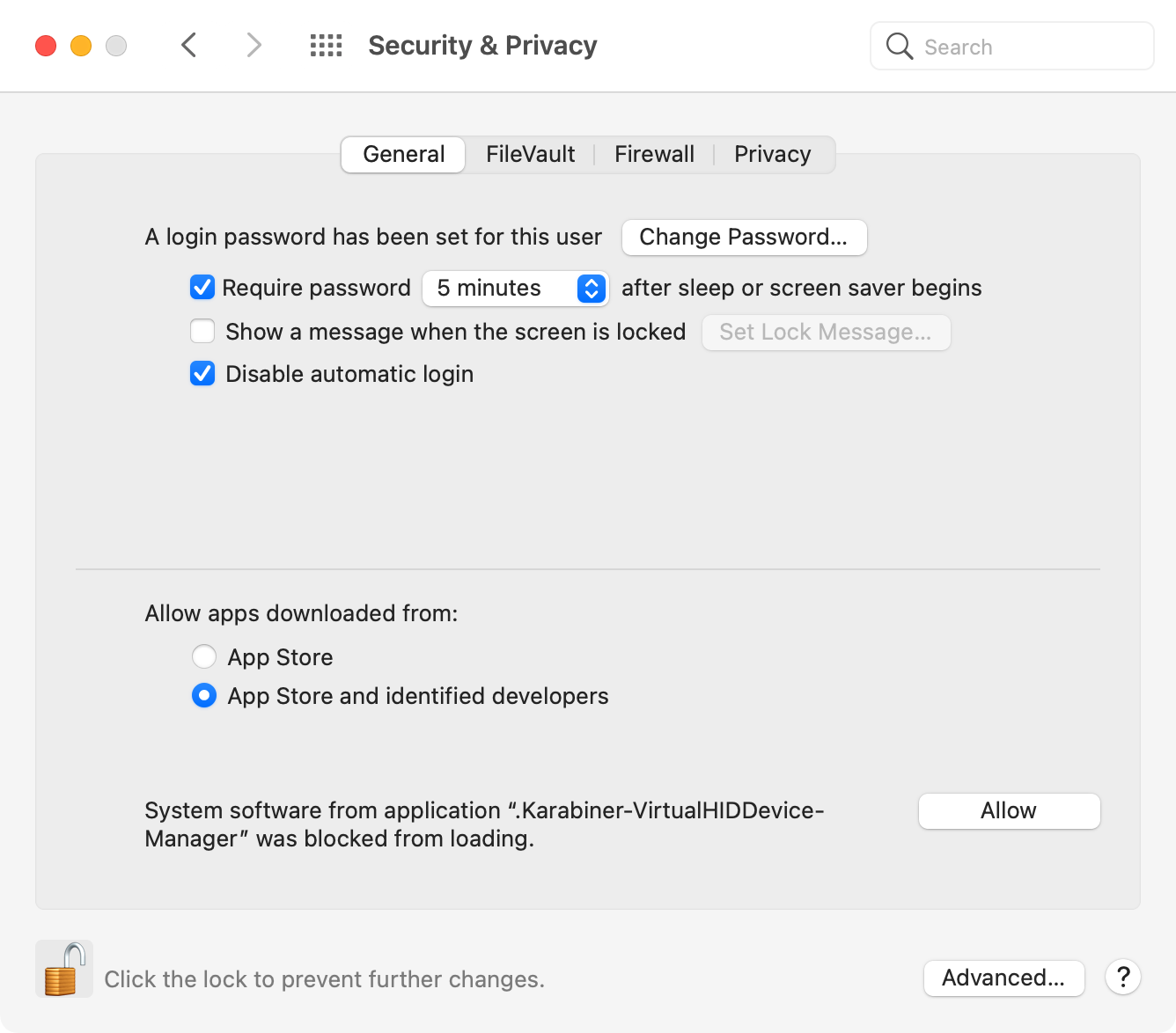
I've just updated to 13.0.0, and when giving permissions in the system preferences I've noticed that I had to check "Allow extensions by Placeholder Developer".
Placeholder Developer doesn't instil much confidence, and it's not clear what exactly gets enabled.
 jberkel
All 8 comments
It should be ".Karabiner-VirtualHIDDevice-Manager" as follows.
I guess your download binary are damaged.
Did you download the v13.0.0 from official site or software updates?
https://karabiner-elements.pqrs.org/
 tekezo
on 5 Oct 2020
tekezo
on 5 Oct 2020
It prompted me to update this morning. Unfortunately I don't have any screen grabs.
jberkel
on 5 Oct 2020
I had the same issue. I updated from the update prompt, and then downloaded from here. Both gave me the Placeholder Developer in System Preferences. I then installed v12.10.0 and it went away.
 saiwing-yeung
on 5 Oct 2020
saiwing-yeung
on 5 Oct 2020
Same issue for me!

 lgarron
on 5 Oct 2020
lgarron
on 5 Oct 2020
Thank you!
I confirmed the issue. Unfortunately it seems a macOS issue.
(I guess it happen if the binary is signed with non-team signature.)
https://developer.apple.com/forums/thread/130056
I hope the macOS issue will be solved future Catalina release.
tekezo
on 7 Oct 2020
Would it be appropriate to update the dext-allow.png screenshot to reflect the "Placeholder Developer" wording until the issue is resolved with MacOS?
 eb112
on 14 Oct 2020
eb112
on 14 Oct 2020
Ah, sorry to resubmit. I looked for a similar issue, but didn't see it was closed.
 brian-nelson
on 31 Oct 2020
brian-nelson
on 31 Oct 2020
Please follow the instructions in this page:
https://karabiner-elements.pqrs.org/docs/help/troubleshooting/placeholder-developer/
tekezo
on 4 Nov 2020
Related issues
 Farzy
·
3Comments
Farzy
·
3Comments
 impala75
·
3Comments
impala75
·
3Comments
 aniude
·
3Comments
aniude
·
3Comments
 willisworley
·
3Comments
willisworley
·
3Comments
 cajhin
·
3Comments
cajhin
·
3Comments
Most helpful comment
Thank you!
I confirmed the issue. Unfortunately it seems a macOS issue.
(I guess it happen if the binary is signed with non-team signature.)
https://developer.apple.com/forums/thread/130056
I hope the macOS issue will be solved future Catalina release.