Karabiner-elements: Karabiner stops working after a while in Catalina 10.15.4
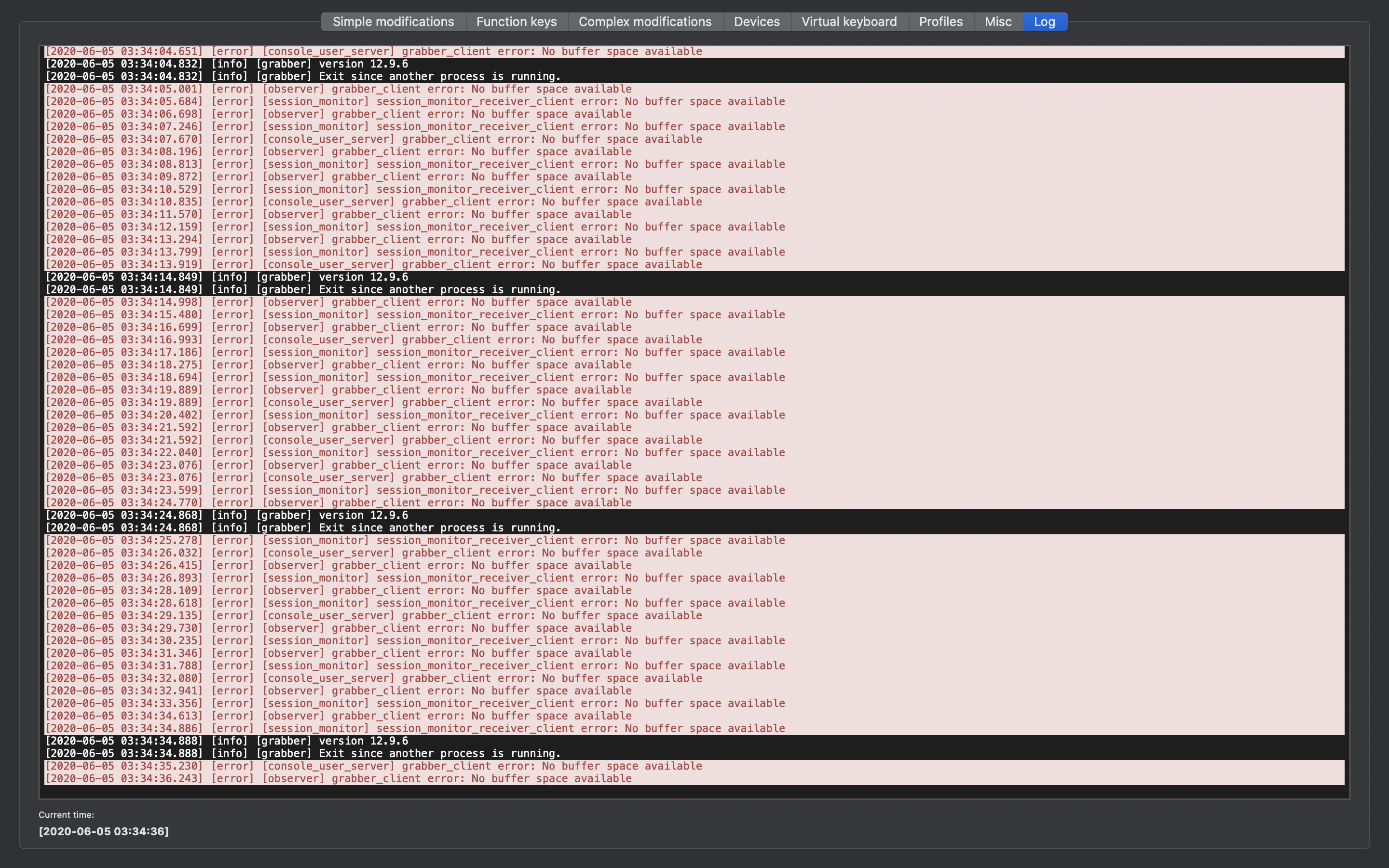
Karabiner works fine in macOS Catalina 10.15.4 but after a while stops working as mapping keys no longer seem to work and logs start complaining with
[2020-05-20 10:16:55.252] [error] [console_user_server] grabber_client error: No buffer space available
[2020-05-20 10:16:55.879] [error] [session_monitor] session_monitor_receiver_client error: No buffer space available
[2020-05-20 10:16:56.607] [error] [observer] grabber_client error: No buffer space available
[2020-05-20 10:16:57.593] [error] [session_monitor] session_monitor_receiver_client error: No buffer space available
[2020-05-20 10:16:57.726] [info] [grabber] version 12.9.0
[2020-05-20 10:16:57.726] [info] [grabber] Exit since another process is running.
[2020-05-20 10:16:58.280] [error] [observer] grabber_client error: No buffer space available
This is related with Issue 1932 and other people are complaining the same since a few days ago (with the exception that is not necessary to set the laptop to sleep)
 jgsastre
All 29 comments
Got the same problem. Also when this happens, my internal keyboard stops working (macbook air mid 2017).
 rrrromanov
on 21 May 2020
rrrromanov
on 21 May 2020
Updating to a beta version (12.9.6) fixed the issue for me.
 tottomotto
on 27 May 2020
tottomotto
on 27 May 2020
I'm on 10.15.4 and I've had no issues.
 sdondley
on 28 May 2020
sdondley
on 28 May 2020
Yep, extension legacy system not compatible popup on startup. Already closed the popup, going to take a screenshot next reboot.
 tobsn
on 28 May 2020
tobsn
on 28 May 2020
The Legacy System Extension popup indicates the current version of the software will be incompatible with a future version of macOS. So, for now, you should be fine - Karabiner is working for me on 10.15.5.
And if Karabiner is actively worked on it will hopefully continue to work in the future too. :)
 sam-k3nny
on 29 May 2020
sam-k3nny
on 29 May 2020
No mouse click on mbp track pad @ 10.15.5
 charlesrocket
on 30 May 2020
charlesrocket
on 30 May 2020
issue still exists on beta 12.9.6 even after deleting, reinstalling, upgrading to newest beta (12.9.6), and running both
sudo killall karabiner_grabber
sudo killall karabiner_observer
as was recommended in issue 1932
Does anyone have another way to fix this? I haven't been able to disable my internal MBPro keyboard for months, and it's driving me crazy 🙃
 trackport-dev
on 5 Jun 2020
trackport-dev
on 5 Jun 2020
I'm still having the issue too. Updated to 12.9.6 beta.
 samw3
on 14 Jun 2020
samw3
on 14 Jun 2020
I have this issue as well on 12.9.6 and macOS Catalina 10.15.5.
 kaskajp
on 16 Jun 2020
kaskajp
on 16 Jun 2020
Same thing. When Karabiner goes out, so does my Logitech mouse driver, and I lose the functionality mapped to the extra mouse buttons.
 mpeters2
on 18 Jun 2020
mpeters2
on 18 Jun 2020
Same issue running macOS Catalina 10.15.5 and 12.9.6
 ttse-sfdc
on 18 Jun 2020
ttse-sfdc
on 18 Jun 2020
Same here: macOS Catalina 10.15.5 and 12.9.6. Only with bluetooth. With unified receiver it works.
 mkaflowski
on 22 Jun 2020
mkaflowski
on 22 Jun 2020
Seeing it on 12.9.90 (? seems oddly high, but:
Karabiner-Elements 12.9.0 is currently the newest version available.
(You are currently running version 12.9.90.)
…anyway) – what seems to happen for me is that using CapsLock too many times kills it. I swap CapsLock and LeftCtrl. Only fix is a restart (though in fairness, I haven't tried a logout/login, it's just that they're basically equivalent so I don't bother). This is a bog-standard USB PC keyboard. macOS 10.5.5 19F101 on a MacBookPro11,3.
 m4ciek
on 25 Jun 2020
m4ciek
on 25 Jun 2020
Only fix is a restart (though in fairness, I haven't tried a logout/login, it's just that they're basically equivalent so I don't bother).
I can add a datum that logout/login did not fix the issue but a restart did.
 jasonrwang
on 1 Jul 2020
jasonrwang
on 1 Jul 2020
Same issue here today with 12.10.0 and macOS 10.15.5
 GregOriol
on 2 Jul 2020
GregOriol
on 2 Jul 2020
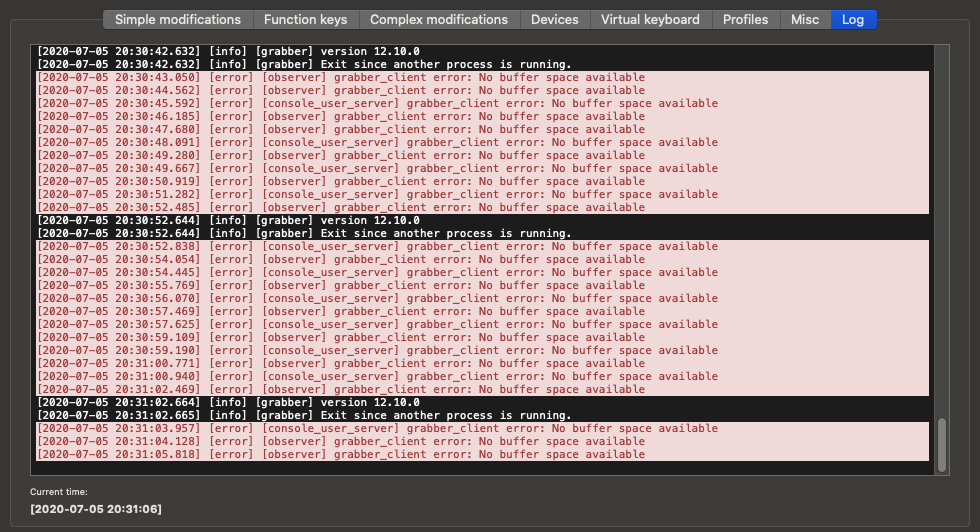
Same issue :/ 12.10.0 + 10.15.5
 maciekjaros
on 5 Jul 2020
maciekjaros
on 5 Jul 2020
Just started happening to me too
 lawsonAGMT
on 13 Jul 2020
lawsonAGMT
on 13 Jul 2020
Me too :(
 bugtype
on 14 Jul 2020
bugtype
on 14 Jul 2020
Still happens with beta version 12.10.0 and Cataling 10.15.4
 Delfic
on 15 Jul 2020
Delfic
on 15 Jul 2020
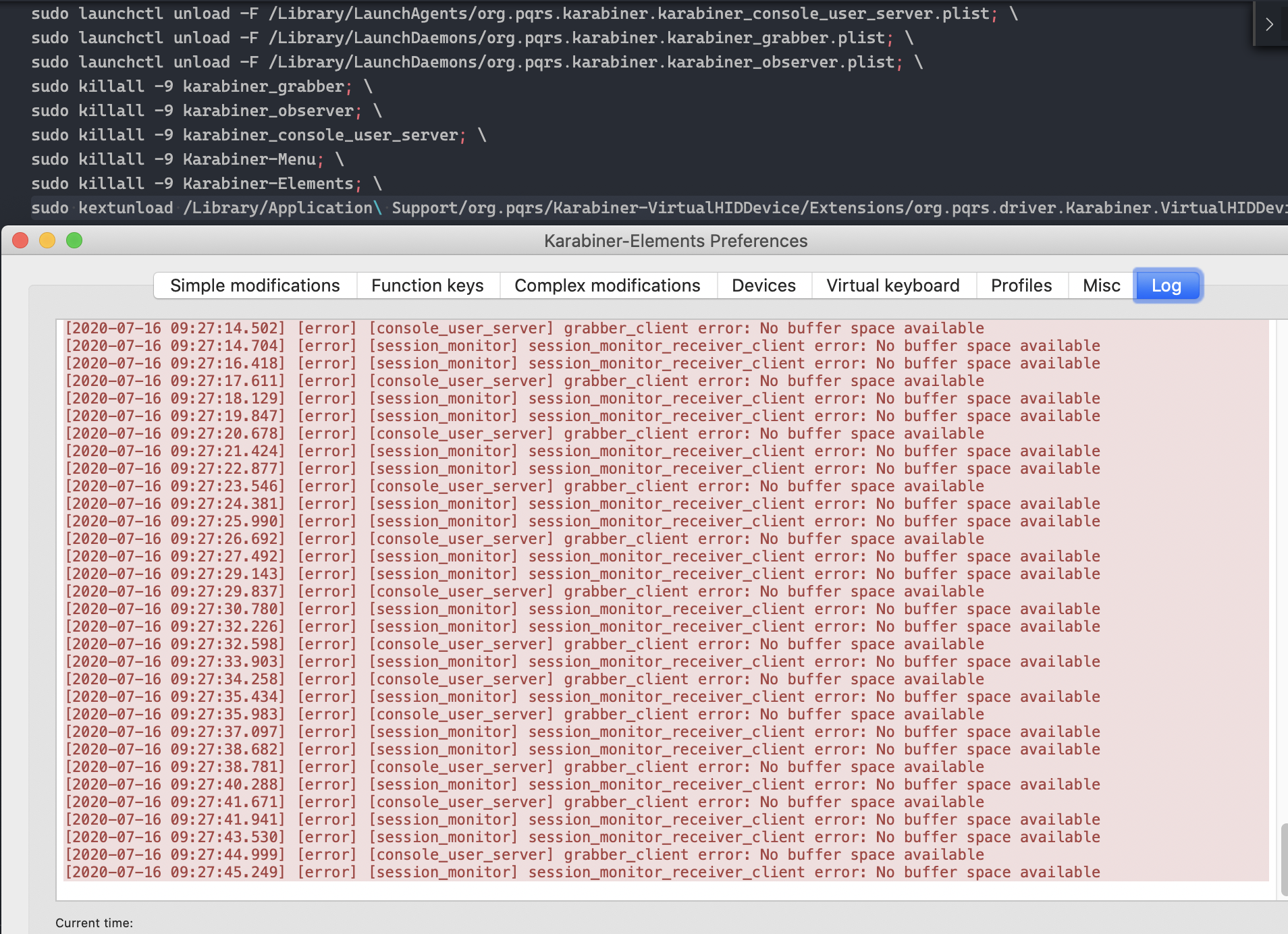
Same here - happens when I use caps lock too many times. Currently on version 12.10.1 and Catalina 10.15.5. Attemped to unload and reload kext but was unable to do so (Failed to unload org.pqrs.driver.Karabiner.VirtualHIDDevice.v061000 - (libkern/kext) kext is in use or retained (cannot unload))
 edwinytgoh
on 16 Jul 2020
edwinytgoh
on 16 Jul 2020
I'm seeing this in 12.10.0 and Catalina 10.15.4
 atalebagha
on 22 Jul 2020
atalebagha
on 22 Jul 2020
Also seeing this issue using Karabiner 12.10.1 (beta) and Catalina 10.15.6...
 stephsavoie
on 11 Aug 2020
stephsavoie
on 11 Aug 2020
I'm seeing this in 12.10.2 and Catalina 10.15.5
 xchen1189
on 23 Aug 2020
xchen1189
on 23 Aug 2020
Same here: Catalina 10.15.6, ver 12.10.0, update to 12.10.4 do nothing, only restart of the device (computer) helps, but its just matter of time when its happen again.. Often when pressing caps-lock but not always, sometimes I have the impression that it just happens randomly. Keyboard stop responding and after turn it off and on, karabiner stops working and in logs spam error
 KamilPartyka
on 31 Aug 2020
KamilPartyka
on 31 Aug 2020
Using for external keyboard. I wasn't typing anything, then my caps lock light comes on and the keyboard freezes. I turn it on off and the re-mapped keys are lost. Tried reinstalling karabiner (12.10.0), tried beta, but no luck - all modifications are just ignored.
This isn't the first time this happens (last time a few months ago), but I don't remember what I did to get it working again :/
 briedis
on 8 Sep 2020
briedis
on 8 Sep 2020
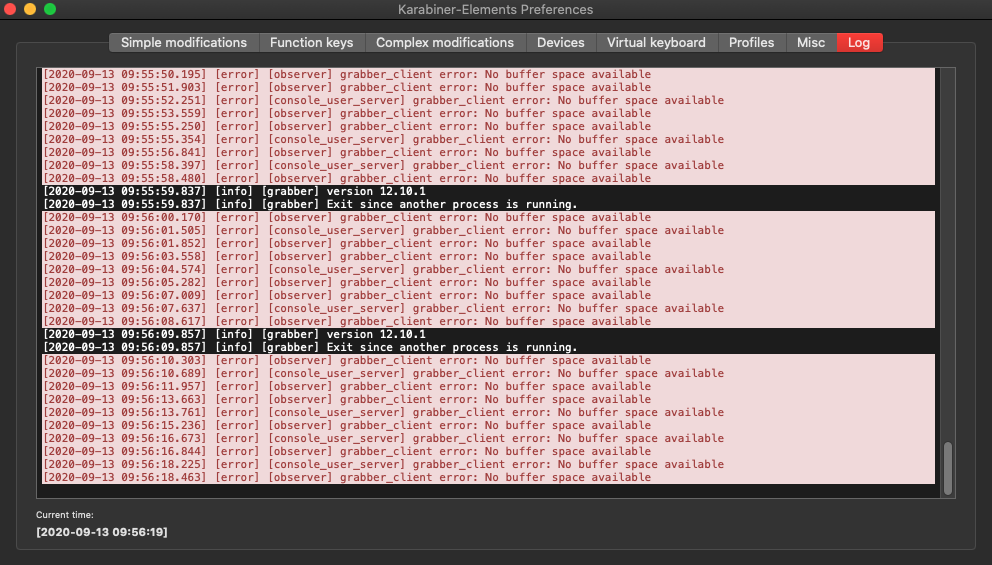
Not caps-lock related, but getting the exact same issues.
Event Viewer shows the right keys but Elements isn't routing them correctly.
 freak4pc
on 13 Sep 2020
freak4pc
on 13 Sep 2020
Can reproduce this issue on the latest 13.0.0 version - facing this issue for the first time.
 rushilsrivastava
on 23 Oct 2020
rushilsrivastava
on 23 Oct 2020
@tekezo seems like this is still an issue, even on 13.0.0. Do you have any idea about how this is related to the CAPS LOCK key and the "no buffer space available" message?
edwinytgoh
on 23 Oct 2020
This issue has been automatically marked as stale because it has not had recent activity. It will be closed if no further activity occurs. Thank you for your contributions.
![stale[bot] picture](https://avatars3.githubusercontent.com/in/1724?v=4&s=40) stale[bot]
on 25 Dec 2020
stale[bot]
on 25 Dec 2020
Related issues
 cajhin
·
3Comments
cajhin
·
3Comments
 baurmatt
·
3Comments
baurmatt
·
3Comments
 DanweDE
·
3Comments
DanweDE
·
3Comments
 Ox0400
·
3Comments
Ox0400
·
3Comments
 impala75
·
3Comments
impala75
·
3Comments
Most helpful comment
Same here - happens when I use caps lock too many times. Currently on version 12.10.1 and Catalina 10.15.5. Attemped to unload and reload kext but was unable to do so (
Failed to unload org.pqrs.driver.Karabiner.VirtualHIDDevice.v061000 - (libkern/kext) kext is in use or retained (cannot unload))