Karabiner-elements: Karabiner Stops Working Properly After Going to Sleep in Catalina
macOS Catalina Beta 5
Karabiner 12.5.5
Problem: Twice now, I've returned to my laptop in the morning and Karabiner is no longer functioning properly - when I attempt to go to System Preferences > Keyboard > Modifier Keys, Karabiner VirtualHDKeyboard is no longer an option and my modifications within Karabiner no longer work. Restarting Karabiner did not solve the issue. Restarting the computer did solve the problem.
 Corbot5000
All 26 comments
Experiencing the exact same thing.
 tomredman
on 6 Aug 2019
tomredman
on 6 Aug 2019
This issue persists in Karabiner 12.5.6 as well.
Corbot5000
on 6 Aug 2019
This just happened to me after installing the macOS Mojave 10.14.6 Supplemental Update. Both simple and complex modifications no longer functioned, even after quitting and restarting Karabiner-Elements.
Karabiner-EventViewer showed the unmodified key codes coming through, and there was nothing obvious in the MacOS Console logs.
Restarting the computer fixed this, and manually putting the computer to sleep doesn't seem to have re-triggered it. I'll post an update if it happens again.
 seren
on 6 Aug 2019
seren
on 6 Aug 2019
try
sudo killall karabiner_grabber
sudo killall karabiner_observer
when your macOS Catalina wake up
 maxlcoder
on 7 Aug 2019
maxlcoder
on 7 Aug 2019
This issue is still present in 12.5.92 and Catalina beta 19A526h.
Corbot5000
on 15 Aug 2019
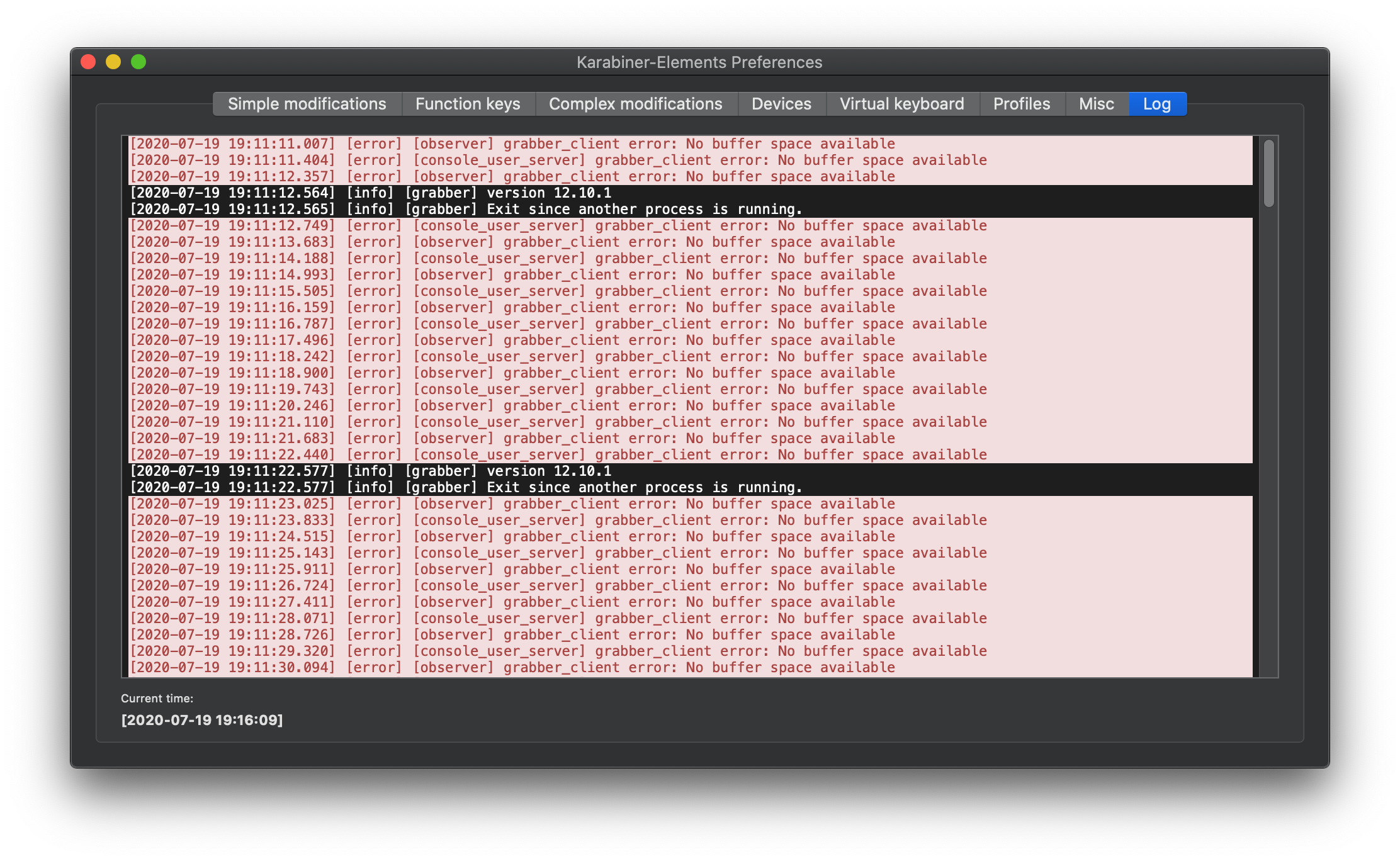
Same here, still an issue in 12.5.92. The error log shows:
grabber client error: No buffer space available
Restarting the computer or killall karabiner_grabber / karabiner_observer solves the problem for a while.
 anpyat
on 16 Aug 2019
anpyat
on 16 Aug 2019
This issue is not reproducible on my machine, unfortunately.
I'll investigate the cause when I can reproduce the issue.
 tekezo
on 16 Aug 2019
tekezo
on 16 Aug 2019
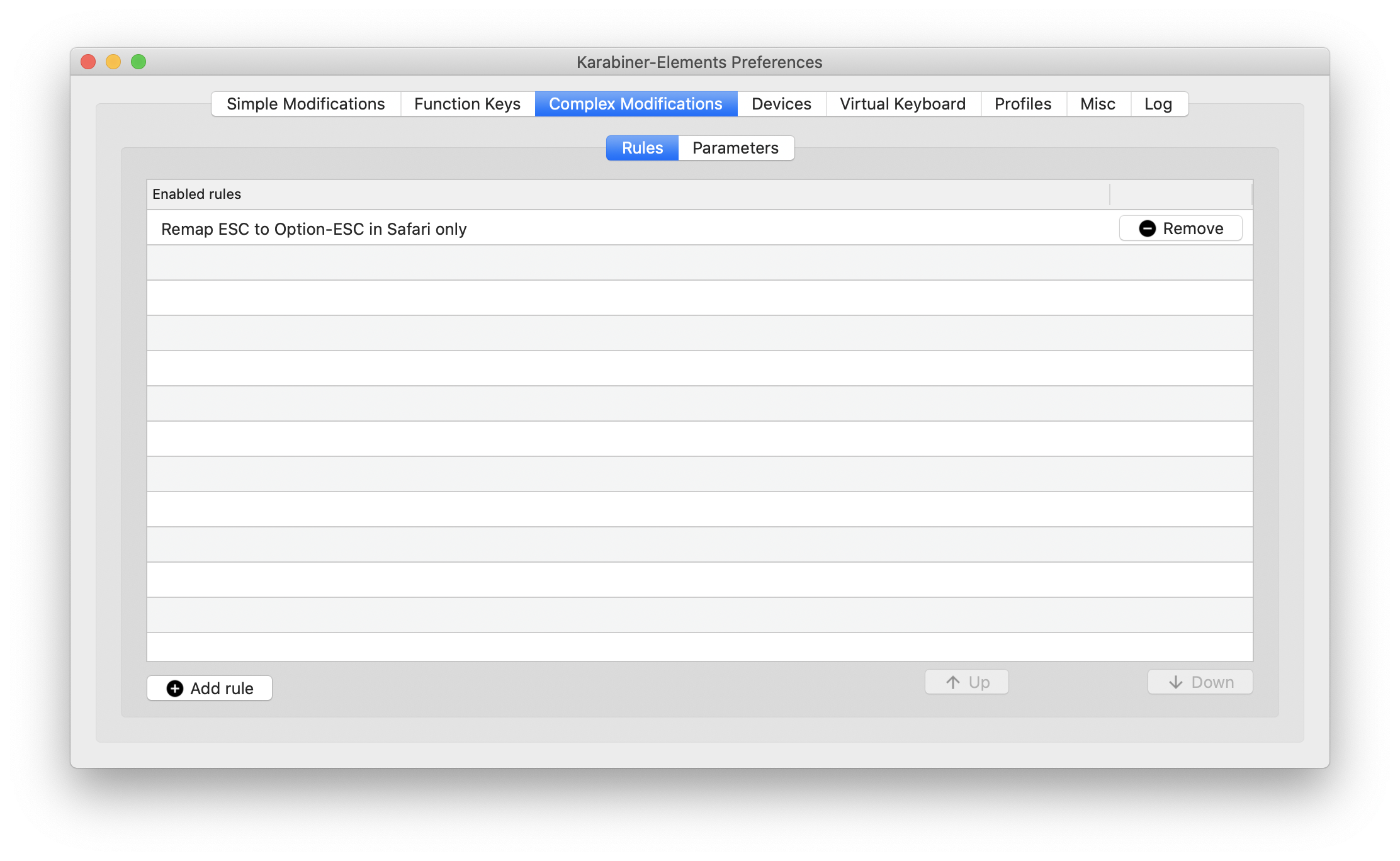
I've attached a few screenshots in case it helps to reproduce the issue.
Macbook Pro 2018, macOS Catalina public beta 4, trying to modify the touchbar behaviour


anpyat
on 16 Aug 2019
Thank you for feedback!
I succeeded to reproduce this issue!
I'm working to fix it. Please wait for a while.
tekezo
on 20 Aug 2019
I believe this issue is fixed at v12.6.2.
Please check the latest beta version.
How to upgrade to the latest beta version:
https://pqrs.org/osx/karabiner/document.html#check-for-updates
tekezo
on 21 Aug 2019
This works for me now, thank you so much @tekezo! This is an amazing project.
tomredman
on 21 Aug 2019
I believe this issue is fixed at v12.6.2.
Please check the latest beta version.How to upgrade to the latest beta version:
https://pqrs.org/osx/karabiner/document.html#check-for-updates
But it happens at v12.9.0 again.
 simonkuang
on 20 Feb 2020
simonkuang
on 20 Feb 2020
Is there a fix planned for this?
 pkfln
on 26 Mar 2020
pkfln
on 26 Mar 2020
It still does not work.
 caecebo
on 31 Mar 2020
caecebo
on 31 Mar 2020
Same problem with 12.9.3
 fyun89
on 19 Apr 2020
fyun89
on 19 Apr 2020
Hello, same problem for me Karabiner is no longer working even after updating to the last beta.
I'm on Catalina 10.15.2
 Rubenstein29
on 28 Apr 2020
Rubenstein29
on 28 Apr 2020
Same here, still not working
 chauncyf
on 1 May 2020
chauncyf
on 1 May 2020
Same issue, restarting is the only thing that fixes it. I'm on Catalina 10.15.4
 Randyjp
on 8 May 2020
Randyjp
on 8 May 2020
@tekezo Any updates?
pkfln
on 9 May 2020
Same here, still not working
 mihailtugushev
on 14 May 2020
mihailtugushev
on 14 May 2020
Same here, with Karabiner 12.9.0 and Catalina 10.15.4
 p3ntium
on 15 May 2020
p3ntium
on 15 May 2020
Same here, doesn't require sleep for buffer error. No buffer space.
Latest release and the beta release, on Catalina. Even after killing the processes.
 trbielec
on 15 May 2020
trbielec
on 15 May 2020
Same problem here. I have opened a new Issue
 jgsastre
on 20 May 2020
jgsastre
on 20 May 2020
same here. Catalina 10.15.5
 mattPiratt
on 17 Jul 2020
mattPiratt
on 17 Jul 2020
 luckyyyyy
on 19 Jul 2020
luckyyyyy
on 19 Jul 2020
Seeing this in the newest version (12.10.0). killing karabiner_grabber/observer does NOT help. Restarting the laptop does.
 multi-io
on 27 Aug 2020
multi-io
on 27 Aug 2020
Related issues
 PSalant726
·
3Comments
PSalant726
·
3Comments
 Fengur
·
3Comments
Fengur
·
3Comments
 rcaputo
·
3Comments
rcaputo
·
3Comments
 chaucy
·
3Comments
chaucy
·
3Comments
 ghost
·
3Comments
ghost
·
3Comments
Most helpful comment
But it happens at v12.9.0 again.