Karabiner-elements: f14 and f15 keys mapped to screen brightness
Whenever I make a new configuration my f14 and f15 keys are mapped to the screen dim and brighten respectively. I'm just doing some simple function keys to media controls (f7-f12 for rewind, pause, fast-forward, and volume control) but leaving the rest of the function keys as function keys. They all work great except for f14 and f15. Also when I press those keys in the event viewer they aren't caught at all.
 ccarnley7
All 5 comments
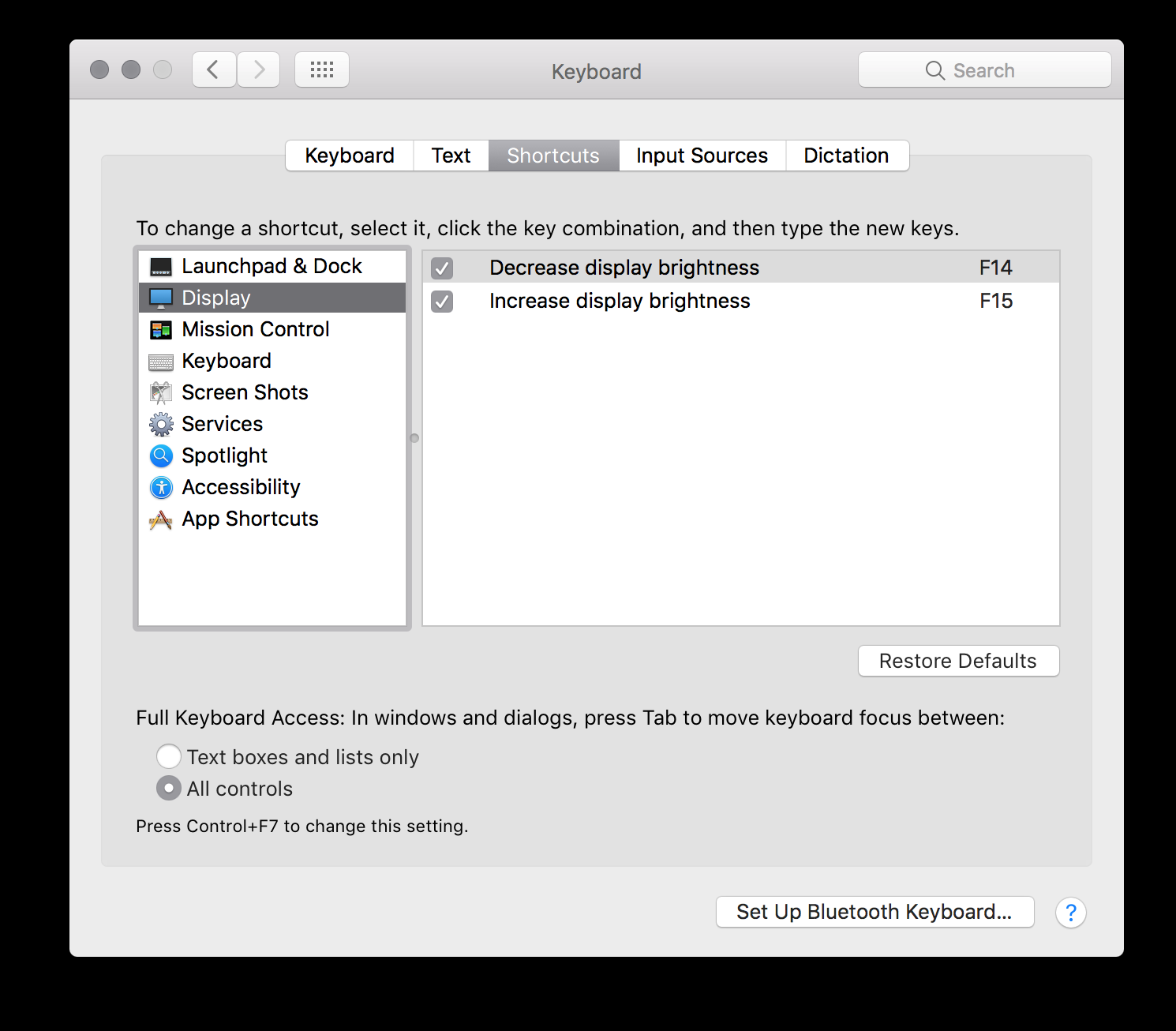
Disable the built-in shortcuts via System Preferences -> Keyboard -> Shortcuts -> Display
 SidIcarus
on 7 Apr 2018
SidIcarus
on 7 Apr 2018
You are a legend. The "Display" option doesn't show up when you have an apple keyboard plugged in, but this led me to do some more digging to find out that "Display" option only appears when a third party keyboard is plugged in. So all I had to do was track one of those down and then I could then disable the shortcuts and plug my apple keyboard back in and voila!! Thanks again
ccarnley7
on 9 Apr 2018
No problem good sir.
I only use a third-party keyboard so I wouldn't have ever figured out that it doesn't display for their own device, thanks!
Also, you should close this ticket out. ^_^
SidIcarus
on 3 May 2018
Good call. Thanks again
ccarnley7
on 4 May 2018
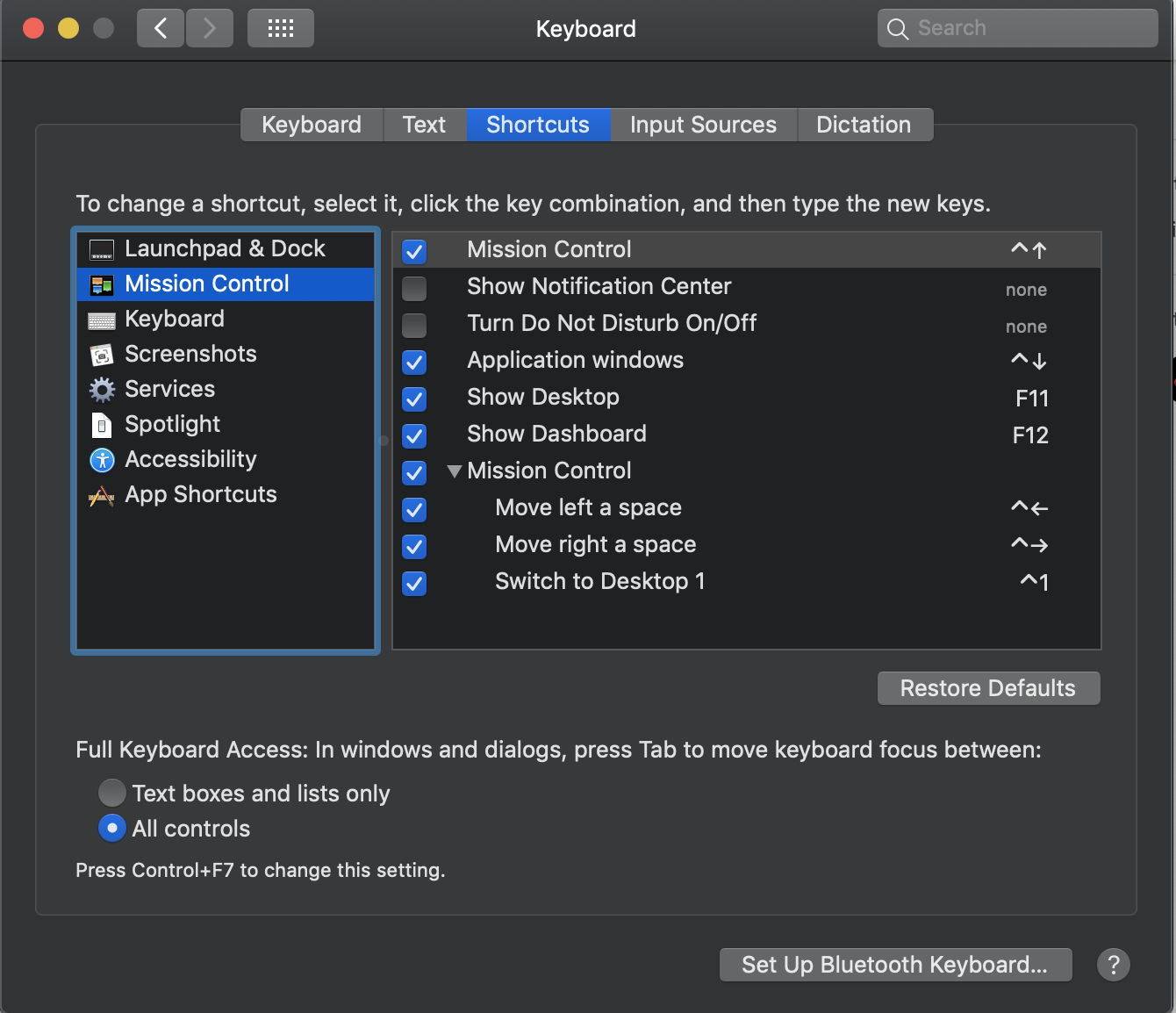
I don't see display in image. Can anyone help me pls!!!
 conganhhcmus
on 14 Sep 2019
conganhhcmus
on 14 Sep 2019
Related issues
 ghost
·
3Comments
ghost
·
3Comments
 Fengur
·
3Comments
Fengur
·
3Comments
 Farzy
·
3Comments
Farzy
·
3Comments
 impala75
·
3Comments
impala75
·
3Comments
 willisworley
·
3Comments
willisworley
·
3Comments
Most helpful comment
Disable the built-in shortcuts via
System Preferences->Keyboard->Shortcuts->Display