Karabiner-elements: Installing Karabiner Elements Disables Command-Tab and Copy-Paste
I installed Karabiner Elements 0.91.6 through Homebrew to see if I could turn the menu key on my external Microsoft keyboard into something functional for Emacs. When I did that, though, I noticed that Command-Tab and pasting with keyboard shortcuts didn't work. I suspect the alt-to-command mapping is globally disabled, but I didn't verify all the possible shortcuts.
- Microsoft Natural Ergonomic Keyboard, recognized as "Natural Ergonomic Keyboard 4000".
- Mac OS X 10.12.5 on a Macbook Pro.
 ceridwen
All 11 comments
I have the same issue and the same keyboard. Did you find a solution @ceridwen ?
 doitlikepruett
on 8 Jan 2018
doitlikepruett
on 8 Jan 2018
Sadly, no, I haven't. I've tried a couple of times, the problem's still there last I checked, and I haven't been able to work around it.
ceridwen
on 10 Jan 2018
This issue has been automatically marked as stale because it has not had recent activity. It will be closed if no further activity occurs. Thank you for your contributions.
![stale[bot] picture](https://avatars3.githubusercontent.com/in/1724?v=4&s=40) stale[bot]
on 11 Mar 2018
stale[bot]
on 11 Mar 2018
Last I checked, this problem still exists, unfortunately.
ceridwen
on 12 Mar 2018
This issue has been automatically marked as stale because it has not had recent activity. It will be closed if no further activity occurs. Thank you for your contributions.
stale[bot]
on 11 May 2018
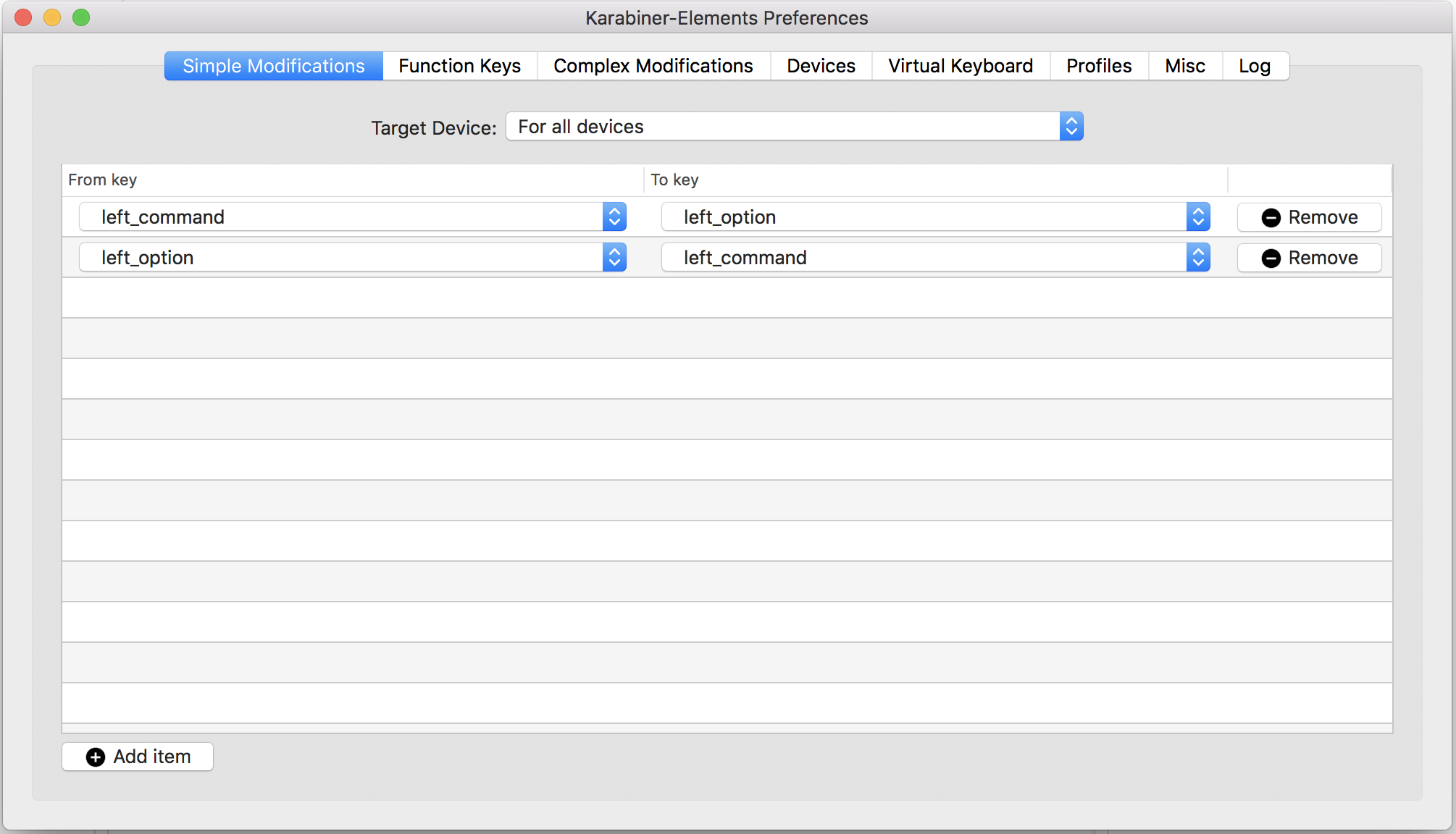
@ceridwen so did you have Command and Option defined in System Preferences -> Keyboard -> Modifier Keys?
If so Karabiner disables those mappings, as it can't work with them (it's in "Limitations" in the docs). You can get exactly the same result though by just doing the same mappings in karabiner elements, e.g.
 gibfahn
on 12 May 2018
gibfahn
on 12 May 2018
It's possible, it's been several months since I last tried it. I will check again at some point, but not right now.
ceridwen
on 15 May 2018
I have the very same issue and suggestion above doesn't work. Furthermore, when I try to copy/paste keyboard types special characters instead. And this is for every key combination.
 soberman
on 16 Jun 2018
soberman
on 16 Jun 2018
@soberman does Cmd-c print ç and Cmd-v print √? If so that means your Cmd key is actually an Option key.
You can check by running Karabiner-Eventviewer and seeing which keypresses are registered for each key (left_gui is Cmd and left_alt is Option):
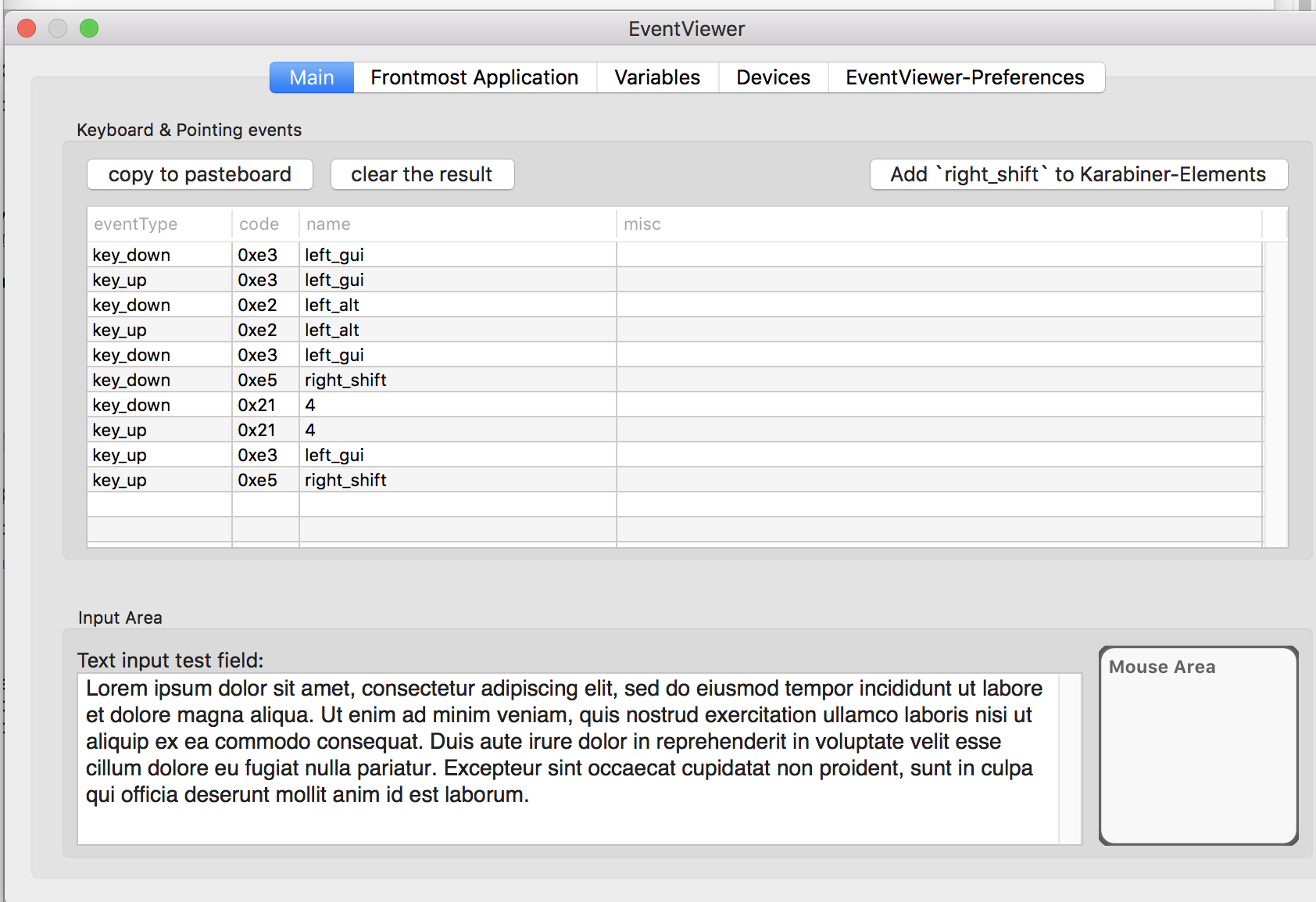
If doing the modifications I suggested in https://github.com/tekezo/Karabiner-Elements/issues/823#issuecomment-388561395 doesn't work, can you post a screenshot matching the one in that comment?
gibfahn
on 16 Jun 2018
This issue has been automatically marked as stale because it has not had recent activity. It will be closed if no further activity occurs. Thank you for your contributions.
stale[bot]
on 15 Aug 2018
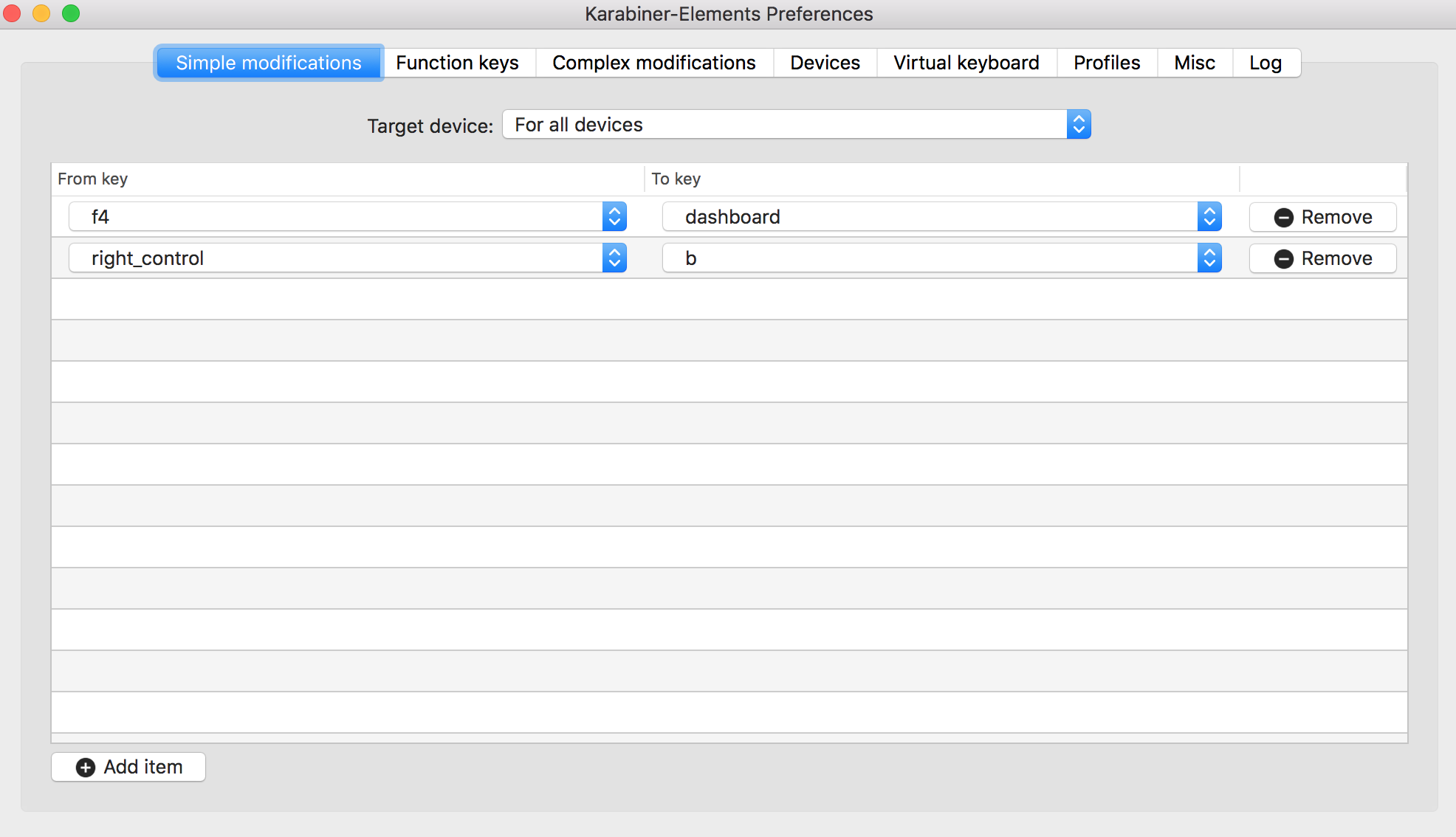
This issue is still valid. I just updated from a previous version, and copy/paste broke immediately. Is there no attempt to retain previous settings between versions?
Here's a screenshot of the interface shown in #823 (I tried to copy/paste the link, but I can't becasue copy/paste is broken. sad trombone)
 jenlampton
on 18 Sep 2020
jenlampton
on 18 Sep 2020
Related issues
 ghost
·
3Comments
ghost
·
3Comments
 Joilence
·
3Comments
Joilence
·
3Comments
 aniude
·
3Comments
aniude
·
3Comments
 PSalant726
·
3Comments
PSalant726
·
3Comments
 DanweDE
·
3Comments
DanweDE
·
3Comments
Most helpful comment
I have the very same issue and suggestion above doesn't work. Furthermore, when I try to copy/paste keyboard types special characters instead. And this is for every key combination.