macOS version: 10.15.3 (19D76)
Kap version: 3.1.0
Steps to reproduce
- Turn on audio recording and record browser for 29mins 14 seconds
- Export with MP4 with FPS as 60 and size: 3360 by 1974
- Select any folder
Current behaviour
- State is Waiting and has been stuck there for 2 hours now
Expected behaviour
- Show uploading state
- Upload and finish then notify user
Workaround
- File > Save Original > Folder > Exported
 ngeshlew
All 2 comments
I'm not able to reproduce with a 2560 x 1440 29:18:75 long capture exported as MP4 at 60 FPS. The export is resource intensive and runs for several minutes, but progresses as expected:
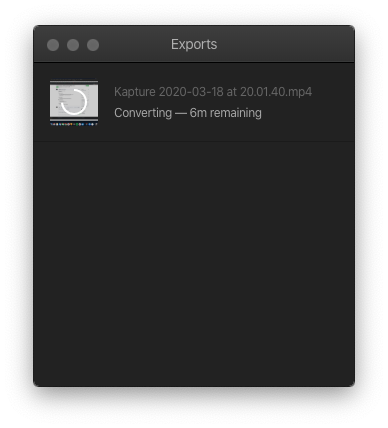
How does your export window look while exporting @ngeshlew?
 skllcrn
on 18 Mar 2020
skllcrn
on 18 Mar 2020
Hey @skllcrn , you showed me a workaround on twitter:
You might still have the original video recording open in one of the Kap windows, if not, see if you can find it in the export history window. From there, cancel the stuck export and open the original recording again.
Then use the File menu in the menubar and save the original recording
It sounds like you may be converting a very large file to GIF, which is extremely resource intensive
With the original recording file handy, you can open it in Kap again if you wish to export with other settings
and it worked. Thanks!
ngeshlew
on 25 Mar 2020
Related issues
 sorodrigo
·
3Comments
sorodrigo
·
3Comments
 xenio
·
4Comments
xenio
·
4Comments
 Glutnix
·
3Comments
Glutnix
·
3Comments
 Qix-
·
3Comments
Qix-
·
3Comments
 albinekb
·
3Comments
albinekb
·
3Comments
Most helpful comment
Hey @skllcrn , you showed me a workaround on twitter:
and it worked. Thanks!