Kap: Preview time is not computed correctly when start time is not 0
macOS version: 10.14.6
Kap version: 3.0.0 (latest code)
Steps to reproduce
- Record video
- Set start time to random point
- Hover inside the new interval
Current behaviour
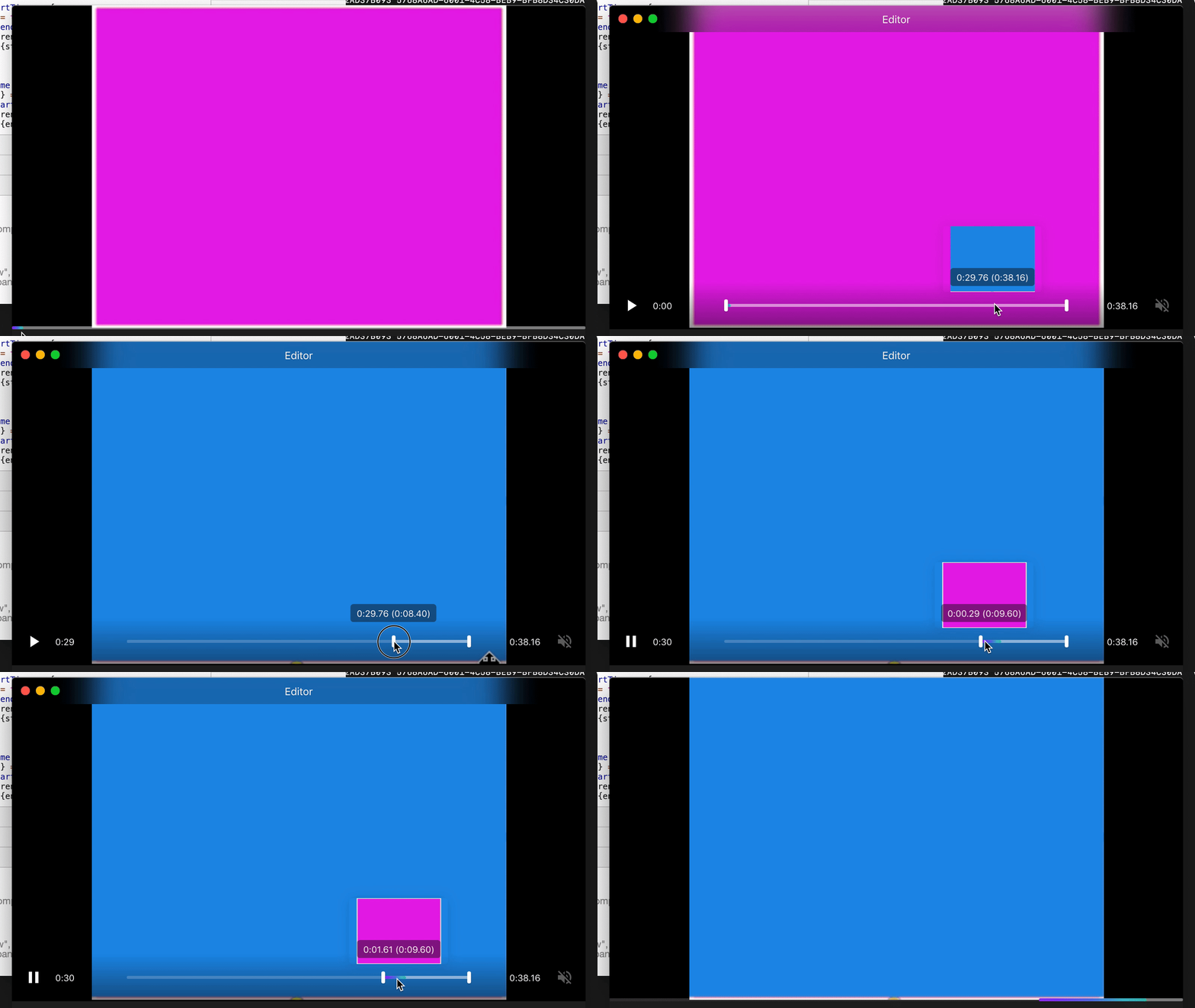
The preview after start time shows the video starting from 00:00 instead of starting from start time
Expected behaviour
Preview the current start-end time interval
Workaround
None
Additional information
As you can see, I have a recording of 2 rectangles. Once I shorten the interval, even though it only contains the blue rectangle, the preview shows the pink one.
 topalavlad
>All comments
Looking deeper, the problem is that Preview component uses time for both the time label on the preview and also the preview video currentTime.
Since the src is always the full video, we'll have to separate Preview.this.props.time into srcTime and labelTime in order for both to be correct
topalavlad
on 28 Oct 2019
👍2
Was this page helpful?
0 / 5 - 0 ratings
Related issues
 albinekb
·
4Comments
albinekb
·
4Comments
 freeassange
·
3Comments
freeassange
·
3Comments
 pedromassango
·
3Comments
albinekb
·
3Comments
pedromassango
·
3Comments
albinekb
·
3Comments
 petetnt
·
4Comments
petetnt
·
4Comments
Most helpful comment
Looking deeper, the problem is that
Previewcomponent usestimefor both the time label on the preview and also the preview videocurrentTime.Since the
srcis always the full video, we'll have to separatePreview.this.props.timeintosrcTimeandlabelTimein order for both to be correct