Kap: Can't type numbers beginning with 1 in export size box
macOS version: 10.14.4
Kap version: 3.0.0-beta.5
Steps to reproduce
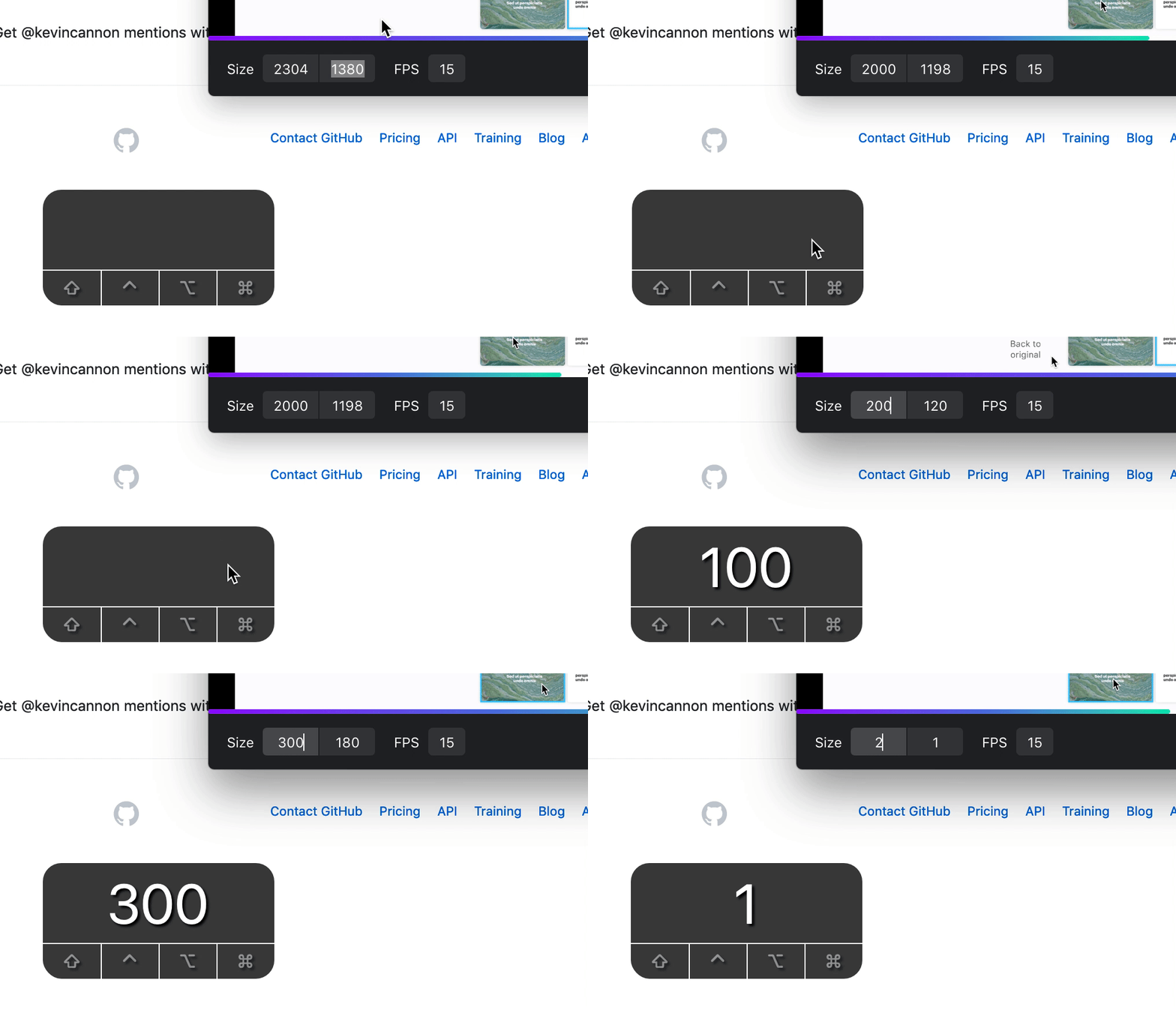
- Record a screen grab that's quite big, e.g. 2000+pixels wide.
- Try resize to 1000 pixels wide or any size beginnging with one.
Current behaviour
1 changes to 2.
Expected behaviour
You can make a number beginning with 1.
Workaround
Copy and paste the number you want from a text editor.
 kevincannon
All 8 comments
Yeah, um, so the good news is that we've fixed it. Can you grab the latest beta release @kevincannon?
 skllcrn
on 16 May 2019
skllcrn
on 16 May 2019
Noticed that you're already on the beta @kevincannon, I'd stick to using that if you can, we're not currently planning on doing any updates to earlier versions of Kap. We've re-written Kap from the ground up and we're dedicating all our resources to the upcoming release.
skllcrn
on 16 May 2019
Sorry, I made a mistake with my bug report.
I see this in the Beta. Using Version 3.0.0-beta.5 - that's the latest, right?
kevincannon
on 16 May 2019
@kevincannon correct, you can view the latest releases here
 albinekb
on 17 May 2019
albinekb
on 17 May 2019
Thanks!
I made sure I had the latest version and still see this bug though. 😐
kevincannon
on 17 May 2019
I can confirm this is still an issue, can you reopen? I can have a look at this in the weekend :+1: Seems to be an issue with the aspect-rato lock. Changing height works if you start with 1 but width doesn't since the ratio will make the height less than 1 if you set width to 1, I think we need to allow this case and only validate on blur.
albinekb
on 17 May 2019
@skllcrn - Could you reopen this? We don't have permissions to do that.
kevincannon
on 17 May 2019
Is this a regression @karaggeorge? I was sure we fixed this in an earlier build.
skllcrn
on 8 Jun 2019
Related issues
 freeassange
·
3Comments
freeassange
·
3Comments
 felixdorner
·
3Comments
felixdorner
·
3Comments
 deadcoder0904
·
3Comments
albinekb
·
4Comments
deadcoder0904
·
3Comments
albinekb
·
4Comments
 sindresorhus
·
3Comments
sindresorhus
·
3Comments