Kap: On Mac, Notification Center "Do Not Disturb" setting becomes permanent
I updated to v2.1.0. I noticed the "DND" option was checked by default, so I unchecked it immediately. I recorded something.
A few minutes later, I notice I'm not getting any notifications. I see that Notification Center is disabled, "until midnight". I enable it. I restart my Mac. Notification Center is once again disabled.
I open ~/Library/Preferences/ByHost/com.apple.notificationcenterui.<guid>.plist. I see that dndStart is set to 0 (indicating 0:00 on a 24-hour clock, I assume) and dndEnd is set to 1440 (indicating 24:00). This means that I won't be getting notifications forever. I manually change both values to 0 (or alternatively, you can delete them), and I restart my Mac. Notification Center is enabled. The post here was useful in fixing this.
This started with this update.
 garyking
All 10 comments
Hi! Thanks for reporting this.
Did you record anything before turning the setting off?
When the setting is enabled, this code is ran at record start:
https://github.com/sindresorhus/do-not-disturb/blob/master/Sources/do-not-disturb/DoNotDisturb.swift#L15-L19
these lines are for disabling:
https://github.com/sindresorhus/do-not-disturb/blob/master/Sources/do-not-disturb/DoNotDisturb.swift#L27-L32
Here it's disabled when the recording is stopped (inside Kap):
Maybe we should run the disable code when the setting is disabled in preferences?
 albinekb
on 21 Mar 2018
albinekb
on 21 Mar 2018
Yeah, it shouldn't have done anything just by having the setting on. The only way I can see this happen is two ways:
- You have the setting on
- You start recording
- You somehow change the setting (I don't know if you can even open the preferences window while recording)
- You stop recording
2. - You have the setting on
- You start recording
- App crashes/is killed
- You stop recording
I wonder if there is a less evasive way of turning it on (as in, a way that the user can easily turn it off from the Notification Center
 karaggeorge
on 21 Mar 2018
karaggeorge
on 21 Mar 2018
I've been trying to recall if I recorded anything before disabling the preference. I don't think I had recorded anything before turning off the preference.
If I recall, I opened Kap, then I got a notification saying there was an update. I updated, then I was told that one of the changes was the new DND setting, as well as the desktop icons one. I don't remember where I read about these changes though. Then, I think I went directly to disabling the setting.
garyking
on 21 Mar 2018
Do you have "Do Not Disturb" on a schedule in your macOS settings @garyking, and do you remember if you had the setting on or off when you turned the setting off in Kap?
 skllcrn
on 21 Mar 2018
skllcrn
on 21 Mar 2018
I definitely never had DND on a schedule. I never use it.
garyking
on 21 Mar 2018
So you're absolutely sure that DND was off in your system settings @garyking?
skllcrn
on 21 Mar 2018
Yes I absolutely had DND off on my system in Notification Center on Mac.
garyking
on 21 Mar 2018
The reason I'm asking more follow up questions is that we're not able to recreate the issue based on the steps you've outlined @garyking. However, we are able to recreate the persistent invasive DND if it was already enabled in the system settings.
It seems that if DND is already enabled, Kap still forces the setting using a different method, but since it was on to begin with the app skips cleanup. This lack of cleanup causes the error, which can also be triggered by Kap crashing during a recording.
We've got a partial fix (thank you, @karaggeorge!) that we'll release as soon as possible, meanwhile the workaround you posted above works. Alternatively you can:
- Turn the do not disturb setting on in Kap
- Turn the do not disturb setting off in macOS
- Record something
skllcrn
on 21 Mar 2018
@skllcrn @garyking
Found an even easier way of fixing it, if the issue happens, through the settings:
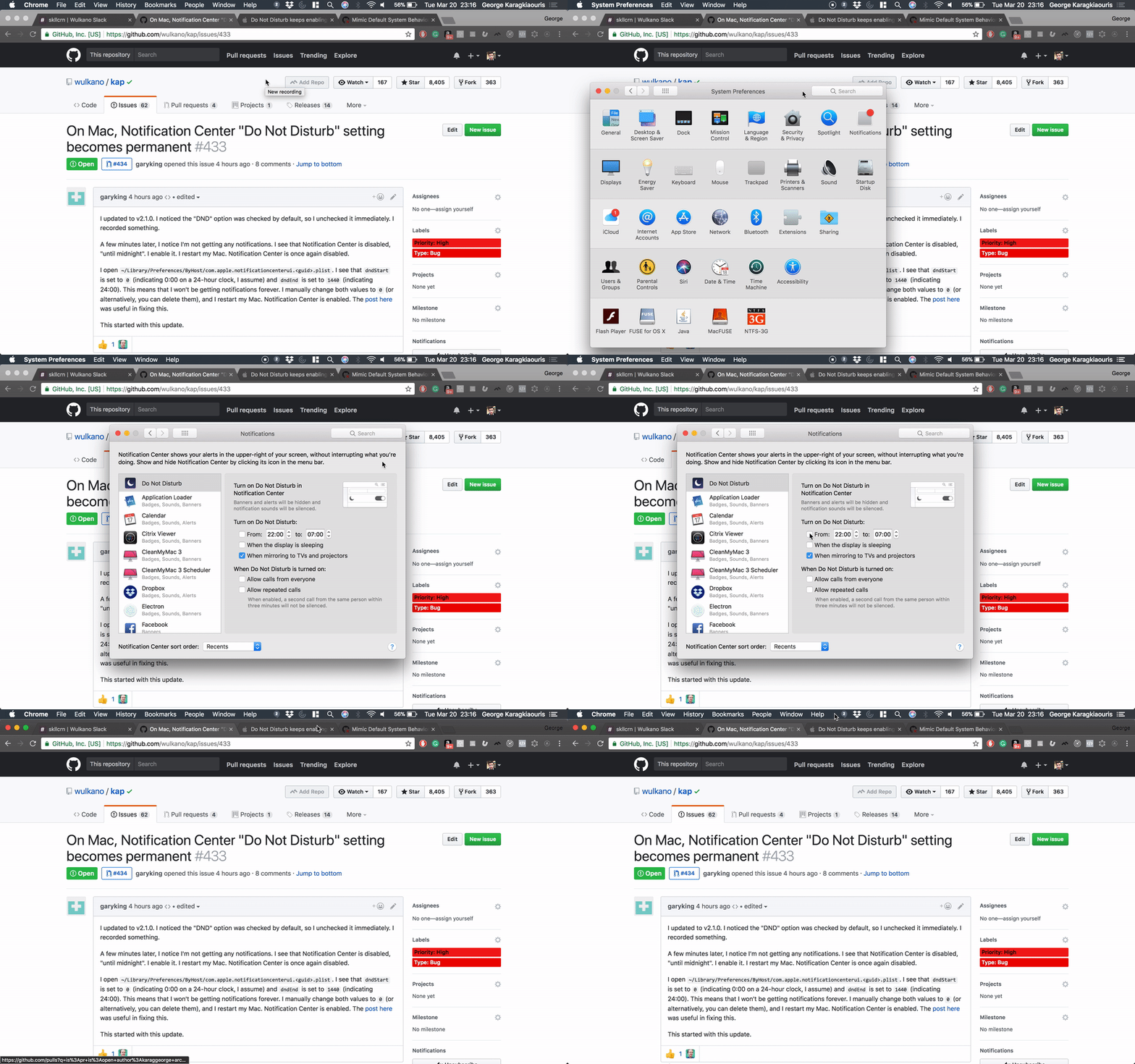
Temporary workaround until the fix is released
karaggeorge
on 21 Mar 2018
A new patch release is out: https://github.com/wulkano/kap/releases/tag/v2.1.1
 sindresorhus
on 21 Mar 2018
sindresorhus
on 21 Mar 2018
Related issues
albinekb
·
4Comments
 pedromassango
·
3Comments
pedromassango
·
3Comments
 rubenbuijs
·
3Comments
rubenbuijs
·
3Comments
 danielbachhuber
·
3Comments
danielbachhuber
·
3Comments
 vadimdemedes
·
4Comments
vadimdemedes
·
4Comments
Most helpful comment
A new patch release is out: https://github.com/wulkano/kap/releases/tag/v2.1.1