Kap: Allow configurable scaling so Retina displays don't generate enormous files
I tend to create simple gifs for work to illustrate a bug or UX issue I run into on the software we're developing. Although I use a retina-display Macbook Pro, the resulting gif doesn't need to be ultra crisp and high-resolution. It merely needs to get the point across.
I tend to use kap to create a gif, and then immediately open that gif up in Photoshop to remove frames from the beginning and end, then scale it to 50% to save on space. This will often turn a 5mb gif into a ~1mb gif. It would be great if I didn't need to use photoshop for this process (large gifs tend to create gigantic – multi-gigabite! – scratch disc files on my hard drive as well).
 mikegreiling
All 9 comments
Trimming is part of our next update (#115)! Instead of using Photoshop to scale the recording, you can use the editor within Kap. Simply record your GIF and use the width and height tool to make it 50% smaller prior to exporting. It'd be nice to make the width and height tool in the editor smarter, for example by having it be aware of your screen density and include quick options for @1x, @2x and so on.
 skllcrn
on 25 Sep 2017
skllcrn
on 25 Sep 2017
Cloud App's approach to this was to add a checkbox in settings labeled "Take screenshots at full resolution." It's off by default. I think this would make sense for Kap as well – the default behavior I'd expect is that what I record is what I'm seeing, rather than what I record being 2x the size of what I see.
 Leland
on 27 Nov 2017
Leland
on 27 Nov 2017
the default behavior I'd expect is that what I record is what I'm seeing
I would expect the opposite, that it records exactly the pixels on the screen. But I guess that's why we need a way to toggle it.
 sindresorhus
on 13 Dec 2017
sindresorhus
on 13 Dec 2017
Just to chime in since I see community feedback welcome - I introduced Kap to my teammates at VS Code and we are using it a lot for reporting issues. The problem we constantly ran into is the 2x size on macOS would produce gifs larger than 10MB and we can't put them in GitHub issue.
Hope there is a easy toggle between 1x/2x in the export.
Remember last used option between 1x/2x would be even better.
 octref
on 8 Mar 2018
octref
on 8 Mar 2018
@skllcrn any ideas on where to put this toggle? as a simple on/off in the exporting window? 🤔 I think it's still fine to record at full resolution so you can decide afterwards.
 albinekb
on 8 Mar 2018
albinekb
on 8 Mar 2018
From @doot0 in #127
Without adding extra UI, would adding the ability to perform basic mathematic operations in the resolution inputs be a suitable solution? This would allow a user to type something like 400/2 which would automatically resolve to 200. Not certain if that covers your use case.
This would be an elegant solution for power users and something we could use globally for dimension inputs in the app.
skllcrn
on 26 May 2018
@issuehunt has funded $80.00 to this issue.
- Submit pull request via IssueHunt to receive this reward.
- Want to contribute? Chip in to this issue via IssueHunt.
- Checkout the IssueHunt Issue Explorer to see more funded issues.
- Need help from developers? Add your repository on IssueHunt to raise funds.
 IssueHuntBot
on 2 May 2019
IssueHuntBot
on 2 May 2019
An idea.
If you removed the 'destination' label, you could add a scale dropdown with some basic options: 100%, 50%, 25%, 10%. It doesn't feel that heavy. It could just remember the last setting you chose.
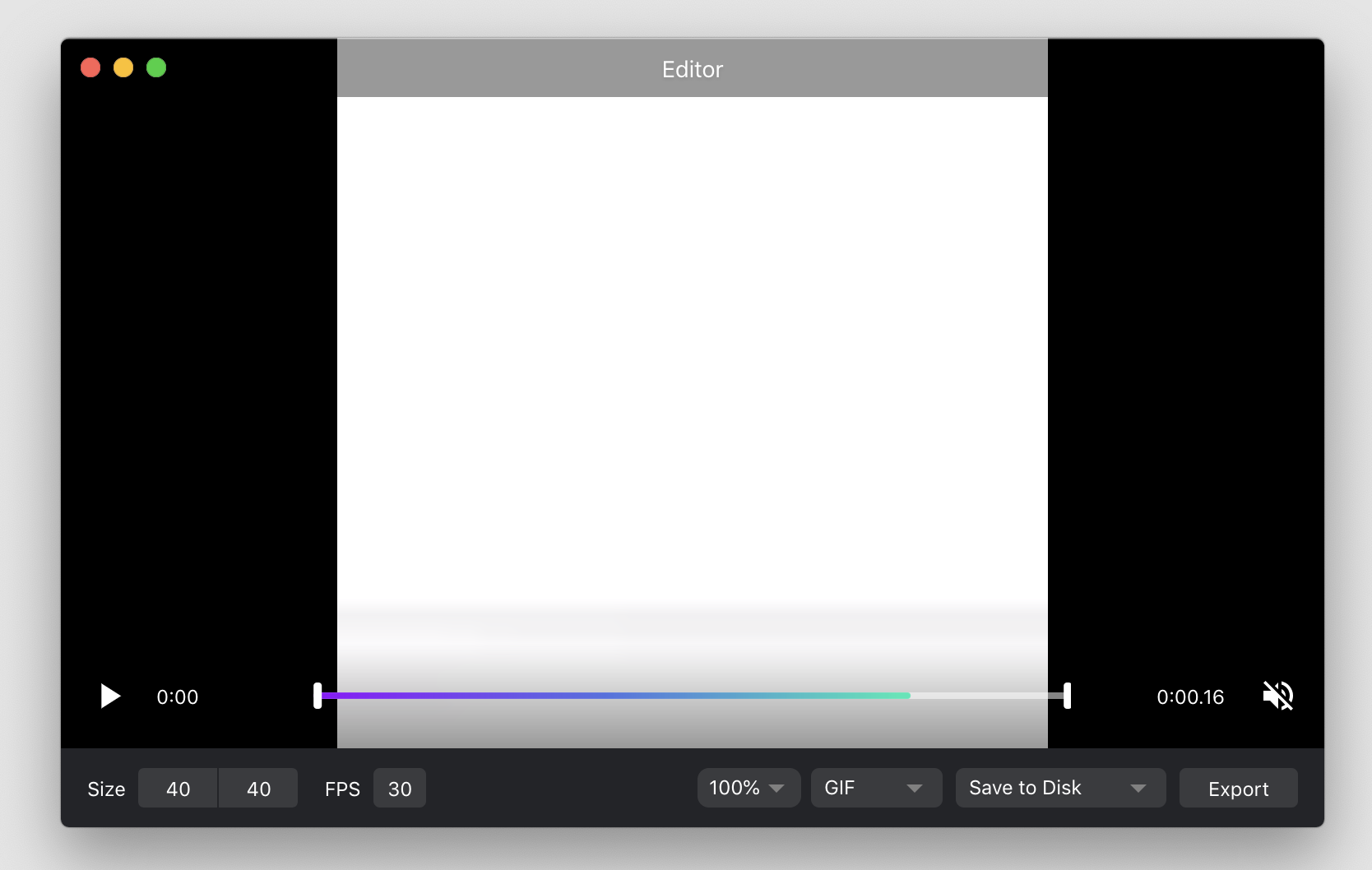
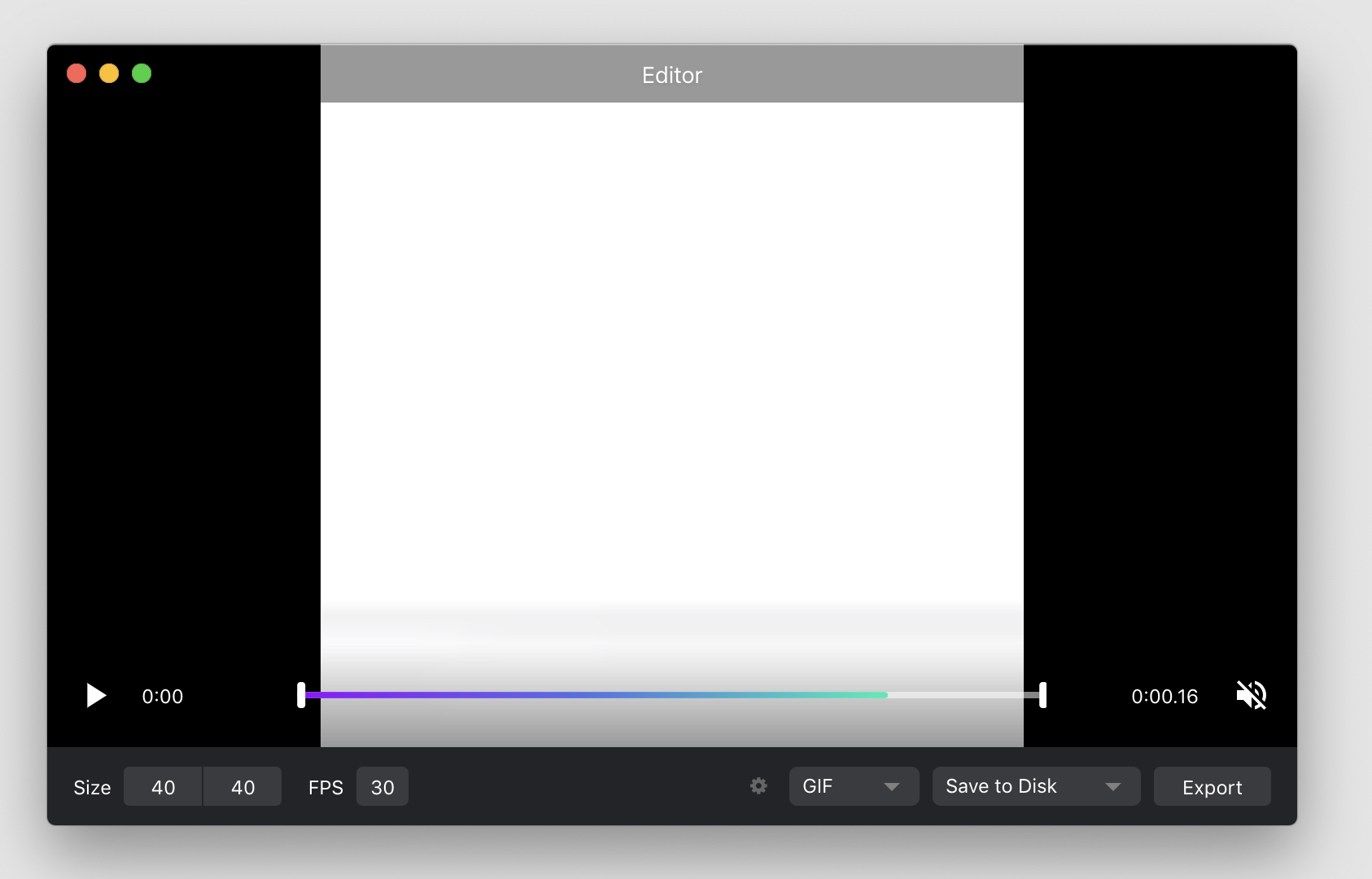
Or if that's too heavy, put it in an advanced settings menu something like this:
 kevincannon
on 16 May 2019
kevincannon
on 16 May 2019
Our solution for this will be allowing for simple math when manipulating dimension values, the ideal goal being to change e.g. the width by calculating 1440/4 from within the input, or by simply entering 25%. @karaggeorge is currently exploring this in #769!
skllcrn
on 28 Nov 2019
Related issues
albinekb
·
3Comments
albinekb
·
4Comments
albinekb
·
3Comments
sindresorhus
·
3Comments
 sorodrigo
·
3Comments
sorodrigo
·
3Comments
Most helpful comment
Cloud App's approach to this was to add a checkbox in settings labeled "Take screenshots at full resolution." It's off by default. I think this would make sense for Kap as well – the default behavior I'd expect is that what I record is what I'm seeing, rather than what I record being 2x the size of what I see.