Kap: Needs more context for recording and cropping the recording area
The UI very elegant, but a bit too minimal, because I don't know how to use it :(
I launch Kap, and from the menu bar I reluctantly press the crop button, since it's visually closest thing to a red circle record button that I'd expect to find.
Kap beachballs for a few seconds, a window with a dotted border appears, and that's it. I don't know if it's asking to set up, or is it recording. I don't see any files created anywhere.
 kornelski
All 9 comments
Once you've completed the steps you outlined above, click the red record button and Kap will begin recording shortly after. We're taking note of your feedback, we have some ideas around this that might also help clarify the interface in situations like these. Thank you!

 skllcrn
on 12 Dec 2016
skllcrn
on 12 Dec 2016
@pornel Another thanks for the issue. I've re-opened this to use your issue as a base for users to see that we're working on updating the context of the app to make the flow more obvious. ❤️
 timothyis
on 12 Dec 2016
timothyis
on 12 Dec 2016
Ah, now that I've seen your screencast I get how it's supposed to work. It makes sense, but I expected something else.
Things that confused me:
- recording could potentially capture full screen or just a fragment, so seeing a crop icon makes me wonder where's "record full screen" option.
- once the crop window appeared, I did not expect I to interact with the menu again (unless to stop the recording)
Maybe the initial icon could be a filled red circle with a white crop symbol? It'd be more record-ey.
There needs to be some explicit status indicator that says "it's not recording yet, finish crop to start recording". A big red record button in the middle of the crop window could be it.
kornelski
on 12 Dec 2016
Agreed, @pornel. We're going over this at the moment in our slack and I believe we're on to something. Will keep you updated in this issue. 😄
timothyis
on 12 Dec 2016
Relevant feedback in this Twitter thread, which mirrors a lot of our teams thoughts, internal discussions and experiments https://twitter.com/maybekatz/status/930882862320033792
I want to make it clear that isn't just a design challenge, but one that also has a lot of technical aspects to take into consideration. We're working on it.
skllcrn
on 15 Nov 2017
201
skllcrn
on 26 Jan 2018
From #388:
For me, before I enter Kap I already know what type of recording I want to do, which as far as I can tell is always one of:
- Rough crop (very often)
- Specific app (sometimes)
- Full screen (rarely)
- Fixed dimensions (rarely)
The amount each individual type of recording would be used probably varies by person. I personally use rough crop and full app most often because I'm usually trying to capture recordings of reproducing bugs. I could see people creating GIFs for documentation wanting to always keep a specific dimension standard to stay consistent, and there's probably a target audience where full screen is their default.
But this makes me think that right now Kap is exposing lots of "configuration" UI, which isn't necessarily matching with how users think. And instead, it might be good to just expose the decision that users are wanting to make, maybe like:
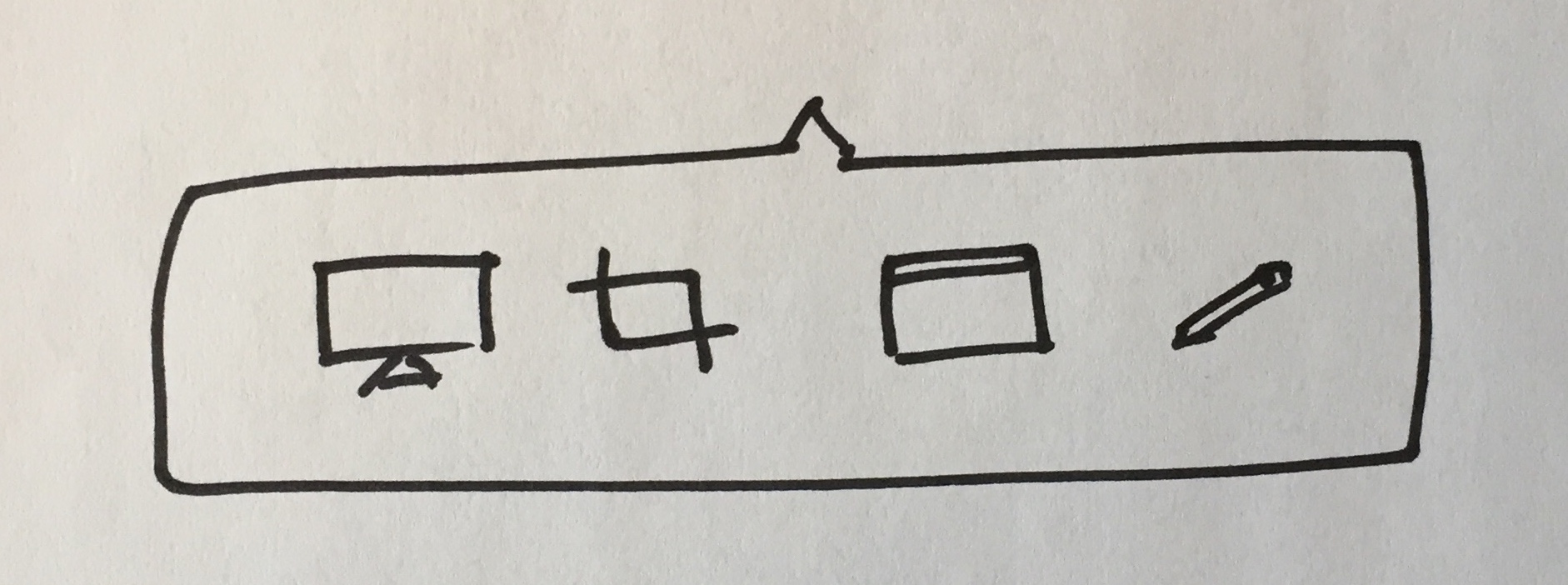
That's one way to do it, but still might be extra work for the user.
You could instead opt to have the rough crop be the default, since you can actually achieve all of the others by hanging their UX off of the rough crop's, like so:
- Rough crop is the default, just drag over the area.
- Full screen is easy, just drag over the entire screen, and feels very natural. I bet RecordIt users already do this even though it provides no specific "full screen" option.
- Fixed dimensions can be done by dragging roughly with an updating indicator of the size ticking by as you drag. And any mistakes can be made by resizing. As an optional way to make it easier and more precise, perhaps clicking (instead of dragging) would prompt you with a set of input fields and aspect ratios—essentially the current Kap interface.
- Specific app is harder to hang off of the rough crop UX. As an optional way I think mimicking the native macOS behavior of going into app mode when spacebar is pressed is a good idea. You'd probably also want a visual indicator of it.
This all might lead to treating the "cropping" UI as the main UI for Kap. You could imagine something like this:
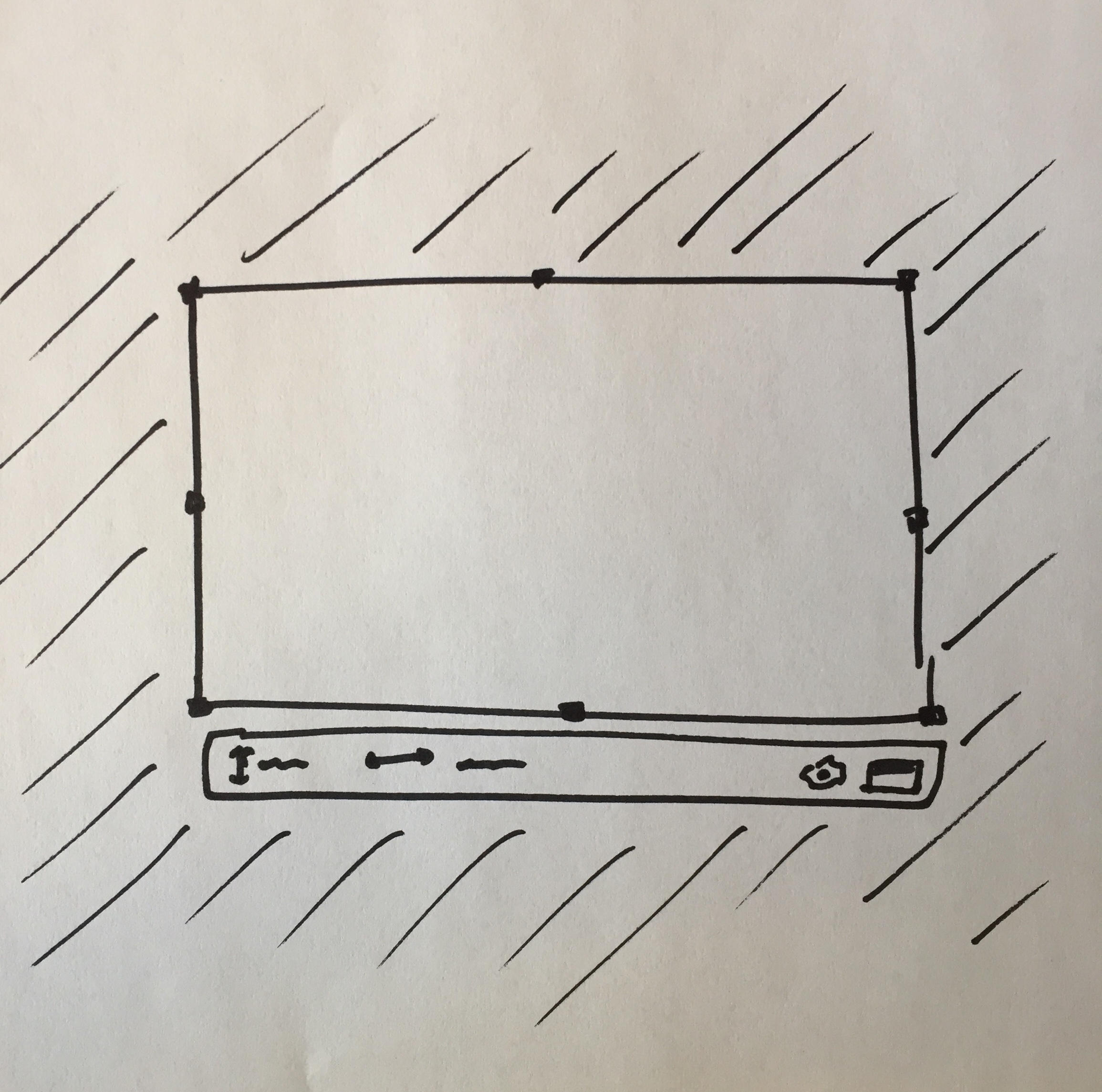
That menu under (and inside when not enough room) is where things like "record" and "specific app" and even inputs to fine tune the dimensions could go, and it all feels natural.
You could even pop-up a crop region with the previously used size already configured, to aid the documentation recording use case, and to make the menu available right away. People can always re-click/drag to create a new crop region.
You could have a well-understood "close overlay" button somewhere in there, which is a pretty easy thing to communicate to people since it's pretty common.
This starts to feel pretty nice I think.
The menubar icon is reduced to just be "click to enable" and "click to stop". And everything else takes place on the screen itself, right where the content is being recorded. I'd even recommend putting a red record button near the crop area itself.
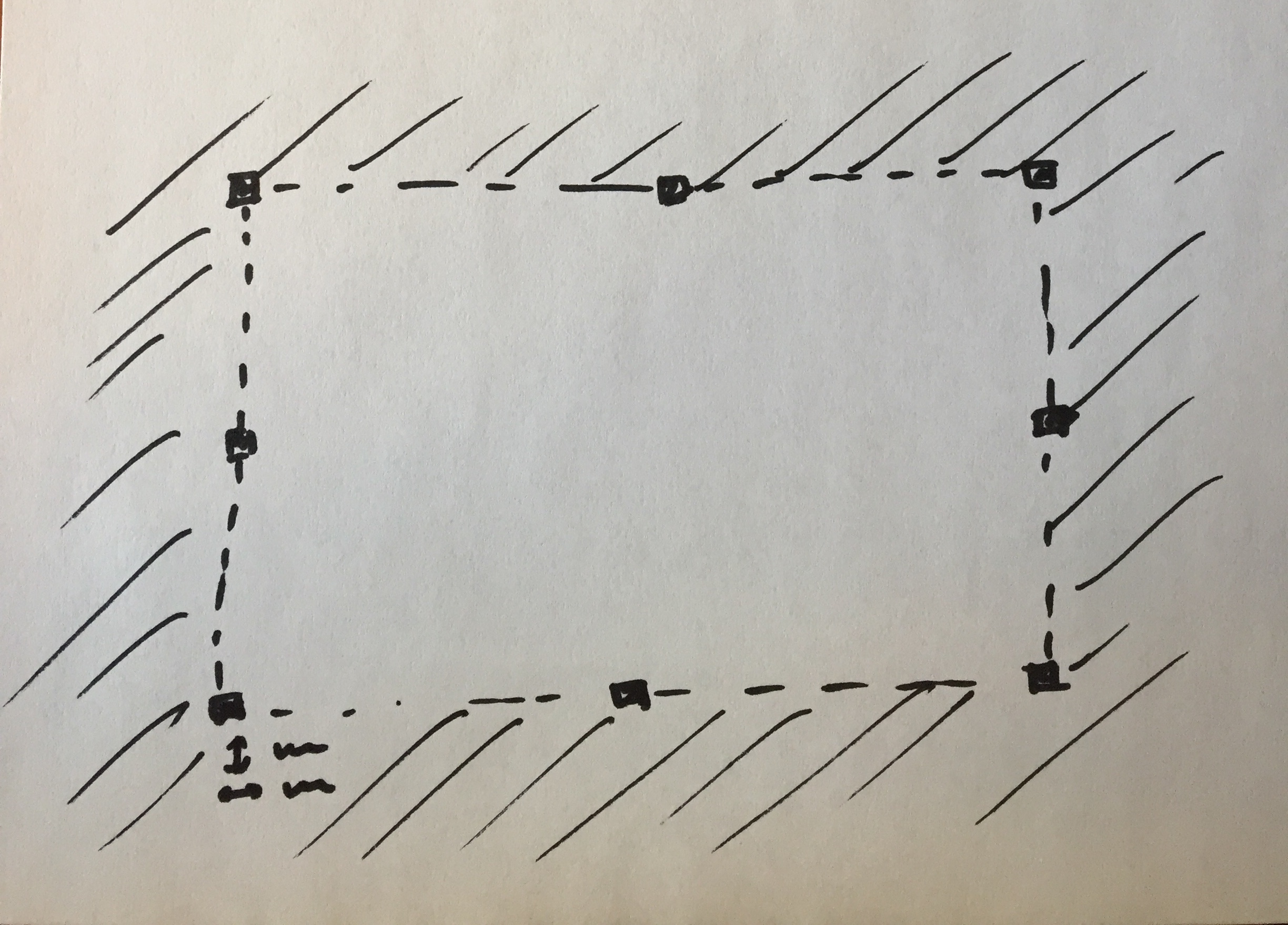
Also, one of the UX issues is that right now the crop area is hard to see and isn't obvious that it's resizable or draggable in any way. This would be solved by darkening the outsides, but also by adding the recognizable drag handles to it:
 ianstormtaylor
on 7 Feb 2018
ianstormtaylor
on 7 Feb 2018
Feedback from @congp in #430:
Bring the Crop button back please...or maybe have a clearer indicator of what the software is doing.
skllcrn
on 19 Mar 2018
Just wanted to thank you for your detailed reasoning and suggestions @ianstormtaylor. There's significant challenges with having the tools within or attached to the marquee tool / crop area, we've been experimenting with similar concepts since the very first version of Kap! Recently @karaggeorge took it a step further in his explorative PR https://github.com/wulkano/kap/pull/409 and we'd love your feedback on it.
skllcrn
on 19 Mar 2018
Related issues
 freeassange
·
3Comments
freeassange
·
3Comments
 sindresorhus
·
3Comments
sindresorhus
·
3Comments
 albinekb
·
4Comments
albinekb
·
4Comments
 danielbachhuber
·
3Comments
danielbachhuber
·
3Comments
 rgbkrk
·
4Comments
rgbkrk
·
4Comments
Most helpful comment
Just wanted to thank you for your detailed reasoning and suggestions @ianstormtaylor. There's significant challenges with having the tools within or attached to the marquee tool / crop area, we've been experimenting with similar concepts since the very first version of Kap! Recently @karaggeorge took it a step further in his explorative PR https://github.com/wulkano/kap/pull/409 and we'd love your feedback on it.