K3s: After first start without `--no-deploy=local-storage` flag, subsequent starts with the flag still deploy local storage
Version:
k3s version v0.11.0-alpha2 (405f85aa)
root 1917 118 5.3 355120 203940 ? Ssl 09:24 0:07 /sbin/k3s server --no-deploy=servicelb --no-deploy=local-storage
Describe the bug
After adding --no-deploy=local-storage, I expect no local-path provisioner to be running, but it is and the service class is registered.
To Reproduce
- Have an existing installation of k3s with local-storage.
- Provide my own storage class and delete the
local-pathstorage class. - Add
--no-deploy=local-storageto the flags of k3s and restart.
(See https://github.com/rancher/k3s/issues/1048#issuecomment-553864526 for more information and screenshots.)
Expected behavior
- No
local-pathservice class is created and nolocal-path-provisioneris running as they are disabled.
Actual behavior
- The
local-pathservice class is recreated and thelocal-path-provisioneris running.
$ kubectl get pods --all-namespaces
NAMESPACE     NAME                                      READY   STATUS      RESTARTS   AGE
[...]
kube-system   local-path-provisioner-58fb86bdfd-487rl   1/1     Running     1          45h
default       nfs-client-provisioner-6b9fb56458-nmbvj   1/1     Running     1          22h
[...]
$ kubectl get sc
NAME                            PROVISIONER                   AGE
managed-nfs-storage (default)   k8s.sjor.sg/nfs-provisioner   22h
local-path (default)            rancher.io/local-path         3m13s
 sgielen
All 13 comments
I also added --no-deploy=servicelb which did cause the svclb not to be deployed after a reboot. Then, I added --no-deploy=traefik but traefik is actually deployed after reboot... Weird?
sgielen
on 12 Nov 2019
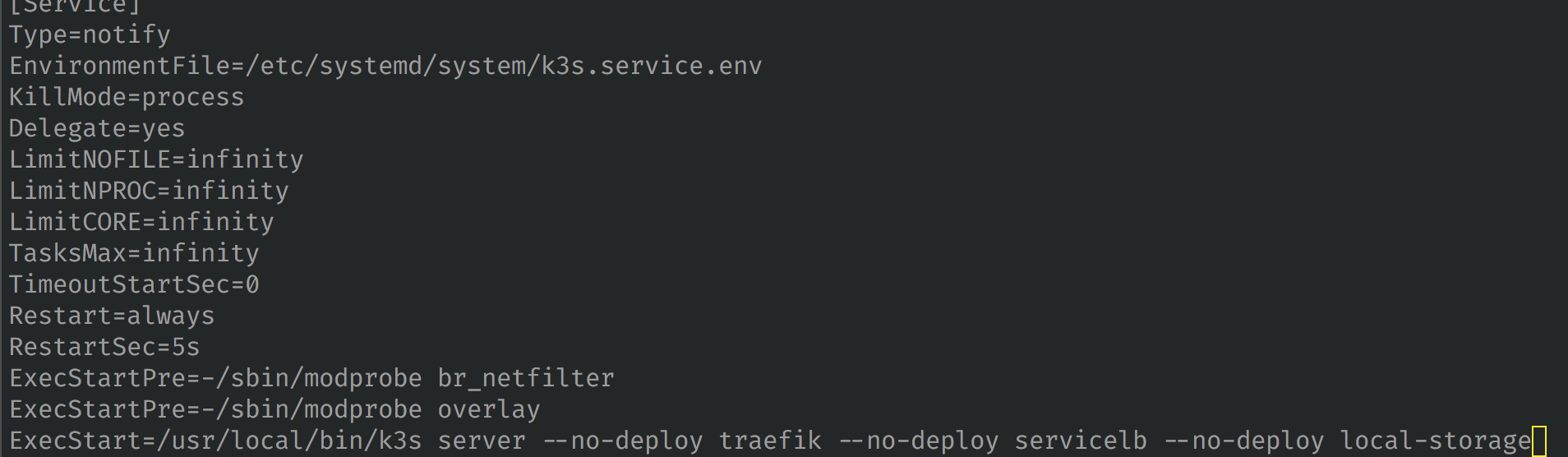
What does the k3s service look like? How did you install k3s exactly?
 davidnuzik
on 12 Nov 2019
davidnuzik
on 12 Nov 2019
@sgielen I cant reproduce the issue, I started k3s with --no-deploy local-storage and I can see that neither the storage class nor the local path provisioner deployment got deployed
CC @davidnuzik
 galal-hussein
on 12 Nov 2019
galal-hussein
on 12 Nov 2019
@sgielen can you describe exactly how did you start k3s with the --no-deploy, if you started without --no-deloy and then tried to add it after it won't delete the deployment that already has been installed
galal-hussein
on 12 Nov 2019
I have these steps to reproduce in the task description:
- Already have k3s running without any
--no-deployflags - Delete the storage class (and, probably irrelevant, provide a default alternative)
- Add the
--no-deploy=local-storageflag and restart k3s - The local storage provisioner is still started and the storage class recreated
@galal-hussein this sounds reasonable, that the deployment isn't automatically removed – but it did trigger me that when you add --no-deploy=servicelb, the svclb is automatically removed. Is there a difference between how local-storage and servicelb are deployed that would explain this difference? Perhaps this is something to make consistent, or else, something to document?
sgielen
on 14 Nov 2019
I set up k3s in an x86_64 VM with default args (just k3s server) and svclb started:

Then, added --no-deploy=servicelb to /k3os/system/config.yaml and rebooted. Initially, svclb was running but then (without me doing anything) it was set to Terminating, then removed:
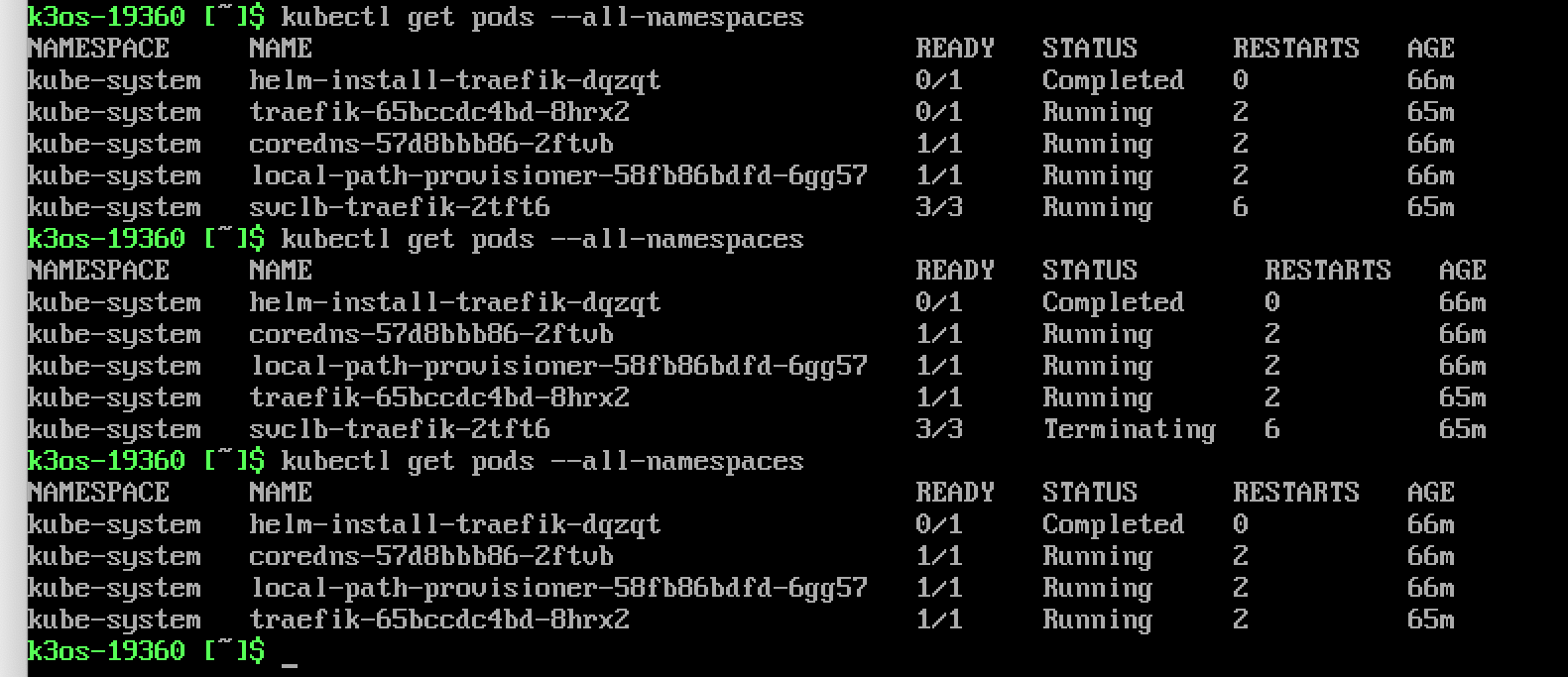
Then, I also added --no-deploy=local-storage to /k3os/system/config.yaml and rebooted again, but the local path provisioner does not auto-terminate like the svclb did:
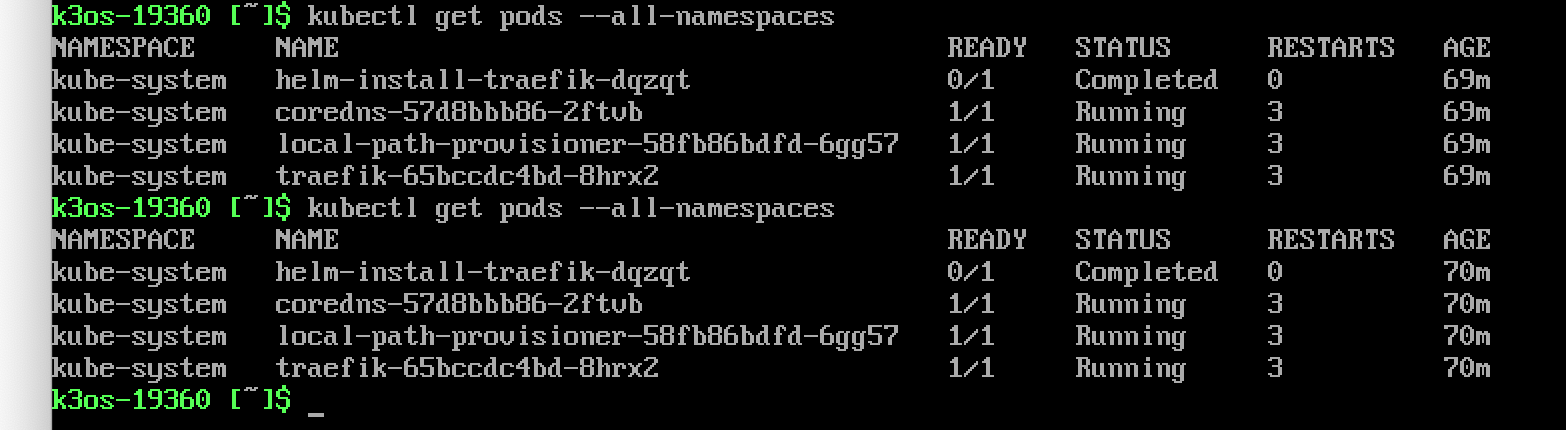
Fwiw, the config.yaml looks like this at this point:
k3os:
  password: rancher
  k3s_args:
  - server
  - --no-deploy=servicelb
  - --no-deploy=local-storage
sshAuthorizedKeys:
- github:sgielen
I think at least this difference could be better documented, but one could argue that the principle of least surprise says that k3s should comply with its --no-deploy flags regardless of whether they are given at first start or subsequent starts.
sgielen
on 14 Nov 2019
Worse, I removed the local path provisioner and the storage class and rebooted and they come back even though --no-deploy=local-storage is given:
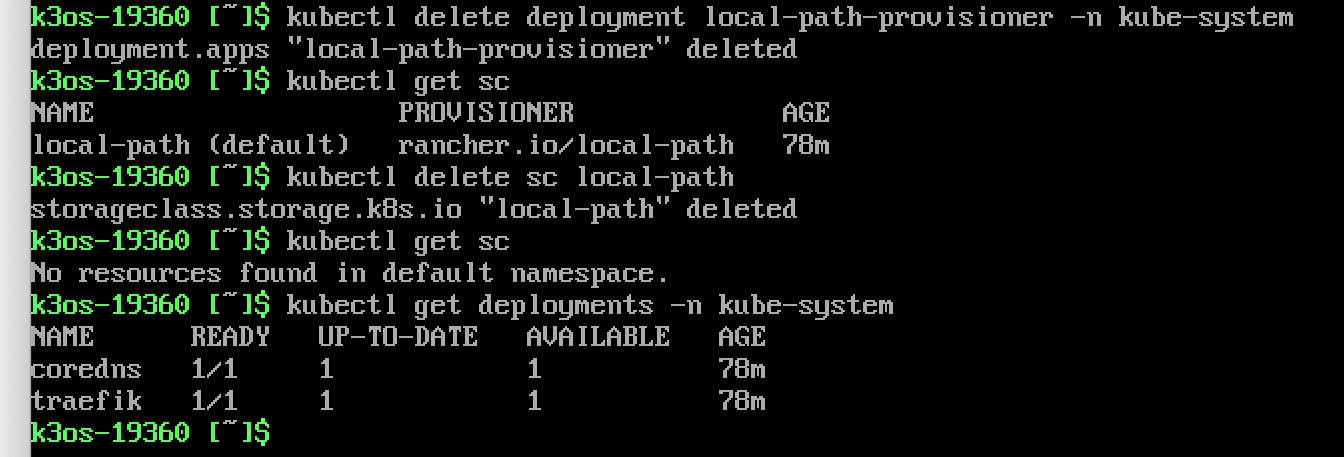
(reboot)
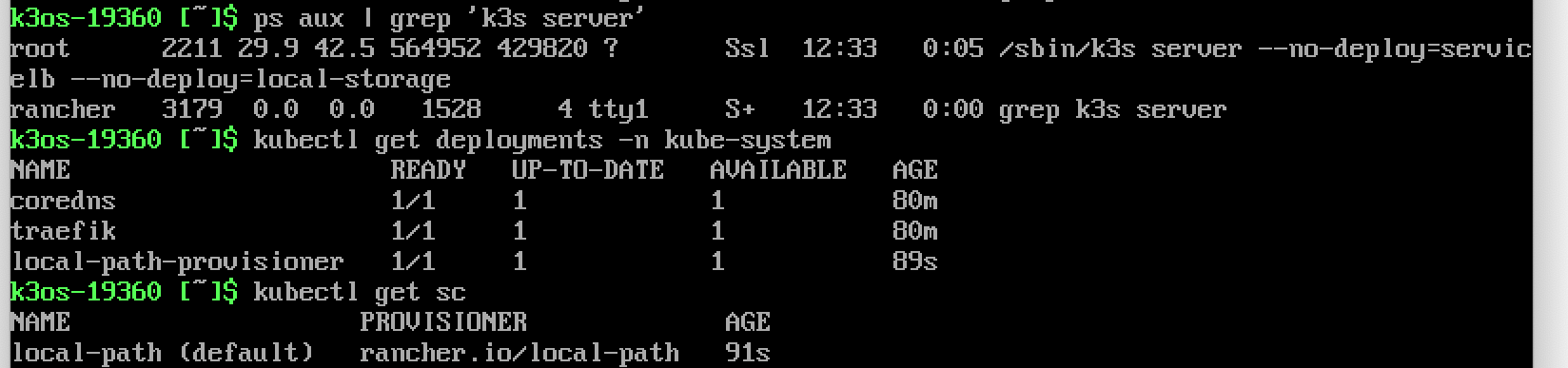
The same behaviour is observed with --no-deploy=servicelb,local-storage
sgielen
on 14 Nov 2019
Looks like this issue is caused by the file /var/lib/rancher/k3s/server/manifests/local-storage.yaml which exists even after --no-deploy is added. (Related issue: #717) Indeed, after removing the deployment and storage class and removing the file and adding --no-deploy=local-storage, the local path provisioner is not recreated. It's not obvious to me why this is the case for local-storage but not for servicelb.
I would consider k3s' behaviour less surprising if it would not load the local-storage.yaml manifest (and perhaps even kubectl delete whatever it added before) if --no-deploy=local-storage is given? To me, as an end user, the automatic creation of this yaml is perhaps more of an implementation detail than something I normally expect to have to know about in order to change the setup of my cluster...
sgielen
on 14 Nov 2019
i found this too
i want a clean version that do NOT contain any pre install component such as traefik or local-path-storage
also the cli args such as --no-deploy traefik is so strange, as a user, i dont't need no-deploy
i need deploy-xxx cmd
 Ehco1996
on 19 Nov 2019
Ehco1996
on 19 Nov 2019
also the cli args such as
--no-deploy traefikis so strange, as a user, i dont't needno-deploy
i need deploy-xxx cmd
+1 to this request. Opt in would be preferred. I suppose that would make it less seamless for new users coming in though.
 jonfairbanks
on 3 Jan 2020
jonfairbanks
on 3 Jan 2020
Yeah, seems like deleting /var/lib/rancher/k3s/server/manifests/traefik.yaml also fixes the problem from traefik
 casidiablo
on 12 Jan 2020
casidiablo
on 12 Jan 2020
Actually, this is happening again even without /manifests/ file in my server
casidiablo
on 26 Jan 2020
We introduced a --disable flag to accomplish what is being asked here.
 cjellick
on 28 Apr 2020
cjellick
on 28 Apr 2020
Related issues
 ashrafgt
·
3Comments
ashrafgt
·
3Comments
 seanmalloy
·
3Comments
seanmalloy
·
3Comments
 e-nikolov
·
3Comments
e-nikolov
·
3Comments
 ubergeek801
·
3Comments
ubergeek801
·
3Comments
 joakimr-axis
·
3Comments
joakimr-axis
·
3Comments
Most helpful comment
i found this too
i want a clean version that do NOT contain any pre install component such as traefik or local-path-storage
also the cli args such as
--no-deploy traefikis so strange, as a user, i dont't needno-deployi need deploy-xxx cmd