K-9: Notification font color does not contrast
Not a real issue because UI normally has white backgrounds on devices that aren't rooted and modified.
Expected behavior
Tell us what should happen
Font color should contrast with UI notification color on devices that have changed the system UI's background color through means of a theme manager or mod (Xposed or theme flash through recovery)
Actual behavior
Tell us what happens instead
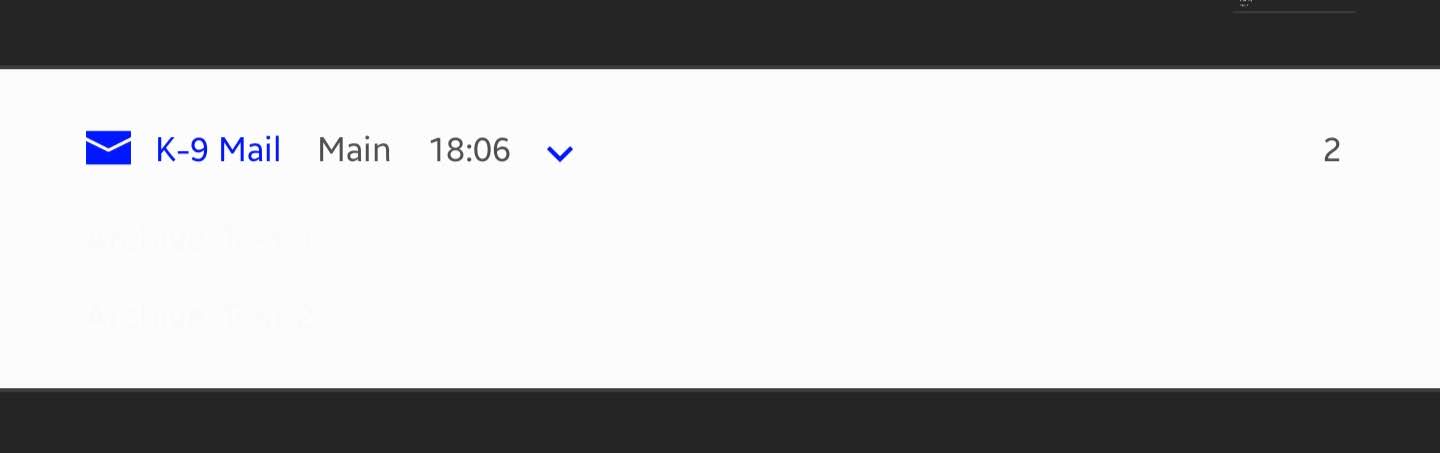
In android's UI with a black background (not in k9), K9 notifications show the subject line font color that doesn't contrast with notification background color whereas the message contents does that just fine. The subject line remains in black font and cannot be read due to both colors of Android UI and subject line being the same.
Steps to reproduce
- Install an Xposed module (notifyclean by defim) that can change color of UI. Or use Substratum with a dark theme installed.
- Set notifications to a black background. On Substratum, set the system UI and Android system to be applied with a dark theme.
- Have k9 mail display notification
Environment
K-9 Mail version:
5.113 f-droid build
Android version:
6.0.1
Account type (IMAP, POP3, WebDAV/Exchange):
IMAP personal
 DA-Mena
All 7 comments

DA-Mena
on 15 Nov 2016
This is in v21/styles.xml
If someone from @TeamSubstratum knows the right thing to set it to so it's black on normal devices and something sensible on Substratum I'd be happy to test the standard case.
Currently it's
<item name="android:textColor">?android:textColorPrimaryInverse</item>
 philipwhiuk
on 15 Nov 2016
philipwhiuk
on 15 Nov 2016
I'm not suggesting we change the theme. I'm suggesting we find a better constant to use to set the textColor. I thought Substratum would know that. But if the theme editors know that's fine too. It should be the colour that notification titles are set to.
philipwhiuk
on 15 Nov 2016
Still happening on many dark themes.
 vviikk
on 23 Nov 2017
vviikk
on 23 Nov 2017
This is now an issue on Galaxy S10 which has night mode on Android 9. While night mode is enabled you're unable to read the text of the k9 notification.
 isleshocky77
on 14 May 2019
isleshocky77
on 14 May 2019
Same on Note 9
 bbtdev
on 27 Jul 2019
bbtdev
on 27 Jul 2019
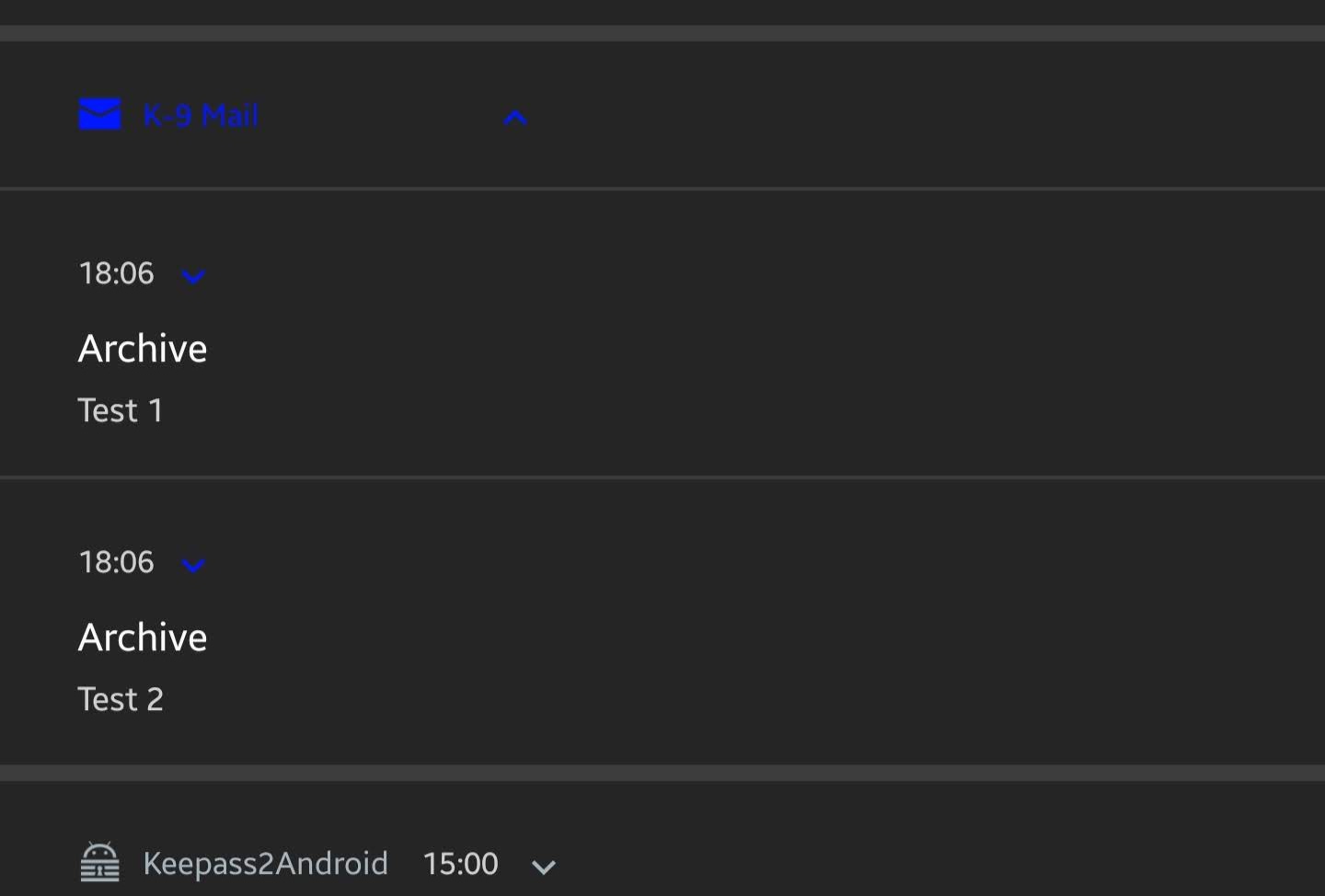
The problem (at least for me, S9+) happens only when I have multiple notifications, and only when collapsed:
- Multiple notifications, collapsed
- Multiple notifications, exploded
- Single notifications, collapsed

 psychowood
on 30 Jul 2019
psychowood
on 30 Jul 2019
Related issues
 eleith
·
3Comments
eleith
·
3Comments
 robsmith11
·
3Comments
robsmith11
·
3Comments
 Immortalin
·
3Comments
Immortalin
·
3Comments
 jrtberlin
·
3Comments
jrtberlin
·
3Comments
 D0ve
·
3Comments
D0ve
·
3Comments