Jwt-auth: how to send the token by the header and not by the url
My environment
| homestead | vagrant
| Bug? | no
| New Feature? | no
| Framework | Laravel
| Framework version | 5.5
| PHP version | 7.1
thanks in advance
 lCHECHOl
All 5 comments
Use Laravel's response helper to return the token in the header.
return response(200)->header( Put token in here );
Is this what you are trying to achieve?
 Joshgallagher
on 19 Feb 2018
Joshgallagher
on 19 Feb 2018
This is my code, how would it be?
what I want is that all the tokens that I use are sent by the header for security, none should be for the url
public function signin(Request $request)
{
$this->validate($request,[
'user_email' => 'required|email',
'password' => 'required|min:6',
]);
$user_email = $request->input('user_email');
$password = $request->input('password');
if ($user = User::where('user_email', $user_email)->first()) {
$credentials = [
'user_email' => $user_email,
'password' => $password,
];
$token = null;
try {
if (!$token = JWTAuth::attempt($credentials)) {
return response()->json([
'error' => 'El correo ó la contraseña son incorrectos'
],404);
}
} catch (JWTAuthException $e) {
return response()->json([
'error' => 'failed_to_create_token',
],404);
}
$response = [
'success' => 'Usuario Logueado',
'Usuario' => $user,
'token' => $token
];
return response()->json($response, 201);
}
$response =[
'error' => 'Ha ocurrido un error durante el logueo al sistema',
];
return response()->json($response,404);
}
I believe you could so something like this:
return response()
    ->header( Token in here! )
    ->json($response, 201);
Double check with the docs - but I think that should work!
But, in most situations I would just return the token in the response body.
Joshgallagher
on 19 Feb 2018
try placing the code as you say but this one says this
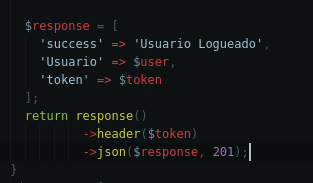

I'm using postman to prove everything, what am I doing wrong?
The only thing I saw about passing the token via http with the header is this, but I do not understand

lCHECHOl
on 20 Feb 2018
I already knew how to send the token by the header in the following way:
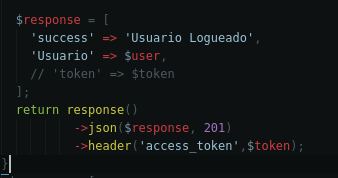
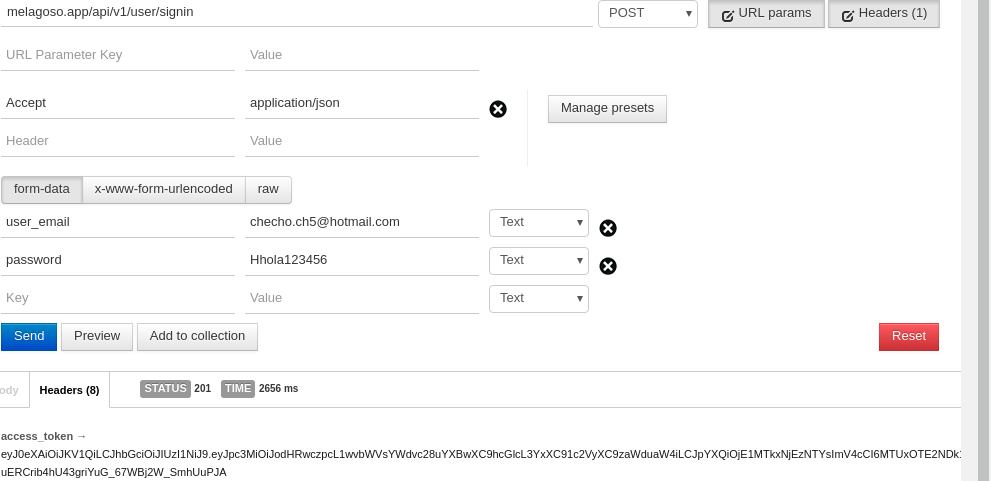
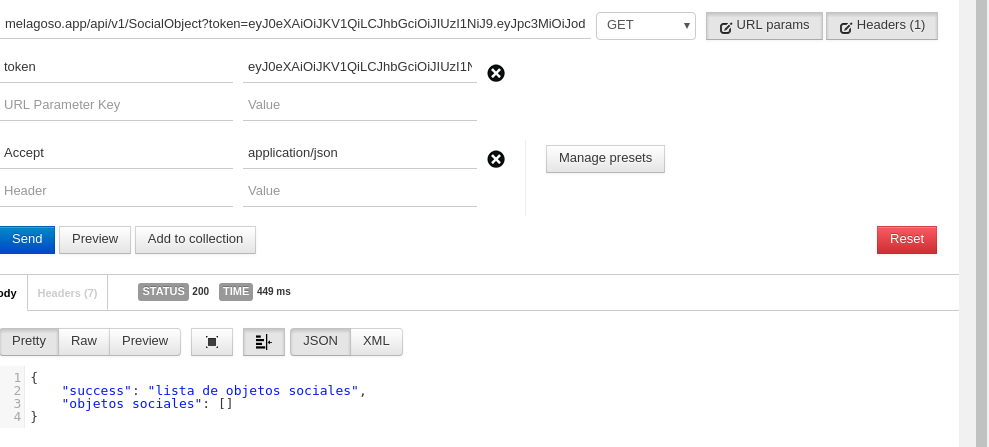
but I get another question, how do I recover the token in another view so that I do not mark the token is required if something like this happens:
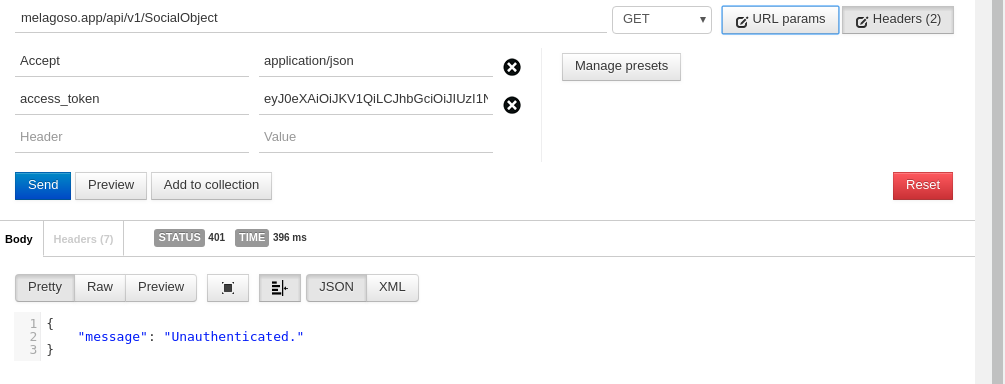
if I pass the token by url it works, but it's not what I need
lCHECHOl
on 20 Feb 2018
Related issues
 marciomansur
·
3Comments
marciomansur
·
3Comments
 shah-newaz
·
3Comments
shah-newaz
·
3Comments
 aofdev
·
3Comments
aofdev
·
3Comments
 therealmjk
·
3Comments
therealmjk
·
3Comments
 Rasoul-Karimi
·
3Comments
Rasoul-Karimi
·
3Comments
Most helpful comment
I believe you could so something like this:
Double check with the docs - but I think that should work!
But, in most situations I would just return the token in the response body.