Jupyter_contrib_nbextensions: Large variables cause varInspector to slow down entire notebook.
Hey, I found a bug in varInspector/main that causes the entire notebook to slow down in certain situations. The fix is pretty easy -- I might send a patch if I find some time.
Steps to reproduce:
- Enable varInspector/notebook extension, and open a new notebook
- Read a 4 GB file into memory and store it as a variable (with open("filename") as f: raw_data = f.read())
- Try to execute any other cell in the notebook (for example, print("hello world")). After the cell gets executed, the notebook gets stuck in the "queued" state for about 5 to 10 seconds. Also, CPU usage for the kernel gets pegged at 100%.
- use pyflame to identify that the notebook is getting stuck in the "var_dic_list" function
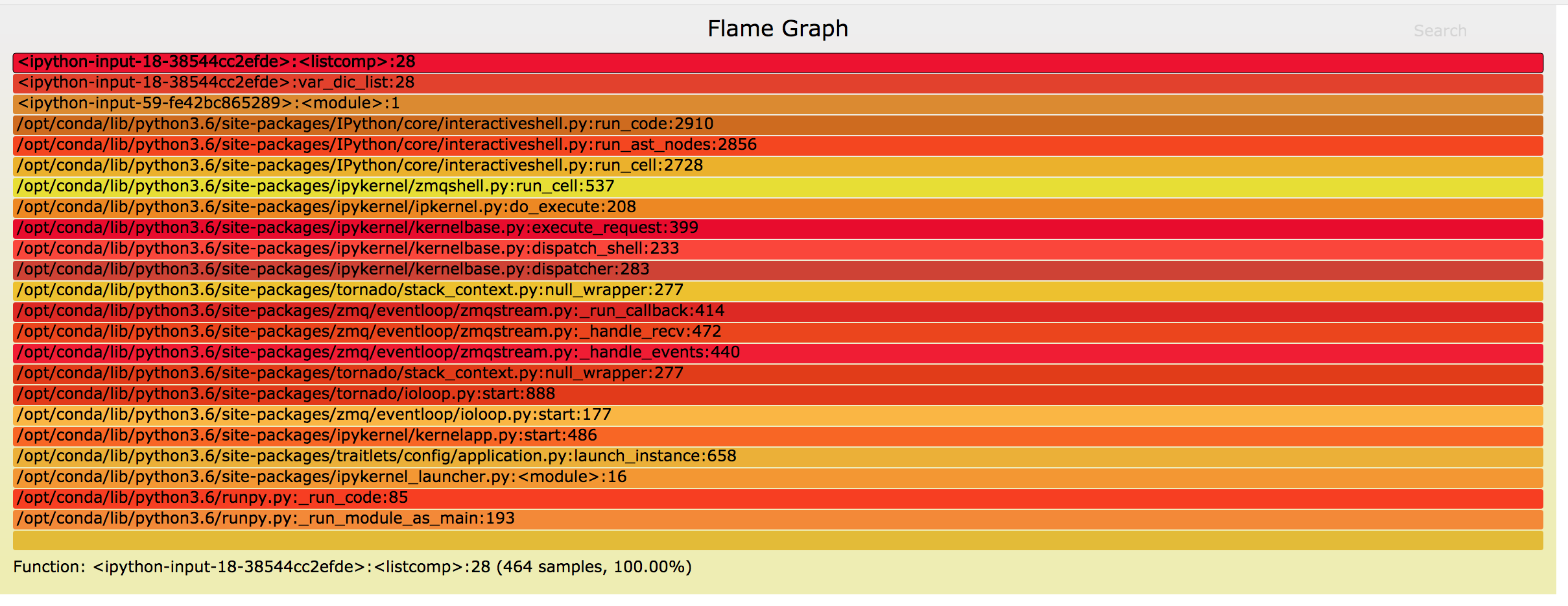
Impact:
Basically, if there is an extremely large variable in the notebook, every single cell will take a very long time to execute (> 5 seconds), no matter how simple the cell contents are. This is because the varInspector function runs the var_dic_list after every single cell execution, and var_dic_list is slow.
Root cause:
Here's the code to the offending function: https://github.com/ipython-contrib/jupyter_contrib_nbextensions/blob/master/src/jupyter_contrib_nbextensions/nbextensions/varInspector/var_list.py#L41
'varContent': str(eval(v))[:200]
Culprit is the str() function. It serializes the entire variable into the string, even though only it only needs the first 200 variables.
Potential fix:
Replace the str() function with something smarter. For example:
def get_fast_repr(obj, length):
    if isinstance(obj, six.string_types):
        return str(obj[:length])
    if isinstance(obj, list):
        ...
   if isinstance(obj, dict):
      ...
   etc for all built-in types
 babymastodon
All 2 comments
This extension is unusuable for me until this is fixed; the entire reason for using this for me is to help manage my memory by noticing large DataFrames that I no longer need but forgot to del. However, this makes the entire notebook excruciatingly slow all the time, which defeats the purpose.
 ijoseph
on 4 Apr 2019
ijoseph
on 4 Apr 2019
Also had similar problems, while working with Google Earth Engine (GEE). I was doing many operations with GEE, and my guess is that while serializing an object to send it to Google servers, it became huge, and the variable inspector started extremely slowing down the code. If I ran the code with a regular Python script, it would run on-the-fly, while when I tried to run it with Jupyter + Variable Inspector, it would never finish, the memory would go back and forth between 400 Mb and 2 Gb. Disabling Variable Inspector successfully solved the issue.
 franzoni315
on 5 Apr 2019
franzoni315
on 5 Apr 2019
Related issues
 BruceChen2017
·
3Comments
BruceChen2017
·
3Comments
 reedv
·
6Comments
reedv
·
6Comments
 Hgh2017
·
3Comments
Hgh2017
·
3Comments
 serjtroshin
·
4Comments
serjtroshin
·
4Comments
 rsemenoff
·
5Comments
rsemenoff
·
5Comments
Most helpful comment
This extension is unusuable for me until this is fixed; the entire reason for using this for me is to help manage my memory by noticing large
DataFrames that I no longer need but forgot todel. However, this makes the entire notebook excruciatingly slow all the time, which defeats the purpose.