Jupyter-book: Mysterious 404 error with github pages
Good morning!
I'm encountering a bizarre 404 error when trying to host a jupyter-book with gh-pages. I'm a jekyll newbie, but have really enjoyed the jupyter-book tool!
(I believe) I've disabled the problematic
jekyll-scholarplugin & relatedgh-pages assures me that
Your site is published at https://chanzuckerberg.github.io/image-analysis-course/with no reported errorsAs expected, the site is redirecting from
https://chanzuckerberg.github.io/index.htmltohttps://chanzuckerberg.github.io/image-analysis-workshop/intro/aboutThe html for
intro/about.htmlis being built correctly: https://github.com/chanzuckerberg/image-analysis-course/blob/master/_build/intro/about.html
Have you encountered this before? Would super appreciate being pointed in the right direction. Hopefully it's user error (easiest to fix!).
 sidneymbell
All 17 comments
hmmmm - did you configure the site to be built by gh-pages? The directory structure does seem correct, but it seems like the pages aren't being built.
I'm gonna write up a quick improvement to the github-pages deploy docs today, would you mind if I sent it your way to follow and give me some feedback? :-)
 choldgraf
on 8 Oct 2019
choldgraf
on 8 Oct 2019
Hey @choldgraf -- thanks for your help!
It's building off of master (they were identical; just needed to delete the gh-pages branch).
And yes, I'd be happy to give feedback :)
sidneymbell
on 9 Oct 2019
OK cool :-)
I just pushed an updated version of the book's documentation. Here are the main points:
- this page covers building HTML for each page
- this section covers publishing your book online. Including how to use gh-pages Jekyll auto-building, as well as how to build your book's HTML manually and host it online.
In particular the second link should be relevant to your situation. I bet that I missed a bunch of stuff and/or made things more confusing than necessary, so feedback is definitely welcome!
choldgraf
on 9 Oct 2019
Hey @choldgraf --
Thanks for your patience, we were off using jupyter-book in a workshop! It went swimmingly, and folks super appreciated the documentation format & binder integration.
I took a look through the docs, and they're generally great. I noticed a few things you might consider:
1 - It wasn't clear to me that the --demo book wasn't compatible with ghpages, and it was tricky to figure out which / how to remove packages to fix it.
2 - As someone who's never used jekyll before, it wasn't clear to me what the relationship was between _site and _build (and that I needed to manually find and remove the demo content from _site to work).
3 - I think you've got a couple of dead links on this page (starting with See the guide...)
sidneymbell
on 30 Oct 2019
thanks so much for the feedback! Will make some docs improvements to get it in the guide. If you'd like to take a crack at making a pull request, I am also more than happy to review any improvements you make to the docs!
choldgraf
on 30 Oct 2019
Awesome! I can work on this a bit next week.
Sidney Bell, PhD
Computational Biology
Chan Zuckerberg Initiative
she, her | twitter https://twitter.com/sidneymbell | github
https://github.com/sidneymbell | calendar
https://calendly.com/sidneymbell
On Tue, Oct 29, 2019 at 5:27 PM Chris Holdgraf notifications@github.com
wrote:
thanks so much for the feedback! Will make some docs improvements to get
it in the guide. If you'd like to take a crack at making a pull request, I
am also more than happy to review any improvements you make to the docs!—
You are receiving this because you authored the thread.
Reply to this email directly, view it on GitHub
https://github.com/jupyter/jupyter-book/issues/391?email_source=notifications&email_token=ADAIYX4ISWBJTEW77LKNXVDQRDIHRA5CNFSM4I6U3X7KYY3PNVWWK3TUL52HS4DFVREXG43VMVBW63LNMVXHJKTDN5WW2ZLOORPWSZGOECSQULI#issuecomment-547686957,
or unsubscribe
https://github.com/notifications/unsubscribe-auth/ADAIYX6IF2VQY2DQNEUFGCDQRDIHRANCNFSM4I6U3X7A
.
sidneymbell
on 30 Oct 2019
yay! let me know and I am happy to help out if you'd like me to review something!
choldgraf
on 30 Oct 2019
I was having similar issues -- also related #461 -- both on gh-pages and on my own server -- where the base url was resolving only to http://myprojectsite.com/intro and giving a 404 error. The site would resolve if I pointed it at http://myprojectsite.com/intro.html.
It's likely I am missing some critical concept, but what seems to solve it for my own server (bluehost; ..but not yet tried for gh-pages) was to edit the redirect function in the index.html file that was created with make serve >>> adding the .html prefix to /intro manually finally fixed the problem.
<!DOCTYPE html>
<html lang="en-US">
<meta charset="utf-8">
<title>Redirecting…</title>
<link rel="canonical" href="/intro.html">
<script>location="/intro.html"</script>
<meta http-equiv="refresh" content="0; url=/intro.html">
<meta name="robots" content="noindex">
<h1>Redirecting…</h1>
<a href="/intro.html">Click here if you are not redirected.</a>
</html>
Aslo, the url parameter in the config file needed a trailing backslash for the host url to resolve:
baseurl: "" # the subpath of your site, e.g. /blog. If there is no subpath for your site, use an empty string ""
url: "http://artsengagementproject.site/"  # the base hostname & protocol for your site, e.g. http://example.com
Hard deleting all files in _build and _site before rebuilding and serving also seemed to have helped with other issues.
 gharp
on 17 Jan 2020
gharp
on 17 Jan 2020
I'm having a similar problem... I've exactly followed all of the steps in the existing documentation:
jupyter-book create mybookname --demo
jupyter-book build mybookname/
cd mybookname
make install
At this point I can see the website render just fine locally, so I assume I haven't made any mistakes so far.
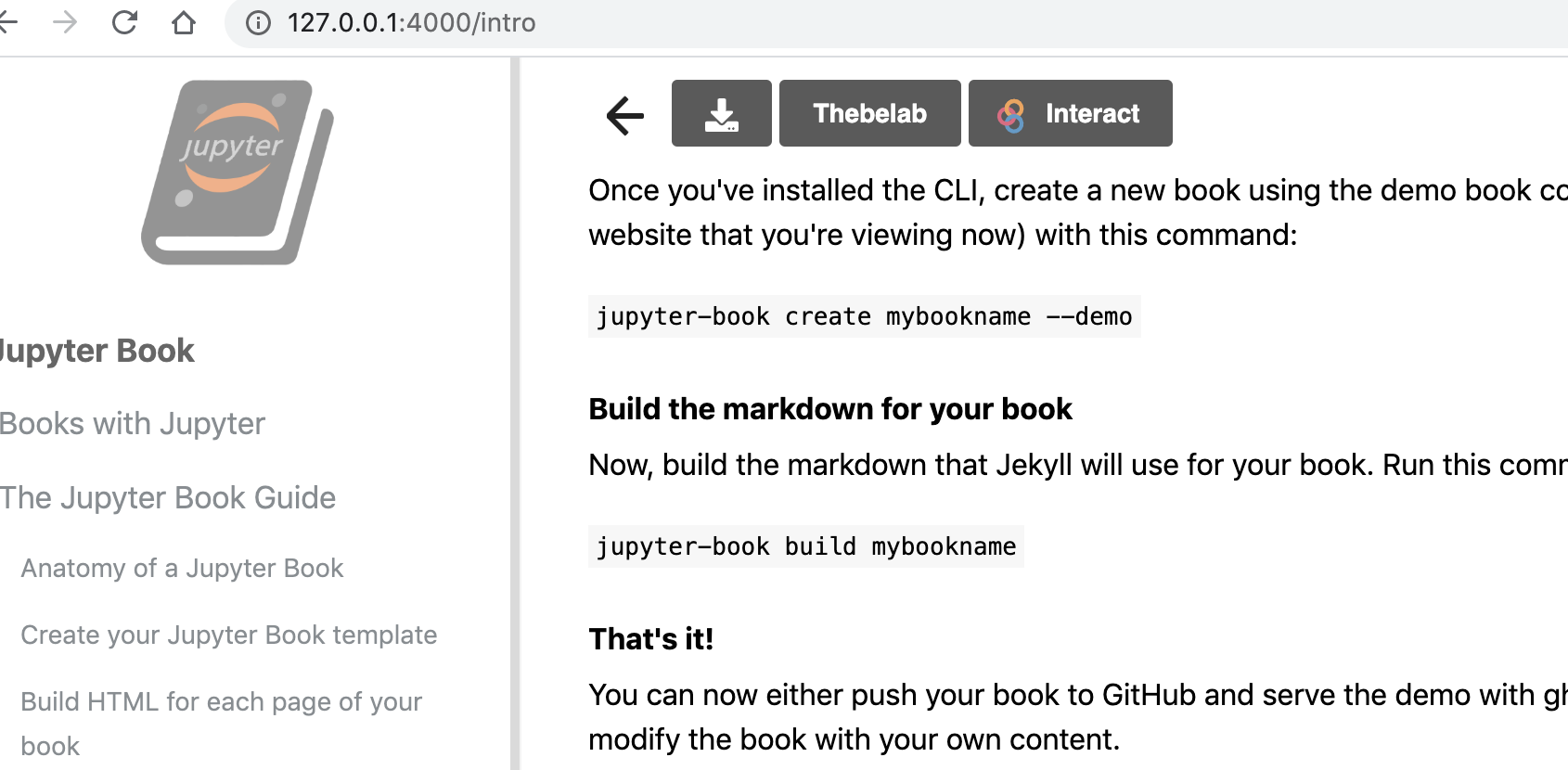
After this I initialized a git repo and set it to point to a corresponding remote on github and then did:
ghp-import -n -p -f _site
The gh-pages branch on github looks right to me... In addition, github tells me I have the gh-pages branch set up correctly as the publishing source and that my page is published:

However, if you navigate to https://alejandroschuler.github.io/mybookname/ you get a 404.

On the other hand, if you explicitly go to https://alejandroschuler.github.io/mybookname/intro.html, you see this:
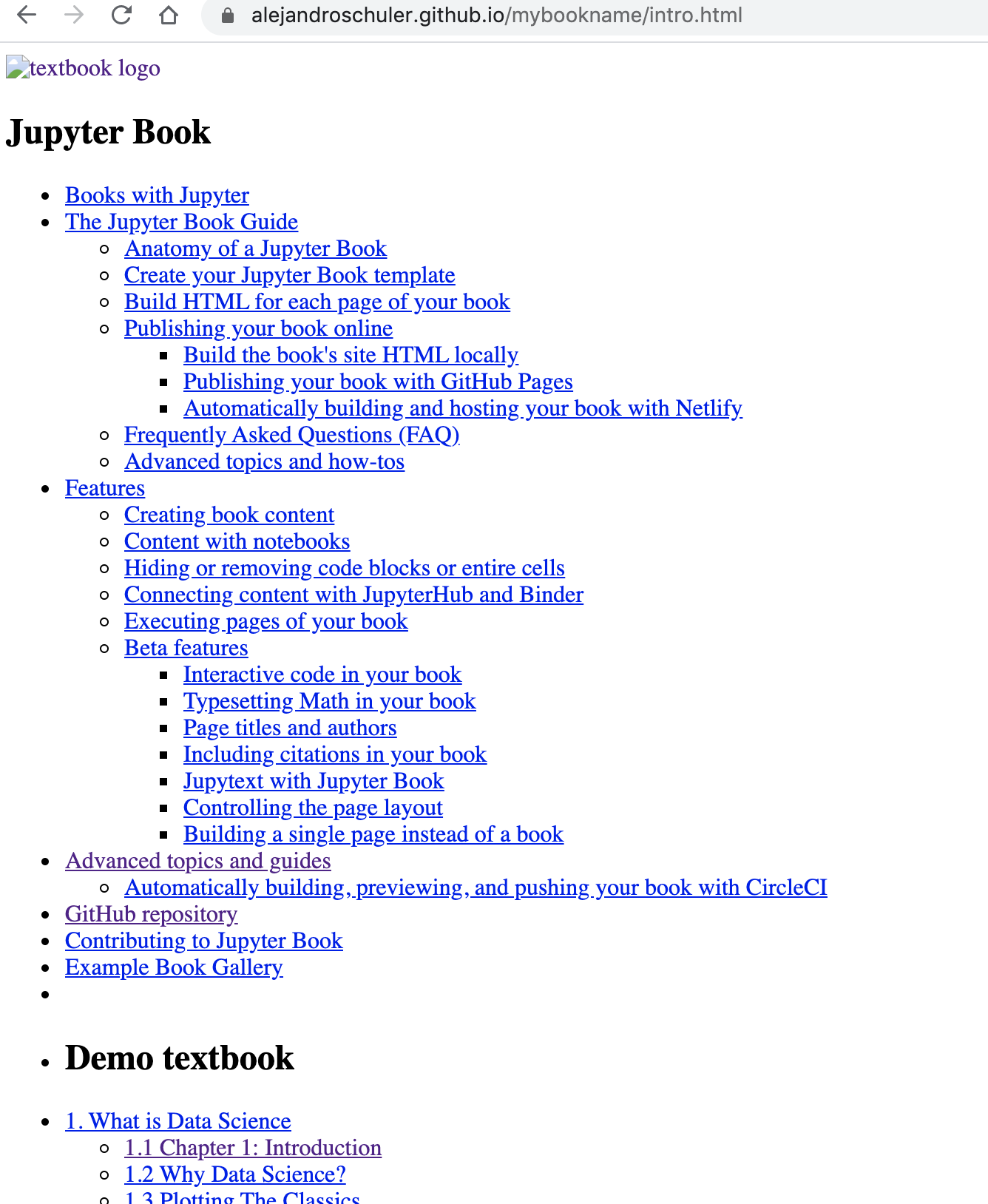
But all of the links on that page result in 404s as well.
Not sure what to do at this point... your help is appreciated!
 alejandroschuler
on 17 Feb 2020
alejandroschuler
on 17 Feb 2020
For folks that have weird-looking pages with the CSS not loaded etc, double check that you have configured your book (in config.yml) to build from the right URL (ie, configure the "url" parameters at the top of the file. Sometimes the 404s happen when the site is being hosted from a URL that doesn't match the configuration in the book
choldgraf
on 18 Feb 2020
@choldgraf I changed that setting (as you can see here), rebuilt the book with jupyter-book build . and pushed up to the relevant branch with ghp-import -n -p -f _site, but I'm still getting the exact same results. Any ideas?
alejandroschuler
on 18 Feb 2020
Interestingly, I've gotten it to work with my other book by changing the URL:
https://github.com/alejandroschuler/CSL
https://alejandroschuler.github.io/CSL/linear_reg_torch
... but I don't quite understand what is different about the demo book that makes it 404 still.
alejandroschuler
on 18 Feb 2020
ah - I wonder if one of your books is using the "Jekyll Scholar" plugin, while another is not? That will prevent a build on GitHub-pages because it doesn't have Jekyll Scholar installed (I know that's super annoying, we are re-working the backend to get around this and other problems)
choldgraf
on 21 Feb 2020
Both use the scholar plugin, but it shouldn't matter since I'm pre-building both books to html before pushing _site (with .no-jekyll) to a gh-pages branch.
alejandroschuler
on 21 Feb 2020
hmm when I went to your site /mybookname it redirected me to a root page without the /mybookname...can you confirm that you've pushed the latest version of the built HTML to the gh-pages branch?
choldgraf
on 21 Feb 2020
I had deleted the entire repo locally, so I just re-cloned from master, rebuilt, and pushed again with ghp-import and now it's working fine! It's possible I hadn't pushed the latest build previously. Thanks for your help though!
alejandroschuler
on 21 Feb 2020
Closing as this should be superceded by beta.jupyterbook.org
choldgraf
on 24 Apr 2020
Related issues
 darribas
·
4Comments
darribas
·
4Comments
 matrs
·
3Comments
sidneymbell
·
5Comments
matrs
·
3Comments
sidneymbell
·
5Comments
 muzny
·
4Comments
muzny
·
4Comments
 cedeerwe
·
3Comments
cedeerwe
·
3Comments
Most helpful comment
Hey @choldgraf --
Thanks for your patience, we were off using jupyter-book in a workshop! It went swimmingly, and folks super appreciated the documentation format & binder integration.
I took a look through the docs, and they're generally great. I noticed a few things you might consider:
1 - It wasn't clear to me that the
--demobook wasn't compatible with ghpages, and it was tricky to figure out which / how to remove packages to fix it.2 - As someone who's never used jekyll before, it wasn't clear to me what the relationship was between
_siteand_build(and that I needed to manually find and remove the demo content from_siteto work).3 - I think you've got a couple of dead links on this page (starting with
See the guide...)