Juice-shop: [🚀] Hacking Instructor
- User selects a challenge from the Score Board
- The _Hacking Instructor_ guides the user through the challenge step-by-step...
- ...until the challenge is solved
- Gives some soft hints first and allows to ask for more help up to full solution walkthrough
- The "wasp" from the ebook logo could act as the instructor avatar/agent
Want to back this issue? Post a bounty on it! We accept bounties via Bountysource.
 bkimminich
All 12 comments
Storyboard
Select Challenge
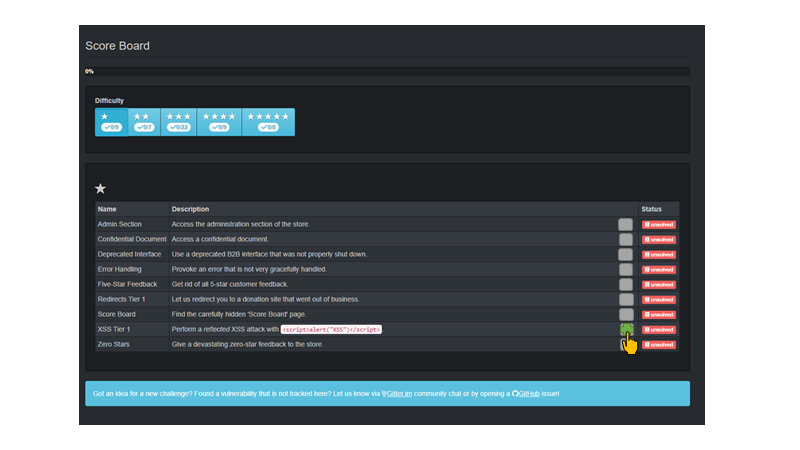
Helpful Wasp shows up and gives a hint

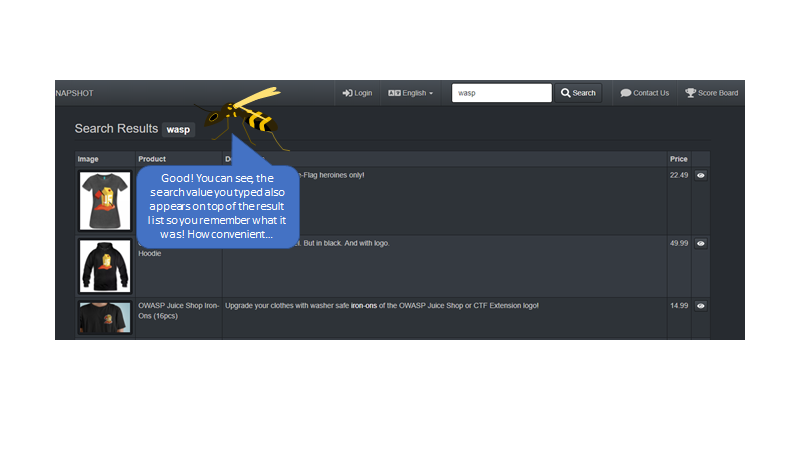
Helpful Wasp observes regular behavior
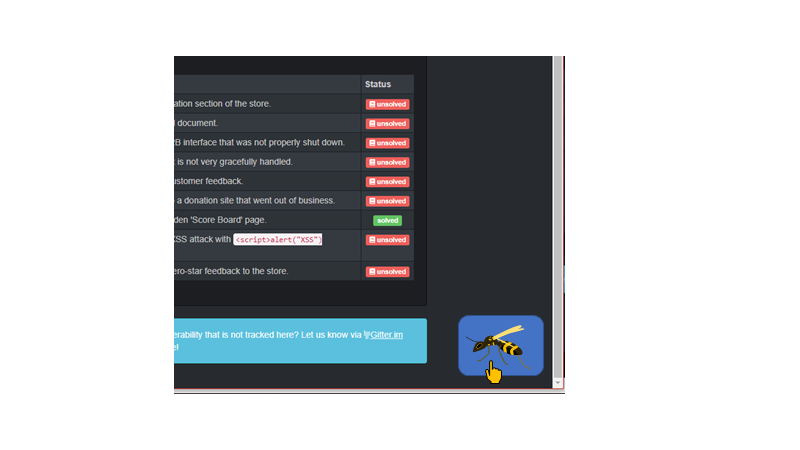
Wasp goes to screen edge waiting to be called for more help
Helpful Wasp gives hint what to do next
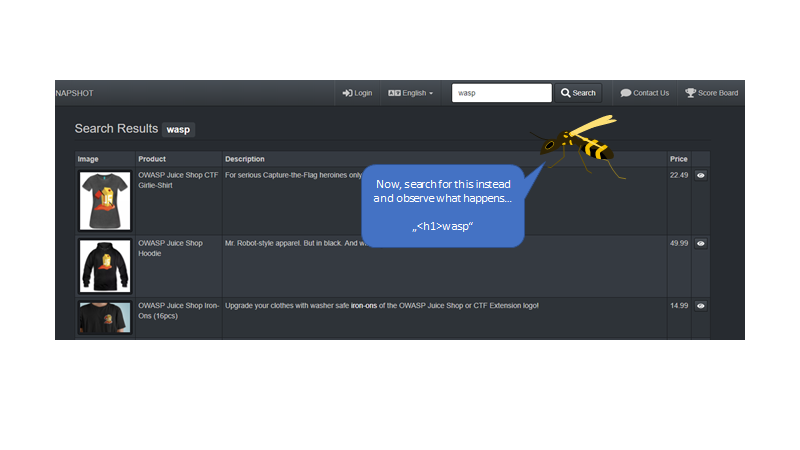
Another smart remark

Wasp goes back to screen edge
...
bkimminich
on 26 Jan 2018
File Format for Hacking Instructions
challenges:
  - name: XSS Tier 1
    hints:
      - text: Well, I prefer stripes, but let‘s do some cross site scripting! First, let‘s search for „wasp“ in the Search box at the top of the page!
        page: score-board
        fixture:
          - type: id
          - value: XSS Tier 1
        position: right
      - text: Good! You can see, the search value you typed also appears on top of the result list so you remember what it was! How convenient…
        page: search
        fixture:
          - type: ng-bind-html
          - value: searchQuery
        position: right
        hideAfterHint: true
      - text: Now, search for this instead and observe what happens… „<h1>wasp“
        page: search
        fixture:
          - type: ng-model
          - value: searchQuery
        position: bottom
      - text: Whoops, what happened here? You might want to inspect the text with your Browser DevTools to find out! Click me when you need more help!
        page: search
        fixture:
          - type: ng-bind-html
          - value: searchQuery
        position: right
        hideAfterHint: true
      ...
I will most likely be taking up this issue over next few month, together with @jorgestiga.
 J12934
on 21 Feb 2019
J12934
on 21 Feb 2019
Hey @J12934 , can I draft a proposal for this project or are you working on it?
Thanks!
 aaryan01
on 27 Mar 2019
aaryan01
on 27 Mar 2019
🚨 Hacking Instructor is claimed by @J12934. Putting ideas here into the ticket is of course welcome, just please no implementations right now. Thanks!
bkimminich
on 27 Mar 2019
Oh alright, thanks!
aaryan01
on 28 Mar 2019
Great progress happening in hacking-instructor branch! Some notes/questions for future increments:
- [ ] Are the tutorial scripts part of the
main.js? This would allow e.g. CTF-participants to very easily cheat even when the tutorial mode is turned off via configuration. Could scripts be lazily loaded from server be an option? - [ ] Translatable tutorial texts! Texts would have to be loaded from e.g. CrowdIn (which would make them less easy to write and deploy due to that additional dependency) but this might increase the beginner friendliness even more. There should be one folder per tutorial in
i18nso the JSON files do not get mixed up too easily. - [ ] Configurable helper avatar! Custom themes could use the angry wasp, original Clippy or any other image.
- [ ] Apply theme color scheme to the text bubble.
- [ ] Click-to-fill convenience feature! Click on e.g. the payload to automatically put that value into the expected input field. Avoids accidentally skipping a step when trying to copy&paste a payload from the speech bubble.
bkimminich
on 6 Jun 2019
What might also be nice is to write a initial Hacking Instructor Instruction to help users find the scoreboard. This could possibly be linked in the new welcome banner to help new users find the scoreboard and the other hacking instructions.
J12934
on 20 Jun 2019
@J12934 Do you have any smart idea how we can make sure the speech bubbles do not appear too close to the window edges, no matter what anchor you pick? It sometimes overflows the screen or scrolls a bit weirdly. Best example is "Login as Admin" script right now.
bkimminich
on 29 Oct 2019
@J12934 Do you have any smart idea how we can make sure the speech bubbles do not appear too close to the window edges, no matter what anchor you pick? It sometimes overflows the screen or scrolls a bit weirdly. Best example is "Login as Admin" script right now.
Yeah i think this is pretty hard. Not sure if / how it can be done by CSS alone.
Might need some javascript logic to place the bubble differently when its to close to a edge.
J12934
on 29 Oct 2019
@bkimminich,
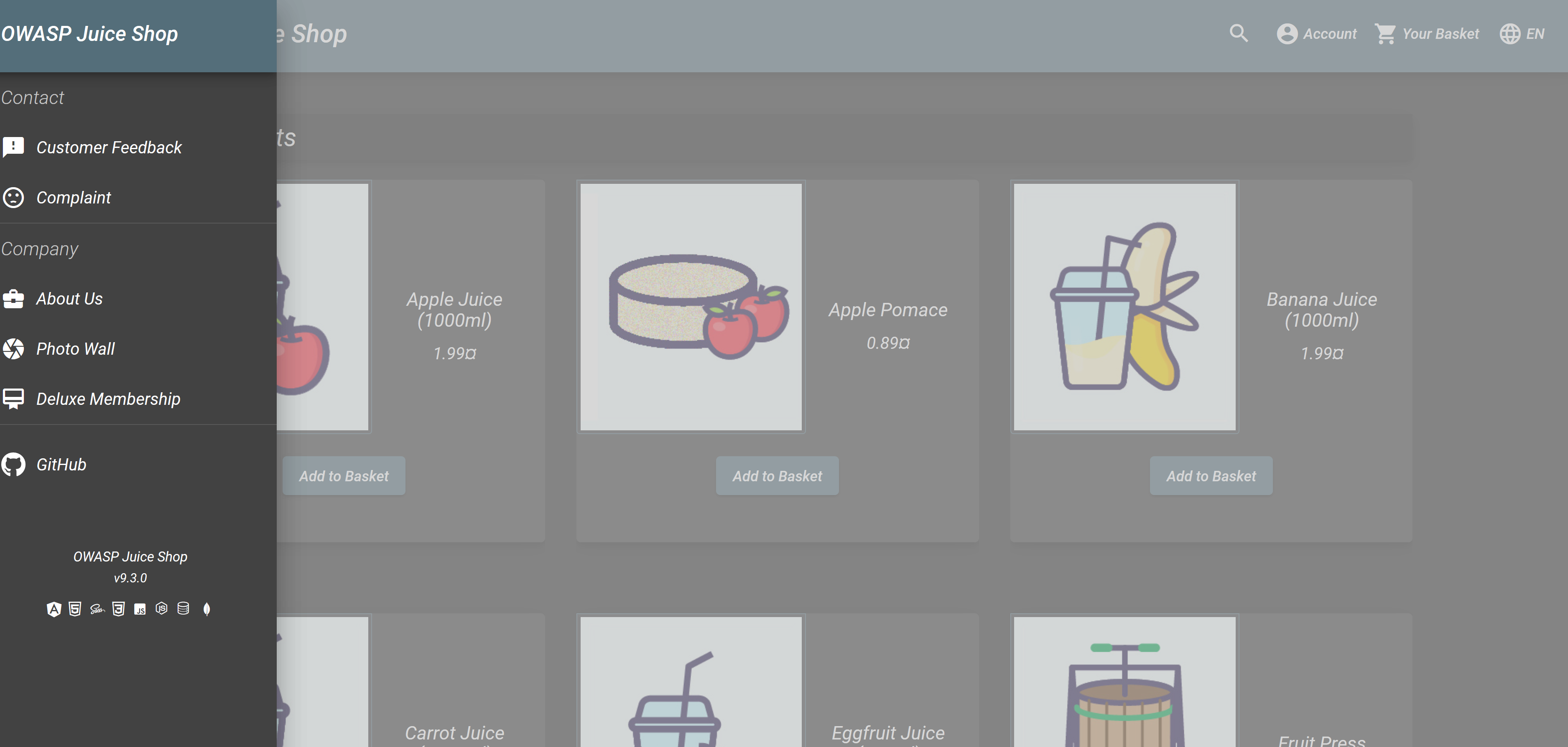
I just downloaded and installed the JS. Everything works fine but I do not see the Scoreboard to be able to do the challenges. What am I missing???
Please advise,
thank you
C. Ray Mallory
 crmallory
on 2 Jan 2020
crmallory
on 2 Jan 2020
You need to find the Score Board first. There's a Hacking Instructor button to guide you on the Welcome Banner.
bkimminich
on 2 Jan 2020
Related issues
 agrawalarpit14
·
4Comments
bkimminich
·
8Comments
agrawalarpit14
·
4Comments
bkimminich
·
8Comments
 azqa
·
7Comments
azqa
·
7Comments
 inkz
·
4Comments
inkz
·
4Comments
 teodor440
·
6Comments
teodor440
·
6Comments
Most helpful comment
🚨 Hacking Instructor is claimed by @J12934. Putting ideas here into the ticket is of course welcome, just please no implementations right now. Thanks!