Jtapplecalendar: How to deselect a selected date cell without using 'allowsMultipleSelection'
(Required) Version Number:
Description
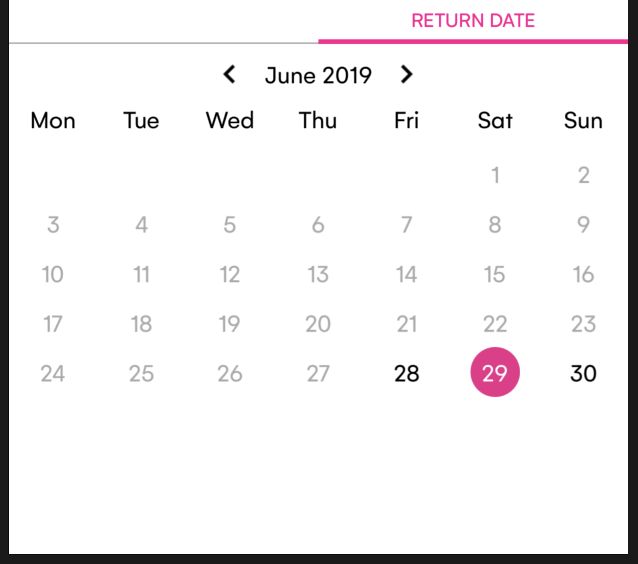
I am working on a single selection [not multiple selection] and I could not find the way out for deselecting of a selected cell. I could do it only if i use calendarView.allowsMultipleSelection = true , however; I don't need that. Any help please. I got stuck with for quite so long!!
Steps To Reproduce
Expected Behavior
Additional Context
 ekchhuon
All 7 comments
I think I am using the wrong library. When I get stuck nobody else could solve me! bad me!
ekchhuon
on 28 Jun 2019
calendarView.deselectAllDates()
Does this not work for you?
 patchthecode
on 28 Jun 2019
patchthecode
on 28 Jun 2019
calendarView.deselectAllDates()Does this not work for you?
I just unable to deselect a selected cell without using calendarView.allowsMultipleSelection = true. Let me try your solution. Thank for your help!! :)
ekchhuon
on 28 Jun 2019
ok.
If there are any other functions you do not know, check out the UserInteractionFunctions.swift file it has 90% of all the functions that developers are able to do with this library.
Here are some of the deselect functions
calendarView.deselect(dates: [date1, date2, date3] )
calendarView.deselectAllDates()
calendarView.deselectDates(from: date1, to: date2)
ok.
If there are any other functions you do not know, check out theUserInteractionFunctions.swiftfile it has 90% of all the functions that developers are able to do with this library.Here are some of the deselect functions
calendarView.deselect(dates: [date1, date2, date3] )
calendarView.deselectAllDates()
calendarView.deselectDates(from: date1, to: date2)
So kind of you thanks
ekchhuon
on 28 Jun 2019
However, if you are using version 7.1.7, you should use deselectAllDates, because the other functions had a bug (which was fixed on master branch).
If you are using master branch however, the problem is already resolved there. I will be releasing master branch soon. Have a good one.
patchthecode
on 28 Jun 2019
However, if you are using version 7.1.7, you should use deselectAllDates, because the other functions had a bug (which was fixed on master branch).
If you are using master branch however, the problem is already resolved there. I will be releasing master branch soon. Have a good one.
Noted with thanks! :)
ekchhuon
on 28 Jun 2019
Related issues
 PedroAnibarro1
·
5Comments
PedroAnibarro1
·
5Comments
 programus
·
3Comments
programus
·
3Comments
 dimitris-c
·
5Comments
programus
·
5Comments
dimitris-c
·
5Comments
programus
·
5Comments
 arn00s
·
3Comments
arn00s
·
3Comments