Jtapplecalendar: get month before scrolling ends (willScrollToDateSegmentWith)
Hi and thanks for this great calendar framework!
I´m using version 7.15 in a new app I'm developing.
How can I get the month the user is scrolling to before scrolling is ready?
I use the following settings:
calendarView.minimumLineSpacing = 0
calendarView.minimumInteritemSpacing = 0
calendarView.scrollingMode = .stopAtEachSection
calendarView.cellSize = calendarView.frame.size.width / 7 - 4.0 // make calendar height smaller
weekDaysView?.backgroundColor = .white
calendarViewHeightConstraint.constant = 6 * calendarView.cellSize
calendarView.scrollDirection = .vertical
One delegate that is called while user is scrolling is didScrollToDateSegmentWith. Can I get the month the user scrolls to or the scroll direction (up or down) inside this function?
 coc
coc
All 14 comments
How can I get the month the user is scrolling to before scrolling is ready?
It cant be done right now
func scrollDidEndDecelerating(for calendar: JTAppleCalendarView)
I meant to do this in this function. This function tells you when the calendar stops scrolling as soon as you lift your finger.
But it was supposed to be this
func scrollDidEndDecelerating(for calendar: JTAppleCalendarView, monthDetails: Details)
Marking this for enhancement.
 patchthecode
on 14 Apr 2018
patchthecode
on 14 Apr 2018
One delegate that is called while user is scrolling is didScrollToDateSegmentWith. Can I get the month the user scrolls to or the scroll direction (up or down) inside this function?
The function is
func calendar(_ calendar: JTAppleCalendarView, didScrollToDateSegmentWith visibleDates: DateSegmentInfo)
The visibleDates portion will tell you which dates are on the screen. And by the dates, you can tell which month is on the screen. Does your calendar have paged scrolling?
patchthecode
on 14 Apr 2018
Thanks, I meant scrollDidEndDecelerating, not didScrollToDateSegmentWith
didScrollToDateSegmentWith is too late, scrolling is done at this point. The reason why I wish this is of course I display the month and year in the UINavigationController´s large title
coc
on 14 Apr 2018
ok then. If it is scrollDidEndDecelerating then i have already marked this for an enhancement.
How soon do you need this? I am sorta swamped with one rather difficult project right now.
patchthecode
on 14 Apr 2018
Many thanks! It would be great to have it in the next two months.
coc
on 14 Apr 2018
alright. that _should_ be enough time.
patchthecode
on 14 Apr 2018
Thanks again!
coc
on 14 Apr 2018
I need this enhancement too! Preferably before this month is out...
Or hope willScrollToDateSegmentWith will be added.
 mock123
on 2 Jun 2018
mock123
on 2 Jun 2018
Hi, I want ask again for this feature.
Thanks
coc
on 22 Jul 2018
Hi, any updates?
Could we expect that feature to be released _soon_?
 juliensagot
on 17 Aug 2018
juliensagot
on 17 Aug 2018
+1 I really need this please
 LeoGoemaere
on 22 Aug 2018
LeoGoemaere
on 22 Aug 2018
i have added this as an update to master branch code -> 2c00513aab426f71787c443d017f2baf0ae5b3fc
Please test master branch code and let me know if i broke anything.
patchthecode
on 25 Aug 2018
It works like a charm!
Thank you so much, my calendar looks perfect now 👍.
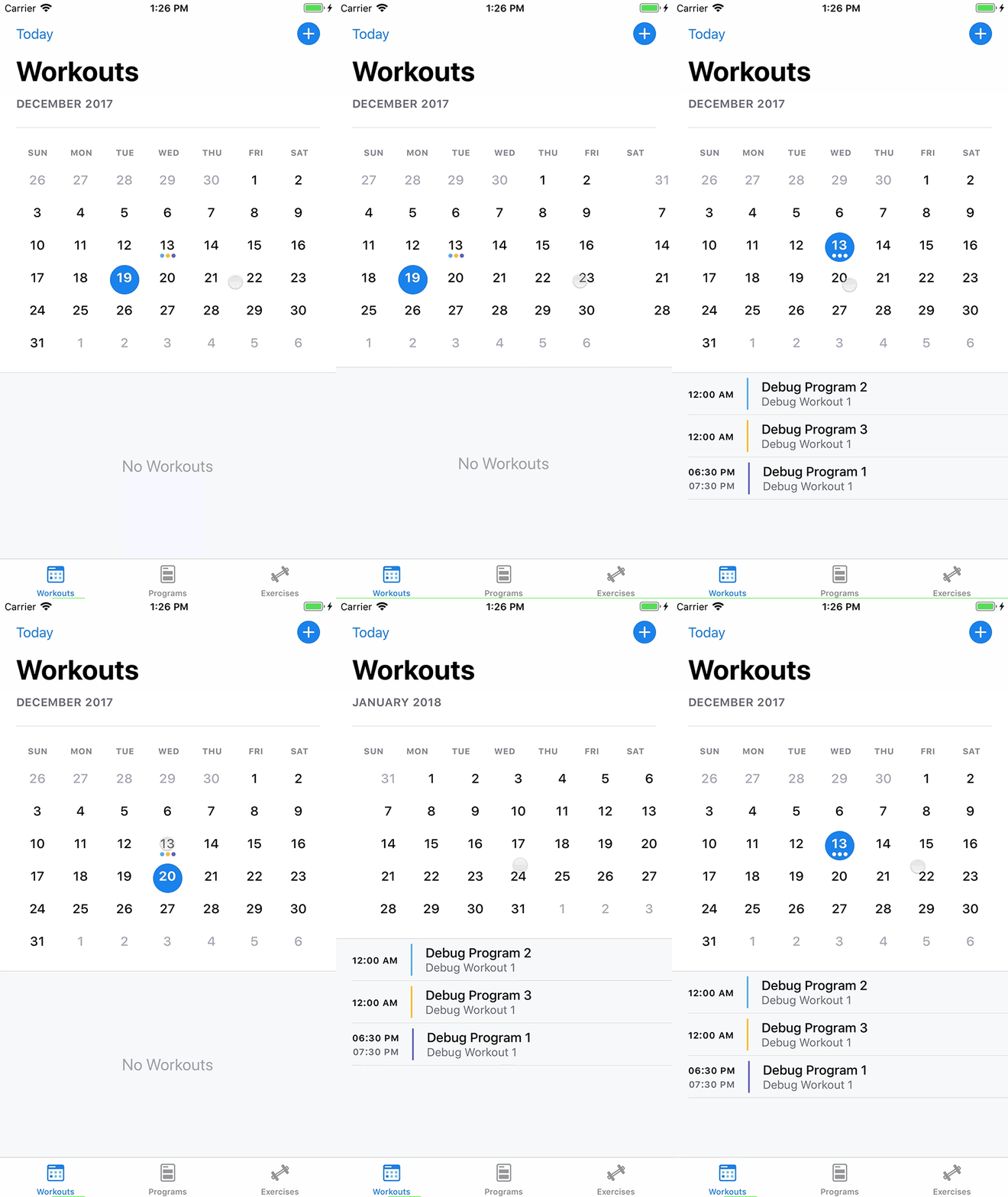
juliensagot
on 25 Aug 2018
@juliensagot ok cool.
I still need to do full testing on master branch to make sure that i didnt break anything though. So i will leave this open for now.
patchthecode
on 25 Aug 2018
Related issues
 arn00s
·
3Comments
arn00s
·
3Comments
 zhanswift
·
5Comments
zhanswift
·
5Comments
 prahaladm
·
3Comments
prahaladm
·
3Comments
 programus
·
3Comments
programus
·
3Comments
 gotamafandy
·
3Comments
gotamafandy
·
3Comments
Most helpful comment
i have added this as an update to master branch code -> 2c00513aab426f71787c443d017f2baf0ae5b3fc
Please test master branch code and let me know if i broke anything.